
1. Introduction
The Bluevua RO100ROPOT-Lite is a portable countertop reverse osmosis water filter designed to provide clean, purified drinking water without the need for complex installation or plumbing. This system features a 6-stage filtration process, including a 0.0001μm RO membrane, to effectively reduce over 1000 harmful contaminants such as TDS, PFOA, PFOS, Chlorine, Fluoride, Arsenic, and Lead. Its compact design and premium borosilicate glass carafe make it suitable for various living spaces.
This manual provides essential information for the proper setup, operation, and maintenance of your Bluevua RO100ROPOT-Lite water filter system. Please read it thoroughly before use to ensure optimal performance and longevity of the product.
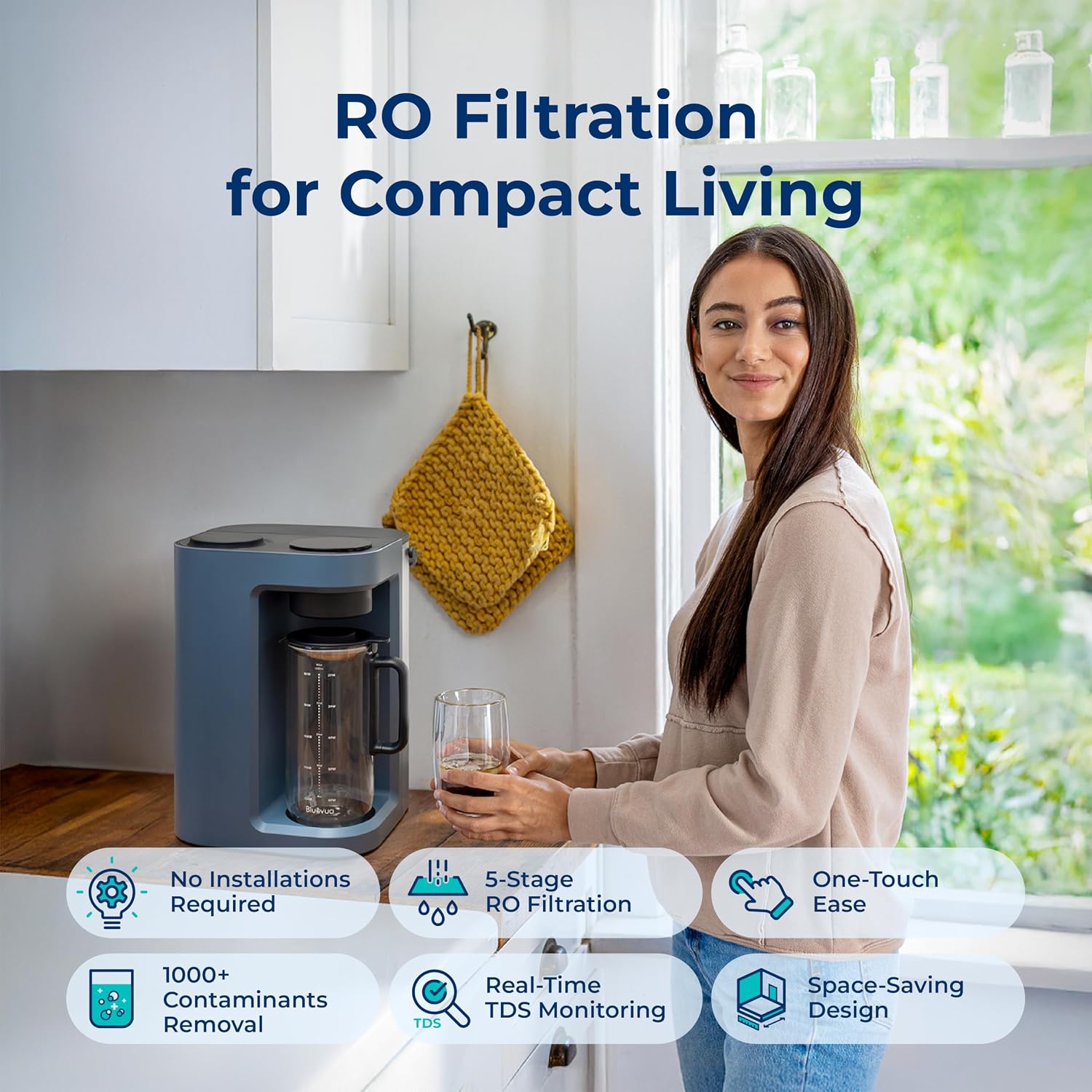
Figure 1: Bluevua RO100ROPOT-Lite Countertop RO Water Filter System.
2. Safety Information
To prevent injury or damage to the product, observe the following safety precautions:
- Always plug the unit into a grounded electrical outlet. Do not use with extension cords or adapters unless specifically approved.
- Do not immerse the main unit in water or other liquids. Clean only with a damp cloth.
- Keep the unit away from direct sunlight, heat sources, and corrosive substances.
- Ensure the water reservoir is properly seated before operating the unit.
- Do not attempt to disassemble or repair the unit yourself. Contact customer support for assistance.
- Handle the glass carafe and infuser with care to prevent breakage.
- Use only potable tap water in the reservoir. Do not add any other liquids.
- Keep out of reach of children.
3. Product Overview
3.1 Components
The Bluevua RO100ROPOT-Lite system includes the following components:
- ROPOT-Lite Countertop RO System (Main Unit)
- 5-in-1 Composite Filter (Pre-installed or separate)
- Borosilicate Glass Carafe
- Glass Infuser (for fruit-infused water)
- Water Reservoir
- Power Adapter
3.2 Filtration Stages
The system employs a 6-stage filtration process to ensure water purity:
- Polypropylene (PP): Removes larger particles like silt, sand, rust, and dirt.
- Coconut Shell Activated Carbon (CTO): Absorbs chlorine, chloramine, microplastics, and microorganisms.
- Polypropylene (PP): Removes smaller particles to further protect the RO membrane.
- Reverse Osmosis (RO) Membrane (0.0001μm): Removes lead, arsenic, fluoride, PFOA/PFOS, and other dissolved solids.
- Post Carbon Filter (PCF): Improves water taste and odor.
- Remineralization (Optional, depending on model): Adds beneficial minerals back to the water for improved taste and health. (Note: RO100ROPOT-Lite does not include remineralization as per product details)

Figure 2: Five-Stage Filtration Process.
4. Setup
The Bluevua RO100ROPOT-Lite requires no plumbing installation. Follow these steps for initial setup:
4.1 Unboxing and Cleaning
- Carefully remove all components from the packaging.
- Wash the water reservoir, glass carafe, and glass infuser with mild soap and warm water. Rinse thoroughly and dry.
- Wipe the exterior of the main unit with a damp cloth. Do not use abrasive cleaners.
4.2 Filter Installation
The 5-in-1 composite filter is typically pre-installed. If not, or if replacing, follow these steps:
- Open the filter housing cover on the top of the main unit.
- Insert the new filter into the designated slot, ensuring it is securely seated.
- Close the filter housing cover.

Figure 3: Filter cartridge and main unit.
4.3 Initial Flushing Procedure
Before first use, the system requires an initial flushing to prepare the filters:
- Place the main unit on a stable, flat surface.
- Fill the water reservoir with tap water up to the MAX line.
- Place the empty glass carafe under the dispenser.
- Plug the power adapter into a grounded outlet. The display will light up.
- Press the 'Flush' button (or equivalent on the control panel) to initiate the flushing cycle. This process typically involves dispensing water and then draining it. Repeat this cycle 3-4 times as instructed by the display or manual to ensure the filters are thoroughly rinsed.
- Discard the flushed water. The system is now ready for use.
5. Operating Instructions
5.1 Powering On/Off
To power on the unit, plug it into a power outlet. The display will illuminate. To power off, unplug the unit.
5.2 Dispensing Water
- Ensure the water reservoir is filled with tap water.
- Place the empty glass carafe under the dispenser.
- On the smart LED display, select the desired water volume (e.g., 40oz/1200ml).
- Press the 'Dispense' button (usually indicated by a water drop icon). The system will automatically filter and dispense the selected volume of water into the carafe.
- The system will perform an auto self-cleaning flush after each dispense cycle.

Figure 4: Smart LED Display for control and monitoring.
5.3 Smart LED Display Functions
The display provides real-time information:
- TDS Monitor: Shows the Total Dissolved Solids (ppm) of the filtered water.
- Filter Lifespan Display: Indicates the remaining life of the filter, typically in bars or a percentage. Replace the filter when indicated.
- Water Volume Display: Allows selection of desired dispense volume.
- Auto Self-Cleaning: Indicates when the system is performing its automatic flush cycle.
5.4 Using the Glass Infuser
For fruit-infused water:
- Place desired fruits or herbs into the glass infuser.
- Insert the infuser into the glass carafe.
- Dispense purified water into the carafe as usual.
- Allow the water to infuse for a desired period before serving.

Figure 5: Glass Carafe with Infuser for flavored water.
6. Maintenance
6.1 Filter Replacement
The 5-in-1 composite filter typically lasts for approximately 12 months, depending on usage and water quality. The smart LED display will indicate when a replacement is needed.
- Unplug the unit from the power outlet.
- Remove the filter housing cover.
- Carefully remove the old filter cartridge.
- Insert the new filter cartridge, ensuring it clicks into place.
- Replace the filter housing cover.
- Plug the unit back in. Perform an initial flushing procedure (Section 4.3) to prepare the new filter.
- Reset the filter life indicator on the display if prompted.
Video 1: Instructions on how to replace the filter for ROPOT-Lite & ROPOT-Lite(UV) systems.

Figure 6: Filter replacement is recommended annually.
6.2 Cleaning the Unit and Carafe
- Exterior: Wipe the exterior of the main unit with a soft, damp cloth. Do not use harsh chemicals or abrasive materials.
- Water Reservoir: Regularly remove and clean the water reservoir with mild soap and water. Rinse thoroughly to remove any soap residue.
- Glass Carafe and Infuser: Wash with mild soap and water after each use. These components are dishwasher safe on the top rack.
6.3 Descaling
Over time, mineral deposits may accumulate inside the unit, especially in areas with hard water. Descaling is recommended every 3-6 months or when you notice reduced water flow or unusual noises.
- Unplug the unit and empty the water reservoir and carafe.
- Prepare a descaling solution according to the instructions on the descaling powder package (or use a mixture of white vinegar and water).
- Pour the descaling solution into the water reservoir.
- Place the empty carafe under the dispenser.
- Plug in the unit and initiate a flush cycle or dispense a full carafe of the descaling solution.
- Let the solution sit in the internal system for 30 minutes to an hour.
- Repeat the flush/dispense cycle with clean tap water several times to thoroughly rinse out the descaling solution.

Figure 7: Bluevua Descaling Powder.
7. Troubleshooting
If you encounter issues with your Bluevua RO100ROPOT-Lite, refer to the following common problems and solutions:
| Problem | Possible Cause | Solution |
|---|---|---|
| Unit does not power on | Not plugged in; Power outage; Faulty outlet | Check power connection; Verify outlet functionality; Try a different outlet. |
| No water dispensed | Empty reservoir; Carafe not in place; Filter needs replacement; Airlock in system | Fill reservoir; Ensure carafe is correctly positioned; Replace filter; Perform a flush cycle. |
| Slow water dispensing | Clogged filter; Mineral buildup | Replace filter; Perform descaling procedure. |
| High TDS reading | Filter nearing end of life; Incorrect filter installation | Replace filter; Reinstall filter correctly; Perform flush cycles. |
| Water leakage | Reservoir not seated correctly; Loose connections; Damaged component | Ensure reservoir is properly seated; Check for visible cracks or damage; Contact customer support. |
| Unusual noise | Normal pump operation; Air in system; Mineral buildup | Some pump noise is normal; Perform flush cycle; Descale the unit. |
If the problem persists after attempting these solutions, please contact Bluevua customer support.
8. Specifications
| Feature | Detail |
|---|---|
| Brand | Bluevua |
| Model Name | ROPOT-LITE |
| Special Feature | Portable |
| Product Dimensions (L x W x H) | 9.7" x 9.5" x 14.1" |
| Material | Borosilicate Glass (Carafe) |
| Capacity | 1200 ml (Carafe) |
| Included Components | ROPOT-Lite Countertop RO System with 5-in-1 Composite Filter |
| Installation Type | Countertop |
| Purification Method | Reverse Osmosis |
| Item Weight | 7.84 ounces |
| Maximum Flow Rate | 0.26 liters per minute |
| Temperature Range | 41 °F - 100 °F |
| Certifications | WQA against NSF/ANSI/CAN 372 (lead-free), SGS Tested |
9. Warranty and Support
Bluevua is committed to providing high-quality products and exceptional customer service. Your Bluevua RO100ROPOT-Lite comes with a standard manufacturer's warranty. Please refer to the warranty card included in your product packaging for specific terms and conditions.
For technical assistance, troubleshooting, or warranty claims, please contact Bluevua customer support. We offer US-based lifelong support to ensure your satisfaction.
Contact Information:
- Visit the official Bluevua website for support resources: Bluevua Store
- Refer to the Troubleshooting Guide (PDF) for additional assistance.

Figure 8: Bluevua Customer Support.


