Introduction
This manual provides detailed instructions for the setup, operation, maintenance, and troubleshooting of your Wowstar Portable Bluetooth Karaoke Machine. Designed for both children and adults, this device combines a portable speaker with a wireless microphone and dynamic LED lights to enhance your singing experience. Please read this manual thoroughly to ensure proper use and to maximize your enjoyment of the product.

Image: The Wowstar Portable Karaoke Machine and Wireless Microphone, showcasing its compact design and blue color.
Setup
1. Package Contents
- Wowstar Portable Karaoke Speaker
- Wireless Microphone
- USB Charging Cable
- User Manual
2. Charging the Device
Before first use, fully charge both the karaoke speaker and the wireless microphone. Connect the provided USB charging cable to the Micro USB port on each device and to a standard USB power adapter (not included). The charging indicator light will show the charging status.
3. Power On/Off
- Speaker: Long press the power button (usually combined with Play/Pause) on the speaker.
- Microphone: Long press the power button on the microphone.
4. Bluetooth Connection
The wireless microphone automatically connects to the speaker upon powering on. To connect the speaker to your music source (smartphone, PC, laptop):
- Ensure the speaker is powered on and in Bluetooth mode (indicated by a blue light or voice prompt).
- Enable Bluetooth on your device (e.g., smartphone).
- Search for "Wowstar" or a similar device name in your device's Bluetooth settings.
- Select the device to pair. A successful connection will be confirmed by an audible prompt.
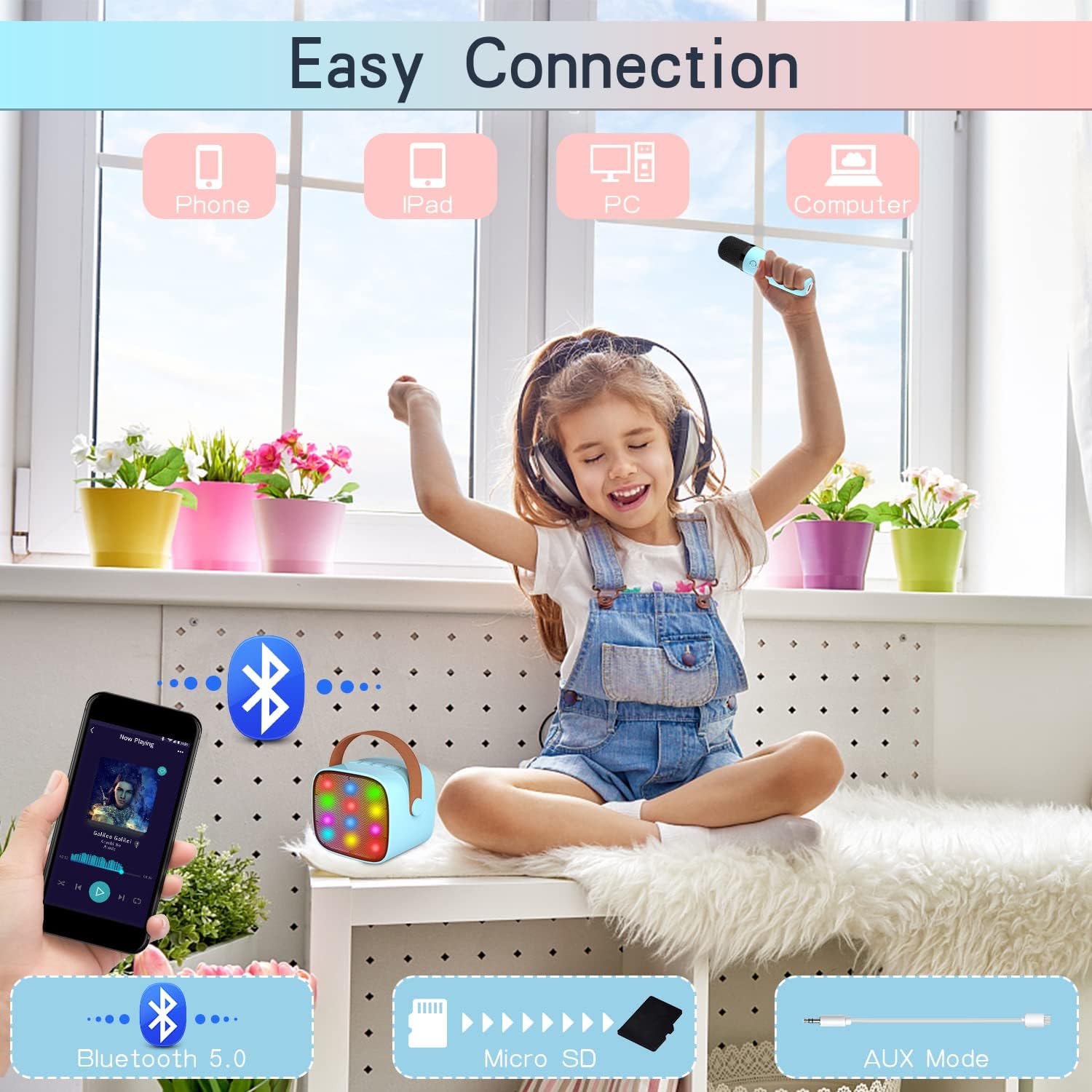
Image: Illustration of various connection methods including Bluetooth 5.0, Micro SD, and AUX input.
Operating Instructions
Speaker Controls
- Volume - (Short Press): Decrease speaker volume.
- Previous Song (Long Press): Go to the previous track.
- Play/Pause (Short Press): Play or pause music.
- Power On/Off (Long Press): Turn the karaoke machine on or off.
- Volume + (Short Press): Increase speaker volume.
- Next Song (Long Press): Go to the next track.
- Mode Switch (M Button, Short Press): Cycle through modes (TF Card / Bluetooth / AUX).
- LED Light On/Off (M Button, Long Press): Turn the LED lights on or off.
Microphone Controls
- Power On/Off (Long Press): Turn the microphone on or off.
- Play/Pause Microphone (Short Press): Mute/unmute the microphone.
- Play/Pause Music (Double Click): Play or pause the music playing through the speaker.
- Volume + (Short Press): Increase microphone volume.
- Next Song (Long Press): Go to the next track.
- Volume - (Short Press): Decrease microphone volume.
- Previous Song (Long Press): Go to the previous track.
- Magic Sounds (Short Press): Switch between 4 types of magic voice effects.
- Remove/Restore Vocals (Long Press): Remove or restore original vocals from a song (if supported by the audio track).

Image: Detailed layout of the speaker and microphone controls with their respective functions.
Dynamic LED Lights
The speaker features dynamic LED lights that synchronize with the music, creating an engaging atmosphere. These lights can be turned on or off by long-pressing the 'M' button on the speaker.

Image: The karaoke speaker with its multi-colored LED lights illuminated.
Maintenance
Cleaning
Wipe the device surfaces with a soft, dry cloth. Do not use abrasive cleaners or solvents. Avoid exposing the device to water or excessive moisture.
Storage
When not in use for extended periods, store the karaoke machine and microphone in a cool, dry place away from direct sunlight and extreme temperatures. Ensure both devices are fully charged before storing to prolong battery life.
Troubleshooting
- No Power: Ensure both the speaker and microphone are fully charged. Connect them to a power source using the USB cable.
- No Sound from Speaker:
- Check if the speaker volume is turned up.
- Ensure the speaker is correctly paired via Bluetooth or connected via AUX/TF card.
- Verify that the music source device's volume is also turned up.
- Microphone Not Working:
- Ensure the microphone is powered on and fully charged.
- Check if the microphone volume is turned up.
- The microphone should automatically pair with the speaker. If not, try restarting both devices.
- Bluetooth Connection Issues:
- Make sure the speaker is in Bluetooth pairing mode.
- Disable and re-enable Bluetooth on your source device.
- Move the speaker closer to your source device (within 32 feet).
- Clear previous Bluetooth connections on your source device and try pairing again.
- Microphone Feedback: The advanced digital signal processor is designed to minimize feedback. If feedback occurs, try reducing the microphone volume or increasing the distance between the microphone and the speaker.
Specifications
| Feature | Detail |
|---|---|
| Brand | Wowstar |
| Model Number | B0BGHDCMQR |
| Color | Blue |
| Connectivity Technology | Bluetooth 5.0 |
| Compatible Devices | Android/iOS Smartphones, PC, Laptops |
| Special Features | Wireless Microphone, LED Light Effects, Magic Voice Modes |
| Components Included | Speaker, Microphone, Battery |
| Recommended Uses | Indoor and Outdoor |
| Power Source | Battery Powered |
| Number of Speakers | 1 |
| Connector Type | Micro USB (for charging) |
| Speaker Dimensions | Approx. 3.34 x 2.95 x 2.55 inches (8.5 x 7.5 x 6.5 cm) |
| Microphone Dimensions | Approx. 5.31 x 1.57 inches (13.5 x 4 cm) |
| Weight | Approx. 455g |
| Battery Life | 5-10 hours (after full charge) |

Image: Visual representation of the speaker and microphone dimensions.
Warranty and Support
For warranty information or technical support, please refer to the product packaging or contact the retailer where the product was purchased. Information regarding spare parts availability and software updates is currently unavailable.
For further assistance, please visit the Wowstar official website or contact their customer service department.
