
BOFENG Twin Bed Frame B0BGH6Q8FJ
BOFENG Twin Bed Frame with Storage Headboard and USB Charging Station User Manual
Model: Twin Bed Frame B0BGH6Q8FJ
1. Introduction
This manual provides instructions for the assembly, operation, maintenance, and troubleshooting of your BOFENG Twin Bed Frame with Storage Headboard and USB Charging Station. Please read this manual thoroughly before assembly and use to ensure proper function and safety. Keep this manual for future reference.

Image 1.1: The BOFENG Twin Bed Frame with its integrated storage headboard and USB charging station, shown in a bedroom environment.
2. Safety Information
Always follow basic safety precautions when assembling and using this product to reduce the risk of injury or damage.
- Read all instructions before assembly.
- Ensure all parts are present and undamaged before beginning assembly.
- Assemble the bed frame on a soft, clean surface to prevent scratches.
- Do not overtighten screws during assembly.
- Regularly check all connections to ensure they remain tight.
- Do not exceed the maximum weight capacity of 800 pounds.
- Keep children away from the assembly area.
- Only use the USB ports and power outlets for their intended purpose. Do not overload the charging station.
3. Package Contents
Verify that all components are included in your package. If any parts are missing or damaged, please contact customer support.
Typical package contents include:
- Headboard components (P2 MDF Board and metal frame)
- Footboard components (P2 MDF Board and metal frame)
- Side rails
- Metal slats
- Support legs
- USB charging station module with power cord
- Hardware pack (screws, bolts, Allen wrench)
- Assembly instructions manual
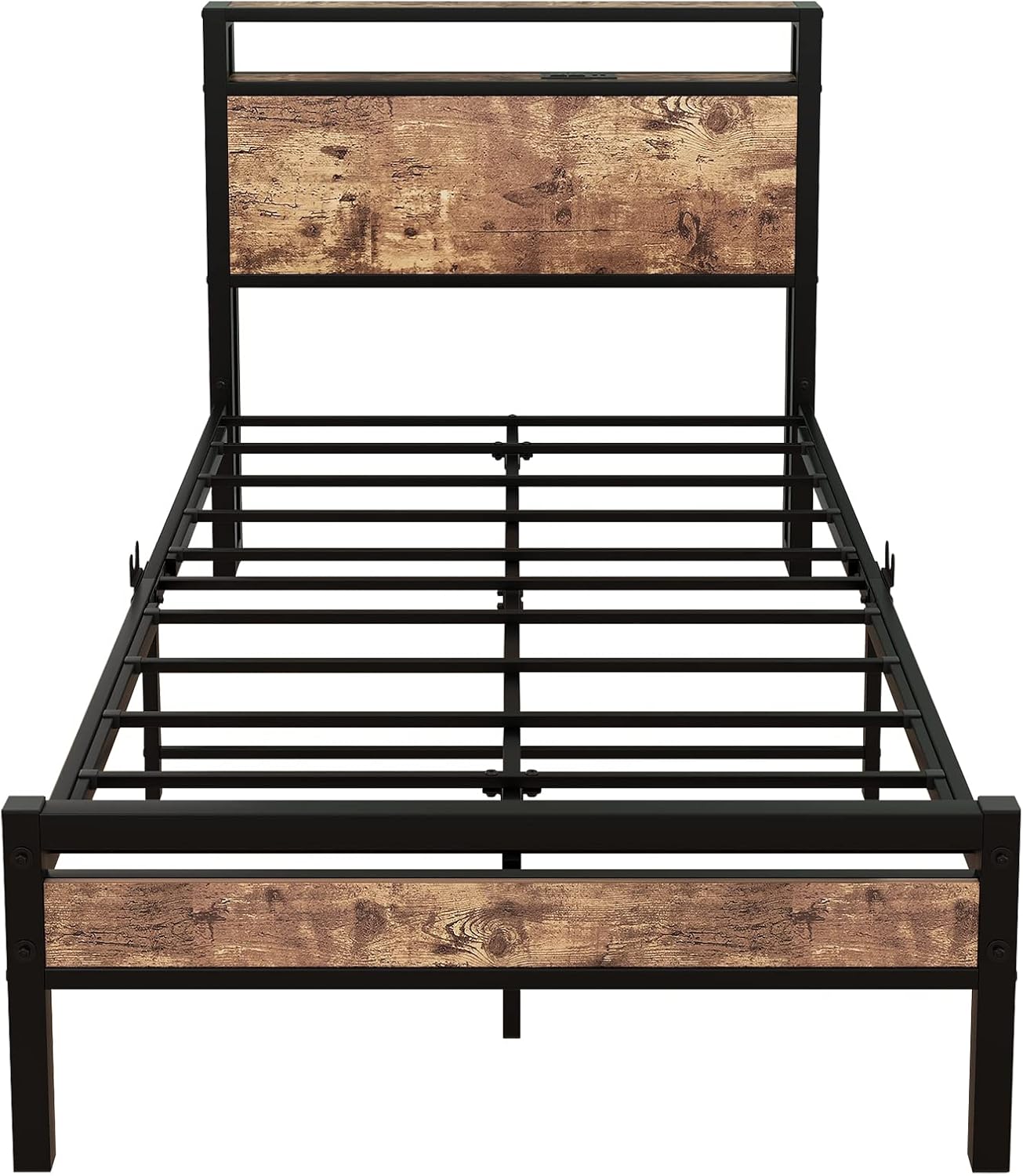
Image 3.1: Detail of the heavy-duty steel slat support system, designed for mattress stability without a box spring.
4. Setup and Assembly Instructions
The BOFENG Twin Bed Frame is designed for easy assembly. All necessary tools are included. Follow the step-by-step instructions provided in the separate assembly guide included in your package.
- Unpack all components and verify against the parts list.
- Attach the headboard and footboard panels to their respective metal frames.
- Connect the side rails to the headboard and footboard using the provided hardware.
- Install the central support beam and support legs.
- Lay out and secure the metal slats across the frame.
- Install the USB charging station module into the designated slot on the headboard.
- Ensure all connections are secure before placing a mattress on the frame.
For detailed visual guidance, refer to the assembly diagrams in your included instruction booklet.
5. Operating Instructions (USB Charging Station)
Your BOFENG Twin Bed Frame features a convenient charging station integrated into the headboard.
5.1 Powering the Charging Station
- Locate the power cord extending from the charging station module on the headboard.
- Plug the power cord into a standard wall outlet.
- The charging station is now active.
5.2 Using USB Ports and Power Outlets
- The charging station includes two standard plug outlets and two USB ports.
- Connect your electronic devices (e.g., smartphones, tablets, lamps) to the appropriate port.
- Ensure devices are compatible with the charging station's output.
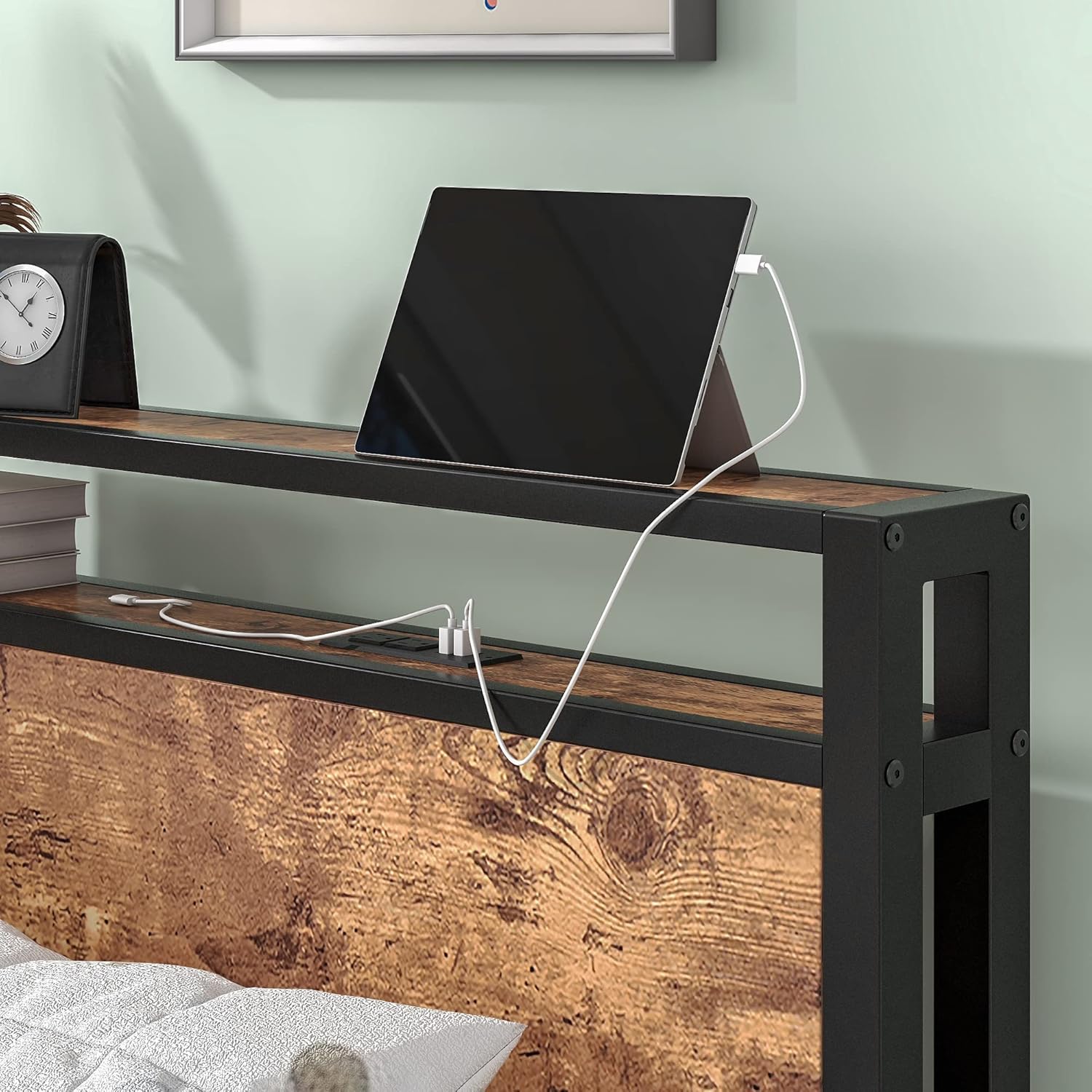
Image 5.1: The headboard's storage shelf and integrated charging station, demonstrating a tablet connected for power.

Image 5.2: A detailed view of the two USB ports and two standard power outlets available on the headboard.
6. Maintenance
Proper maintenance will extend the life of your bed frame.
- Cleaning: Wipe down metal and wood surfaces with a soft, damp cloth. Avoid harsh chemicals or abrasive cleaners.
- Inspection: Periodically check all bolts and screws to ensure they are tight. Retighten if necessary.
- Charging Station: Keep the charging ports free of dust and debris. Do not expose the charging station to liquids.
7. Troubleshooting
If you encounter issues with your bed frame, refer to the following common problems and solutions.
7.1 Noise/Squeaking
- Cause: Loose connections or uneven assembly.
- Solution: Inspect all bolts and screws. Tighten any loose connections. Ensure the bed frame is assembled on a level surface.
7.2 Charging Station Not Working
- Cause: Power cord unplugged, faulty outlet, or overloaded circuit.
- Solution: Ensure the power cord is securely plugged into a working wall outlet. Test the outlet with another device. Reduce the number of devices connected to the charging station.
7.3 Instability
- Cause: Uneven floor or loose frame connections.
- Solution: Ensure the bed frame is on a flat, level surface. Check and tighten all assembly hardware.
8. Specifications
| Feature | Specification |
|---|---|
| Size | Twin |
| Material | Metal Steel, P2 MDF Board |
| Product Dimensions (L x W x H) | 81.5" x 39.37" x 38.19" |
| Weight Capacity | 800 pounds |
| Special Features | Heavy Duty, No Box Spring Needed, Pre-drilled Holes, Squeak Resistant, Stain Resistant, Integrated USB Charging Station |
| Charging Station | 2 Standard Plug Outlets, 2 USB Ports |
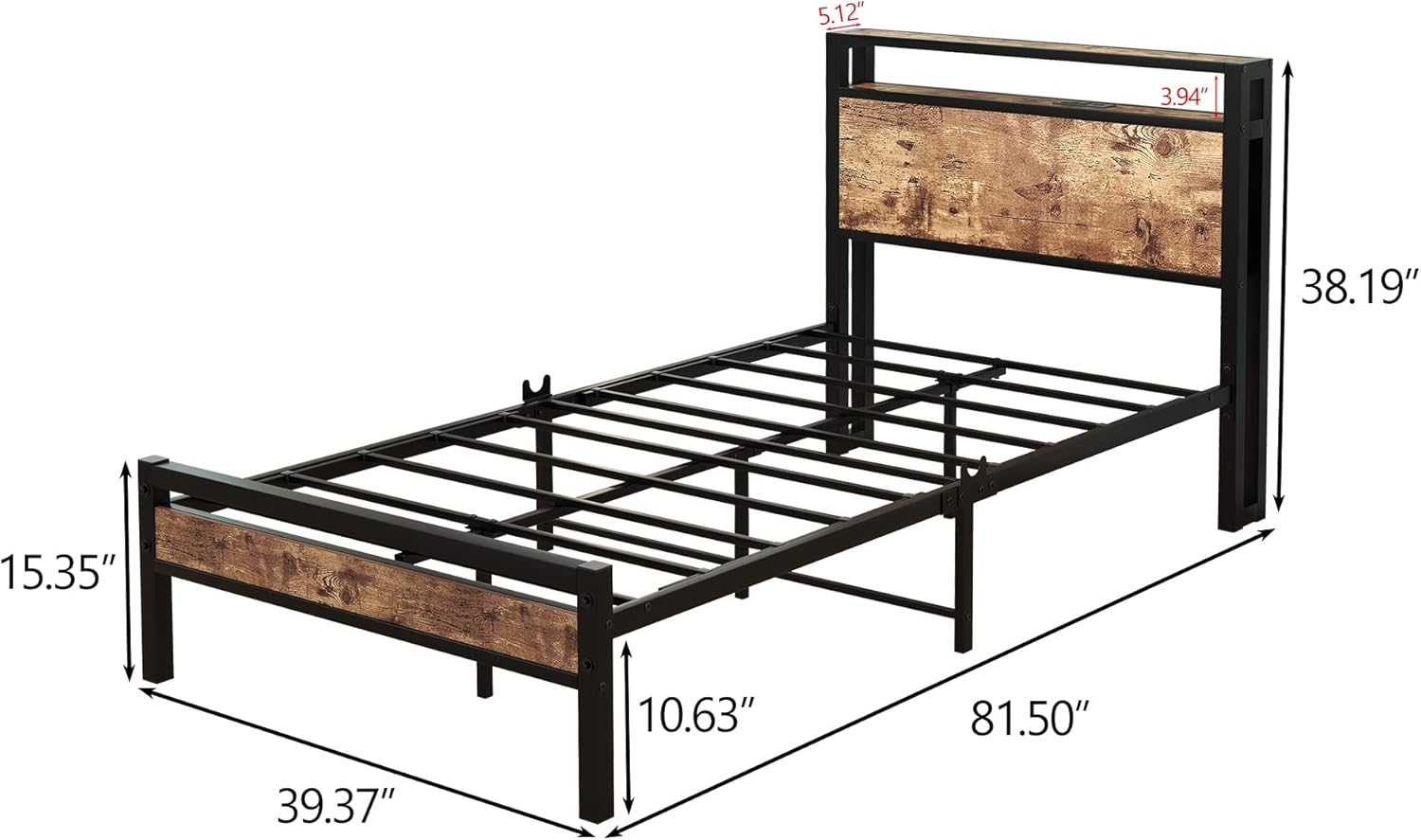
Image 8.1: Dimensional overview of the bed frame, indicating length, width, and height measurements.
9. Warranty and Support
BOFENG provides a 12-month warranty for this product, covering manufacturing defects and free replacement parts. If you experience any issues with your bed frame or require assistance, please contact BOFENG customer service.
For warranty claims or technical support, please refer to the contact information provided in your product packaging or visit the official BOFENG website.
Ask a question about this manual
Ask about setup, troubleshooting, compatibility, parts, safety, or missing instructions. Manuals+ will review the question and use this page’s manual context to help answer it.