
1. Introduction
Thank you for choosing the HAMMER KO Pro Bluetooth Earbuds. These earbuds are designed to provide a high-quality audio experience with advanced features such as Bluetooth v5.3 connectivity, Environmental Noise Cancellation (ENC), smart touch controls, and IPX4 water resistance. This manual will guide you through the setup, operation, and maintenance of your new earbuds.
2. Package Contents
- HAMMER KO Pro Bluetooth Earbuds (Left and Right)
- Charging Case
- USB Type-C Charging Cable
- Ear Cushions (various sizes)
- User Manual
3. Product Overview
The HAMMER KO Pro earbuds feature a compact design with intuitive touch controls. The charging case provides additional battery life and protects the earbuds when not in use.

Image: HAMMER KO Pro Bluetooth Earbuds and their charging case. The earbuds are white and designed for in-ear placement.

Image: The HAMMER KO Pro earbuds placed inside their open charging case, ready for charging or use.
4. Setup
4.1 Charging the Earbuds and Case
Before first use, fully charge the earbuds and the charging case. The charging case uses a Type-C port for fast charging.
- Place the earbuds into the charging case. Ensure they are correctly seated.
- Connect the Type-C charging cable to the charging port on the case and to a power source.
- The indicator light on the case will show charging status. Once fully charged, the indicator will change or turn off.

Image: Close-up of the HAMMER KO Pro charging case showing the Type-C charging port, indicating fast charging capability.
The earbuds offer up to 5 hours of playback per charge, with the charging case providing a total combined playtime of up to 20 hours.

Image: Illustration highlighting the HAMMER KO Pro's combined playtime of up to 20 hours, with individual earbud battery capacity of 35 mAh and charging case capacity of 320 mAh.
4.2 Pairing with a Device
The HAMMER KO Pro earbuds feature automatic pairing for convenience.
- Open the charging case. The earbuds will automatically power on and enter pairing mode.
- On your device (smartphone, tablet, laptop), enable Bluetooth and search for available devices.
- Select "HAMMER KO Pro" from the list of available devices to connect.
- Once paired, the earbuds will automatically connect to the last paired device when taken out of the case.

Image: Exploded view of a HAMMER KO Pro earbud, illustrating its internal components including the 13mm sound driver and highlighting Bluetooth v5.3 for enhanced performance.
5. Operating Instructions
5.1 Power On/Off
- Power On: Open the charging case, and the earbuds will power on automatically.
- Power Off: Place the earbuds back into the charging case and close the lid. They will power off automatically.
5.2 Smart Touch Controls
The HAMMER KO Pro earbuds feature touch-sensitive areas for easy control of music and calls.

Image: Depiction of the HAMMER KO Pro earbuds highlighting the touch control areas and indicating support for Siri/Google Assistant and song/call controls.
| Function | Action |
|---|---|
| Play/Pause Music | Single tap on either earbud. |
| Next Track | Double tap on the right earbud. |
| Previous Track | Double tap on the left earbud. |
| Answer/End Call | Single tap on either earbud. |
| Reject Call | Long press on either earbud. |
| Activate Voice Assistant (Siri/Google Assistant) | Triple tap on either earbud. |
5.3 Environmental Noise Cancellation (ENC)
The earbuds are equipped with Environmental Noise Cancellation (ENC) technology to reduce ambient noise during calls, ensuring clearer conversations.

Image: A HAMMER KO Pro earbud with a visual representation of sound waves, emphasizing crystal clear calling capabilities due to ENC.
5.4 Water Resistance (IPX4)
The HAMMER KO Pro earbuds are IPX4 water-resistant, meaning they are protected against splashing water from any direction. This makes them suitable for workouts and light rain. They are not designed for submersion in water.
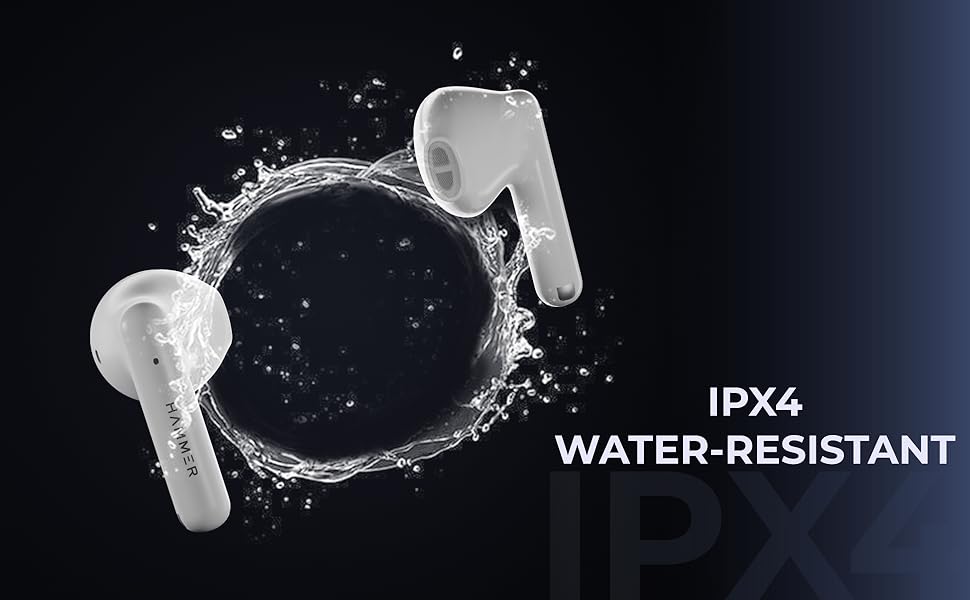
Image: Two HAMMER KO Pro earbuds with a splash effect, illustrating their IPX4 water-resistant rating.
6. Maintenance
- Cleaning: Use a soft, dry cloth to clean the earbuds and charging case. Do not use harsh chemicals or abrasive materials.
- Storage: Store the earbuds in their charging case when not in use to protect them and keep them charged. Avoid extreme temperatures.
- Water Exposure: If the earbuds get wet, wipe them dry thoroughly before placing them back in the charging case or using them.
7. Troubleshooting
| Problem | Solution |
|---|---|
| Earbuds not pairing |
|
| Only one earbud working |
|
| Low volume or poor sound quality |
|
| Touch controls not responding |
|
8. Specifications
| Feature | Detail |
|---|---|
| Model Name | KO Pro |
| Bluetooth Version | v5.3 |
| Bluetooth Range | 10 meters |
| Earbud Playtime | Up to 5 hours |
| Total Playtime (with case) | Up to 20 hours |
| Charging Port | Type-C |
| Water Resistance | IPX4 |
| Noise Control | Environmental Noise Cancellation (ENC) |
| Control Type | Touch Controls (Media, Call, Voice Assistant) |
| Voice Assistant | Siri / Google Assistant |
| Audio Driver Size | 13mm Dynamic Driver |
| Ear Placement | In Ear |
| Weight | 29 Grams (total, likely for earbuds) |
| Material | Plastic |
9. Warranty and Support
The HAMMER KO Pro Bluetooth Earbuds come with a 6-month warranty from the date of purchase. This warranty covers manufacturing defects. Please retain your purchase receipt for warranty claims.
For technical support, warranty claims, or any other inquiries, please contact HAMMER customer service:
- Email: Info@hammeronline.in
- Phone: 0180-4008081, 9991108081
Manufacturer: Hammer Lifestyles
