
1. Introduction
This manual provides detailed instructions for the installation, operation, and maintenance of your kwmobile CAT6A Shielded Keystone Jack RJ45 Ethernet Modules. These modules are designed for high-speed network connections, supporting up to 10 Gigabit Ethernet with enhanced shielding for optimal signal integrity. Please read this manual thoroughly before proceeding with installation or use.
2. Safety Information
- Always disconnect power to any active network equipment before installing or servicing keystone jacks.
- Use appropriate tools for cable termination to prevent injury and ensure proper connection.
- Ensure proper grounding for shielded components to maintain signal integrity and safety.
- Keep components away from moisture and extreme temperatures.
3. Package Contents
Verify that all items are present in your package:
- 24 x kwmobile CAT6A Shielded Keystone Jacks
- 24 x Wiring Blocks (pre-installed or separate)
- 24 x Cable Ties

Image: Twenty-four kwmobile CAT6A shielded keystone jacks.

Image: A single keystone jack, its wiring block, and a cable tie.
4. Setup and Installation
Follow these steps to properly install your kwmobile CAT6A Shielded Keystone Jack:
4.1. Cable Preparation
- Carefully strip approximately 2-3 cm (1 inch) of the outer jacket from your CAT6A Ethernet cable.
- Untwist the wire pairs and straighten each individual wire.
- Ensure the cable's drain wire or shield is accessible for proper grounding.
4.2. Wiring the Keystone Jack
The keystone jack's wiring block is color-coded for both T568A and T568B standards. Choose the standard consistent with your network installation.

Image: Disassembled keystone jack showing the wiring block with T568A and T568B color codes.
- Place the prepared wires into the corresponding color-coded slots on the wiring block. Ensure each wire is fully seated.
- Use a punch-down tool (not included) to firmly seat each wire into its slot. Trim any excess wire.
- For shielded cables, ensure the drain wire or shield makes proper contact with the metal housing of the keystone jack for grounding.
- Close the wiring block cover securely.
4.3. Mounting the Keystone Jack
Once wired, the keystone jack can be snapped into a compatible patch panel or wall plate.

Image: Two keystone jacks installed in a white wall plate, viewed from the rear.
- Align the keystone jack with the opening in your patch panel or wall plate.
- Gently push until it snaps securely into place.

Image: A keystone jack connected to a blue Ethernet cable and a white Ethernet cable.
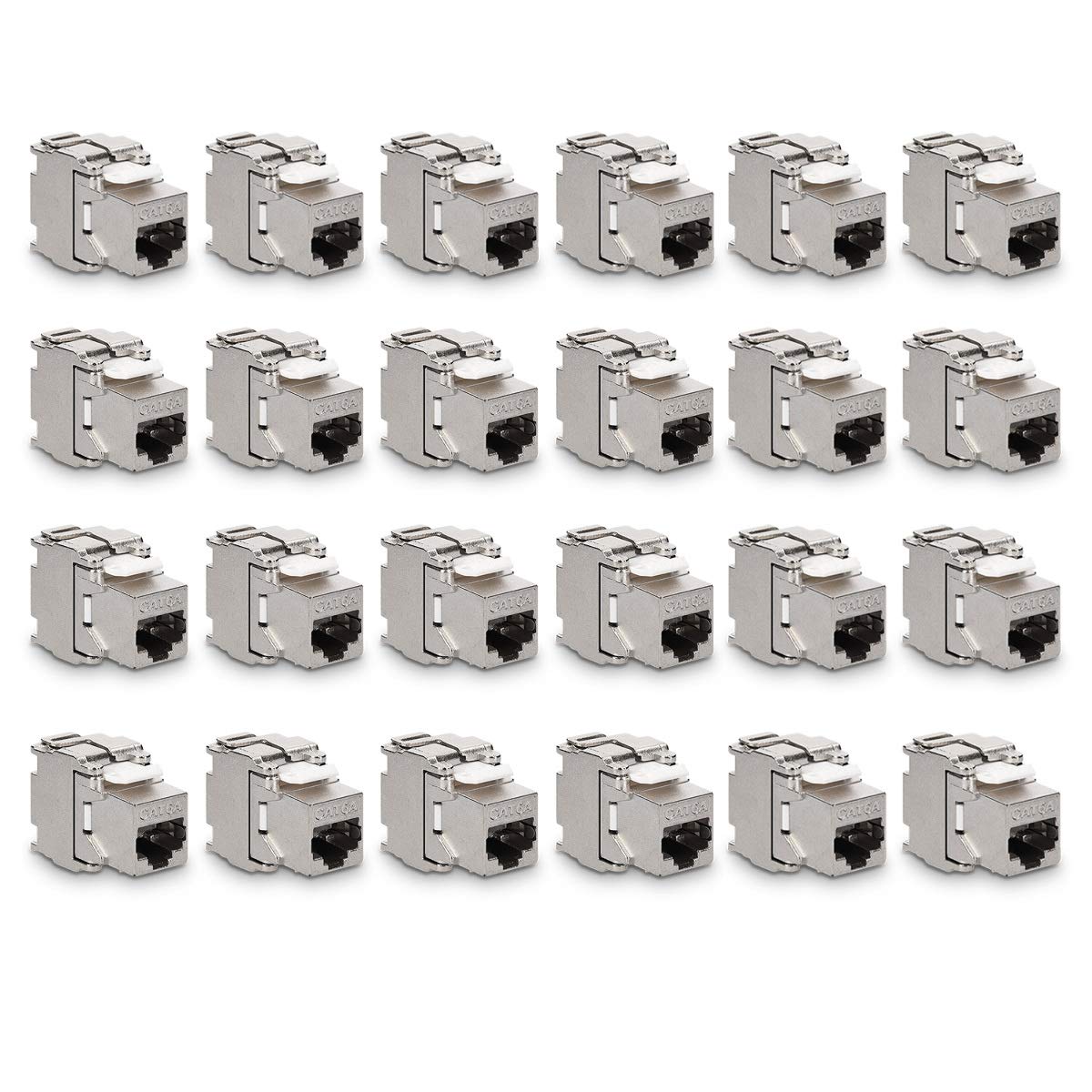
Image: A keystone jack connected to an Ethernet cable.
5. Operating Instructions
The kwmobile CAT6A Shielded Keystone Jack functions as a passive network connector. Once properly installed and connected to compatible CAT6A Ethernet cables, it facilitates high-speed data transmission within your network infrastructure.
- Data Transfer Rate: Supports up to 10 Gigabits per second (10 Gbit/s) when used with CAT6A cabling and compatible network equipment.
- Shielding: The shielded metal housing provides protection against electromagnetic interference (EMI) and radio-frequency interference (RFI), ensuring a stable and reliable connection, especially in environments with high electrical noise.
- Compatibility: Designed for use with CAT6A Ethernet cables and compatible RJ45 devices.
Video: This video demonstrates the features and benefits of kwmobile Shielded Keystone Jacks, highlighting their high-speed data transfer capabilities and robust shielded construction for reliable network performance.
6. Maintenance
These keystone jacks require minimal maintenance. Regular inspection can help ensure continued performance.
- Cleaning: If necessary, gently wipe the exterior of the keystone jacks with a dry, lint-free cloth. Avoid using liquid cleaners directly on the connectors.
- Inspection: Periodically check for any visible damage to the housing or connectors. Ensure cables are securely seated and not under undue strain.
7. Troubleshooting
If you experience issues with your network connection, consider the following troubleshooting steps:
- No Network Connection:
- Verify that the Ethernet cable is correctly terminated and all wires are properly seated in the keystone jack's wiring block.
- Ensure the cable is securely plugged into both the keystone jack and the network device (e.g., computer, switch).
- Check for continuity in the cable using a cable tester.
- Slow Network Speed or Intermittent Connection:
- Confirm that all components in your network path (cables, switches, routers) are rated for CAT6A or higher to support 10 Gbit/s speeds.
- Inspect the cable for damage or excessive bends.
- Ensure proper grounding of the shielded keystone jack and cable to minimize interference.
- Loose Connection:
- Ensure the keystone jack is fully snapped into its patch panel or wall plate.
- Verify that the RJ45 plug clicks securely into the keystone jack.
8. Specifications
| Brand | kwmobile |
| Model | 45358.24 |
| Connector Type | RJ45 |
| Cable Type | Ethernet |
| Ethernet Cable Category | Cat 6a |
| Special Feature | Shielded Metal Housing |
| Data Transfer Rate | 10 Gigabytes Per Second |
| Frequency | 10 GHz |
| Number of Pins | 8 |
| Connector Gender | Female-to-Female |
| Standard Module Size | 19.35 x 14.8 mm (approx.) |
| Recommended Uses | Network Communication |
| Indoor/Outdoor Usage | Indoor |
| Color | Silver |
9. Warranty and Support
For warranty information or technical support, please refer to the kwmobile official website or contact your retailer. Keep your purchase receipt for warranty claims.