
1. Introduction
This manual provides essential information for the installation, operation, and maintenance of the Tiandy TC-H326S Pro Series 2MP IR POE AI PTZ Camera. Please read this manual thoroughly before using the product to ensure proper setup and functionality. Keep this manual for future reference.
2. Product Overview
The Tiandy TC-H326S is a high-performance 2-megapixel PTZ (Pan-Tilt-Zoom) camera designed for advanced surveillance applications. It features intelligent monitoring capabilities, auto-tracking, and robust infrared night vision.
Key Features:
- Up to 1920x1080 resolution at 60 frames per second
- 33x optical zoom and 16x digital zoom
- Smart IR technology with an IR range of up to 200 meters (656 feet)
- Intelligent monitoring and Face Capture modes
- Support for Auto-Tracking functionality
- Plugin-Free operation
Camera Components:
Familiarize yourself with the main components of your PTZ camera.
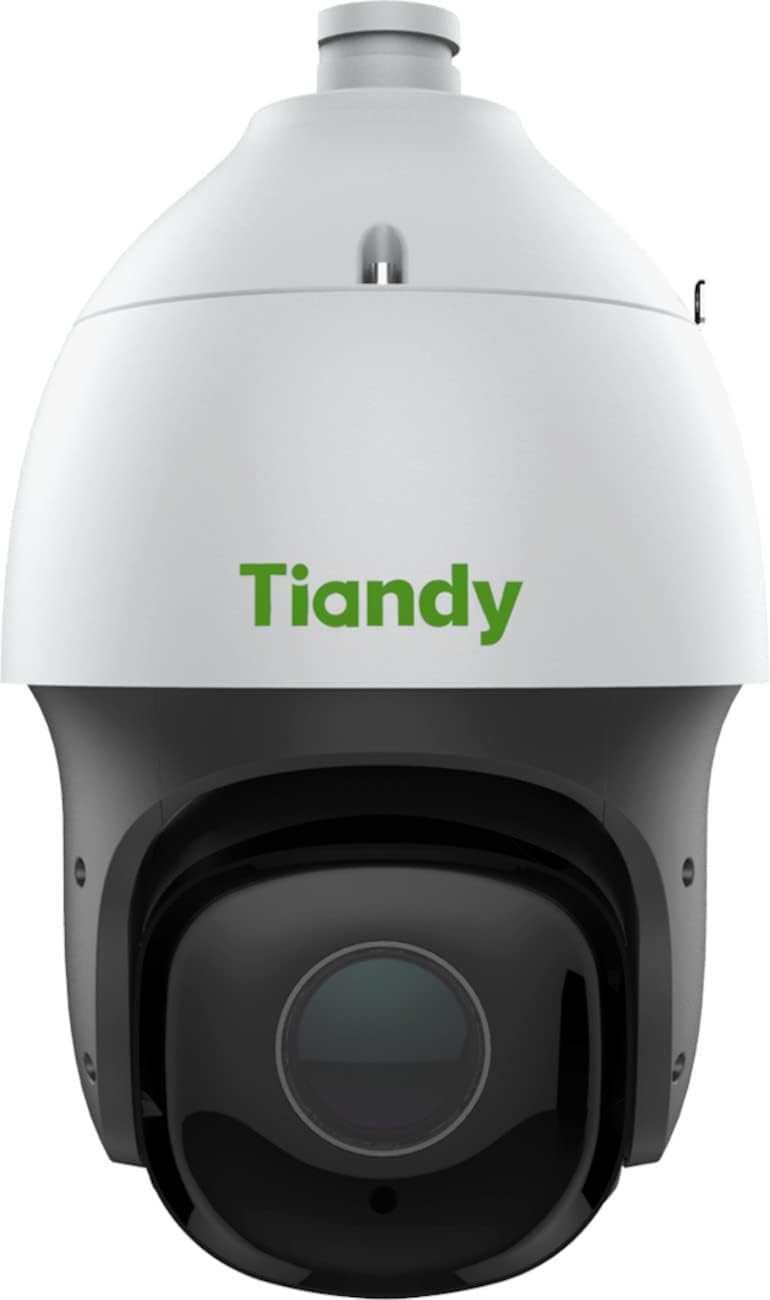
Figure 2.1: Front view of the Tiandy TC-H326S PTZ camera. This image shows the camera's dome housing, the main lens assembly, and the Tiandy brand logo.

Figure 2.2: Angled view of the Tiandy TC-H326S PTZ camera. This image provides a side-front perspective, highlighting the camera's pan and tilt capabilities and the robust construction of the dome.
3. Setup and Installation
Proper installation is crucial for the camera's performance and longevity. Ensure all safety precautions are followed.
3.1 Mounting
- The camera is designed for Ceiling Mount installation.
- Ensure the mounting surface is strong enough to support the camera's weight (approximately 11.6 pounds).
- Use appropriate screws and anchors for secure attachment.
3.2 Power Connection
The camera supports multiple power options:
- Power over Ethernet Plus (POE+): Connect the camera to a POE+ enabled network switch or injector using an Ethernet cable. This provides both power and data.
- AC24V ±25%
- DC 24V ±10%
Ensure the power source meets the camera's requirements to prevent damage.
3.3 Network Connection
Connect the camera to your network using a standard RJ45 Ethernet cable. The camera features a 10M/100M self-adaptive Ethernet port.
3.4 Micro SD Card Installation
The camera has a built-in Micro SD card slot, supporting up to 256 GB for on-board storage. Refer to the camera's physical diagram for the exact location of the SD card slot. Ensure the camera is powered off before inserting or removing the Micro SD card.
4. Operating Instructions
This section outlines the basic and advanced operational features of your Tiandy PTZ camera.
4.1 Initial Access and Configuration
- Access the camera's web interface via its IP address using a web browser.
- Follow the on-screen prompts for initial setup, including setting a strong password.
- Configure network settings as required by your network environment.
4.2 Pan, Tilt, and Zoom Control
- Pan Range: 360° continuous rotation. Manual speed: 0.1°~180°/s. Preset speed: 240°/s.
- Tilt Range: -16°~90° (with auto flip). Manual speed: 0.1°~120°/s. Preset speed: 180°/s.
- Optical Zoom: 33x. Digital Zoom: 16x. Zoom speed: less than 4 seconds.
- Use the camera's web interface or compatible VMS (Video Management Software) to control PTZ functions.
4.3 Intelligent Monitoring Features
- Auto-Tracking: Enable this feature to allow the camera to automatically follow detected moving objects within its field of view.
- Face Capture Mode: The camera can detect and capture up to 16 faces simultaneously in a scene. This mode can be enabled or disabled as needed.
- Smart IR: The camera automatically adjusts IR intensity to prevent overexposure of objects close to the camera, ensuring clear night vision up to 200m.
- Alarm Triggers: Configure various alarm triggers such as motion detection, harsh voice alarm, mask alarm, port alarm, network disable alarm, IP conflict, and MAC conflict detection.
4.4 Video Settings
- Max. Resolution: 2.0MP (1920x1080).
- Frame Rate: Up to 60fps (NTSC) or 50fps (PAL) at 1920x1080 resolution.
- Video Compression: Supports S+265/H.265/H.264/M-JPEG for efficient storage and bandwidth usage.
- Wide Dynamic Range (WDR): 140dB for clear images in scenes with strong contrast.
5. Maintenance
Regular maintenance ensures optimal performance and extends the lifespan of your camera.
- Cleaning: Gently clean the camera lens and housing with a soft, dry cloth. For stubborn dirt, use a cloth lightly dampened with water. Avoid abrasive cleaners or solvents.
- Firmware Updates: Periodically check the manufacturer's website for firmware updates. Keeping the firmware updated can improve performance, add new features, and enhance security.
- Environmental Checks: Ensure the camera's environment remains within its operating temperature and humidity specifications. Regularly inspect cables and connections for wear or damage.
- Data Backup: If using local storage, regularly back up important footage from the Micro SD card.
6. Troubleshooting
This section addresses common issues you might encounter with your camera.
6.1 No Power
- Verify that the power adapter or POE+ switch is functioning correctly and providing the specified voltage (AC24V/DC24V or POE+).
- Check all power cable connections for secure fit.
6.2 No Network Connection
- Ensure the Ethernet cable is securely connected to both the camera and the network device (router/switch).
- Check network indicator lights on the camera and switch.
- Verify the camera's IP address and network settings are correct and not conflicting with other devices.
- Try restarting the camera and the network switch.
6.3 Poor Image Quality
- Clean the camera lens for any dirt or smudges.
- Check video resolution settings in the camera's web interface.
- Ensure sufficient lighting in the surveillance area.
- Adjust focus settings if available (Manual Focus).
6.4 PTZ Control Not Responding
- Verify network connectivity.
- Ensure the control software or VMS is compatible and properly configured.
- Restart the camera.
7. Specifications
| Feature | Specification |
|---|---|
| Model Name | TC-H326S Spec: 33X/I/E+/A/V3.0 |
| Image Sensor | 1/2.8" CMOS |
| Max. Resolution | 1920x1080 (2.0MP) |
| Frame Rate | Up to 60fps (NTSC), 50fps (PAL) |
| Optical Zoom | 33x |
| Digital Zoom | 16x |
| Focal Length | 4.6mm~152mm |
| Pan Range | 360° |
| Tilt Range | -16°~90° (Auto flip) |
| IR Range | Up to 200m (656 feet) |
| Video Compression | S+265/H.265/H.264/M-JPEG |
| Wide Dynamic Range (WDR) | 140dB |
| Minimum Illumination | Color: 0.001lux@ (F1.5, ACG ON), BW: 0lux with IR |
| Storage | Built-in Micro SD card slot, up to 256 GB |
| Communication Interface | 1 RJ45 10M/100M self-adaptive Ethernet port |
| Power Supply | AC24V±25% / DC 24V±10% / POE+ |
| Power Consumption | (Not specified in provided data) |
| Dimensions | 8.74 x 8.74 x 14.65 inches |
| Weight | 11.6 pounds |
| Ingress Protection (IP) Rating | IP54 (Water Resistant) |
| Operating Mode | Face capture, intelligent monitoring (default) |
| Auto-Tracking | Yes |
| Recommended Uses | Monitoring, Surveillance |
| Indoor/Outdoor Usage | Indoor, Outdoor |
8. Warranty and Support
For warranty information, please refer to the specific terms and conditions provided by your retailer or the manufacturer, Tiandy. Typically, warranty details are included with your purchase documentation or available on the official Tiandy website.
For technical support, product inquiries, or service requests, please contact your authorized Tiandy dealer or visit the official Tiandy support portal.


