1. Introduction
This manual provides comprehensive instructions for the Joyroom JR-FT3 Pro Fit-Life Series Smart Watch. It covers setup, operation, maintenance, and troubleshooting to ensure optimal performance and user experience. The JR-FT3 Pro is designed to seamlessly integrate with your daily life, offering advanced features for communication, health monitoring, and fitness tracking.

Figure 1.1: Joyroom JR-FT3 Pro Smart Watch. This image displays the sleek design of the dark gray smartwatch with its vibrant display showing time, steps, and heart rate.
2. Setup
2.1 Unboxing and Initial Inspection
Upon opening the package, verify that all components are present and in good condition. The standard package includes the Joyroom JR-FT3 Pro Smart Watch, a charging cable, and this user manual.

Figure 2.1: Package Contents. This image shows the Joyroom JR-FT3 Pro retail box, the smartwatch itself, a user manual, a charging cable, and an additional strap band.
2.2 Charging the Device
Before first use, fully charge your JR-FT3 Pro Smart Watch. Connect the magnetic charging cable to the charging points on the back of the watch and plug the USB end into a compatible power adapter (not included) or a computer USB port. A full charge provides an extended battery life, with up to 20 days standby time, 7 days of typical use without calling, and 5 days with calling features enabled.
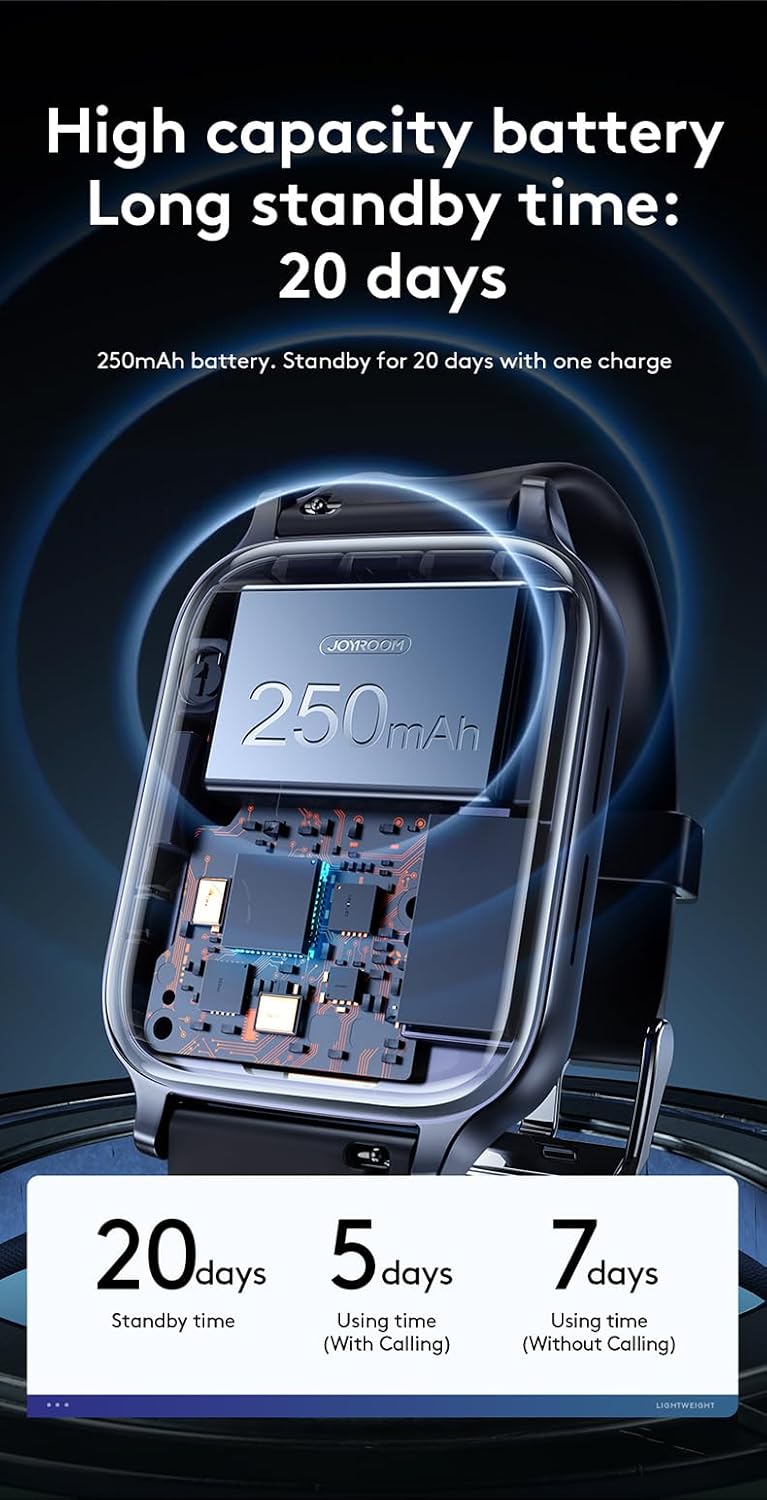
Figure 2.2: High Capacity Battery. This image illustrates the internal components of the smartwatch, highlighting its 250mAh battery, which offers long standby and usage times.
2.3 Pairing with Your Smartphone
To unlock the full potential of your JR-FT3 Pro, pair it with your smartphone via Bluetooth. Download the official Joyroom companion application from your device's app store. Enable Bluetooth on your smartphone and open the app. Follow the on-screen instructions within the app to search for and connect to your JR-FT3 Pro. Ensure your watch is within 10 meters of your phone for stable Bluetooth connection (Bluetooth V5.1).

Figure 2.3: 10m Bluetooth Distance. This image depicts the effective Bluetooth range of the smartwatch within an indoor environment, showing that information can be received without carrying the phone around.
3. Operating Instructions
3.1 Basic Navigation and Display
The JR-FT3 Pro features a responsive 1.83-inch large touchscreen for intuitive navigation. Swipe left, right, up, or down to access different functions and menus. The side button (digital crown) can be rotated to switch dial styles and pressed to return to the home screen or access the app list.

Figure 3.1: 1.83" Large Screen. This image highlights the clear and vivid display of the smartwatch.

Figure 3.2: Rotatable Digital Crown Design. This image shows the side button, or digital crown, which can be rotated to change watch faces or navigate menus.
3.2 Call Management
With Bluetooth calling support, you can answer or make calls directly from your wrist. When a call comes in, the watch will display the caller ID. Tap the green icon to answer or the red icon to decline. You can also access your call log and contacts directly from the watch.

Figure 3.3: Bluetooth Calling Support. This image demonstrates the smartwatch's ability to handle calls directly from the wrist, showing an incoming call notification.

Figure 3.4: One Button to Make/Answer Call. This image illustrates the simplified interface for managing calls, including dial, call log, and contacts.
3.3 Notifications and Alerts
Receive real-time notifications for calls, messages, and various applications directly on your watch. Ensure the companion app is running in the background on your smartphone and notification permissions are granted for seamless synchronization.

Figure 3.5: Real-Time Message Sync. This image shows the smartwatch displaying various app notifications, including calls, messages, and social media alerts.
3.4 Health Monitoring
The JR-FT3 Pro offers 24-hour monitoring of key health data, including heart rate, blood oxygen (SpO2), and sleep patterns. Access these features through the watch's health menu or the companion app for detailed insights.
- Heart Rate Monitoring: Continuously tracks your heart rate throughout the day.
- Blood Oxygen Detection: Measures your blood oxygen saturation levels.
- Sleep Monitoring: Analyzes your sleep quality, including deep sleep, light sleep, and awake times.
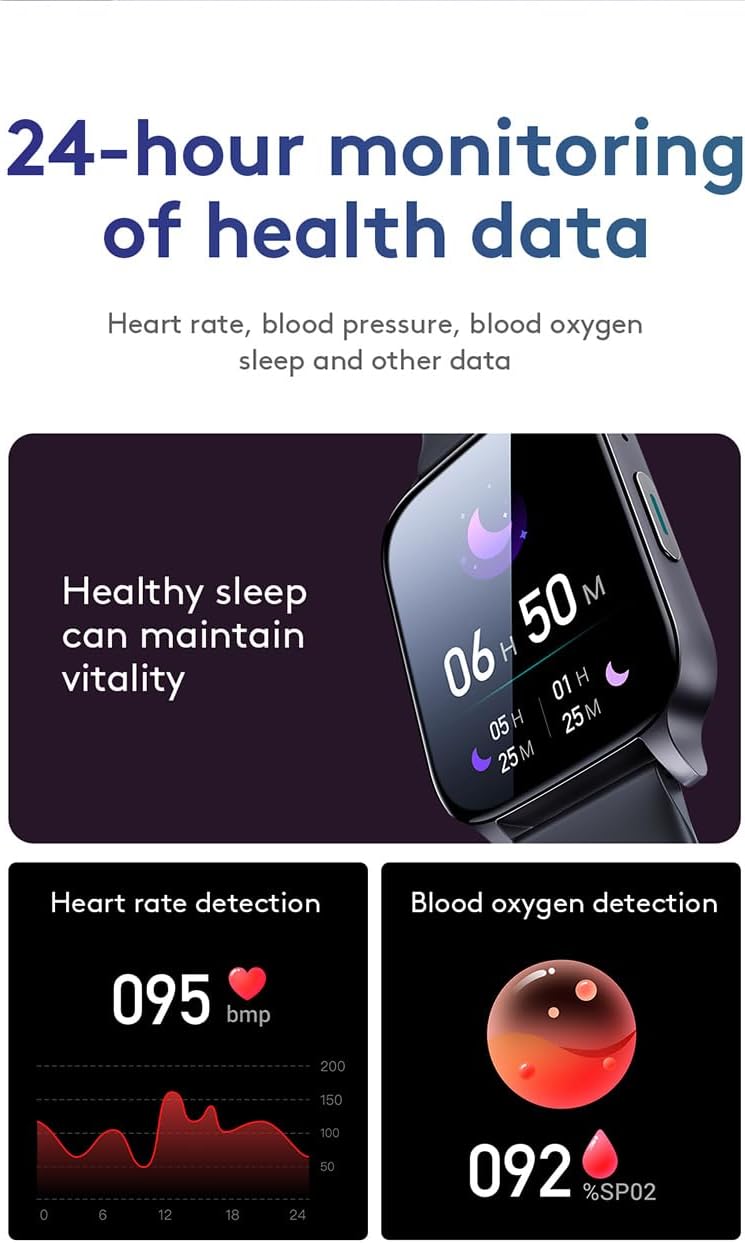
Figure 3.6: 24-Hour Health Data Monitoring. This image displays the watch's interface for heart rate and blood oxygen detection, along with a note on healthy sleep.
3.5 Sports Modes
The watch supports 20 different sports modes to track your workouts accurately. Select your desired activity from the sports menu to record data such as steps, distance, calories burned, and heart rate during exercise.

Figure 3.7: 20 Sports Modes. This image shows icons representing various sports activities the watch can track, such as basketball, swimming, running, and yoga.
3.6 Additional Functions
The JR-FT3 Pro includes several other useful features:
- Music Control: Play, pause, skip tracks, and adjust volume for music playing on your connected smartphone.
- Remote Camera Control: Use the watch to remotely trigger your smartphone's camera.
- Find Phone: Activate an alarm on your smartphone to locate it when misplaced.
- Alarm Clock: Set multiple alarms directly from the watch.
- Customizable Dials: Choose from a variety of pre-installed watch faces or customize your own through the app.

Figure 3.8: Multi-function Smart Watch. This image displays the watch's interface for music control, finding the phone, and setting alarms.

Figure 3.9: Various Dial Designs. This image showcases several customizable watch faces available for the JR-FT3 Pro.
4. Maintenance
4.1 Water Resistance
The Joyroom JR-FT3 Pro is IP68 high-grade waterproof, meaning it is resistant to dust and can be immersed in water up to 1 meter for 30 minutes. It is suitable for daily use, including hand washing, rain, and even swimming or surfing. However, it is not recommended for hot showers, saunas, or diving, as steam and high pressure can compromise the seal.
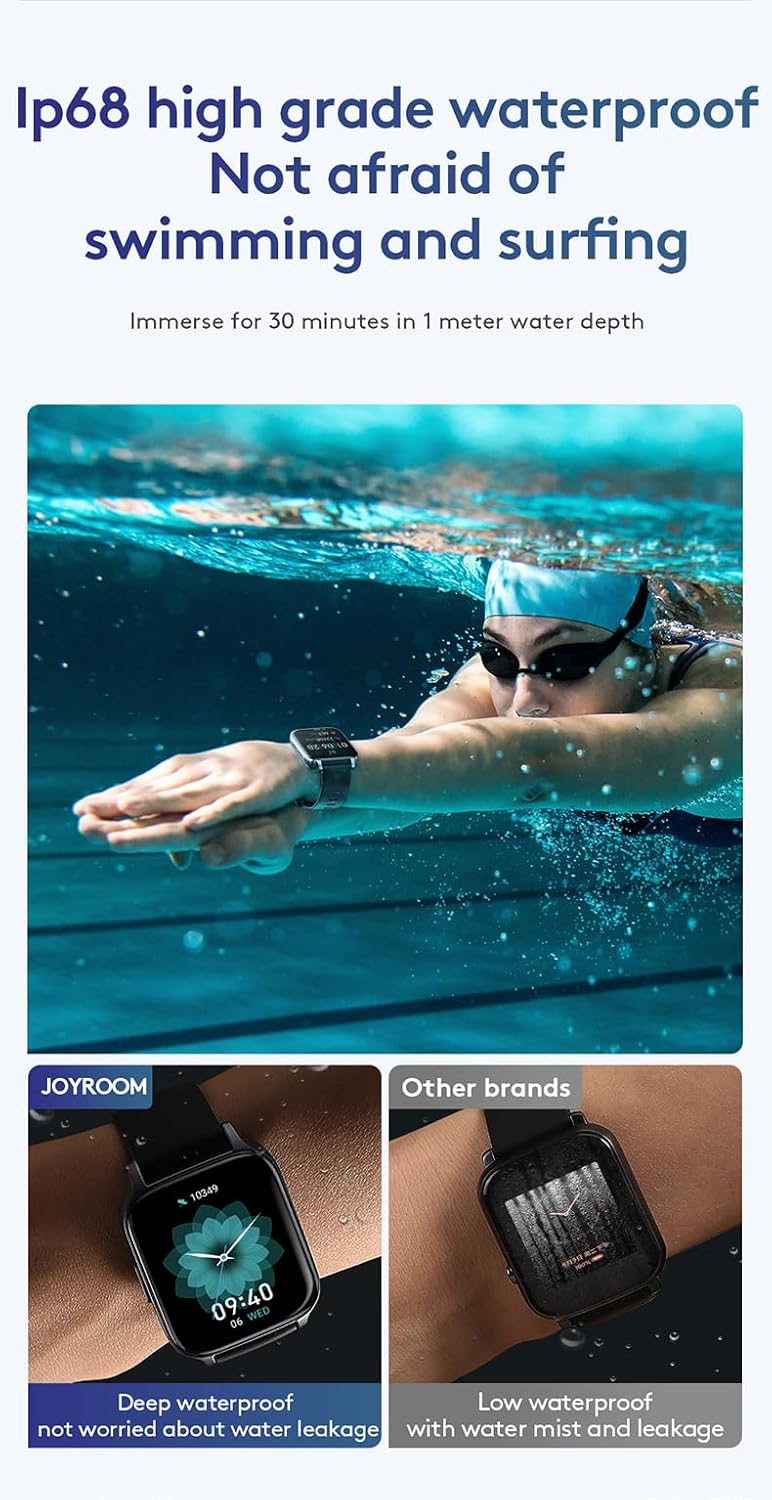
Figure 4.1: IP68 High Grade Waterproof. This image shows the smartwatch being used during swimming, emphasizing its water resistance capabilities.
4.2 Cleaning and Care
To maintain the appearance and functionality of your watch, regularly clean the screen and strap with a soft, damp cloth. Avoid using harsh chemicals or abrasive materials. Ensure the charging contacts are clean and dry before charging.
4.3 Battery Care
To prolong battery life, avoid extreme temperatures. Charge the watch fully before long periods of inactivity. If the watch will not be used for an extended time, charge it to about 50% and store it in a cool, dry place.
5. Troubleshooting
If you encounter issues with your Joyroom JR-FT3 Pro Smart Watch, refer to the following common problems and solutions:
| Problem | Possible Cause | Solution |
|---|
| Watch does not turn on | Low battery; device malfunction | Charge the watch for at least 30 minutes. If it still doesn't turn on, contact customer support. |
| Cannot pair with smartphone | Bluetooth off; app issue; watch not discoverable | Ensure Bluetooth is enabled on your phone. Restart both the watch and phone. Reinstall the companion app. Ensure the watch is in pairing mode. |
| Notifications not received | App permissions; background app closure; Bluetooth disconnected | Check app notification permissions on your phone. Ensure the app is running in the background. Verify Bluetooth connection. |
| Inaccurate health data | Improper fit; sensor obstruction | Ensure the watch is worn snugly on your wrist, not too tight or too loose. Clean the sensor on the back of the watch. Note that health measurements are for reference and not medical diagnosis. |
| Side button (digital crown) unresponsive | Debris; physical damage; software glitch | Clean around the button. Restart the watch. If the issue persists, it may indicate a hardware fault requiring professional service. |
For issues not listed here, please refer to the official Joyroom support resources or contact customer service.
6. Specifications
| Feature | Detail |
|---|
| Brand Name | Joyroom |
| Model Number | JR-FT3 Pro |
| Screen Size | 1.83 Inches (Visible screen diagonal: 2" / 5 cm) |
| Item Shape | Square |
| Connectivity Technology | Bluetooth (Wireless Communication Standard: Bluetooth) |
| Operating System | Android Wear 2.0 |
| Memory Storage Capacity | 512 MB |
| Special Features | Heart Rate Monitor |
| Battery Type | 1 Lithium Ion battery (included) |
| Product Dimensions | 12 x 11 x 6.5 cm; 250 g |
| Country of Origin | China |
| First Available Date | 24 January 2023 |
7. Warranty and Support
7.1 Product Warranty
The Joyroom JR-FT3 Pro Fit-Life Series Smart Watch comes with a 12 Months Warranty from the date of purchase. This warranty covers manufacturing defects and malfunctions under normal use. It does not cover damage caused by misuse, accidents, unauthorized modifications, or normal wear and tear.
For warranty claims, please retain your proof of purchase.
7.2 Customer Support
For technical assistance, troubleshooting, or warranty inquiries, please contact Joyroom customer support. You may also visit the official Joyroom store on Amazon for additional resources and FAQs.
Visit the Joyroom Store on Amazon
