
1. Product Overview
The atolla USB 3.0 Hub with Gigabit Ethernet Adapter is a versatile 4-in-1 device designed to expand your computer's connectivity. It provides three USB 3.0 data transfer ports and one Gigabit Ethernet port, allowing for high-speed data transfer and stable wired network access. This device is plug-and-play, requiring no driver installation for basic functionality on most operating systems.

Image: The atolla USB 3.0 Hub with Gigabit Ethernet Adapter, showcasing its compact design and multiple ports.
2. Key Features
- 4-in-1 Connectivity: Expands one USB port into three USB 3.0 data ports and one Gigabit Ethernet port.
- High-Speed Data Transfer: USB 3.0 ports support data transfer speeds up to 5Gbps, enabling quick transfer of large files such as images, videos, and documents.
- Gigabit Ethernet: Provides a stable and fast wired network connection up to 1000Mbps, backward compatible with 10/100Mbps networks. This is ideal for PCs without a built-in LAN port or with a damaged one.
- Individual Power Switches: Each USB 3.0 port features an independent ON/OFF switch, allowing you to manage power to connected devices without frequent plugging and unplugging.
- LED Indicators: LED lights indicate the power status and port activity for each USB 3.0 port. The LAN port has distinct yellow (data transfer) and green (power) LED indicators for clear connection status.
- Broad Compatibility: Compatible with Windows, Mac OS, and Linux operating systems.

Image: A diagram illustrating the 4-in-1 functionality of the atolla USB 3.0 Hub, showing USB 3.0 and Ethernet connectivity.
3. Package Contents
Please ensure all items are present in the package:
- atolla USB 3.0 Hub with Gigabit Ethernet Adapter (Model HL-203)
- User Manual (this document)
4. Setup Instructions
4.1 Connecting to Your Computer
- Locate an available USB 3.0 port on your computer.
- Connect the USB-A connector of the atolla hub to your computer's USB 3.0 port. The device is plug-and-play and does not require driver installation for basic functionality on most operating systems.
- The LED indicators on the hub will light up, indicating it is powered on.

Image: The atolla USB 3.0 Hub connected to a laptop, demonstrating the USB connection.
4.2 Connecting to a Wired Network
- Connect one end of an Ethernet cable (RJ45) to the Gigabit Ethernet port on the atolla hub.
- Connect the other end of the Ethernet cable to your router, modem, or network wall outlet.
- The yellow (data transfer) and green (power) LED indicators on the LAN port will illuminate, indicating a successful network connection.

Image: The atolla USB 3.0 Hub connected to a laptop with an Ethernet cable plugged into its RJ45 port, showing network connectivity.
5. Operating Instructions
5.1 Using USB 3.0 Ports
- Connect your USB devices (e.g., USB memory sticks, card readers, printers, mice, keyboards, external hard drives) to the USB 3.0 ports on the hub.
- Each USB 3.0 port has an individual power switch. Press the button once to turn the port ON. Press and hold for approximately 2 seconds to turn the port OFF.
- The blue LED light above each USB port indicates its active status.

Image: The atolla USB 3.0 Hub with multiple USB devices (flash drives) connected, demonstrating its use as a hub.
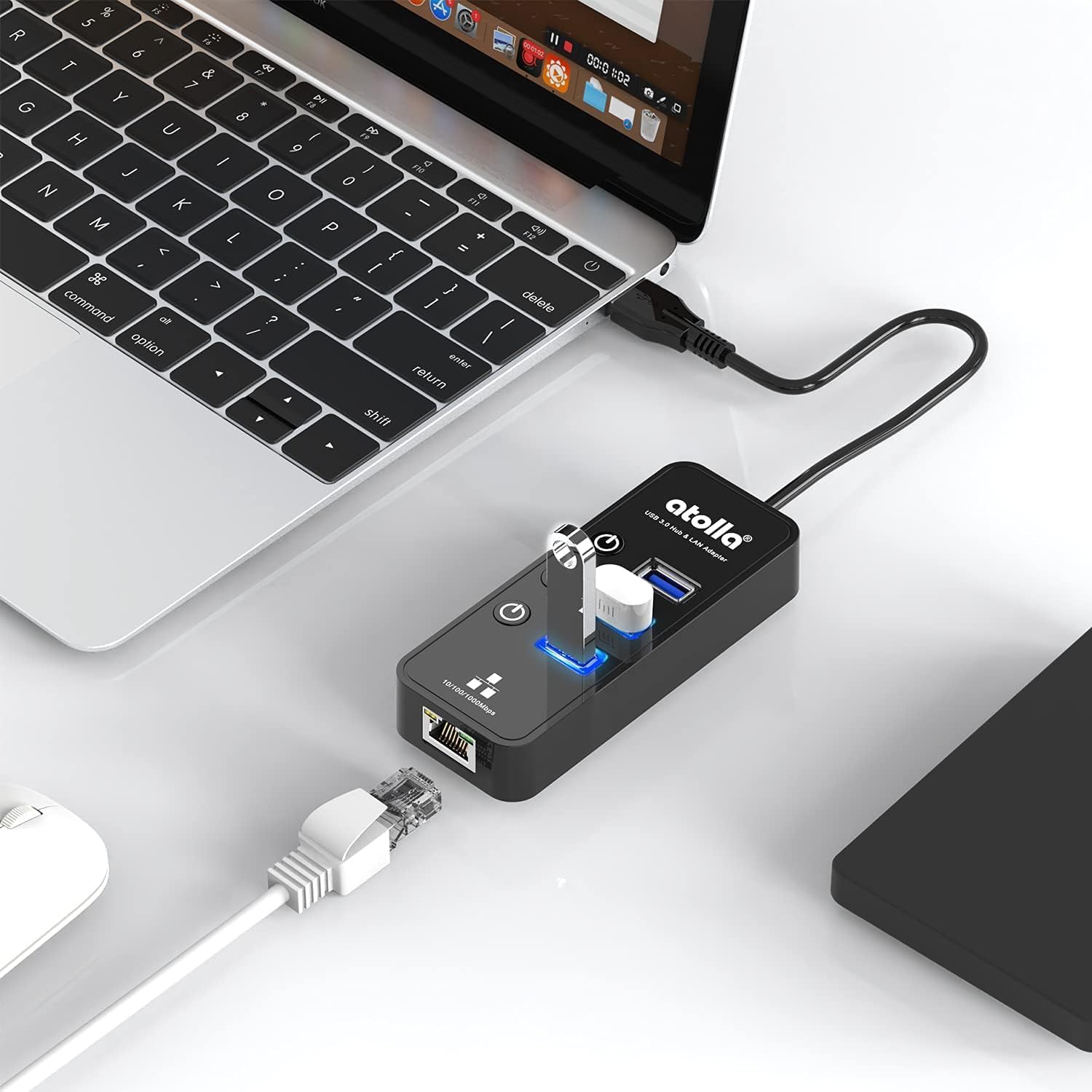
Image: A hand pressing one of the individual power switches on the atolla USB 3.0 Hub, highlighting this feature.
5.2 Network Usage
Once the Ethernet cable is connected as described in Section 4.2, your computer should automatically detect the wired network connection. You can verify the connection status through your operating system's network settings.
Note: This device is not compatible with Nintendo Switch.
6. Maintenance
- Keep the device clean and free from dust. Use a soft, dry cloth for cleaning.
- Avoid exposing the device to extreme temperatures, humidity, or direct sunlight.
- Do not attempt to disassemble or repair the device yourself. This may void the warranty.
7. Troubleshooting
7.1 USB Devices Not Recognized
- Ensure the atolla hub is securely connected to a USB 3.0 port on your computer.
- Check if the individual power switch for the specific USB port on the hub is turned ON (blue LED should be lit).
- Try connecting the USB device directly to your computer to rule out issues with the device itself.
- Restart your computer.
7.2 No Network Connection
- Verify that the Ethernet cable is securely connected to both the hub and your network source (router/modem/wall outlet).
- Check the yellow and green LED indicators on the LAN port of the hub. If they are not lit or blinking, there might be a connection issue.
- Ensure your network source (router/modem) is functioning correctly.
- Try a different Ethernet cable.
- Check your computer's network settings to ensure the wired connection is enabled and configured correctly.
7.3 Slow Data Transfer Speed
- Ensure the hub is connected to a USB 3.0 port on your computer. Connecting to a USB 2.0 port will result in slower speeds.
- Verify that the connected USB device also supports USB 3.0 speeds.
- Avoid connecting too many high-bandwidth devices simultaneously to the hub.
8. Specifications
| Feature | Detail |
|---|---|
| Model Number | HL-203 |
| Brand | atolla |
| Interface | USB 3.0 (Host connection) |
| Output Ports | 3 x USB 3.0, 1 x RJ45 Gigabit Ethernet |
| USB Data Transfer Speed | Up to 5Gbps (USB 3.0) |
| Ethernet Speed | 10/100/1000Mbps |
| Cable Length | 30cm |
| Dimensions | Approximately 109.3 x 44 x 18.7 mm (excluding cable) |
| Weight | Approximately 80g |
| Operating System Compatibility | Windows, Mac OS, Linux |
| Color | Black |

Image: A diagram showing the dimensions of the atolla USB 3.0 Hub.
9. Warranty and Support
atolla provides a 24-month warranty and lifetime free after-sales service and technical support for this product. If you encounter any issues or defects with the product, please do not hesitate to contact us.
For support, please visit the atolla brand store on Amazon: atolla Amazon Store
10. Product Video
Video: A short preview video demonstrating the atolla USB 3.0 Hub with Gigabit Ethernet Adapter, showing its features and connectivity. This video is a 7-second preview from the seller.