
ANRAN P3
Contents
ANRAN P3 Max 5MP Outdoor WiFi PTZ Security Camera User Manual
Model: P3 Max
1. Introduction
The ANRAN P3 Max 5MP Outdoor WiFi PTZ Security Camera is designed to provide comprehensive surveillance for your property. Featuring a 5-megapixel high-definition sensor, 360-degree pan/tilt/zoom capabilities, and advanced AI human detection, this camera ensures detailed monitoring and timely alerts. It supports color night vision up to 30 meters, two-way audio communication, and offers flexible storage options including local SD card and cloud storage.
This manual will guide you through the installation, operation, and maintenance of your ANRAN P3 Max camera, ensuring optimal performance and security.
2. Package Contents
Before you begin, please verify that all items listed below are included in your package:
- ANRAN P3 Max PTZ Security Camera
- Power Adapter (12V1A)
- Mounting Screws and Wall Plugs
- Mounting Template
- User Manual (this document)

Image: Contents of the ANRAN P3 Max package.
3. Setup
3.1 Physical Installation
The ANRAN P3 Max camera is designed for wall mounting. Choose a suitable outdoor location with a clear view of the area you wish to monitor and within range of your Wi-Fi network and a power outlet.
- Use the provided mounting template to mark the drilling positions on the wall.
- Drill holes and insert the wall plugs.
- Secure the camera base to the wall using the provided screws.
- Adjust the camera's angle as needed after power-on.
3.2 Network Connection
The camera connects via Wi-Fi. Ensure your Wi-Fi network is stable and within range. The camera supports both 2.4GHz and 5GHz Wi-Fi bands for superior network performance.

Image: The camera supports both 2.4GHz (wider coverage) and 5GHz (faster speed) Wi-Fi bands.
3.3 App Installation and Initial Configuration
To control and view your camera, download the ANRAN APP or CloudEdge App on your smartphone. The app is compatible with both Android and iOS devices.
- Scan the QR code in the manual or search for "ANRAN APP" or "CloudEdge App" on Google Play Store (for Android) or App Store (for iOS).
- Install and open the app.
- Create an account or log in.
- Follow the in-app instructions to add your camera. This typically involves powering on the camera, resetting it if necessary, and scanning a QR code displayed on your phone with the camera's lens.
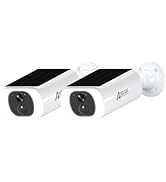
Image: The ANRAN app is available on Google Play and the App Store.
4. Operating the Camera
4.1 PTZ Control (Pan, Tilt, Zoom)
The ANRAN P3 Max offers a 360-degree viewing angle with 355° horizontal pan and 90° vertical tilt. You can remotely control the camera's movement through the app to monitor your surroundings without blind spots. The camera also features 4X digital zoom.

Image: The camera provides 360-degree coverage and automatic tracking.
4.2 Night Vision Modes
The camera features three night vision modes, providing clear visibility up to 30 meters even in complete darkness:
- Infrared Mode: Standard black and white night vision.
- Color Mode: Utilizes built-in white lights to provide full-color night vision.
- Alarm Mode: White lights activate upon motion detection, illuminating the area and deterring intruders.

Image: Three distinct night vision modes: Infrared, Color, and Alarm.
4.3 Two-Way Audio
With an integrated microphone and speaker, the camera supports two-way audio. This allows you to communicate with visitors, deter unwanted guests, or even give commands to pets remotely through the app.

Image: Multi-user sharing and two-way audio communication are supported.
4.4 Motion Detection and Alerts
The camera features advanced PIR sensor and AI human shape detection algorithms. It can automatically track human movement. When motion, people, or sounds are detected, the camera will automatically begin continuous recording, and you will receive instant alerts on your smartphone via the app.
You can configure the spotlight to turn on and a loud siren alarm to sound when motion is detected in dark conditions, effectively deterring intruders.
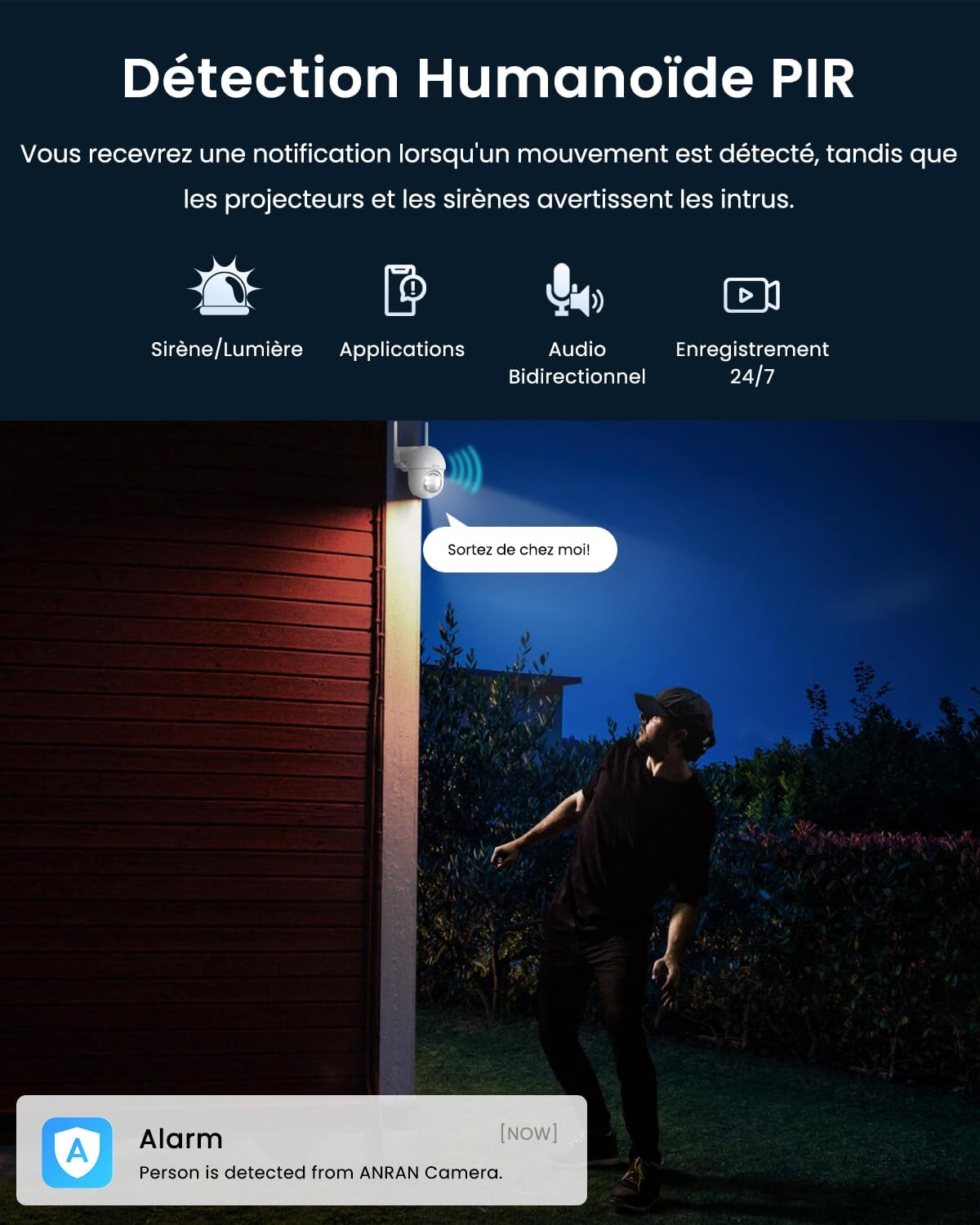
Image: Humanoid PIR detection triggers alerts and actions like spotlights and sirens.
4.5 Recording and Storage
The ANRAN P3 Max supports 24/7 continuous recording. You have flexible storage options:
- SD Card Storage: Supports up to 128GB Micro SD card (not included) for local storage.
- Cloud Storage: Optional cloud storage service for secure, off-site recording.

Image: Flexible storage options include local SD card (up to 128GB) and optional cloud storage.
4.6 Multi-User Access and Smart Home Integration
The camera supports simultaneous access by up to 5 smartphone devices, allowing multiple family members to view live video and recorded footage. The ANRAN P3 Max is also compatible with Amazon Alexa, enabling voice control for certain functions.
5. Maintenance
5.1 Cleaning
To ensure optimal image quality, regularly clean the camera lens and housing. Use a soft, damp cloth to wipe away dust and dirt. Avoid using harsh chemicals or abrasive materials that could damage the lens or finish.
5.2 Firmware Updates
Periodically check the ANRAN app for available firmware updates. Keeping your camera's firmware up-to-date ensures you have the latest features, security patches, and performance improvements. Follow the in-app instructions for firmware updates.
6. Troubleshooting
If you encounter issues with your ANRAN P3 Max camera, refer to the following common problems and solutions:
| Problem | Possible Cause / Solution |
|---|---|
| Camera offline | Check power connection. Ensure Wi-Fi signal is strong. Restart camera and router. Re-add camera to app if necessary. |
| Poor image quality | Clean the camera lens. Ensure sufficient lighting. Check network bandwidth. Adjust camera resolution settings in the app. |
| Motion detection not working | Check motion detection settings in the app. Ensure detection sensitivity is appropriate. Verify detection zones are correctly set. |
| No audio / Two-way audio issues | Check microphone and speaker settings in the app. Ensure volume is not muted. Check network connection for delays. |
| SD card not recording | Ensure SD card is inserted correctly. Format the SD card via the app. Check if the SD card is full or corrupted. Replace with a new SD card if needed. |
For more detailed troubleshooting or persistent issues, please contact ANRAN customer support.
7. Specifications
| Feature | Detail |
|---|---|
| Model | P3 Max |
| Resolution | 5 Megapixels (2560x1920P) |
| Pan/Tilt Angle | Horizontal 355°, Vertical 90° |
| Viewing Angle | 360 degrees |
| Night Vision Range | Up to 30 meters (Color Night Vision) |
| Zoom Type | Digital Zoom |
| Focus Type | Auto Focus |
| Audio | Two-Way Audio (Built-in Microphone & Speaker) |
| Motion Detection | PIR Sensor & AI Human Shape Detection |
| Storage Options | Micro SD Card (up to 128GB), Cloud Storage |
| Wireless Connectivity | Wi-Fi (2.4GHz & 5GHz) |
| Power Source | 12V1A Power Adapter |
| Material | Plastic |
| Dimensions (L x W x H) | 12 x 12 x 12 mm |
| Weather Resistance | IP66 |
| Compatibility | Android, iOS, Amazon Alexa |
8. Warranty and Support
ANRAN is committed to providing high-quality products and excellent customer service.
- Warranty: Your ANRAN P3 Max camera comes with a 2-year warranty from the date of purchase. This warranty covers manufacturing defects and malfunctions under normal use.
- Technical Support: We offer lifetime technical support for our products. If you have any questions or require assistance, please do not hesitate to contact us.
- Customer Service: Our online service team is available 24/7 to assist you with any inquiries or issues.
For support, please visit the ANRAN official website or contact us through the ANRAN app.

Image: ANRAN's commitment to service: 2-year warranty, lifetime technical support, and 24/7 online service.
Documents and downloads
Ask a question about this manual
Ask about setup, troubleshooting, compatibility, parts, safety, or missing instructions. Manuals+ will review the question and use this page’s manual context to help answer it.