
Seculife SOS Personal Tracker White
Contents
SecuLife SOS Personal Tracker User Manual
Model: SOS Personal Tracker White | Brand: SecuLife
Introduction
The SecuLife SOS Personal Tracker is a compact and reliable medical alert system designed to provide safety and peace of mind for seniors and individuals requiring continuous monitoring. Featuring fall detection, two-way communication, and real-time GPS tracking, this device ensures that help is always within reach. This manual provides detailed instructions for setting up, operating, maintaining, and troubleshooting your SecuLife SOS Personal Tracker.

Image: The SecuLife SOS Personal Tracker, a white, compact device with an orange SOS button, shown alongside its product packaging. The packaging highlights features like Fall Alert, SOS Two-way Speakerphone, and Medical Emergency Monitor.
Setup Guide
1. What's in the Box
Upon unboxing your SecuLife SOS Personal Tracker, verify that all components are present:
- SecuLife SOS Personal Tracker Device
- Pre-installed 4G LTE SIM Card
- Rechargeable Battery (included within the device)
- Charging Cable
- Magnetic Charger
- Lanyard
- Belt/Bag Clip

Image: A detailed view of the SecuLife SOS Personal Tracker's components, including the main GPS tracker unit, charging cable, magnetic charger, lanyard, and a belt/bag clip.
2. Device Overview and Functions
Familiarize yourself with the key features and buttons of your SecuLife SOS Personal Tracker:

Image: A diagram illustrating the various functions and parts of the SecuLife SOS Personal Tracker, including the Lanyard Hole, Silent Mode button, Call Button, Microphone, Charging Contacts, SOS Button, and LED Light indicators.
- SOS Button: Large orange button for emergency calls and alerts.
- Call Button: Initiates two-way communication.
- Silent Mode: Toggles silent operation.
- LED Light: Indicates device status (e.g., charging, signal).
- Microphone & Speaker: For two-way communication.
- Charging Contacts: Connects to the magnetic charger.
3. Activation and Subscription
A monthly subscription is required to activate the SecuLife SAFETY App features and services. This includes the pre-installed 4G LTE SIM card, unlimited live tracking, alerts, and hands-free assistive speakerphone functionality. Please refer to the activation instructions provided with your device or visit the SecuLife website for current subscription plans and activation procedures. The device is ready to use out of the box once activated.

Image: An illustration detailing the subscription plans required for the SecuLife SOS Personal Tracker, outlining features like Fall Alert, Live GPS Location Tracking, Two-Way Voice Calling, Mobile App access, and unlimited notifications.
4. Initial Charging
Before first use, fully charge your SecuLife SOS Personal Tracker. Connect the magnetic charger to the charging contacts on the device and plug the USB cable into a power source (e.g., wall adapter, computer USB port). The LED indicator will show charging status and turn solid when fully charged.
Operating Instructions
1. SOS Button Functionality
In an emergency, press and hold the large orange SOS button. The device will automatically call pre-programmed emergency contacts and send immediate text, email, and in-app alerts. The two-way speakerphone allows for direct communication with the contact.
Video: An official product video demonstrating the SecuLife SOS Emergency GPS Tracker for Elderly & Seniors, highlighting its fall detection and emergency alert features.
The device is designed for ease of use, allowing the wearer to request help without needing to search for a phone.

Image: A visual depicting the two-way calling and SOS emergency alert button feature, showing a senior on the floor and a phone screen indicating an incoming call from the tracker.
2. Fall Detection
The SecuLife SOS Personal Tracker is equipped with state-of-the-art fall detection technology. If a fall is detected, the device will automatically activate the emergency protocol, calling emergency contacts and sending alerts, even if the SOS button is not pressed. This feature is crucial for situations where the user might be incapacitated.

Image: The SecuLife SOS Personal Tracker device shown next to a smartphone displaying the mobile app with a map showing GPS tracking history and a "Fall Alert" notification.
3. Real-Time GPS Tracking and Geofencing
Monitor the wearer's location 24/7 through the SecuLife mobile app. The app provides real-time tracking and historical location data, allowing caregivers to know where their loved ones are at all times. You can also set up multiple Geofence areas within the app. You will receive instant alerts when the device enters or exits these predefined safe zones, making it ideal for monitoring individuals with specific care needs.
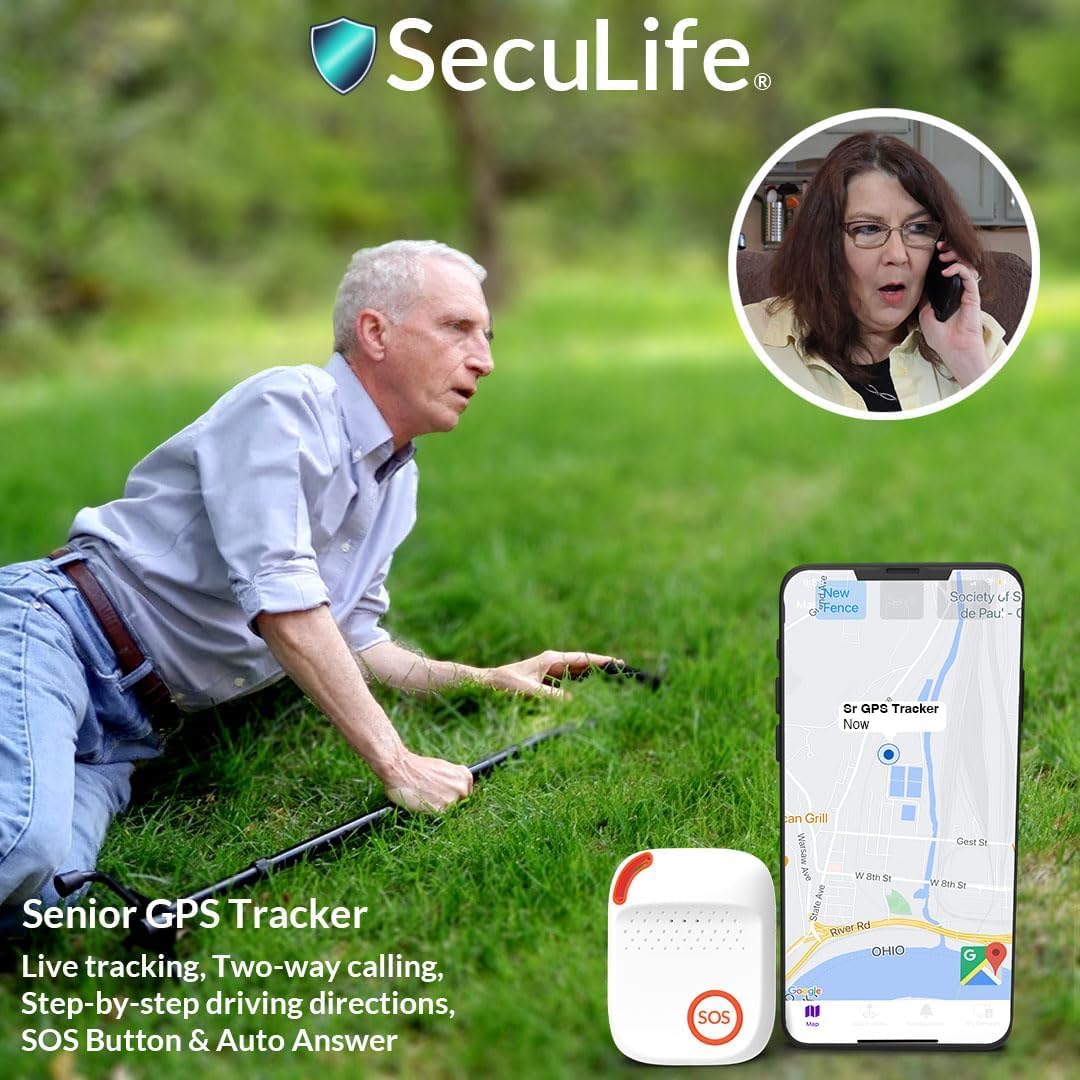
Image: A senior citizen walking outdoors with the SecuLife SOS Personal Tracker discreetly attached to their bag, illustrating its use for tracking and geofencing for special needs.

Image: A person holding a smartphone displaying the SecuLife app with a map showing real-time tracking of the device's location, with an inset image of a senior with a cane.
4. Mobile Application Usage
The SecuLife Mobile App (available for iOS & Android) is your central hub for managing the device. It provides access to:
- Real-Time Tracking
- Historical GPS Locations
- Unlimited Geofencing Areas
- Customizable Notifications (Mobile Push, Email, SMS/Text)
- Managing Emergency Contacts
Maintenance
1. Battery Life and Charging
The device's battery life can range from 8 to 24 hours depending on usage, voice calling frequency, and coverage variables. To ensure continuous protection, it is recommended to charge the device daily, especially overnight. Use only the provided charging cable and magnetic charger.
2. Care and Cleaning
The SecuLife SOS Personal Tracker is designed to be durable and is IP67 splash resistant, meaning it can withstand splashes of water but should not be submerged. To clean the device, wipe it gently with a soft, damp cloth. Do not use harsh chemicals or abrasive cleaners. Keep the charging contacts clean and dry to ensure proper charging.

Image: A senior couple smiling in the rain, with an inset of the SecuLife SOS Personal Tracker, illustrating its small, lightweight, and splash-resistant design.
Troubleshooting
If you encounter issues with your SecuLife SOS Personal Tracker, please refer to the following common problems and solutions:
| Problem | Possible Cause | Solution |
|---|---|---|
| Device not turning on | Low battery; device off. | Charge the device fully. Press and hold the power button to turn on. |
| No GPS signal/inaccurate location | Poor cellular coverage; indoors/obstructed view of sky. | Move to an area with better signal. Ensure device has clear view of sky for GPS. |
| Cannot make/receive calls | No active subscription; poor cellular signal. | Verify subscription status. Move to an area with better cellular coverage. |
| Fall detection not working | Device not worn correctly; specific fall type not detected. | Ensure device is worn securely. Note that not all falls may be detected. |
If the problem persists, please contact SecuLife Customer Support for further assistance.
Specifications
| Feature | Detail |
|---|---|
| Product Dimensions | 2.4 x 1.7 x 0.7 inches |
| Item Weight | 9.9 ounces |
| Model Number | SOS Personal Tracker White |
| Batteries | 1 Lithium Polymer battery (included) |
| Connectivity Technology | Cellular (4G LTE) |
| Special Features | SOS 2-Way Calling, Auto Answering Speakerphone, Real-Time Tracking, Historical Location Data, Geofencing Locations, Mobile App with Push Notifications, SMS, and Email |
| Supported Application | GPS |
| Specific Uses | Elderly care, Medical condition monitoring |
| First Available | September 22, 2022 |
Warranty and Support
Warranty Information
The SecuLife SOS Personal Tracker comes with a Lifetime Device Warranty. For detailed terms and conditions regarding the warranty, please refer to the documentation included with your purchase or contact SecuLife Customer Support. Additionally, the product has a 30-day return policy for refund or replacement.
Customer Support
SecuLife offers comprehensive customer support 7 days a week, 365 days a year. Operators are available via phone, chat, and email to assist with any questions or issues you may have regarding your device or subscription.

Image: A customer service representative wearing a headset, smiling and working at a computer, symbolizing the live customer support offered by SecuLife.
For more information, you can visit the official SecuLife Store on Amazon.
Documents and downloads
Ask a question about this manual
Ask about setup, troubleshooting, compatibility, parts, safety, or missing instructions. Manuals+ will review the question and use this page’s manual context to help answer it.