
DCCStands PAX A35
DCCStands Pax A35 PIN Pad Low Swivel and Tilt Stand Instruction Manual
Model: PAX A35
1. Introduction
This manual provides detailed instructions for the installation, operation, and maintenance of your DCCStands Pax A35 PIN Pad Low Swivel and Tilt Stand. This stand is designed to securely hold your PAX A35 terminal, enhancing customer experience and operational efficiency in retail environments. Please read this manual thoroughly before use to ensure proper setup and safe operation.
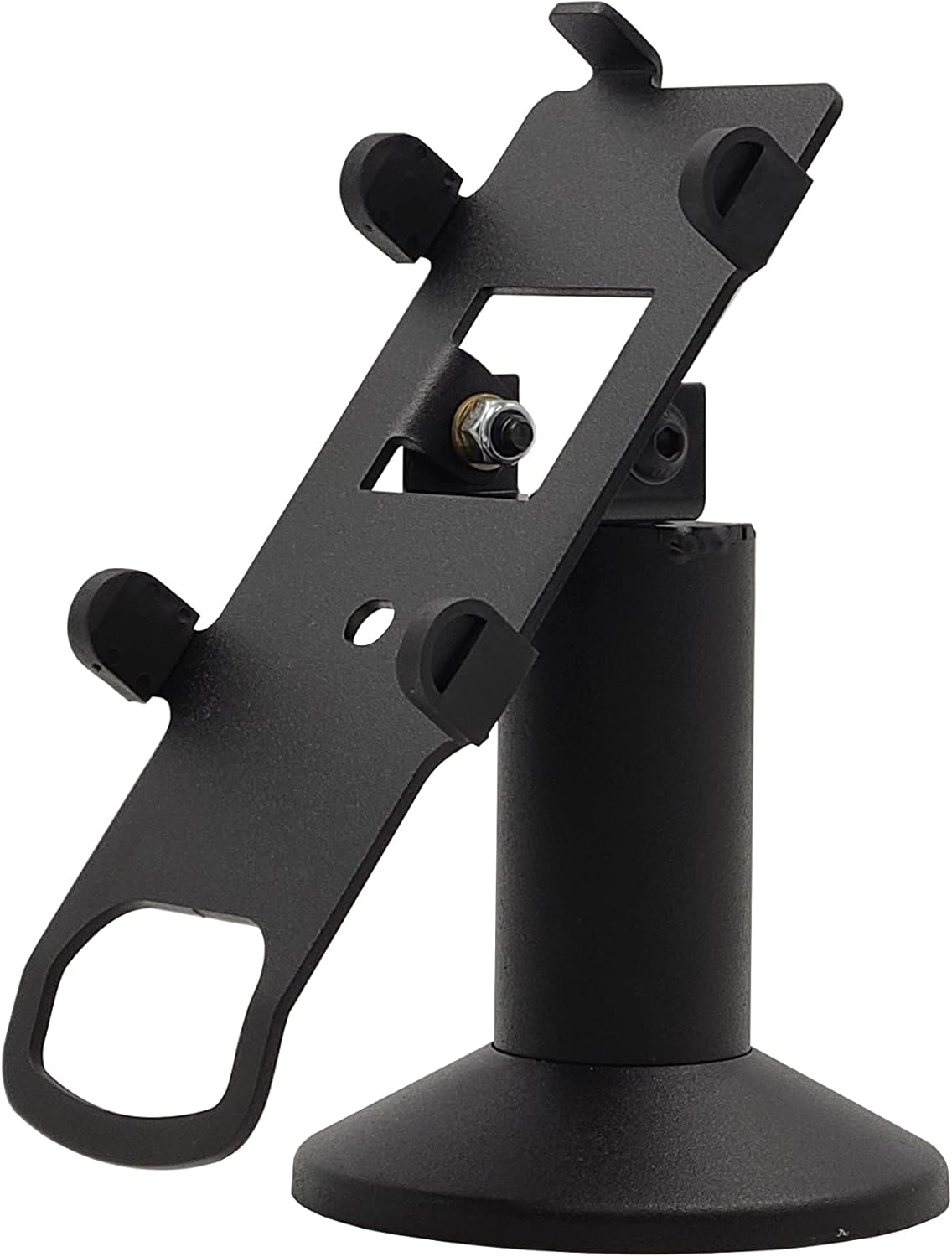
Image 1.1: The DCCStands Pax A35 PIN Pad Low Swivel and Tilt Stand.
2. Safety Information
- Ensure the stand is installed on a stable, flat surface to prevent tipping.
- Do not overtighten screws during installation to avoid damaging the stand or the terminal.
- Keep all small parts and tools out of reach of children.
- Regularly check all connections and fasteners to ensure they remain secure.
- Avoid exposing the stand to extreme temperatures or harsh chemicals.
3. Package Contents
Verify that all items are present in the package:
- DCCStands PAX A35 Low Swivel and Tilt Stand (Pre-assembled base stand with a back plate)
- Adhesive Glue Pad
- Mounting Screws (4 screws)
- Allen Key
- Wrench

Image 3.1: Components included with the stand.
4. Setup and Installation
The DCCStands Pax A35 stand offers two primary mounting options: screw-down for permanent installation or an adhesive pad for less permanent placement. Follow these steps for installation:
4.1. Attaching the Terminal to the Holder
- Identify the mounting hole on the back of your PAX A35 terminal.
- Align the terminal with the stand's back plate, ensuring the screw hole matches.
- Insert the provided locking screw into the terminal's mounting hole and secure it to the back plate using a screwdriver. Do not overtighten.
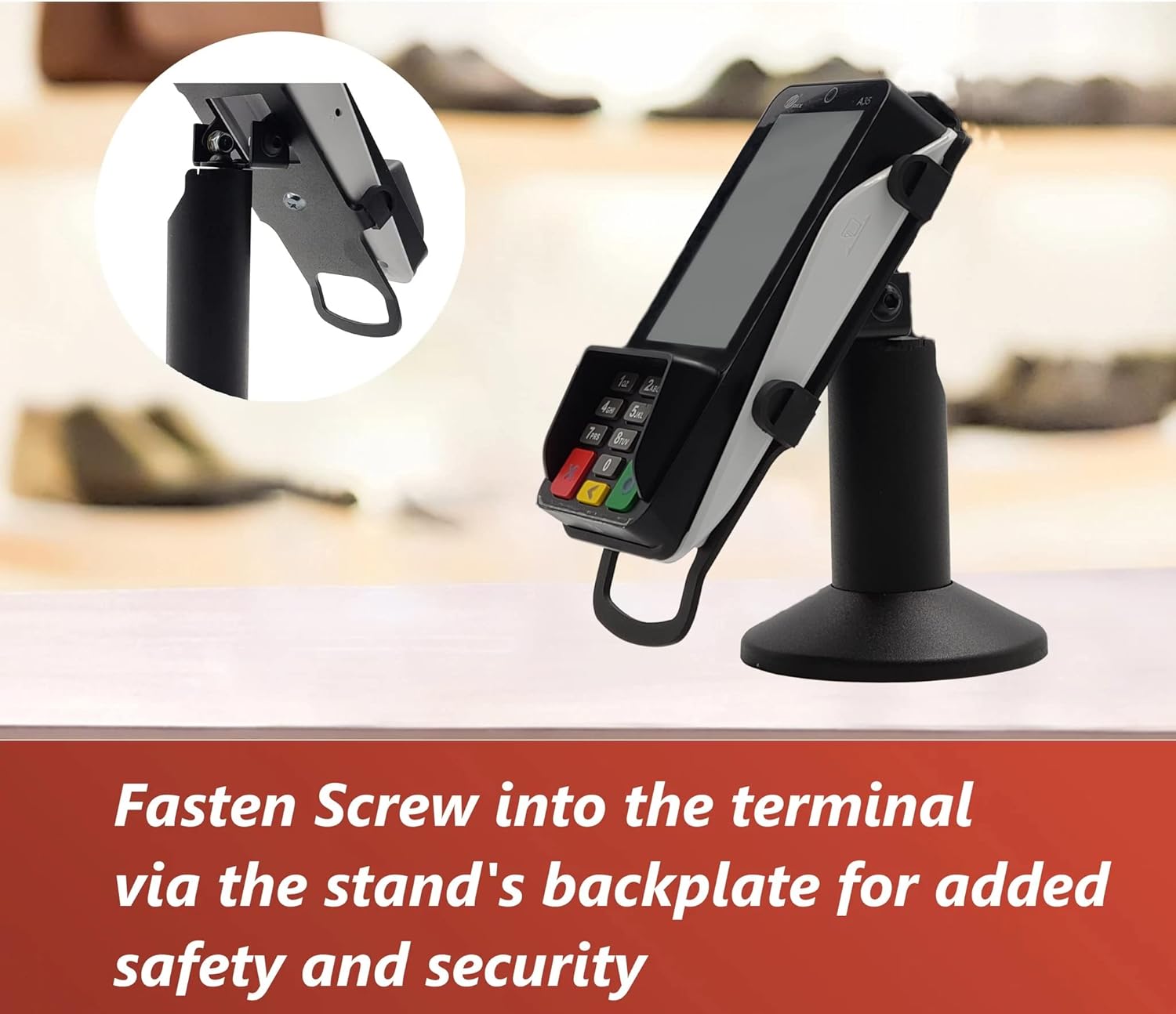
Image 4.1: PAX A35 terminal securely mounted on the stand.
4.2. Securing the Stand to a Surface
Choose between screw mounting for maximum security or the adhesive pad for flexibility.
Option A: Screw Mounting
- Position the stand on your desired surface.
- Mark the locations for the mounting screws through the holes in the stand's base.
- Drill pilot holes if necessary, then secure the stand to the surface using the provided screws.
Option B: Adhesive Pad Mounting
- Clean and dry the desired mounting surface thoroughly.
- Peel the backing from the adhesive glue pad and firmly press the stand onto the surface.
- Apply pressure for at least 30 seconds to ensure a strong bond. Allow 24 hours for the adhesive to fully cure before heavy use.
5. Operating Instructions
The DCCStands Pax A35 stand features both swivel and tilt functionality for optimal user interaction and accessibility.
5.1. Swivel Functionality
The stand allows for a 190-degree swivel, enabling easy rotation of the terminal between the merchant and the customer. Gently rotate the terminal to the desired angle.
5.2. Tilt Functionality
The stand can tilt up to 60 degrees, allowing you to adjust the screen angle for better viewing and to reduce glare. Hold the terminal firmly and adjust the tilt to your preferred position.
Video 5.1: Demonstration of the swivel and tilt features of the stand for Pax A35 and S300 credit card machines.
6. Maintenance
- Cleaning: Wipe the stand with a soft, damp cloth. Avoid abrasive cleaners or solvents that could damage the finish.
- Inspection: Periodically check all screws and connections to ensure they are tight and secure.
- Cable Management: Ensure that any cables connected to the terminal are routed neatly and are not pinched or strained by the stand's movement. The stand includes a flange cover to hide wires.

Image 6.1: The stand's design allows for neat cable management.
7. Troubleshooting
- Stand feels wobbly: Check all mounting screws and the screws attaching the terminal to the back plate. Ensure they are securely tightened. If using the adhesive pad, verify the surface was clean and dry during application and allow sufficient curing time.
- Difficulty swiveling/tilting: Ensure no obstructions are preventing movement. The stand is designed for smooth operation; excessive force should not be required.
- Terminal not secure: Double-check that the terminal is correctly seated on the back plate and all securing screws are tightened.
8. Specifications
| Feature | Detail |
|---|---|
| Brand | DCCStands |
| Model Compatibility | PAX A35 |
| Material | Robust Mild Steel |
| Color | Black |
| Swivel Angle | Up to 190 degrees |
| Tilt Angle | Up to 60 degrees |
| Pole Height | 4 inches |
| Mounting Options | 4 Screws or Adhesive Sticker |
9. Warranty and Support
Limited Lifetime Warranty: DCCStands provides a limited lifetime warranty for this product. If your stand breaks due to a manufacturing defect, it will be replaced without hassle. Please retain your proof of purchase for warranty claims.
For further assistance or support, please contact DCCStands customer service.
Related documentsPAX A35


Ask a question about this manual
Ask about setup, troubleshooting, compatibility, parts, safety, or missing instructions. Manuals+ will review the question and use this page’s manual context to help answer it.