1. Introduction
Thank you for choosing the Homvana H102 Humidifier. This device is designed to improve air quality and comfort in your home by maintaining optimal humidity levels. Featuring a unique 5-liter unibody tank, it offers extended operation and a leak-proof design for a hassle-free experience. Its advanced TuberMist technology and 360° dual nozzles ensure rapid and efficient humidification, while the intelligent AI algorithm automatically adjusts mist output to maintain a healthy humidity range between 45% and 60%.
This manual provides detailed instructions for the safe and effective use, setup, operation, and maintenance of your Homvana H102 Humidifier. Please read it thoroughly before first use and keep it for future reference.

Image 1.1: The Homvana H102 Humidifier, showcasing its compact and modern design with a clear water tank.
2. Product Features
- 5L Large Capacity Unibody Tank: Provides up to 40 hours of continuous humidification on a single fill, minimizing the need for frequent refills. The unibody design effectively prevents leaks.

Image 2.1: Visual representation of the 5L large capacity and 40-hour runtime of the humidifier.
- Rapid Humidification: Equipped with superior TuberMist technology and two powerful 360° rotatable nozzles, capable of increasing humidity by 12% in just 20 minutes.
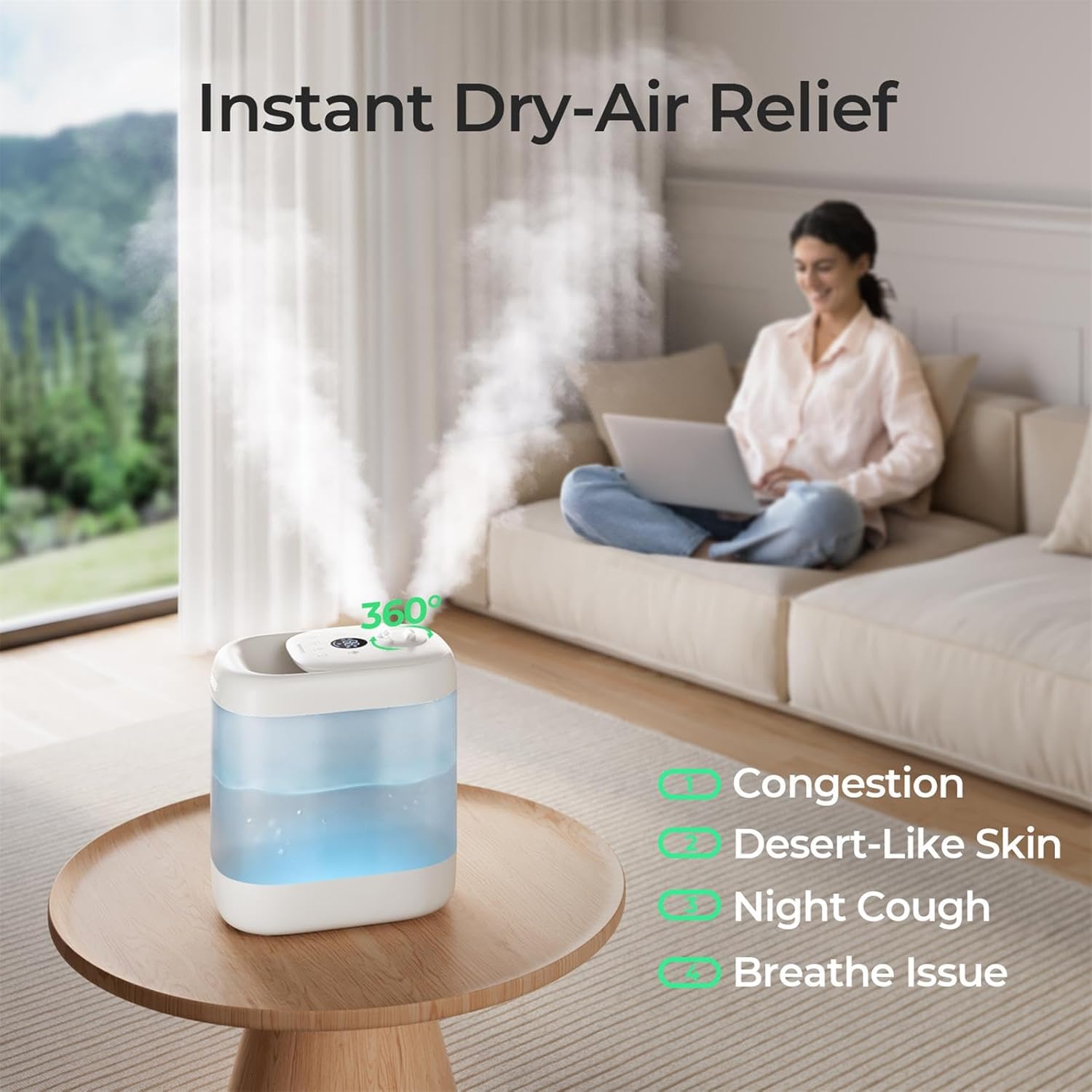
Image 2.2: The humidifier emitting mist, illustrating its effectiveness in providing relief from dry air symptoms.
- Intelligent Auto Mode: An AI algorithm automatically adjusts mist output based on ambient humidity and temperature, maintaining an ideal healthy humidity level between 45% and 60%.

Image 2.3: Diagram showing the automatic mist level adjustment from low to high based on humidity levels, ensuring optimal comfort.
- Easy Top-Fill & Deep Cleaning: Water can be poured directly into the top opening without removing the lid. The elegant unibody design and large 250mm opening allow for thorough and easy cleaning, preventing secondary pollution.

Image 2.4: Illustration of the two convenient top-fill methods: direct refill and unlidding to pour water.

Image 2.5: A hand cleaning the humidifier's wide 250mm opening, demonstrating its simple structure and ease of cleaning.
- Whisper-Quiet Operation: Operates at a low noise level of 25dB, ensuring a peaceful environment suitable for nurseries, bedrooms, and offices.

Image 2.6: The humidifier operating quietly in a bedroom setting, with a noise comparison indicating 25dB, quieter than a library.
- 7-Color Ambient Light & Aromatherapy: Features a customizable 7-color ambient light and an integrated aroma pad for essential oils, allowing for personalized ambiance and relaxation.

Image 2.7: The humidifier displaying its night light function and an illustration of its aromatherapy capability.
3. Safety Instructions
To ensure safe operation and prevent damage, please adhere to the following safety guidelines:
- Always place the humidifier on a firm, flat, water-resistant surface, away from direct sunlight and heat sources.
- Do not place the humidifier directly on carpet or a towel, as this may block the air inlet and cause malfunction.
- Use only clean, cool tap water. Distilled or demineralized water is recommended to prevent mineral buildup and white dust.
- Do not add essential oils directly into the water tank. Use the designated aroma pad for aromatherapy.
- Unplug the humidifier from the power outlet before filling, cleaning, or moving it.
- Do not immerse the base unit in water or other liquids.
- Keep the humidifier out of reach of children and pets.
- Do not block the mist outlet or air vents.
- If the humidifier emits an unusual smell or sound, or if it stops working, unplug it immediately and contact customer support.
- Do not attempt to repair or disassemble the humidifier yourself.
4. Setup
- Unpack: Carefully remove the humidifier from its packaging. Retain the packaging for future storage or transport.
- Placement: Place the humidifier on a flat, stable surface at least 6 inches (15 cm) away from walls and furniture. Ensure the mist outlet is not directed towards walls, furniture, or electronics.
- Fill Water Tank:
- Ensure the humidifier is unplugged.
- Pour clean, cool tap water directly into the top opening of the water tank. You can also remove the top lid and pour water into the tank. Do not exceed the maximum fill line.
- For best results and to prevent mineral buildup, use distilled or demineralized water.
Image 4.1: Illustration of the two convenient top-fill methods: direct refill and unlidding to pour water.
- Connect Power: Plug the power cord into a suitable electrical outlet. The humidifier will enter standby mode.
5. Operation
Familiarize yourself with the control panel and its functions:
- Power On/Off: Press the Power button (Ⓘ) to turn the humidifier on or off. The display will light up when powered on.
- Mist Level Adjustment: Press the Mist button (☁) repeatedly to cycle through low, medium, and high mist output levels.

Image 5.1: Visual representation of the three mist output levels: Low (100mL/h), Mid (170mL/h), and High (260mL/h).
- Auto Mode: Press the Auto button (A) to activate the intelligent auto mode. The humidifier will automatically adjust the mist output to maintain a comfortable humidity level (45%-60%) based on the ambient environment.
Image 5.2: Diagram illustrating how the Auto Mode dynamically adjusts mist levels to maintain ideal humidity.
- Sleep Mode / Night Light: Press the Sleep/Light button (🌛) to activate sleep mode, which dims the display and operates quietly. Press again to cycle through the 7-color ambient light options or turn the light off.
Image 5.3: The humidifier functioning as a night light, providing soft illumination.
- Timer Function: Press the Timer button (⏱) to set an operating timer (e.g., 2H, 4H, 8H). The humidifier will automatically turn off after the set time.
- Aromatherapy: Locate the aroma pad tray (usually at the base or side of the unit). Add a few drops of essential oil onto the aroma pad. Do not add essential oils directly into the water tank.
6. Maintenance and Cleaning
Regular cleaning is essential to prevent mineral buildup, mold, and bacteria growth, ensuring optimal performance and healthy mist output.
Daily Maintenance:
- Unplug the humidifier before refilling.
- Empty any remaining water from the tank and base.
- Refill with fresh, cool water.
Weekly Cleaning:
- Unplug and Disassemble: Ensure the humidifier is unplugged. Remove the top lid and empty all water from the tank and base.
- Clean Water Tank: Due to the large 250mm opening, you can easily reach inside the tank. Wipe the inside of the water tank with a soft cloth or sponge. For stubborn mineral deposits, use a solution of white vinegar and water (1:1 ratio). Let it soak for 20-30 minutes, then scrub and rinse thoroughly.
Image 6.1: A hand cleaning the humidifier's wide opening, demonstrating the ease of access for thorough cleaning.
- Clean Base Unit & Transducer: Gently wipe the surface of the base unit and the ultrasonic transducer (the small metal disc) with a soft cloth dampened with white vinegar. Do not scrub the transducer aggressively. Rinse the base unit carefully, ensuring no water enters the air outlet or control panel.
- Rinse Thoroughly: Rinse all cleaned parts with clean water until no vinegar smell remains.
- Dry: Allow all parts to air dry completely before reassembling and storing or using the humidifier.
Descaling:
If hard water is used, mineral deposits (scale) may accumulate. To descale:
- Mix 1 cup (240ml) of white vinegar with 1 cup (240ml) of water.
- Pour the solution into the water tank and base, ensuring it covers the transducer.
- Let it soak for 30 minutes to an hour, or longer for heavy buildup.
- Use a soft brush or cloth to gently scrub away any remaining mineral deposits.
- Drain the solution and rinse all components thoroughly with clean water until the vinegar smell is gone.
7. Troubleshooting
| Problem | Possible Cause | Solution |
|---|---|---|
| No mist or low mist output |
|
|
| Unusual odor |
|
|
| White dust around humidifier |
|
|
| Humidifier not turning on |
|
|
8. Specifications
| Feature | Detail |
|---|---|
| Brand | Homvana |
| Model Number | H102 |
| Color | Blue |
| Product Dimensions (L x W x H) | 28.5 x 19.5 x 31 cm (11.2 x 7.7 x 12.2 inches) |
| Item Weight | 1.85 Kilograms (4.08 lbs) |
| Water Tank Capacity | 5 Liters (1.32 Gallons) |
| Max Runtime | Up to 40 hours on a single fill |
| Power | 158.4 Watts |
| Voltage | 230 Volts |
| Noise Level | 25dB (Whisper-Quiet) |
| Recommended Room Size | Up to 377 Square Feet |
| Operating Mode | Automatic, Manual Mist Control |
| Special Features | Top-Fill, Leak-Proof Design, 360° Dual Nozzles, AI Auto Mode, 7-Color Ambient Light, Aromatherapy Pad |
9. Warranty and Support
Specific warranty information and detailed customer support contacts are not available in the provided product data. For warranty claims, technical assistance, or any product-related inquiries, please refer to the warranty card included with your purchase or visit the official Homvana website for the most up-to-date information and contact details.
Always ensure you have your product model number (H102) and purchase date ready when contacting support.


