
Introduction
This manual provides essential instructions for the installation, testing, and care of your A-MIND TFT LCD screen replacement for the Xiaomi Poco F3 M2012K11AG. This product is designed to replace faulty screens, addressing issues such as cracks, broken displays, dead pixels, unresponsive touch, and incorrect color display. Please read all instructions carefully before proceeding with the installation.
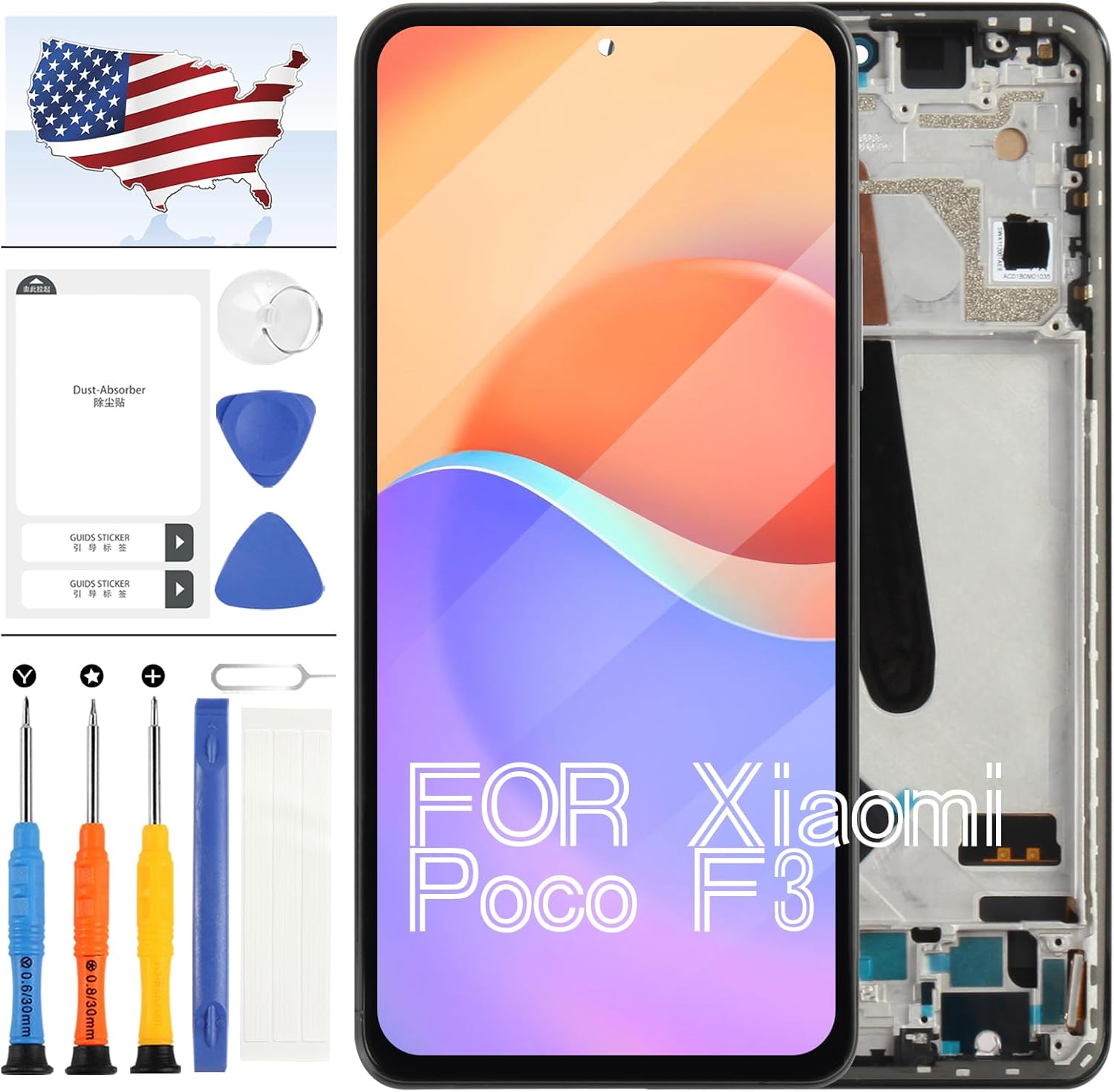
Image: A-MIND TFT LCD Screen Replacement Kit for Xiaomi Poco F3, showing the screen assembly and included repair tools.
Setup and Installation
Important Pre-Installation Notes:
- Professional Installation Recommended: If you lack experience in repairing electronic equipment, it is strongly recommended to seek assistance from a professional repair service. Attempting self-repair without proper knowledge may lead to damage to your device or the new screen.
- Model Verification: Ensure your device is a Xiaomi Poco F3 M2012K11AG. This screen is specifically designed for this model and includes a frame. Using the incorrect model screen can cause damage.
- TFT Screen Characteristic: This TFT LCD screen is slightly thicker than the original AMOLED screen. When installed with the frame, it may sit marginally higher than the device's original frame, but this will not affect its functionality.
- Battery Disconnection: Before beginning any installation, always disconnect the device's battery to prevent short circuits or damage to components.
Included Components and Tools:
The replacement kit includes the following items to assist with installation:
- 1x TFT LCD Display Touch Screen Digitizer Assembly with Frame
- 1x Strong Suction Cup
- 1x Triangle Opening Tools (Picks)
- 1x Card Pin (SIM Ejector Tool)
- 1x Spudger
- 1x Adhesive Tape

Image: Front view of the A-MIND TFT LCD screen replacement for Xiaomi Poco F3, highlighting its 1080x2400 pixel resolution and 6.67-inch size.
General Installation Steps (Consult a device-specific guide for detailed steps):
- Power Off Device: Ensure your Xiaomi Poco F3 is completely powered off.
- Remove SIM Tray: Use the included card pin to remove the SIM card tray.
- Open Back Cover: Carefully heat the edges of the back cover and use the suction cup and opening tools to gently pry it open.
- Disconnect Battery: Locate and disconnect the battery connector from the motherboard.
- Remove Old Screen: Disconnect the flex cables of the old screen and carefully remove it from the device frame.
- Clean Frame: Thoroughly clean any old adhesive residue from the device frame.
- Connect New Screen (for testing): Before applying adhesive, connect the flex cables of the new screen to the motherboard.

Image: Rear view of the A-MIND TFT LCD screen replacement, showing the integrated frame which simplifies installation by reducing the need for separate frame gluing.
Operating and Testing the New Screen
Before permanently adhering the new screen, it is crucial to test its functionality. This step ensures the screen is working correctly and prevents issues after final assembly.
- Reconnect Battery: After connecting the new screen's flex cables, temporarily reconnect the device's battery.
- Power On Device: Power on your Xiaomi Poco F3.
- Perform Comprehensive Test:
- Display Check: Verify that the display shows images clearly, without any dead pixels, lines, or color abnormalities.
- Touch Functionality: Test the touch response across the entire screen. Drag an app icon around the screen to ensure all areas respond to touch.
- Brightness and Color: Adjust brightness settings and observe color reproduction.
- Final Adhesion: Only proceed with applying the adhesive tape and fully installing the screen once you have confirmed that the new screen functions perfectly. If the screen is adhered before confirming full functionality, returns or refunds may not be accepted.

Image: Close-up view of a screen corner, indicating that each unit undergoes 100% testing before shipment to ensure quality.
Maintenance
To ensure the longevity and optimal performance of your new screen, follow these maintenance guidelines:
- Screen Protection: Consider using a screen protector and a protective case to guard against scratches and impacts.
- Cleaning: Clean the screen gently with a soft, lint-free cloth. Avoid harsh chemicals or abrasive materials that could damage the display.
- Avoid Pressure: Do not apply excessive pressure to the screen, as this can cause internal damage or cracks.
- Temperature Extremes: Avoid exposing your device to extreme temperatures, which can affect screen performance and lifespan.
Troubleshooting
If you encounter issues after installation, consider the following:
- Display Problems (No image, lines, abnormal colors):
- Ensure all flex cables are securely connected to the motherboard.
- Check for any visible damage to the flex cables or connectors.
- Restart the device.
- Touch Not Working or Unresponsive:
- Verify the touch digitizer flex cable is properly seated.
- Ensure there is no debris or foreign material between the screen and the frame.
- Perform a hard reset of the device.
- Screen Damage During Installation: Screens are made of glass and are fragile. Handle with extreme care. Damage incurred during installation is typically not covered under warranty.

Image: Detailed view of the flex cable connection area on the screen replacement, emphasizing the importance of proper connection for functionality.
Specifications
| Material | TFT LCD (Not Original AMOLED) |
| Compatible Model | Xiaomi Poco F3 M2012K11AG |
| Screen Size | 6.67 Inches |
| Resolution | 1080x2400 Pixels |
| Item Weight | 0.16 ounces |
| Package Dimensions | 1 x 1 x 0.1 inches |
| Manufacturer | A-MIND |
Warranty Information
All A-MIND screen replacements undergo rigorous quality control and are thoroughly tested before dispatch to ensure they are in good working condition. We offer a worry-free guarantee:
- In the event of any quality issues, provided there is no intentional or physical damage to the product, we promise a replacement.
- Physical damage, such as cracks or breaks caused during installation or use, is not covered under this guarantee.
- Screens that have been permanently adhered with glue before testing and confirmation of functionality may not be eligible for return or refund.
Support
For any questions, concerns, or issues regarding your A-MIND TFT LCD screen replacement, please contact the seller directly through the platform where the purchase was made. Provide your order details and a clear description of the issue for prompt assistance.