
1. Introduction
This manual provides comprehensive instructions for the safe and efficient operation of your Briidea Plug-in Heating & Cooling Thermostat, Model HTHC05. Please read this manual thoroughly before use and retain it for future reference.
2. Safety Information
Observe the following safety precautions to prevent injury or damage to the device:
- Ensure the power supply is disconnected before switching between heating and cooling modes.
- Do not exceed the maximum load capacity of the thermostat (15A/1800W).
- Do not immerse the device in water or expose it to excessive moisture.
- Keep out of reach of children.
- Do not disassemble or attempt to repair the device. Contact qualified personnel for service.
- Use only with compatible appliances.
3. Package Contents
- Briidea Plug-in Heating & Cooling Thermostat (Model HTHC05)
- User Manual (this document)
4. Product Overview
The Briidea HTHC05 thermostat features a simple design for easy temperature control. Key components include:
- Temperature Control Dial: Used to set the desired temperature.
- LED Indicator: Displays the operational status (Red for ON, Green for OFF).
- ON/OFF Switch: Manual power control for the connected appliance.
- Mode Selector Switch (Rear): Toggles between Heating and Cooling modes.
- Power Cord and Plug: For connecting to a standard electrical outlet.
- Appliance Outlet: Located on the back for connecting your heating or cooling device.
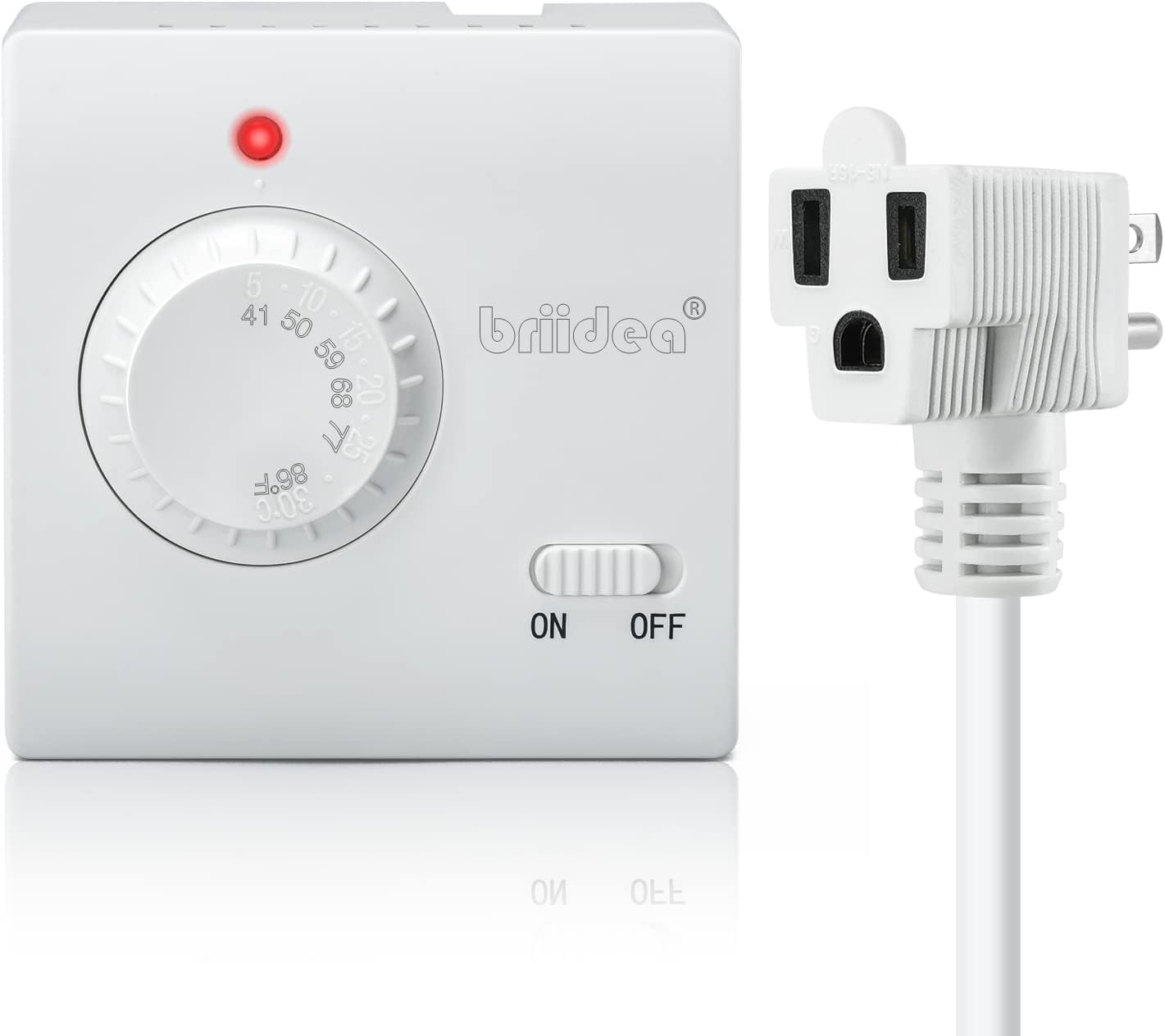
Figure 4.1: Front view of the Briidea HTHC05 thermostat with its integrated plug and cord.

Figure 4.2: Detailed view of the thermostat's front panel, showing the temperature dial, ON/OFF switch, and LED indicator.
5. Setup
- Select Mode: Locate the small switch on the back of the thermostat unit. Slide it to the "HEAT" position for heating appliances or "COOL" for cooling appliances. WARNING: Always disconnect the thermostat from the power outlet before changing the mode.

Figure 5.1: The mode selector switch (SW1) on the rear of the thermostat, allowing selection between HEAT and COOL functions.
- Plug in Appliance: Connect your heating or cooling appliance (e.g., space heater, window air conditioner, fan) into the outlet located on the back of the Briidea thermostat.
- Plug in Thermostat: Insert the thermostat's plug into a standard 120V AC electrical wall outlet.

Figure 5.2: The thermostat plugged into a wall outlet, ready for operation.
6. Operating Instructions
- Power On: Slide the ON/OFF switch on the front of the thermostat to the "ON" position. The LED indicator will illuminate.
- Set Desired Temperature: Rotate the temperature control dial to your desired temperature setting. The thermostat supports a range of 5-30°C (41-86°F).
- In Heating Mode, the connected appliance will activate when the ambient temperature falls below your set temperature and deactivate when it reaches the set temperature.
- In Cooling Mode, the connected appliance will activate when the ambient temperature rises above your set temperature and deactivate when it reaches the set temperature.
- LED Indicator Status:
- Red LED: Indicates the thermostat is powered ON and actively controlling the connected appliance (either heating or cooling).
- Green LED: Indicates the thermostat is powered ON but the connected appliance is currently OFF (temperature has reached the set point).

Figure 6.1: The LED indicator shows red when the appliance is active (ON) and green when the appliance is inactive (OFF).
- Power Off: Slide the ON/OFF switch to the "OFF" position to turn off the thermostat and the connected appliance.
7. Applications
The Briidea HTHC05 thermostat is versatile and can be used in various environments to maintain a stable temperature for different needs. Compatible with space heaters, air conditioners, and fans.

Figure 7.1: The thermostat is compatible with various heating and cooling appliances.
Common applications include:
- Household rooms
- Greenhouses
- Aquariums
- Reptile enclosures (terrariums, vivariums)
- Incubators
- Homebrewing setups
- Fermentation processes
- Heat mats
- Small fridges (in cooling mode)
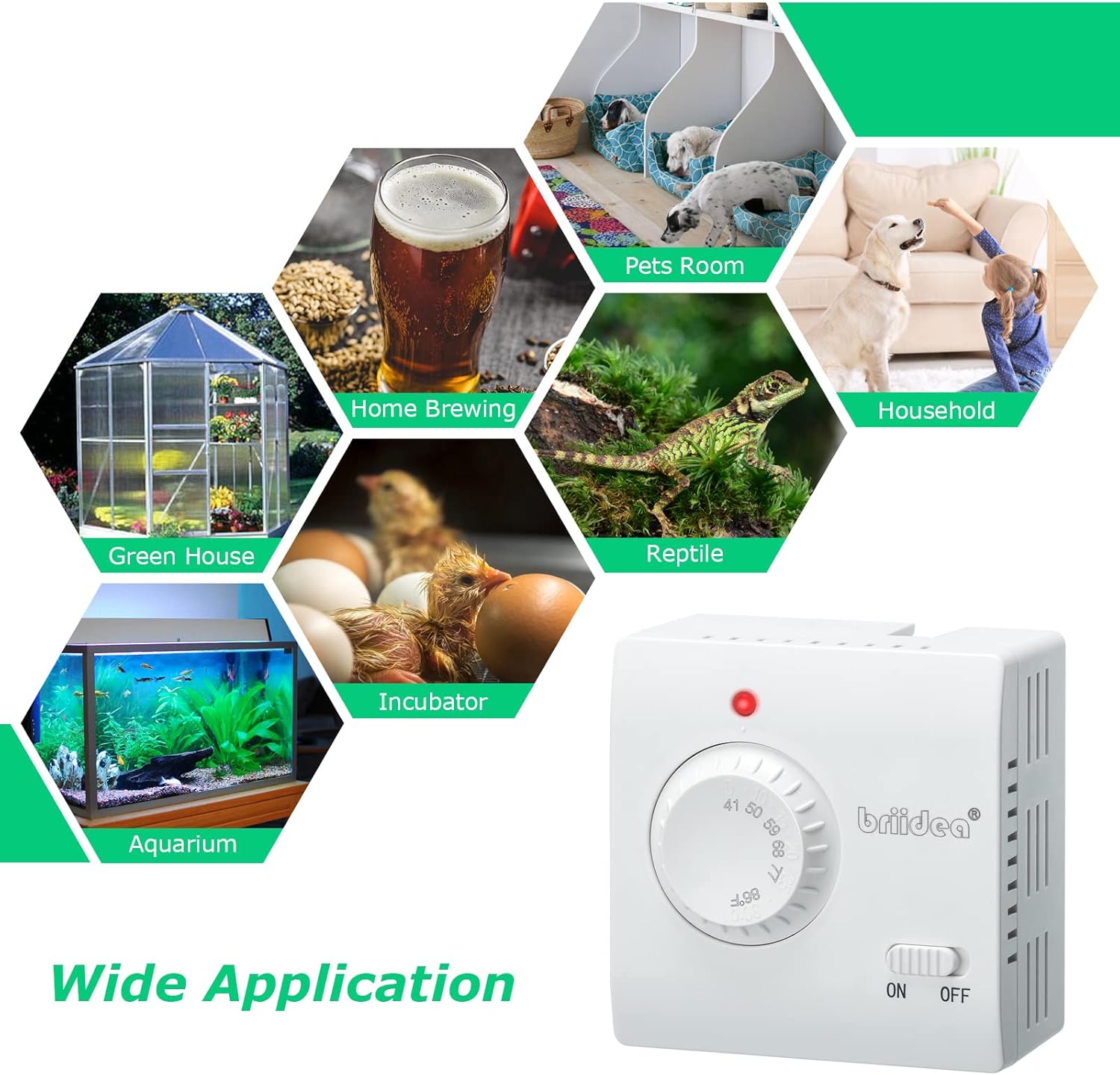
Figure 7.2: Examples of diverse applications for the Briidea HTHC05 thermostat.
8. Maintenance
The Briidea HTHC05 thermostat requires minimal maintenance.
- Cleaning: Disconnect the thermostat from the power outlet before cleaning. Wipe the exterior with a soft, dry cloth. Do not use abrasive cleaners or solvents.
- Storage: Store the device in a cool, dry place when not in use.
9. Troubleshooting
| Problem | Possible Cause | Solution |
|---|---|---|
| Thermostat does not power on. | No power from outlet; ON/OFF switch is OFF. | Check wall outlet with another device; ensure ON/OFF switch is in the "ON" position. |
| Connected appliance does not turn on/off as expected. | Incorrect mode selected (HEAT/COOL); appliance not plugged in correctly; appliance malfunction; temperature dial set incorrectly. | Verify the HEAT/COOL switch setting (disconnect power first); ensure appliance is fully plugged into the thermostat; test appliance directly in wall outlet; adjust temperature dial. |
| Temperature readings seem inaccurate. | Thermostat placed in an area with drafts or direct heat/cold sources; inherent calibration variation. | Relocate the thermostat to a more central area away from extreme temperature influences. Adjust the dial slightly to compensate if a consistent offset is observed. |
| LED indicator is green, but appliance should be running. | Temperature has reached the set point; appliance is off. | This is normal operation. The green LED indicates the set temperature has been achieved and the appliance is not needed at that moment. |
10. Specifications
| Feature | Detail |
|---|---|
| Brand | briidea |
| Model Name | HTHC05 |
| Product Dimensions | 1.6"D x 3.4"W x 3.4"H |
| Controller Type | Mechanical knob |
| Color | White |
| Specific Uses For Product | Heater, Air Conditioner, Fan, etc. |
| Temperature Control Type | Manual |
| Power Source | AC |
| Item Weight | 0.31 Kilograms (10.8 ounces) |
| Shape | Rectangular |
| Display Type | LED |
| Temperature Range | 5-30°C (41-86°F) |
| Max Load Current | 15A |
| Max Load Wattage | 1800W |
| Power Cord Length | Approximately 4.92 ft (1.5 meters) |
| Certification | UL Listed |

Figure 10.1: Physical dimensions of the Briidea HTHC05 thermostat.
11. Warranty and Support
For warranty information and customer support, please refer to the contact details provided with your purchase or visit the official briidea website. Keep your proof of purchase for warranty claims.