
Introduction
The Weiser SmartCode Keypad Door Lock and Handle Set provides enhanced security and convenience for your home. This electronic deadbolt system allows for keyless entry using a personalized code, eliminating the need for traditional keys. Its sleek design complements various home aesthetics, offering both functionality and style. The system features a motorized locking and unlocking mechanism, SmartKey re-key technology, and is designed for straightforward installation.
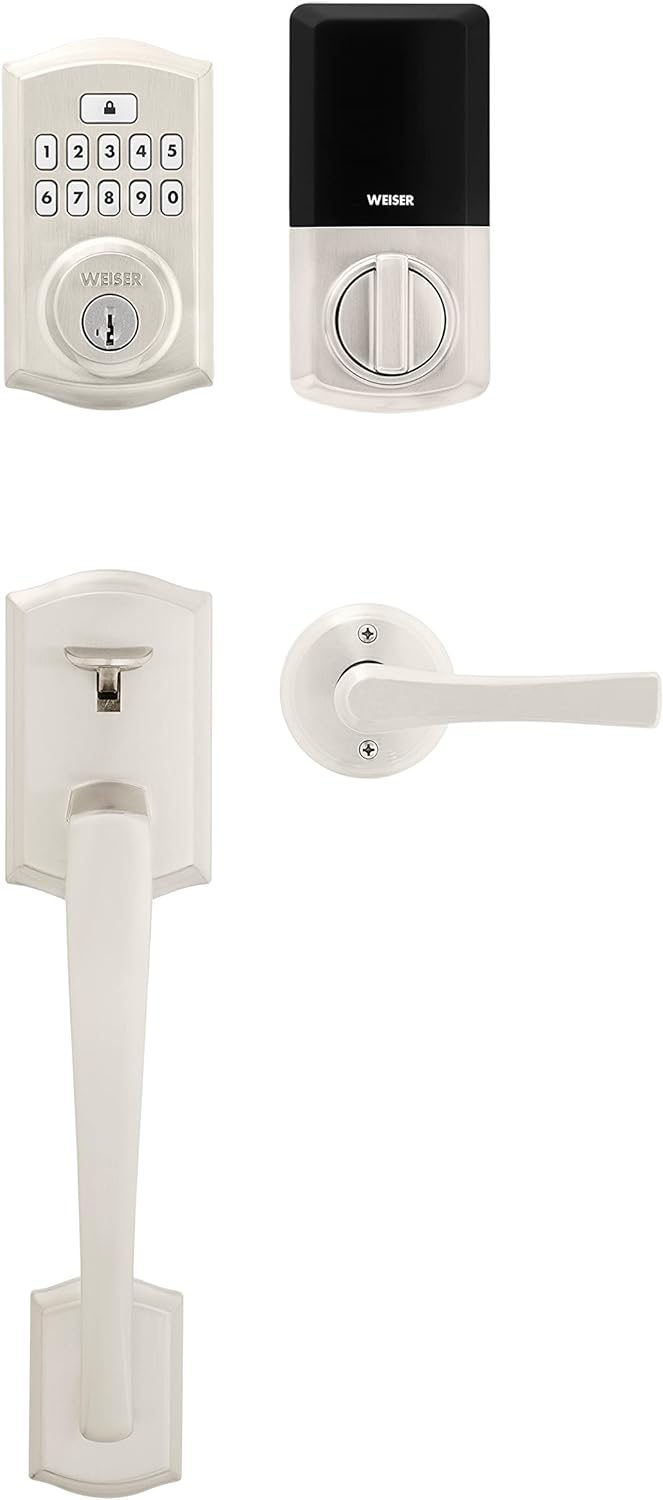
Figure 1: Overview of the Weiser SmartCode Keypad Door Lock and Handle Set, showcasing the exterior keypad deadbolt, interior electronic unit, and the full handleset.
Setup and Installation
This Weiser SmartCode system is designed for easy installation on standard exterior residential doors. It fits doors 1-3/8 inches to 1-3/4 inches thick and features an adjustable backset (2-3/8 inches or 2-3/4 inches).
Included Components:
- Exterior Handle Assembly
- Interior Lever Assembly
- SmartCode Electronic Deadbolt
- Latches and Strikes
- Mounting Screws and Bolts
- 2 Keys
- SmartKey Tool
- User Manual (this document)


Figure 2: Front (left) and back (right) views of the SmartCode components, illustrating the exterior keypad and the interior electronic unit.
For detailed, step-by-step installation instructions, it is highly recommended to utilize the free BILT app. This application provides interactive 3D instructions with voice and video guidance, ensuring a stress-free installation process.
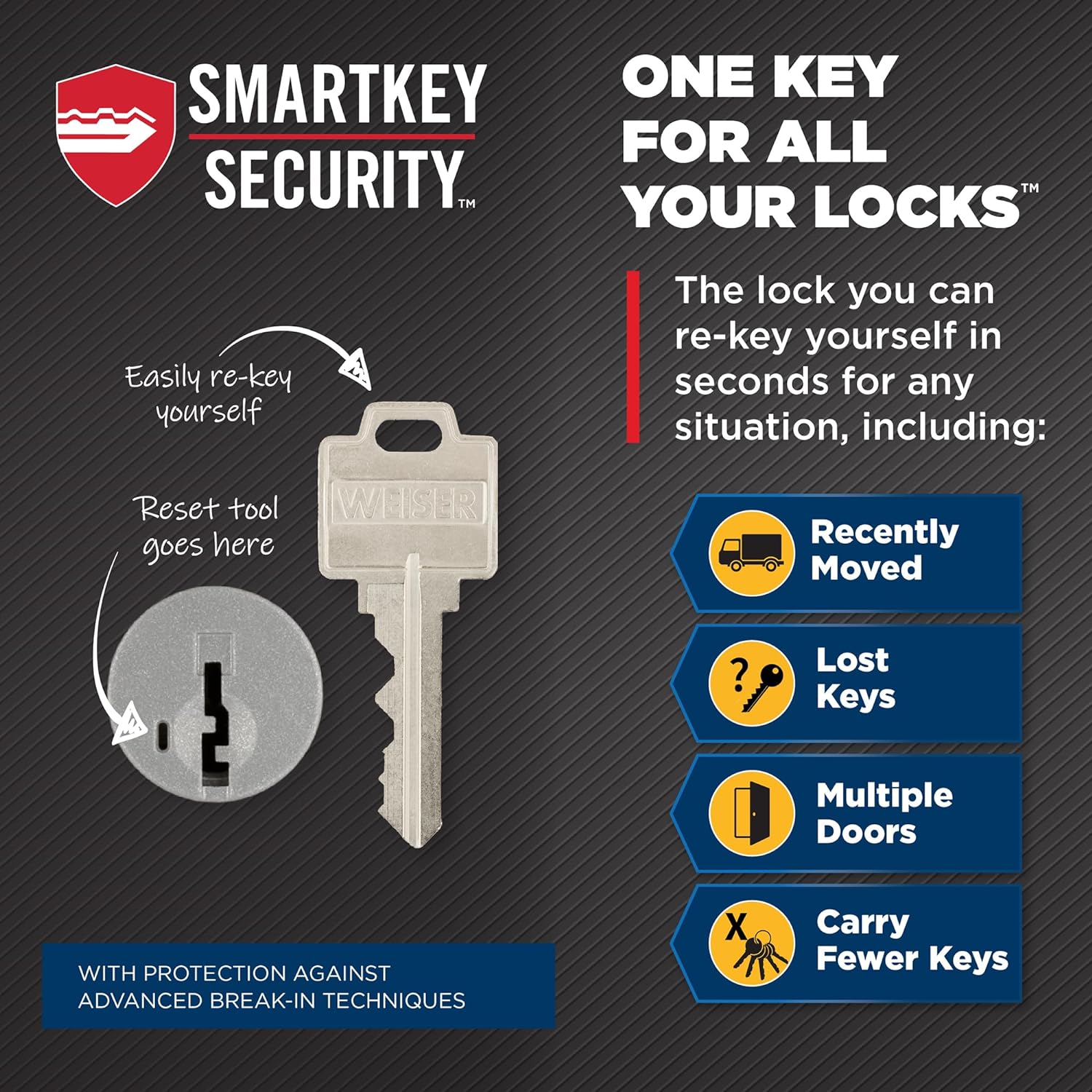
Figure 3: The lock features a fully reversible design, allowing installation on both right-handed and left-handed doors, providing flexibility during setup.
Operating Instructions
Keyless Entry:
- To unlock the door, enter your personalized 4-8 digit user code on the keypad.
- The deadbolt will retract with a motorized action, indicating successful unlocking.
Locking the Door:
- From the exterior: Simply press the Lock button on the keypad. The deadbolt will extend automatically.
- From the interior: Rotate the turn button on the interior lever assembly to the locked position.
- Auto-Lock Feature: For added peace of mind, the auto-lock feature can be enabled to automatically re-lock the door after a set period (refer to programming instructions for details).
SmartKey Re-Key Technology:
The SmartKey re-key technology allows you to re-key your lock in seconds, providing control over who has access to your home. This is particularly useful if keys are lost, stolen, or if you wish to use a single key for multiple Weiser SmartKey locks.

Figure 4: Illustration of the SmartKey re-keying process, showing where to insert the reset tool and the key for quick re-keying.
Maintenance
General Care:
Clean the lock and handle set regularly with a soft, damp cloth. Avoid using abrasive cleaners or solvents, as these can damage the finish. Ensure the moving parts of the lock are free from debris.
Battery Replacement:
The SmartCode electronic deadbolt operates on 4 AA batteries (not included). When the batteries are low, the lock will provide an audible and/or visual indicator. To replace the batteries:
- Remove the battery cover on the interior unit.
- Carefully remove the old batteries.
- Insert four new AA alkaline batteries, ensuring correct polarity (+/-).
- Replace the battery cover.
Troubleshooting
| Problem | Possible Cause | Solution |
|---|---|---|
| Keypad does not respond. | Dead batteries. | Replace all four AA batteries. |
| Lock does not lock/unlock electronically. | Low batteries; Incorrect installation; Jammed bolt. | Replace batteries. Verify installation steps. Check for obstructions in the door frame or strike plate. |
| User code not working. | Incorrect code entered; Code not programmed correctly. | Ensure correct code entry. Re-program the user code following the programming instructions in the full manual. |
| Lock beeps continuously. | Low battery warning. | Replace all four AA batteries immediately. |
Specifications
- Model Number: 9GLA92600-001
- Product Dimensions: 12.7 x 7.14 x 7.14 cm
- Item Weight: 454 g
- Material: Metal
- Color: Satin Nickel
- Style: Handleset x Smartcode
- Finish: Brushed
- Power Source: 4 AA Batteries (not included)
- Special Features: 10-button keypad design, 50 user access codes, SmartKey Security, Mastercode feature, Motorized Lock/Unlock
- Door Compatibility: 1-3/8" to 1-3/4" thick doors, adjustable backset (2-3/8" or 2-3/4")
- Country of Origin: China
Warranty and Support
Warranty Information:
This Weiser SmartCode Keypad Door Lock and Handle Set comes with a 1-year warranty from the date of purchase. This warranty covers manufacturing defects and ensures the product performs as intended under normal use. Please retain your proof of purchase for warranty claims.
Customer Support:
For technical assistance, troubleshooting beyond this manual, or warranty inquiries, please contact Weiser customer support. Visit the official Weiser website for contact details and additional resources.
