Introduction
This manual provides detailed instructions for the proper use and maintenance of your Ledwood LD-S20 Titan True Wireless Stereo (TWS) Earphones. Please read this manual thoroughly before using the product to ensure optimal performance and longevity. Keep this manual for future reference.
Product Overview
The Ledwood LD-S20 Titan TWS Earphones are designed for wireless audio playback, offering a seamless listening experience. The package includes the earphones and a wireless charging case.
Package Contents
- Ledwood LD-S20 Titan TWS Earphones (Left and Right)
- Wireless Charging Case

Image: Ledwood LD-S20 Titan TWS Earphones in their open rose gold charging case, showcasing the earbuds and the interior of the case.
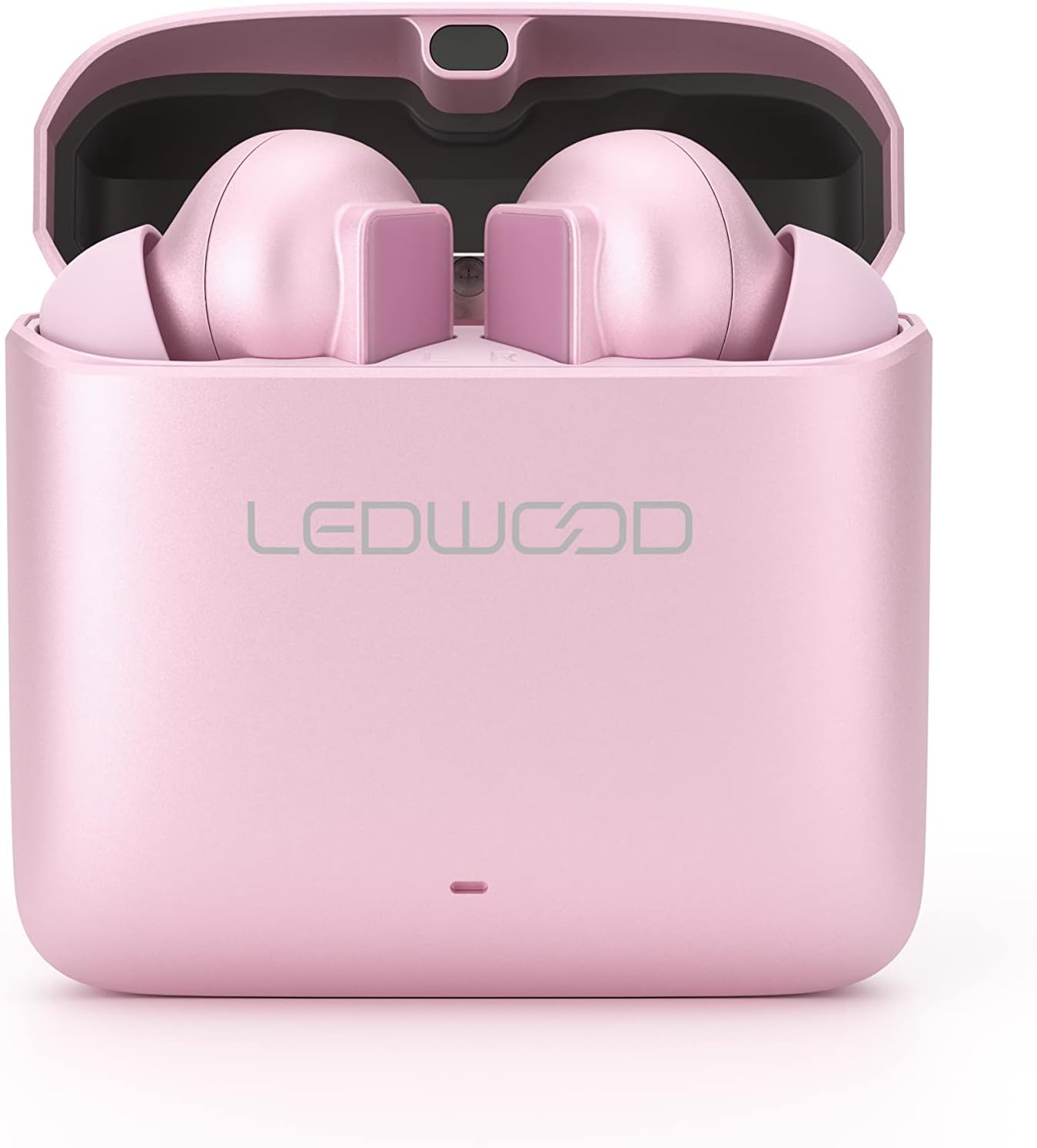
Image: Top view of the Ledwood LD-S20 Titan TWS Earphones charging case, closed, displaying the 'LEDWOOD' brand logo.
Setup
Charging the Earphones and Case
Before first use, fully charge the earphones and the charging case. The charging case acts as a portable power bank for your earphones.
- Place the Ledwood LD-S20 Titan earphones into their respective slots in the charging case. Ensure they are correctly seated.
- Close the charging case lid.
- Connect the charging case to a USB power source using a compatible charging cable. The indicator light on the case will illuminate to show charging status.
- Once fully charged, the indicator light will change or turn off. Disconnect the charging case from the power source.

Image: The Ledwood LD-S20 Titan TWS Earphones and their charging case, showing the USB-C charging port on the side of the case.
Bluetooth Pairing
Follow these steps to pair your Ledwood LD-S20 Titan earphones with your device for the first time.
- Ensure the earphones are charged.
- Open the charging case. The earphones will automatically enter pairing mode, indicated by a flashing LED light on one or both earbuds.
- On your device (smartphone, tablet, etc.), navigate to the Bluetooth settings.
- Enable Bluetooth and search for available devices.
- Select "Ledwood LD-S20 Titan" (or similar name) from the list of found devices.
- Once connected, a voice prompt or LED indicator will confirm successful pairing.
- For subsequent use, the earphones will automatically connect to the last paired device when removed from the case and Bluetooth is enabled on the device.
Operating Instructions
The Ledwood LD-S20 Titan earphones feature touch controls for various functions. Specific touch patterns may vary; refer to the quick start guide if provided with your product for exact commands. General functions include:
- Play/Pause: Single tap on either earbud.
- Next Track: Double tap on the right earbud.
- Previous Track: Double tap on the left earbud.
- Answer/End Call: Single tap on either earbud during an incoming call.
- Reject Call: Press and hold either earbud for 2 seconds during an incoming call.
- Activate Voice Assistant: Triple tap on either earbud (functionality may vary by device).

Image: A close-up view of the two individual Ledwood LD-S20 Titan TWS Earbuds, highlighting their in-ear design and touch-sensitive surfaces.
Maintenance
Cleaning
Regular cleaning helps maintain the performance and hygiene of your earphones.
- Use a soft, dry, lint-free cloth to wipe the earphones and charging case.
- For ear tips, gently remove them and clean with a mild soap solution if necessary, then rinse and dry completely before reattaching.
- Avoid using abrasive materials, alcohol, or chemical cleaners, as these can damage the product.
- Ensure charging contacts on both the earphones and the case are clean and free of debris.
Storage
When not in use, store the earphones in their charging case to protect them from dust, damage, and to keep them charged.
Store the product in a cool, dry place, away from extreme temperatures and direct sunlight.
Troubleshooting
If you encounter issues with your Ledwood LD-S20 Titan earphones, refer to the following common solutions:
| Problem | Solution |
|---|---|
| Earphones not pairing | Ensure earphones are charged. Turn off and on your device's Bluetooth. Forget "Ledwood LD-S20 Titan" from your device's Bluetooth list and attempt to pair again. |
| No sound from earphones | Check device volume. Ensure earphones are connected via Bluetooth. Try playing audio from a different application or device. |
| One earbud not working | Place both earbuds back into the charging case, close the lid, wait a few seconds, then open and try again. Ensure both earbuds are charged. |
| Charging case not charging | Verify the charging cable and power adapter are working correctly. Ensure the charging port on the case is clean and free of debris. |
Specifications
| Feature | Detail |
|---|---|
| Model Name | Titan |
| Item Model Number | LD-S20 |
| Brand | Ledwood |
| Connectivity Technology | Wireless |
| Wireless Communication Technology | Bluetooth |
| Form Factor | In Ear |
| Material | Metal |
| Color | Pink Gold |
| Item Weight | 6.8 ounces (192.78 grams) |
| Package Dimensions | 6.65 x 3.74 x 1.3 inches (16.9 x 9.5 x 3.3 cm) |
| Included Components | Wireless Charging Case |
Safety Information
Please observe the following safety guidelines to prevent damage to your earphones and ensure your personal safety:
- Do not disassemble, repair, or modify the product. This may cause fire, electric shock, or complete damage to the product.
- Keep the earphones and charging case away from water, moisture, and other liquids.
- Avoid exposure to extreme temperatures (hot or cold).
- Do not use the product during activities that require your full attention, such as driving or operating machinery.
- Prolonged exposure to loud sounds may cause hearing damage. Adjust volume to a moderate level.
- Keep out of reach of children and pets.
Warranty and Support
Your Ledwood LD-S20 Titan TWS Earphones are covered by a manufacturer's warranty. For specific warranty terms and conditions, please refer to the documentation provided with your purchase or contact Ledwood customer support.
For technical assistance, troubleshooting beyond this manual, or warranty claims, please contact the retailer where you purchased the product or visit the official Ledwood website for support contact information.


