
1. Introduction
Thank you for choosing the ARREGUI Plus C 181080 Built-in Safe. This manual provides essential information for the proper installation, operation, and maintenance of your safe. Please read these instructions carefully before using the product to ensure optimal security and functionality. Keep this manual for future reference.
2. Safety Information
- Always secure the safe properly according to the installation instructions to prevent unauthorized removal.
- Keep the safe keys and your personal code in a secure location, separate from the safe itself, and away from unauthorized individuals.
- Do not store the external micro USB power supply or spare keys inside the safe.
- Ensure the safe is installed in a location that can structurally support its weight and contents.
- Avoid exposing the safe to extreme temperatures or humidity.
3. Package Contents
Verify that all components are present in the package:
- ARREGUI Plus C 181080 Built-in Safe
- Instruction Manual (this document)
- 2 User Keys
- Owner Card Certificate
- 4 x 1.5V Batteries
- External Micro USB Power Supply
4. Product Features
The ARREGUI Plus C 181080 safe is designed for high security and convenience:
- Robust Construction: Manufactured from steel with laser-cut components for precision and strength.
- Advanced Door Protection: Features a 10mm thick door with an additional 3mm anti-drilling plate. The safe body is 2mm thick.
- Secure Locking Bolts: Equipped with 22mm diameter nickel-plated steel bolts.
- Anti-Saw Mechanism: Rotating bolts prevent cutting attempts from the exterior.
- Anti-Lever System: When closed, the bolts are recessed and inaccessible, preventing forced entry attempts with a lever.
- Extendable Depth: The safe's depth is adjustable, allowing installation in various wall types and adapting to wall depth and thickness (5 positions, 25mm increments).
- Interior LED Light: An energy-efficient LED light activates automatically when the safe is opened for improved visibility.
- Removable Shelf: Includes one removable shelf for organized storage.
- Double Security Lock: Features an electronic combination lock (3 to 8 digits programmable) and a certified key lock for dual access control.

Image 1: Front view of the ARREGUI Plus C 181080 safe with the door open, revealing the interior, electronic keypad, and keyhole.
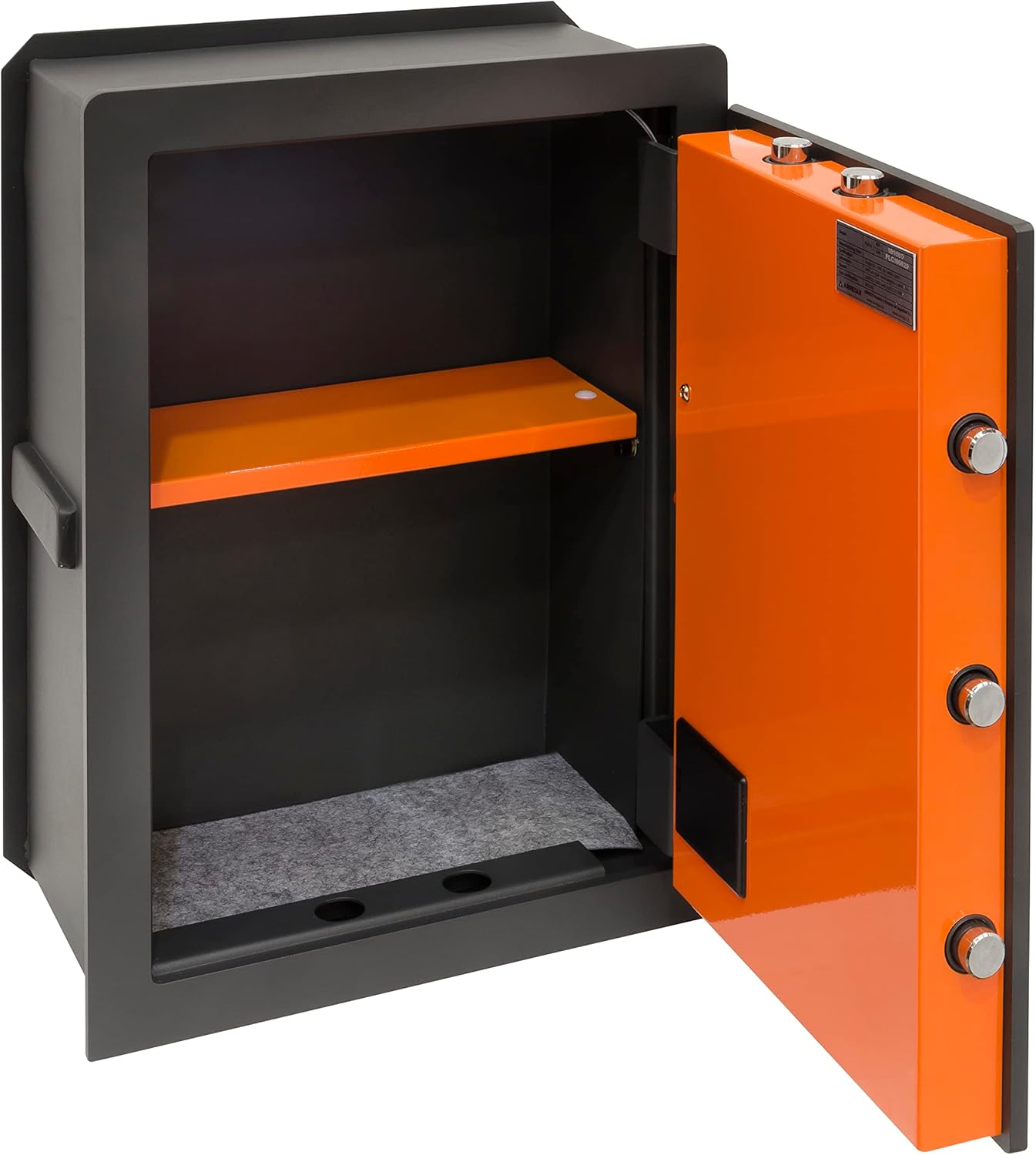
Image 2: Interior view of the safe, highlighting the removable orange shelf and spacious compartment.

Image 3: Close-up of the automatic LED light located inside the safe, providing illumination.

Image 4: Detail of the robust locking bolts, showcasing their anti-saw and anti-lever design for enhanced security.
5. Installation (Setup)
Installation of a built-in safe requires careful planning and execution. Professional installation is recommended.
5.1 Site Selection
- Choose a discreet and structurally sound wall location.
- Ensure there are no electrical wires, plumbing, or other obstructions within the wall at the chosen site.
5.2 Wall Preparation
- Create an opening in the wall slightly larger than the external dimensions of the safe body, allowing for mortar or fixing material.
- The extendable depth feature allows the safe to adapt to wall thickness. Adjust the safe's depth before final installation by loosening the rear panel screws, sliding to the desired depth, and re-tightening.
5.3 Securing the Safe
- Insert the safe into the prepared wall opening.
- Use strong mortar or appropriate fixing materials to secure the safe firmly within the wall, ensuring it is level and flush with the wall surface.
- Allow sufficient time for the fixing material to cure completely before using the safe.
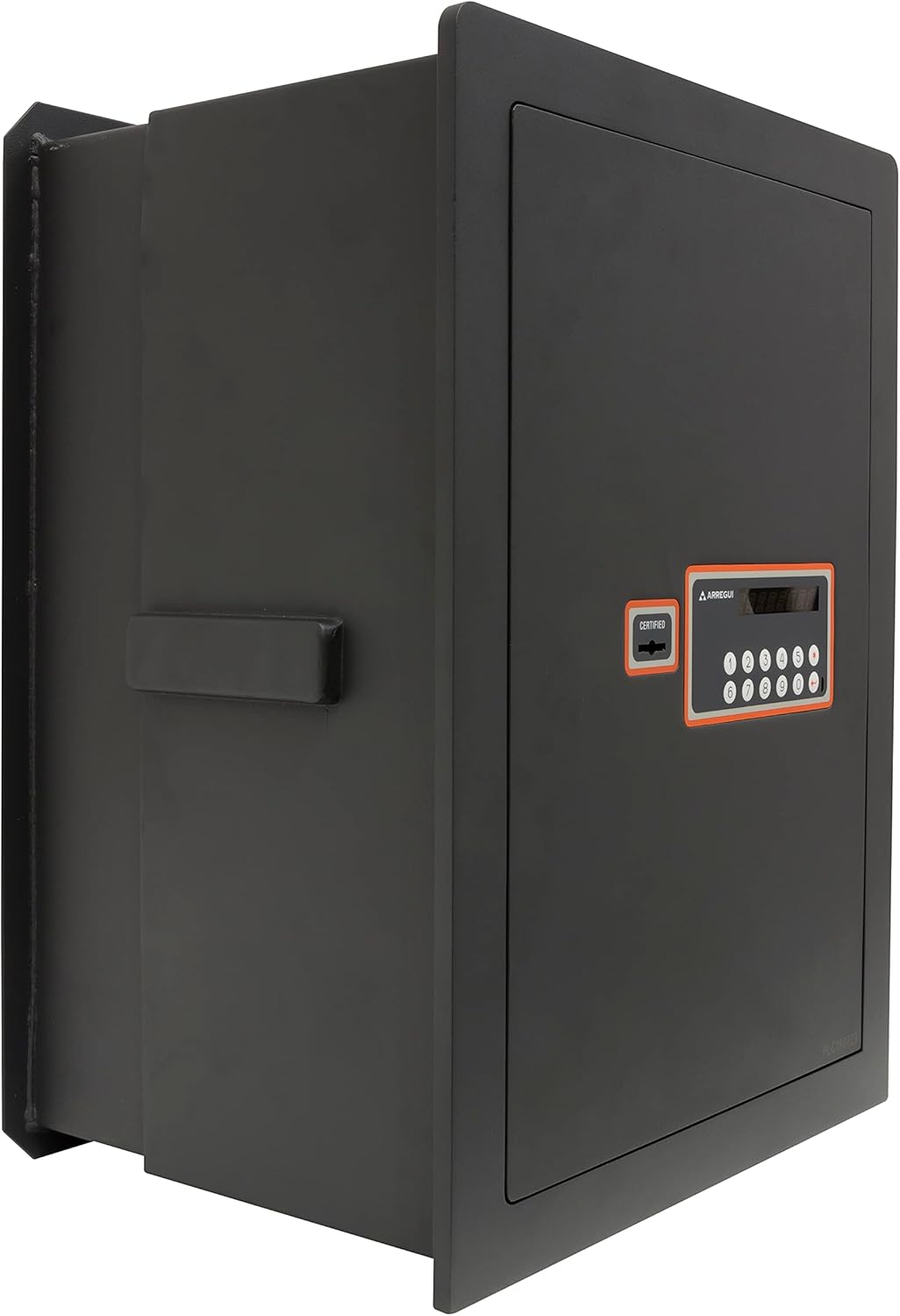
Image 5: Side view of the safe, illustrating the extendable depth feature for wall integration.
6. Operation
6.1 Initial Battery Installation
- Locate the battery compartment, typically on the inside of the safe door.
- Insert the 4 x 1.5V batteries, ensuring correct polarity.
- Close the battery compartment cover.
6.2 Setting Your Personal Code
Refer to the specific instructions provided with your safe for detailed steps on programming your initial code. Generally, this involves:
- With the safe door open, press the internal reset button.
- Enter your desired 3 to 8 digit code on the keypad.
- Confirm the code by pressing the appropriate button (e.g., '#' or 'ENTER').
- Test the new code with the door open before closing it.
6.3 Opening the Safe (Double Security)
The ARREGUI Plus C 181080 safe requires both the electronic code and the key for opening.
- Insert the key into the keyhole and turn it to the open position.
- Enter your personal code on the electronic keypad.
- Press the confirmation button (e.g., '#' or 'ENTER').
- Turn the handle (if present) or pull the door open.
6.4 Closing and Locking the Safe
- Close the safe door firmly.
- Turn the handle (if present) to engage the bolts.
- Turn the key to the locked position and remove it. The electronic lock will automatically engage.
6.5 Using the External Micro USB Power Supply
In case of low battery, the safe can be temporarily powered using the external micro USB power supply:
- Locate the micro USB port on the safe's keypad panel.
- Connect the external micro USB power supply to the port.
- The keypad should now be functional. Proceed to open the safe as described in section 6.3.
- Once the safe is open, replace the internal batteries immediately.
7. Maintenance
- Battery Replacement: Replace batteries annually or when the low battery indicator appears. Always use new, high-quality alkaline batteries.
- Cleaning: Clean the exterior of the safe with a soft, damp cloth. Avoid abrasive cleaners or solvents.
- Lock Mechanism: Do not lubricate the electronic lock or key mechanism unless specifically instructed by the manufacturer.
- Periodic Checks: Periodically check the safe's mounting and door alignment to ensure continued security.
8. Troubleshooting
| Problem | Possible Cause | Solution |
|---|---|---|
| Safe does not open with code. | Incorrect code entered. Low batteries. | Re-enter code carefully. Replace batteries or use external micro USB power supply. |
| Key does not turn. | Key not fully inserted. Obstruction in keyhole. | Ensure key is fully inserted. Do not force. Contact support if issue persists. |
| Keypad is unresponsive. | Dead batteries. | Use the external micro USB power supply to open the safe, then replace internal batteries. |
| Safe door is stiff or misaligned. | Improper installation. Obstruction. | Check for obstructions. Verify safe is level and securely mounted. |
9. Specifications
| Feature | Detail |
|---|---|
| Model Number | 181080 |
| External Dimensions (H x W x D) | 52 x 38.5 x 20-30 cm |
| Internal Dimensions (H x W x D) | 48 x 34.5 x 14.2-24.2 cm |
| Capacity | 24 to 40 Liters |
| Weight | 36 kg |
| Material | Steel |
| Lock Type | Electronic Combination Lock with Key |
| Door Thickness (Front Panel) | 10mm + 3mm anti-drilling plate |
| Body Thickness | 2mm |
| Bolts | 7 x 22mm diameter nickel-plated steel, anti-saw, anti-lever |
| Power Source | 4 x 1.5V batteries (included), External Micro USB power supply |
10. Warranty and Support
For warranty information, technical support, or spare parts inquiries, please refer to the owner card certificate included with your product or contact ARREGUI customer service directly. Contact details can typically be found on the manufacturer's official website or on the product packaging.


