
Lenovo XT81-BK
Lenovo Thinkplus XT81 Bluetooth Earphones User Manual
1. Product Overview
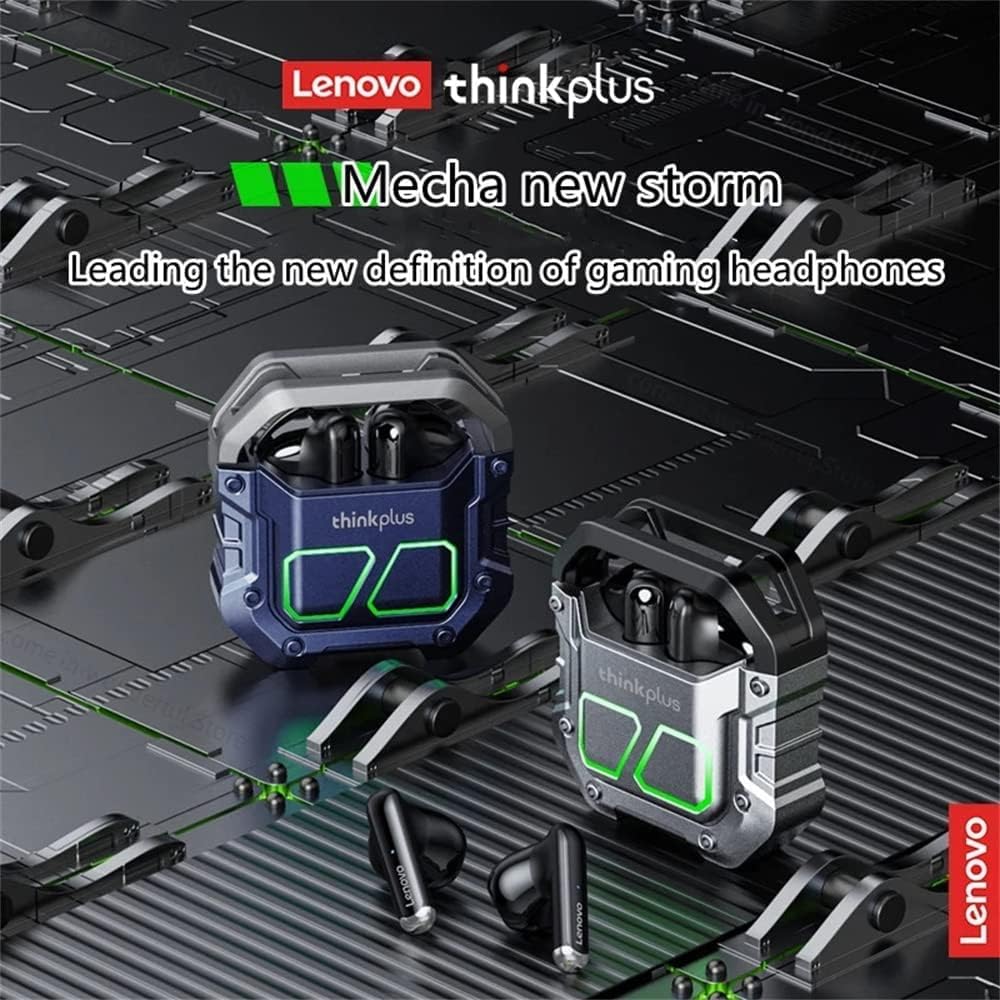
The Lenovo Thinkplus XT81 Bluetooth Earphones are designed for a superior audio experience with advanced features. They offer stable connectivity, intuitive controls, and a comfortable in-ear fit.

Key features include Bluetooth 5.1 for efficient data transfer and stable connection, a true wireless design allowing single or dual earbud use, and touch controls for easy operation.


2. Setup
2.1 Charging the Earphones and Case
Before first use, fully charge the earphones and the charging case. Place the earphones into the charging case. Connect the charging case to a power source using a compatible USB-C cable. The charging case has a 450mAh capacity, and each earphone has a 40mAh battery.

2.2 Pairing with Your Device
- Open the charging case and remove both earphones. They will automatically power on and enter pairing mode.
- On your device (smartphone, tablet, etc.), enable Bluetooth.
- Search for available Bluetooth devices and select "Lenovo XT81" from the list.
- Once connected, a voice prompt will confirm successful pairing.
The earphones support automatic re-connection to the last paired device when removed from the case.
3. Operating Instructions
3.1 Touch Controls
The Lenovo Thinkplus XT81 earphones feature intuitive touch controls on each earbud:
- Play/Pause: Single tap on either earbud.
- Next Track: Double tap on the right earbud.
- Previous Track: Double tap on the left earbud.
- Answer/End Call: Single tap on either earbud.
- Reject Call: Press and hold either earbud for 2 seconds.
- Activate Voice Assistant: Triple tap on either earbud.
3.2 Making Calls
With built-in microphones on both earphones, you can enjoy clear stereo calls hands-free. Ensure both earbuds are connected for the best call quality.
4. Maintenance
To ensure the longevity and optimal performance of your Lenovo Thinkplus XT81 earphones, follow these maintenance guidelines:
- Cleaning: Regularly clean the earbuds and charging case with a soft, dry, lint-free cloth. Do not use abrasive cleaners or solvents.
- Storage: When not in use, store the earphones in their charging case to protect them from dust and damage.
- Avoid Extreme Conditions: Do not expose the earphones to extreme temperatures, humidity, or direct sunlight.
- Charging: Use only the provided charging cable or a certified equivalent. Avoid overcharging.
5. Troubleshooting
If you encounter issues with your earphones, try the following solutions:
- Earphones not pairing: Ensure both earphones are removed from the case and are charged. Turn off and on your device's Bluetooth, then try pairing again.
- Only one earbud working: Place both earbuds back into the charging case, close the lid, wait a few seconds, then remove them again. This often re-syncs them.
- No sound: Check the volume level on your device and on the earphones. Ensure the earphones are properly connected to your device.
- Charging issues: Verify the charging cable and power adapter are working. Clean the charging contacts on both the earphones and the case.
- Poor call quality: Ensure the microphones are not obstructed. Try moving closer to your connected device.
6. Specifications
| Feature | Detail |
|---|---|
| Brand | Lenovo |
| Model Name | XT81 BK |
| Item Model Number | XT81-BK |
| Connectivity Technology | Wireless |
| Wireless Communication Technology | Bluetooth |
| Ear Placement | In-Ear |
| Headphone Form Factor | In-Ear |
| Noise Control | Active Noise Cancellation |
| Color | Black |
| Included Components | Wireless charging case |
| Package Dimensions | 13.9 x 9.2 x 3.4 cm |
| Item Weight | 80 grams |
| First Available Date | October 1, 2022 |
| Age Range (Description) | Adult |
7. Warranty and Support
For warranty information and customer support, please refer to the documentation included with your purchase or visit the official Lenovo support website. Keep your proof of purchase for any warranty claims.
Related Documents - XT81-BK
 |
Lenovo LP25 Bluetooth Earphones User Manual and Guide Explore the Lenovo LP25 Bluetooth Earphones with this user manual. Learn about its high-fidelity audio, noise cancellation, ergonomic design, operating instructions, and troubleshooting tips for a seamless wireless audio experience. |
 |
Lenovo LP2 Pro Bluetooth Earphones User Manual User manual for Lenovo LP2 Pro Bluetooth Earphones, covering safety warnings, operating instructions, precautions, product features, and frequently asked questions. |
 |
thinkplus Bone Conduction Headphones X4 User Manual User manual for the thinkplus Bone Conduction Headphones X4 by Lenovo, covering product introduction, operation instructions, specifications, indicator light descriptions, function operations, safety warnings, and warranty information. |
 |
Lenovo LP19 Bluetooth Earphones User Manual - Features & Operation User manual for Lenovo LP19 Bluetooth Earphones. Learn about high-fidelity audio, noise cancellation, ergonomic fit, operating instructions, safety warnings, and troubleshooting. Get the most out of your Lenovo wireless earbuds. |
 |
Lenovo GM2 Pro Bluetooth Earphones User Manual User manual for the Lenovo GM2 Pro Bluetooth Earphones, covering safety warnings, operating instructions, precautions, product features, and frequently asked questions. |
 |
Lenovo LP6 True Wireless Bluetooth Earphones User Manual Official user manual for the Lenovo LP6 true wireless Bluetooth earphones, covering package contents, specifications, safety precautions, and usage instructions. |
Ask a question about this manual
Ask about setup, troubleshooting, compatibility, parts, safety, or missing instructions. Manuals+ will review the question and use this page’s manual context to help answer it.