
Product Overview
The Surge Multi-Function Console Stand is designed to streamline your gaming setup. It features dual controller charge bays, three USB 2.0 ports, integrated LED lighting, and two cooling fans in the base. This stand is compatible with both Xbox Series X and Xbox Series S consoles, providing a centralized solution for charging, organization, and console cooling.

Image: The Surge Multi-Function Console Stand, a black rectangular base with green LED accents, featuring console slot, controller charging docks, and USB ports.
Package Contents
- 1 x Surge Multi-Function Console Stand
- 2 x 1,100mAh Rechargeable Battery Packs
- 1 x USB Power Cable
Setup Instructions
1. Place the Console Stand
Position the Surge Multi-Function Console Stand on a stable, flat surface with adequate ventilation. Ensure there is enough space around the stand for proper airflow.
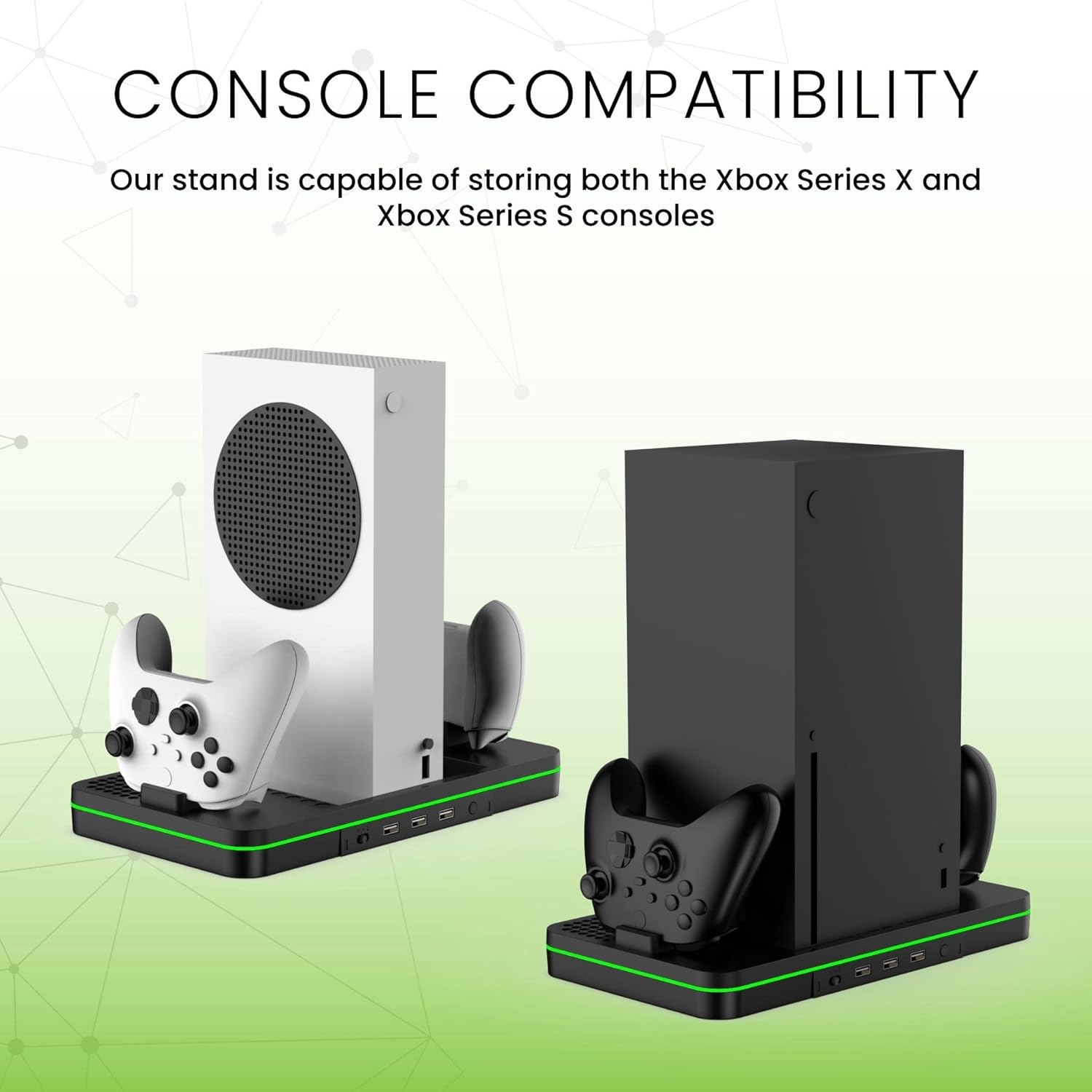
Image: The console stand shown with both an Xbox Series S (white) and an Xbox Series X (black) console, demonstrating compatibility.
2. Install Rechargeable Batteries
Open the battery compartment on your Xbox controllers. Insert the provided 1,100mAh rechargeable battery packs into the controllers, ensuring correct polarity. Replace the battery covers.

Image: An Xbox controller with a Surge battery pack installed, showing the battery compartment.
3. Connect to Console
Connect the included USB power cable from the console stand to an available USB port on your Xbox Series X or S console. Alternatively, you can use a compatible USB wall adapter (not included) for power.
Operating Instructions
1. Console Placement
Carefully place your Xbox Series X or S console into the designated slot on the stand. Ensure it is seated securely.

Image: An Xbox Series X console standing vertically on the Surge Multi-Function Console Stand, with two controllers docked on either side.
2. Controller Charging
Place up to two Xbox controllers, equipped with the Surge rechargeable battery packs, onto the charging bays. The LED indicators on the stand will show the charging status. Charging protection features prevent overcharging, overvoltage, and short-circuiting.

Image: A hand placing an Xbox controller onto one of the charging docks on the Surge stand.
3. Cooling Fan Operation
The stand features a built-in cooling fan to help dissipate heat from your console during extended gaming sessions. Locate the fan control button on the stand to turn the fan on or off.

Image: An illustration showing airflow arrows indicating the cooling fan's operation within the console stand.
4. USB Expansion Ports
Utilize the three USB 2.0 ports on the front of the stand to connect additional peripherals such as headsets, external storage, or other accessories.
5. LED Lighting
The integrated LED lighting provides ambient illumination. This lighting typically activates when the stand is powered on.

Image: A diagram of the Surge console stand with labels pointing to the cooling fan, controller charger, fan control button, and USB expansion ports.
Maintenance
- Cleaning: Use a soft, dry cloth to wipe down the stand. Avoid abrasive cleaners or solvents.
- Ventilation: Ensure the cooling fan vents are not obstructed by dust or debris. Periodically clean the vents with compressed air if necessary.
- Storage: When not in use for extended periods, store the stand in a cool, dry place away from direct sunlight.
Troubleshooting
| Issue | Possible Solution |
|---|---|
| Controllers not charging | Ensure battery packs are correctly installed. Verify the stand is powered on and connected. Check if controllers are properly seated in the charging bays. |
| Cooling fan not operating | Confirm the stand is powered. Press the fan control button to activate. Check for any obstructions in the fan vents. |
| USB ports not functioning | Ensure the stand is properly powered. Try connecting a different device to confirm the port functionality. |
| LED lighting not on | Verify the stand is receiving power. The LED lighting should activate automatically with power. |
Product Specifications
| Feature | Detail |
|---|---|
| Model Number | 839928015588 |
| Compatible Devices | Xbox Series X, Xbox Series S |
| Connectivity Technology | USB |
| Total USB Ports | 3 (USB 2.0) |
| Input Voltage | 120 Volts |
| Output Voltage | 5 Volts (DC) |
| Output Current | 15 Amps |
| Wattage | 1800 watts |
| Power Source | Battery Powered (via console USB or wall adapter) |
| Additional Features | Cooling Fan, LED Lighting, Short Circuit Protection |
| Material | Metal, Plastic |
| Color | Black |
Warranty Information
This Surge product comes with a 1-year warranty from the date of purchase. This warranty covers manufacturing defects and ensures the product functions as intended under normal use. Please retain your proof of purchase for warranty claims.
Customer Support
For technical assistance, warranty claims, or any questions regarding your Surge Multi-Function Console Stand, please contact our customer support team:
- Email: support@surgegaming.com
- Website: www.surgegaming.com
Please have your model number (839928015588) and proof of purchase ready when contacting support.
