
SCS Sentinel MVE0101
Contents
SCS Sentinel OneGate 1 Family Swing Gate Motorization System
Model: MVE0101
Introduction
This user manual provides comprehensive instructions for the installation, operation, and maintenance of your SCS Sentinel OneGate 1 Family Swing Gate Motorization System, model MVE0101. Designed for ease of use and reliability, this system automates swing gates up to 3 meters in length and 300 kg per leaf, offering enhanced convenience and security for your property.
Safety Information
Please read all safety warnings and instructions carefully before installation and operation. Failure to follow these instructions may result in serious injury or property damage. Keep this manual for future reference.
- Ensure all electrical connections are performed by a qualified professional and comply with local regulations.
- Disconnect power before performing any maintenance or repair.
- Keep children and pets away from the gate area during operation.
- Do not attempt to operate the gate if any part of the system is damaged or malfunctioning.
- The system includes an obstacle detection feature; however, always exercise caution.
Package Contents
Verify that all components listed below are included in your package:
- 2 x 12V Worm Drive Motors
- 1 x Control Box
- 4 x Remote Controls
- 1 x LED Flashing Light
- Gate Fixing Brackets
- Pillar Fixing Brackets
- Mounting Hardware (screws, etc.)
- User Manual (this document)

Image: Complete kit contents of the SCS Sentinel OneGate 1 Family system.
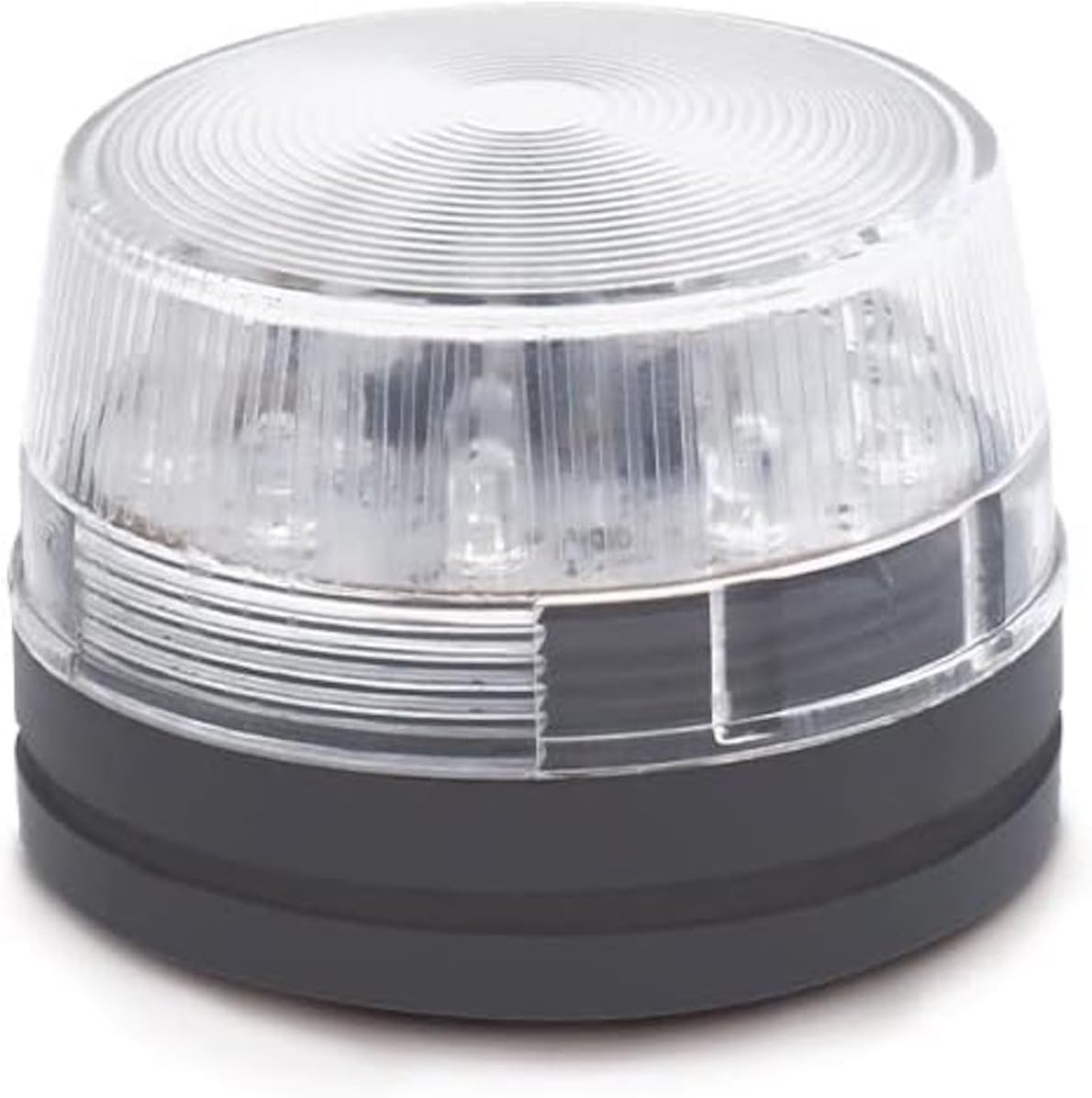
Image: Close-up of the included LED flashing light.

Image: One of the four remote controls provided with the system.
Specifications
| Brand | SCS Sentinel |
| Model Number | MVE0101 |
| Motor Type | Worm Drive |
| Motor Voltage | 12 Volts |
| Max Gate Leaf Length | 1.5 meters (per leaf) |
| Max Gate Leaf Weight | 150 kg (per leaf) |
| Product Dimensions (L x W x H) | 50 x 70 x 70 cm |
| Item Weight | 12.5 Kilograms |
| Flashing Light Type | LED |
| Special Features | Lightweight design, Silent operation, 50m open field range (remote) |
| Gate Opening Functions | Full opening, Partial (pedestrian) opening, End-of-travel slowdown, Obstacle stop, Automatic closing (if photocells installed), Emergency release, Course learning |

Image: Key features of the OneGate 1 Family system.
Setup and Installation
The installation of the OneGate 1 Family motorization system is designed to be straightforward, following three main steps:
- Mechanical Installation: Securely mount the motors and brackets to your gate and pillars. Ensure proper alignment and clearance for gate movement. Refer to the detailed diagrams in the included installation guide for precise measurements and mounting points.
- Electrical Connection: Connect the motors, control box, flashing light, and any optional accessories (like photocells, if used) to the power supply. This step requires careful attention to wiring diagrams and should ideally be performed by a qualified electrician to ensure safety and compliance. The system operates on 12V.
- Programming and Synchronization: Once mechanically installed and electrically connected, program the control unit and synchronize the remote controls. This involves teaching the system the gate's travel limits, setting desired opening/closing speeds, and configuring features like automatic closing or partial opening. Follow the specific programming sequence outlined in the detailed manual.

Image: Visual representation of the 3-step installation process.

Image: Example of the motorization system installed on a swing gate.
Operating Instructions
Your SCS Sentinel OneGate 1 Family system offers various operating modes:
- Full Opening: Press the designated button on your remote control to open both gate leaves completely. Press again to stop, and a third time to close.
- Partial (Pedestrian) Opening: Use the specific button on your remote for partial opening, allowing only one leaf to open for pedestrian access.
- Automatic Closing: If configured and photocells are installed, the gate will automatically close after a set delay once it has opened and the photocell beam is clear.
- Obstacle Detection: The system is designed to stop or reverse if an obstacle is detected during closing. Always ensure the gate path is clear.
- Emergency Release: In case of power failure, use the manual emergency release mechanism on each motor to operate the gate manually. Refer to the detailed manual for the location and procedure of the release mechanism.
Maintenance
Regular maintenance ensures the longevity and optimal performance of your gate motorization system:
- Monthly: Inspect the gate's mechanical components (hinges, wheels, tracks) for wear or damage. Ensure the gate moves freely without the motor. Clean any debris from the gate path and around the motors.
- Quarterly: Check all electrical connections for corrosion or looseness. Test the obstacle detection system by placing a soft object in the gate's path during closing. Ensure the flashing light is working correctly.
- Annually: Have a qualified technician inspect the entire system, including motor lubrication (if applicable, refer to specific motor manual), electrical integrity, and safety features.
- Keep remote controls clean and dry. Replace batteries as needed.
Troubleshooting
If you encounter issues with your gate system, refer to the following common problems and solutions:
| Problem | Possible Cause | Solution |
|---|---|---|
| Gate does not respond to remote. | Dead remote battery, remote out of range, power outage, system in emergency release mode. | Replace remote battery. Move closer to the gate. Check main power supply. Ensure emergency release is disengaged. |
| Gate opens partially or stops unexpectedly. | Obstacle detected, misaligned photocells, motor obstruction, programming error. | Clear gate path. Clean and realign photocells. Check for physical obstructions on motors/gate. Re-run programming sequence. |
| Flashing light not working. | Loose connection, faulty bulb (LEDs typically last long), damaged wiring. | Check wiring connections to the control box. Inspect for visible damage. Consult support if issues persist. |
| Gate makes unusual noises. | Lack of lubrication on gate hinges/wheels, motor wear, loose components. | Lubricate gate hinges and moving parts. Check all mounting hardware for tightness. If noise persists, contact technical support. |
For more complex issues or if the problem persists, please contact SCS Sentinel technical support.
Warranty and Support
SCS Sentinel guarantees the reliability of its innovative technical products. Your OneGate 1 Family motorization system comes with a 3-year warranty.
- For warranty claims, please retain your proof of purchase.
- Our technical assistance team, based in France, is available to help you with product installation and usage. They provide expert and personalized advice.
- Your satisfaction is our priority.

Image: Indicator for 3-year warranty.
Contact information for support can typically be found on the SCS Sentinel official website or on the product packaging.
Documents and downloads
Ask a question about this manual
Ask about setup, troubleshooting, compatibility, parts, safety, or missing instructions. Manuals+ will review the question and use this page’s manual context to help answer it.