
Introduction
The Homvana H102 Humidifier is designed to provide optimal humidity levels for your home environment. Featuring a unique unibody 5L tank, this humidifier offers up to 40 hours of continuous operation, eliminating common leaking issues. Its advanced TuberMist technology rapidly increases humidity, while the hassle-free auto mode maintains an ideal humidity range between 45% and 60%. The top-fill design ensures easy refilling and thorough cleaning. Additionally, it includes a 7-color mood light and an aroma pad for essential oil diffusion, enhancing your comfort and well-being.
Setup
Unpacking
Carefully remove all components from the packaging. Ensure all parts are present: the humidifier unit with its unibody tank and the power adapter.
Placement
Place the humidifier on a flat, stable, and water-resistant surface. Ensure it is away from direct sunlight, heat sources, and electronic devices.
Filling the Water Tank
The Homvana H102 offers two convenient top-fill methods:
- Direct Refill: Pour water directly into the top inlet without removing the lid.
- Unlid and Pour: Lift the top lid and pour water into the large opening of the unibody tank.
Fill the tank with clean, cool tap water. Do not exceed the maximum fill line indicated on the tank. For best performance and longevity, distilled or demineralized water is recommended to prevent mineral buildup.

The Homvana H102 humidifier features a convenient top-fill design, allowing for direct water addition or by lifting the top cover for a wider opening.
Operating Instructions
Power On/Off
Connect the power adapter to the humidifier and plug it into a suitable power outlet. Press the power button (usually indicated by a power symbol) to turn the unit on or off.
Mist Level Adjustment
The humidifier features multiple mist output levels. Press the mist control button to cycle through low, medium, and high settings. The current mist level will be displayed on the screen.
Auto Mode
Activate the Auto Mode for intelligent humidity control. The humidifier will automatically adjust its mist output to maintain an ideal humidity level between 45% and 60%, based on environmental humidity and temperature.
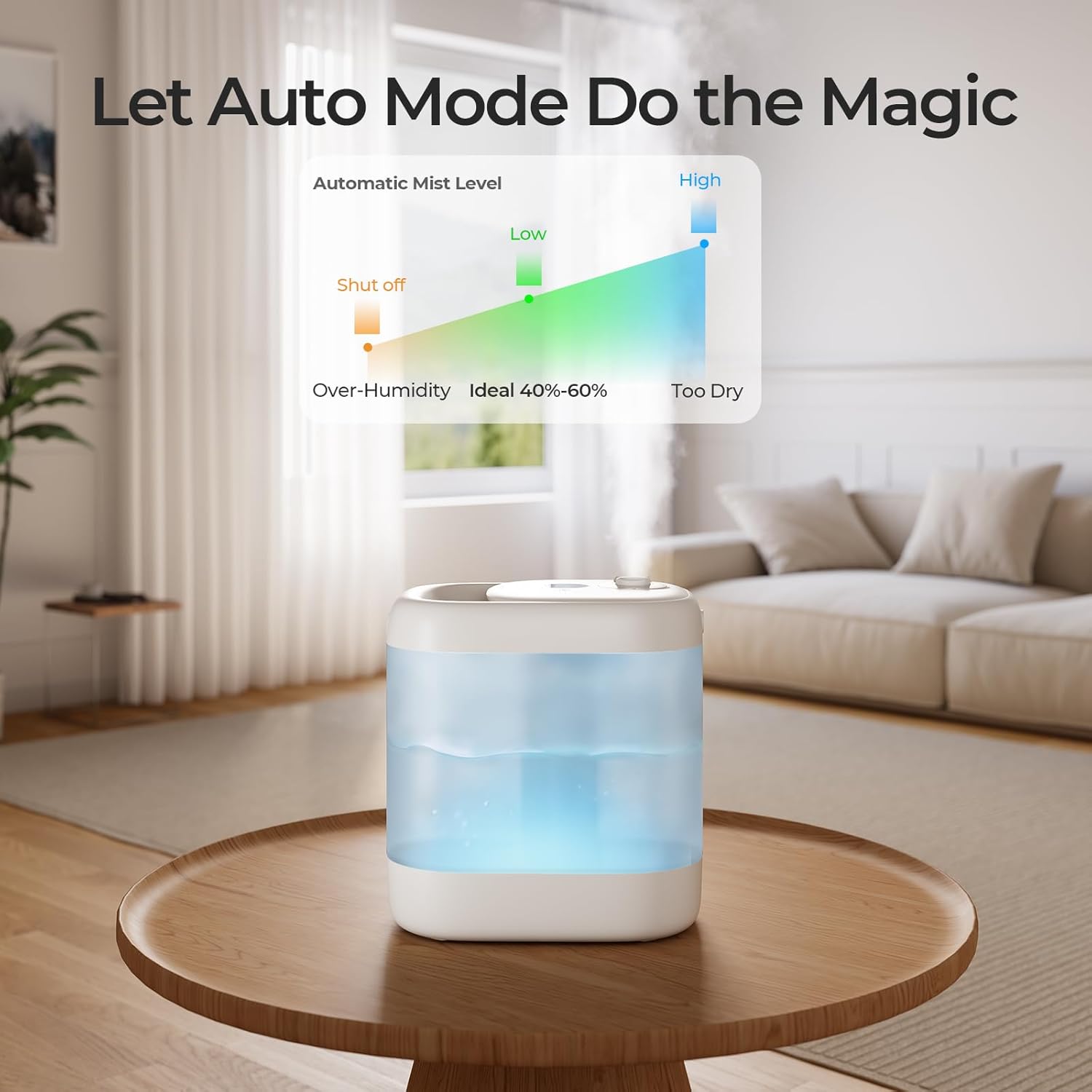
The Auto Mode intelligently adjusts mist output to maintain optimal humidity, increasing it when the air is too dry and shutting off when humidity is too high.
Sleep Mode
Engage Sleep Mode for quiet operation during nighttime. In this mode, the humidifier operates at a reduced noise level (as low as 25dB) and the display lights can be turned off to ensure an undisturbed sleep environment.

The Sleep Mode ensures ultra-quiet operation, making the humidifier suitable for bedrooms and nurseries, promoting restful sleep.
Night Light and Aromatherapy
The humidifier includes a 7-color mood light. Press the light button to cycle through different colors or to turn the light off. For aromatherapy, add a few drops of essential oil to the designated aroma pad. Do not add essential oils directly into the water tank.

Enhance your environment with the integrated 7-color mood light and the aromatherapy feature, allowing you to diffuse essential oils for a soothing experience.
Maintenance
Regular cleaning is crucial for optimal performance and hygiene. The Homvana H102's unibody design and wide opening facilitate easy cleaning.
Daily Maintenance
- Empty and rinse the water tank daily.
- Wipe down the inside of the tank with a soft cloth to remove any residue.
Weekly Cleaning
- Unplug the humidifier and empty any remaining water.
- Remove the top cover. The wide 250mm opening allows for easy access to the interior of the tank.
- Clean the water tank and base thoroughly with a soft brush or cloth and a mild descaling solution (e.g., white vinegar).
- Rinse all components thoroughly with clean water to remove any cleaning solution residue.
- Allow all parts to air dry completely before reassembling.
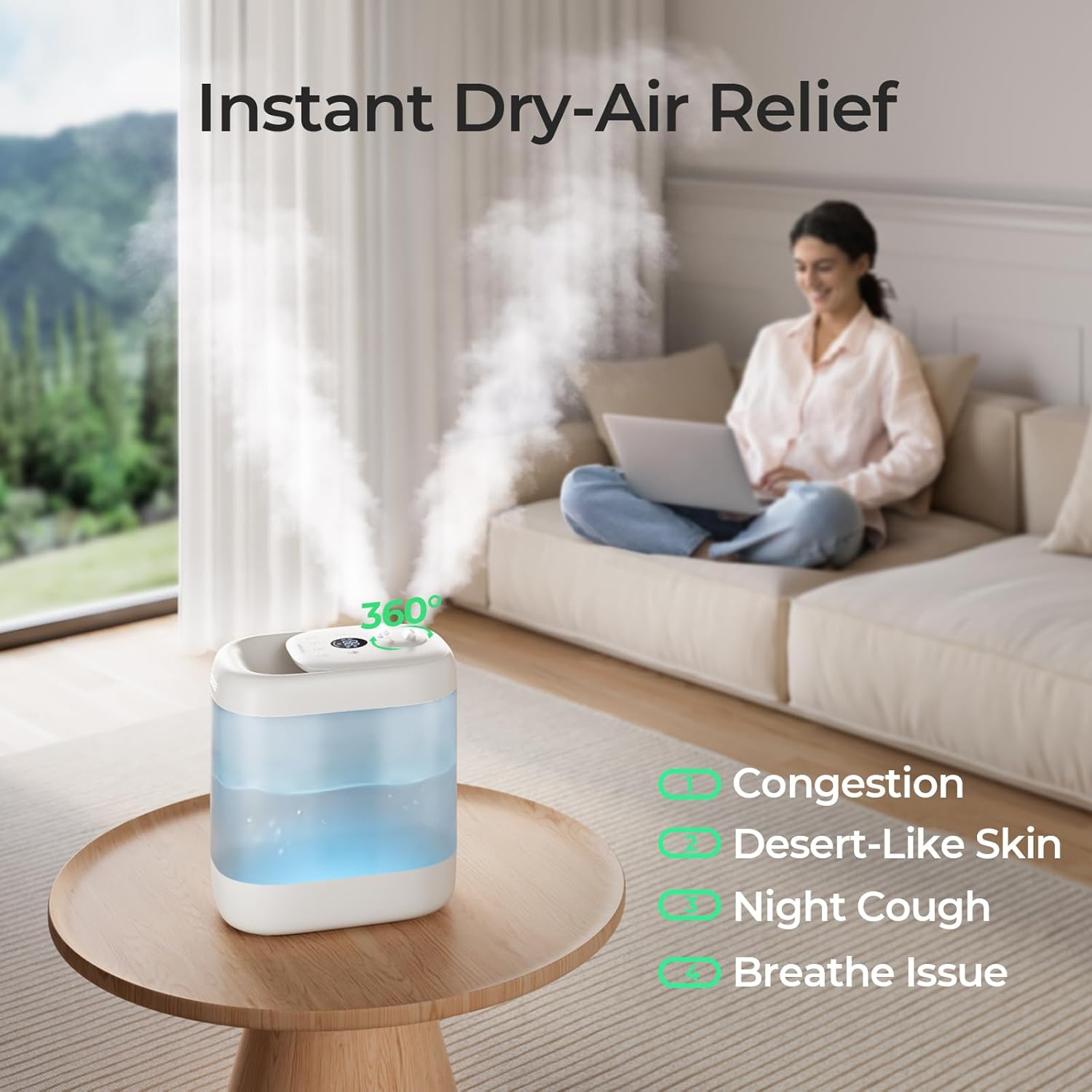
The humidifier's simple unibody structure and wide opening make it exceptionally easy to clean, preventing mold and ensuring healthy mist.
Troubleshooting
This section addresses common issues you might encounter with your humidifier.
No Mist or Low Mist Output
- Check Water Level: Ensure there is sufficient water in the tank. Refill if necessary.
- Clean Transducer: Mineral buildup on the ultrasonic transducer can reduce mist output. Clean it as per the maintenance instructions.
- Proper Assembly: Ensure all parts are correctly assembled and the top cover is securely placed.
Leaking
- Overfilling: Do not fill water above the maximum fill line.
- Improper Placement: Ensure the humidifier is on a flat, stable surface.
- Tank Integrity: The unibody tank is designed to prevent leaks. If leaking occurs, inspect the tank for any damage.
Unpleasant Odor
- Stagnant Water: Empty and clean the water tank regularly. Do not leave water in the tank for extended periods.
- Mineral Buildup: Perform a thorough cleaning with a descaling solution.
Unit Not Turning On
- Power Connection: Verify that the power adapter is securely plugged into both the humidifier and the wall outlet.
- Power Outlet: Test the outlet with another device to ensure it is functional.
Specifications
| Feature | Detail |
|---|---|
| Brand | Homvana |
| Model Name | H102 |
| Color | White |
| Product Dimensions | 11.2"D x 7.7"W x 12.2"H |
| Item Weight | 4.07 pounds |
| Water Tank Capacity | 5 Liters |
| Max Runtime | Up to 40 hours |
| Operation Mode | Ultrasonic |
| Control Method | Touch |
| Floor Area Coverage | Up to 323 Square Feet |
| Filter Type | Ultraviolet (for sterilization) |
| Voltage | 240 Volts (AC) |
| Wattage | 24 watts |
| Special Features | 40H Runtime, Hassle-Free Auto Mode, Never Leaking Design, 7-Color Mood Light, Aromatherapy |
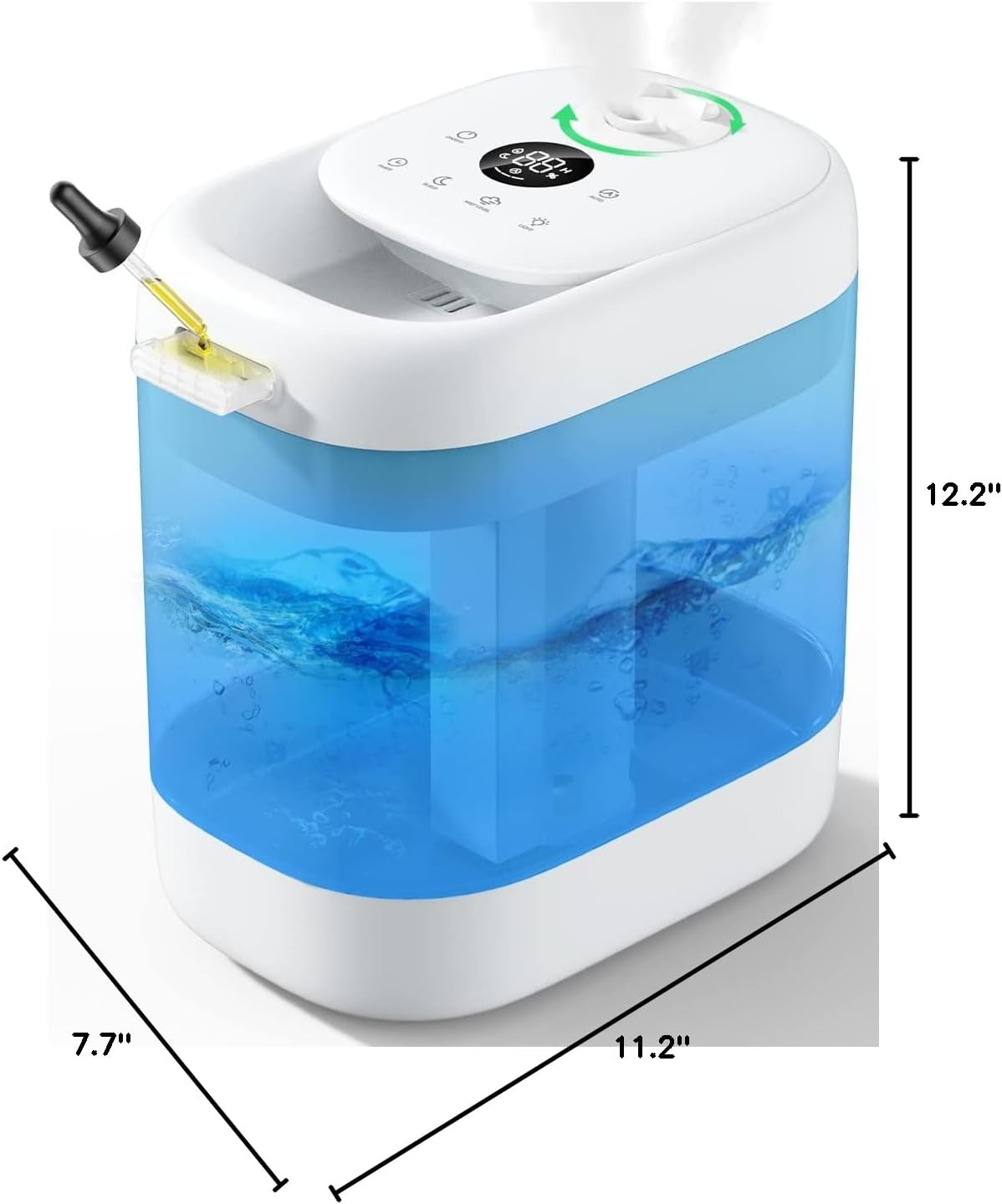
Detailed dimensions of the Homvana H102 humidifier.
Warranty and Support
Warranty Information
The Homvana H102 Humidifier comes with a 3-year refresh care plan, ensuring long-term reliability and customer satisfaction.
Further Assistance
For detailed instructions, troubleshooting, or customer support, please refer to the official user manual available online or contact Homvana customer service.
Official User Manual (PDF): Download Here


