
1. Introduction
This manual provides essential information for the safe and efficient use of your DOOGEE S96 GT Rugged Smartphone. The S96 GT is designed for durability and performance, featuring a 6.3-inch Waterdrop Screen, 48MP Quad Camera with 20MP Night Vision, a 6350mAh battery, and IP68 waterproof and MIL-STD-810G certifications. Please read this manual thoroughly before operating your device.
2. What's in the Box
Verify that all items are present in your product packaging:
- DOOGEE S96 GT Rugged Smartphone x1
- Type-C USB Cable x1
- 24W Charger Block x1
- Anti-explosion film (pre-applied) x1
- Anti-explosion film x1
- Card Slot Opener x1
- User Manual x1
- Warranty Card x1

Image: All items included in the DOOGEE S96 GT retail package.
3. Device Overview
Familiarize yourself with the physical components and layout of your S96 GT smartphone.
Front View

Image: Front view of the S96 GT, highlighting the 6.3-inch Waterdrop Screen.
Rear View

Image: Rear view of the S96 GT, featuring the circular quad-camera setup and ruggedized back panel.
SIM/TF Card Slot

Image: The SIM/TF card tray supports two Nano SIM cards and one TF (microSD) card for expanded storage.
4. Setup
4.1. SIM Card and TF Card Installation
- Locate the SIM card tray on the side of the device.
- Insert the provided card slot opener into the small hole next to the tray to eject it.
- Place your Nano SIM card(s) and/or TF card into the designated slots on the tray, ensuring correct orientation.
- Carefully reinsert the tray into the phone until it is flush with the device body.
4.2. Initial Power On
Press and hold the Power button (located on the right side of the device) until the DOOGEE logo appears. Follow the on-screen prompts to complete the initial setup, including language selection, Wi-Fi connection, and Google account setup.
4.3. Charging the Device
Connect the Type-C USB cable to the charging port at the bottom of the phone and the other end to the 24W charger block. Plug the charger into a power outlet. The device supports 24W fast charging and 10W wireless charging.
Image: The S96 GT connected to its charger, illustrating the charging process.
5. Operating the Device
5.1. Display Features
The S96 GT features a 6.3-inch Waterdrop Screen with a resolution of 720 x 1520 pixels, providing clear visuals. The display is protected by Corning Gorilla Glass for enhanced durability.

Image: The S96 GT's 6.3-inch Waterdrop Screen, showcasing its visual quality.
5.2. Camera Features
The device is equipped with a versatile camera system:
- 48MP Main Camera: For high-resolution photos.
- 20MP Night Vision Camera: Utilizes infrared lights for clear images in low-light or complete darkness.
- 32MP Front Camera: For selfies and video calls.
- 8MP Wide Angle Camera: To capture broader scenes.
- 2MP Portrait Camera: For depth effects.

Image: Detailed view of the 48MP AI Quad Camera system on the S96 GT.

Image: Example of the 20MP Night Vision Camera in action, showing clear visibility in darkness.

Image: The 32MP Front Camera capturing a group photo.
5.3. Security Features
The S96 GT offers multiple security options:
- Fingerprint Recognition: A side-mounted fingerprint sensor allows for quick and secure unlocking.
- Face ID: Use facial recognition to unlock your device.
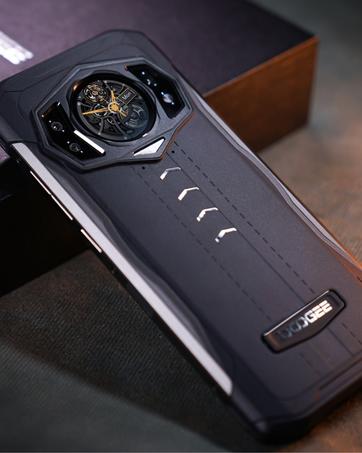
Image: Face ID and Fingerprint Recognition for secure access.
5.4. Custom Button
The programmable custom button on the side of the device can be configured for various functions, such as SOS, GPS, Compass, Outdoor Light, or Emergency Contact. Access settings to customize its action.
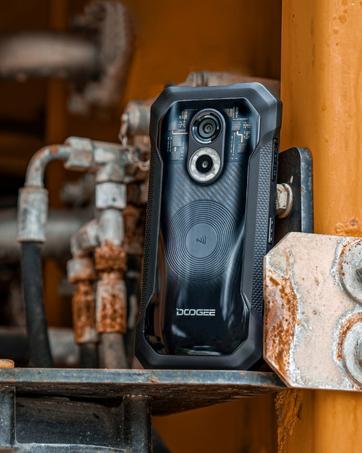
Image: The custom button and its configurable options.
5.5. Connectivity
The S96 GT supports Dual SIM with 4G LTE connectivity, allowing for flexible network usage. It also includes NFC (Near Field Communication) for contactless payments and data exchange.

Image: Android 12 operating system and NFC support for Google Pay.
6. Durability Features
The DOOGEE S96 GT is built to withstand harsh environments:
- IP68 Waterproof: Resistant to water immersion up to 1.5 meters for 30 minutes.
- IP69K Dustproof: Provides protection against dust ingress.
- MIL-STD-810G Certified: Meets military standards for drop-proof performance from up to 1.5 meters.
Video: Demonstrates the DOOGEE S96 GT's enhanced waterproof, dustproof, and drop-proof capabilities through various tests.

Image: The S96 GT showcasing its rugged design in an outdoor environment.
7. Specifications
Detailed technical specifications for the DOOGEE S96 GT:
| Feature | Detail |
|---|---|
| Brand | DOOGEE |
| Model Name | S96 GT |
| Operating System | Android 12.0 |
| RAM Memory | 8 GB |
| Memory Storage Capacity | 256 GB |
| Screen Size | 6.3 Inches |
| Resolution | 720 x 1520 Pixels |
| Refresh Rate | 90 Hz |
| CPU Speed | 2.1 GHz |
| Wireless Carrier | Unlocked for All Carriers |
| SIM Card Slot Count | Dual SIM |
| Connector Type | USB Type C |
| Biometric Security | Fingerprint Recognition |
| Water Resistance Level | Waterproof (IP68) |
| Additional Features | 20MP Night Vision Camera, Rugged Body |
| Rear Camera Resolution | 48 MP |
| Optical Sensor Resolution | 48 MP |
| Battery Capacity | 6350 Milliamp Hours |
| Battery Charge Time | 2 Hours |
| Phone Talk Time | 28 Hours |
| Supported Satellite Navigation | BeiDou, Galileo |
| Connectivity Technology | Infrared, NFC |
| Wireless Network Technology | CDMA, GSM, LTE |
| Model Year | 2022 |
| Item Weight | 310 Grams |
| Video Capture Resolution | 1080p, 4k |
8. Maintenance
To ensure the longevity and optimal performance of your DOOGEE S96 GT, follow these maintenance guidelines:
- Cleaning: Wipe the device with a soft, damp cloth. Avoid harsh chemicals or abrasive materials.
- Water Exposure: While waterproof, ensure all port covers are securely closed before exposing the device to water. After water exposure, dry the device thoroughly before charging or opening any ports.
- Temperature: Avoid exposing the device to extreme temperatures (hot or cold) for extended periods.
- Storage: Store the device in a cool, dry place when not in use.
9. Troubleshooting
If you encounter issues with your DOOGEE S96 GT, try the following solutions:
- Device not powering on: Ensure the battery is charged. Connect the charger and wait a few minutes before attempting to power on again.
- Poor network signal: Check if your SIM card is correctly inserted. Ensure you are in an area with network coverage. Restart the device.
- Touchscreen unresponsive: Restart the device. If the issue persists, perform a factory reset (note: this will erase all data).
- Camera not working: Ensure the camera app has necessary permissions. Clear the camera app's cache and data in settings.
- Battery draining quickly: Close unused apps running in the background. Reduce screen brightness. Disable unnecessary features like Wi-Fi, Bluetooth, or GPS when not in use.
For more complex issues, refer to the official DOOGEE support resources.
10. Warranty & Support
Your DOOGEE S96 GT comes with a 2-year warranty. Please refer to the included Warranty Card for detailed terms and conditions. For technical support, service, or further inquiries, please visit the official DOOGEE website or contact their customer service.


