1. Safety Information
⚠ TIPS: Before using this product, please read the product manual carefully and keep it properly. The company does not assume any responsibility for accidents caused by violation of safety precautions and instructions in this manual.

This is a high-voltage product, users are not allowed to open the case without authorization. Non-professional maintenance personnel shall not repair or replace without authorization to avoid electric shock and fire accidents.

Energy Conservation Tips: When the machine is not in use, please select AC shutdown (disconnect the power plug) after standby to reduce energy consumption. Warning: This product is a Class II equipment and does not need to be grounded.
Symbol Explanation
- ⚠
The triangle pattern with the lightning arrow is a warning symbol to remind you that the voltage inside the product is dangerous.
- ⚠
The triangle pattern with the exclamation mark is a warning symbol which remind you of important instructions related to the product.
Important Notes: Please read the following carefully before using this product:
1 Safety Warning
- ⚠ When encountering thunderstorm, please unplug the power plug to avoid damage to the unit.
- ⚠ Main plug on the power cord is used as the disconnect device, the disconnect device and socket-outlet shall be easily accessible.
- ⚠ If you do not use this product for a long time, please unplug the power plug. Do not pull on the power cord when unplugging.
- ⚠ If you find any abnormal sound or smell, or sound but no image, please turn off the power immediately and unplug the power plug from the socket, and contact support@bomaker.com as soon as possible.
2. Product Overview
The CASIRIS A6 is a 4K Smart Projector designed for home cinema experiences. It features advanced triple laser technology, delivering exceptional color accuracy and vivid images. With its ultra-short throw ratio, it can project large screens from a very short distance, making it ideal for various room sizes.

The CASIRIS A6 projector, showcasing its sleek design and ultra-short throw lens.
Key Features:
- Triple Laser Technology: Utilizes pure RGB lasers for 107% BT.2020 color gamut coverage, ensuring realistic and vibrant colors.
- 4K UHD Resolution & HDR10: Delivers incredible detail with 8.3 million pixels and enhanced dynamic range for highlights and shadows.
- 2200 ANSI Lumens: Provides bright and clear images even in well-lit environments.
- Ultra Short Throw (0.25:1): Project a 120" image from just 11.7 inches away from the screen.
- Immersive Sound: Features DTS audio technologies for a rich, enveloping sound experience with low operational noise (28 dB).
- Smart Features: Includes Android TV 10.0, Google Play, Chromecast, Auto Focus, 8-Point Keystone Correction, and Intelligent Eye Protection.
3. Setup Guide
3.1 Unboxing and Components
Upon opening the package, ensure all components are present:
- Power Cord
- HDMI Cable
- Remote Control
- User Manual (this document)
3.2 Physical Placement
The CASIRIS A6 is an ultra-short throw projector, designed to be placed very close to the projection surface. For optimal image quality, place the projector on a flat, stable surface directly in front of your screen or wall.

Projection distances for various screen sizes. A 120-inch image requires approximately 11.7 inches of distance.
The projector features adjustable feet at the bottom to fine-tune the height and angle, ensuring a perfectly rectangular image.
Adjustable feet located on the underside of the projector for precise leveling and image alignment.
3.3 Connections
Connect your devices to the projector using the available ports on the rear panel:
- HDMI 1 & HDMI 2: For connecting external video sources like Blu-ray players, gaming consoles, or streaming devices. HDMI 1 supports ARC (Audio Return Channel).
- USB: For playing media directly from a USB drive.
- LAN: For wired network connection.
- Digital Audio Out (Optical): For connecting to external audio systems.

Close-up view of the projector's rear panel, showing HDMI, USB, LAN, and optical audio ports.
3.4 Initial Power On
Connect the power cord to the projector and a power outlet. Press the power button on the projector or the remote control to turn it on. The projector will perform an automatic focus and keystone correction upon startup.
4. Operating Instructions
4.1 Remote Control
The included remote control allows full navigation and control of the projector's features and functions.

The sleek remote control for the CASIRIS A6 projector, enabling full control over its features.
4.2 User Interface Navigation
The projector runs on Android TV 10.0, providing a user-friendly interface for accessing inputs, apps, and settings.
No official seller videos were available to embed for this section.
4.3 Image Quality and Color
The CASIRIS A6 utilizes triple laser technology to achieve a wide color gamut and stunning visual fidelity.
- Color Accuracy: 107% BT.2020 coverage, 202% Rec.709, and 149% DCI-P3 color space for highly realistic images.
- Brightness: 2200 ANSI Lumens ensures clear visibility even in ambient light conditions.
- Contrast & Detail: HDR10 technology and 4K UHD resolution provide deep blacks and intricate details.
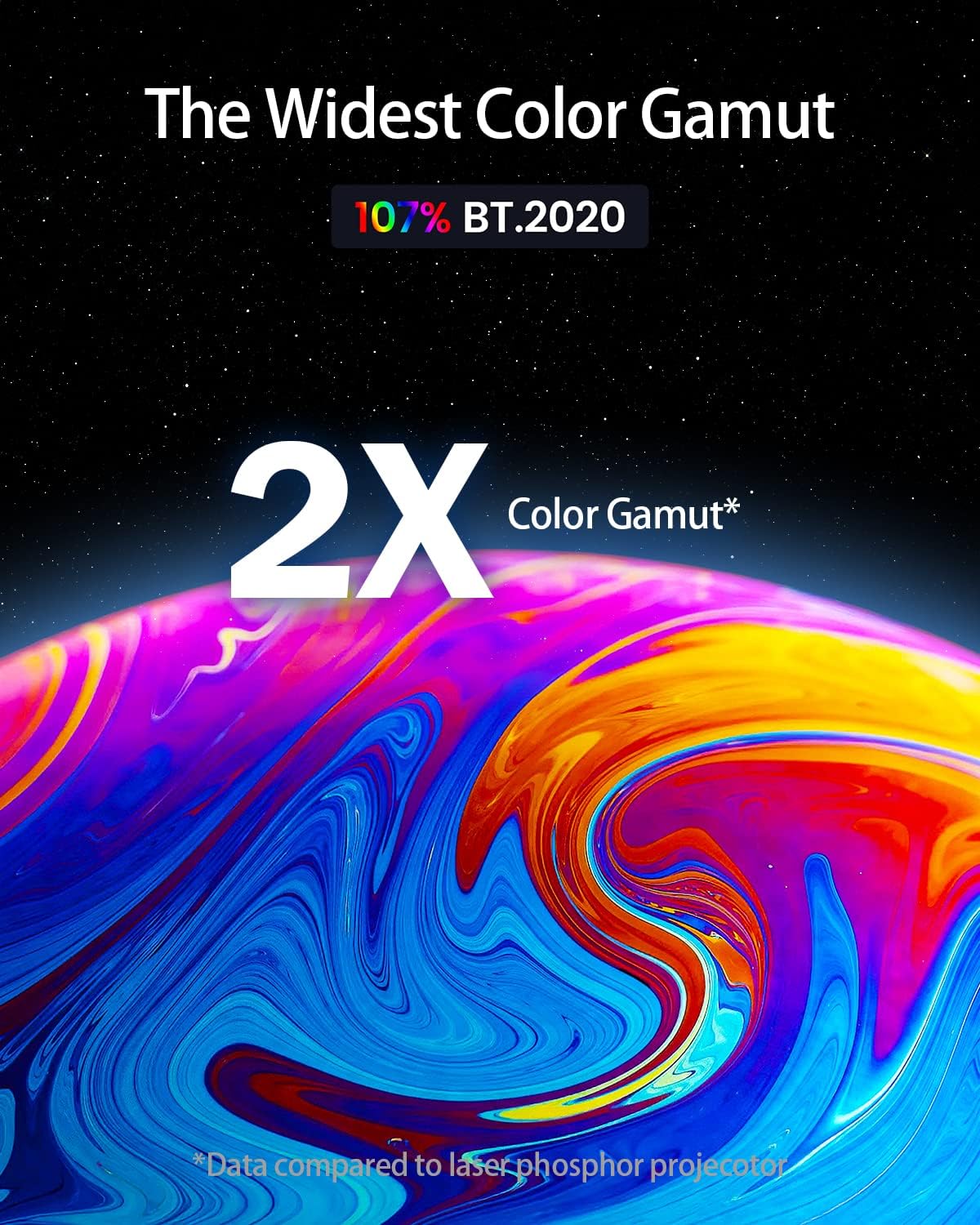
An image illustrating the projector's wide color gamut, achieving 107% BT.2020 coverage.

Comparison image showing the difference between 1080P and 4K Ultra HD cinematic quality.
4.4 Image Adjustments
The projector offers several features for optimizing the projected image:
- Auto Focus: Automatically adjusts the image for sharpness.
- 8-Point Keystone Correction: Allows precise adjustment of image corners to achieve a perfect rectangular shape, even if the projector is not perfectly aligned.
- MEMC (Motion Estimation, Motion Compensation): Enhances motion clarity for fast-paced content.
An overview of the projector's multi-functional capabilities, including 4K UHD, Auto Focus, Game Mode, 8-Point Keystone Correction, MEMC, and Intelligent Eye Protection.
4.5 Supported Content and Apps
With Android TV 10.0, the projector provides access to a wide range of streaming services and content via Google Play and Chromecast.

The Android TV 10.0 interface, showing popular streaming applications like Netflix, Prime Video, YouTube, and Hulu.
4.6 Screen Size and Viewing Experience
The projector supports screen sizes from 80 to 150 inches, offering a truly cinematic experience.

Visual representation of the projector's capability to create a massive 150-inch screen.
4.7 Eye Protection
The projector is designed with intelligent eye protection features that reflect all light and filter harmful blue light, reducing eye fatigue.

Diagram illustrating how the projector reflects all light and filters harmful blue light for eye protection.
5. Maintenance
To ensure the longevity and optimal performance of your CASIRIS A6 projector, follow these maintenance guidelines:
- Cleaning: Use a soft, dry cloth to clean the exterior of the projector. For the lens, use a specialized lens cleaning cloth and solution. Avoid abrasive materials or harsh chemicals.
- Ventilation: Ensure the projector's ventilation grilles are not obstructed to prevent overheating. The projector features a super quiet fan (28 dB) for efficient cooling.
- Storage: When not in use for extended periods, store the projector in a cool, dry place, away from direct sunlight and extreme temperatures.
- Laser Lifespan: The triple laser light source has a lifespan of up to 30,000 hours, minimizing the need for frequent lamp replacements.

Visual representation highlighting the 30,000-hour lifespan of the projector's laser light source.
6. Troubleshooting
If you encounter issues with your CASIRIS A6 projector, try the following common troubleshooting steps:
- No Power: Ensure the power cord is securely connected to both the projector and the power outlet. Try a different outlet.
- No Image: Check the input source selection. Ensure the connected device is powered on and sending a signal. Verify the HDMI cable connection.
- Blurred Image: Use the electric focus feature to sharpen the image. Ensure the projector is placed on a stable surface and the projection surface is flat. Adjust keystone correction if the image is distorted.
- No Sound: Check the volume settings on both the projector and the connected source device. If using external speakers, ensure they are properly connected and powered on.
- Remote Control Not Working: Check the batteries in the remote control. Ensure there are no obstructions between the remote and the projector's IR receiver.
For more complex issues or persistent problems, please refer to the Warranty & Support section for contact information.
7. Specifications
| Feature | Detail |
|---|---|
| Brand | CASIRIS |
| Model Number | LHT-X2A |
| Display Resolution | 3840 x 2160 (4K UHD) |
| Brightness | 2200 ANSI Lumens |
| Color Gamut | 107% BT.2020 |
| Throw Ratio | 0.25:1 (Ultra Short Throw) |
| Image Size | 80” - 150” |
| Special Features | Triple Laser Tech, Active 3D, HDR 10, HDMI ARC, Android TV 10.0, MEMC, 8-Point Keystone Correction, Electric Focus, Intelligent Eye Protection |
| Connectivity | Wireless (WiFi, Bluetooth), Wired (USB, HDMI, LAN) |
| Speaker Type | Built-In (DTS Audio) |
| Item Weight | 28.5 pounds |
| Product Dimensions | 20.5 x 13 x 6 inches |
8. Warranty & Support
8.1 Service Guarantee

24 Hours: Respond quickly within 24 hours.

30 Days: No reason to return or exchange.

365 Days: 360 days free maintenance (Non-human factors).
8.2 Contact Information
Phone: (+1) 415 494 7909
Email: service@casiristech.com


