Introduction
Thank you for choosing the KWANWA EJ12B-G 2-in-1 Digital Alarm Clock and Indoor Thermometer. This device combines a clear digital time display with an accurate indoor temperature reading, offering convenience and functionality. Please read this manual carefully to ensure proper use and to maximize the product's lifespan.
Safety Information
- Keep the device away from water and high humidity.
- Avoid exposing the device to direct sunlight or extreme temperatures.
- Do not attempt to disassemble or repair the device yourself. Contact customer support if issues arise.
- Use only specified battery types (2 x AA alkaline batteries).
- Dispose of used batteries responsibly according to local regulations.
Package Contents
- KWANWA EJ12B-G Digital Alarm Clock and Indoor Thermometer
- User Manual
- Note: 2 x AA batteries are not included.
Product Overview
Familiarize yourself with the components and controls of your KWANWA alarm clock.

Image: Front view of the KWANWA EJ12B-G Digital Alarm Clock, showing the green digital time display.

Image: Top and bottom views of the KWANWA EJ12B-G Digital Alarm Clock, highlighting the control buttons on top and the battery compartment on the bottom.
Control Buttons:
- TIME SET: Press and hold to enter time setting mode. Short press to adjust brightness.
- AL SET: Press and hold to enter alarm setting mode.
- HOUR/12/24: Adjusts hour during setting. Toggles 12/24-hour format.
- MIN/AL ON/OFF: Adjusts minute during setting. Toggles alarm on/off.
- SNOOZE: Activates snooze function when alarm sounds.
- °F/°C (on bottom): Toggles temperature display between Fahrenheit and Celsius.
Setup
1. Battery Installation
- Locate the battery compartment on the bottom of the clock.
- Slide open the battery compartment cover.
- Insert two (2) new AA alkaline batteries, ensuring correct polarity (+ and -).
- Close the battery compartment cover securely.
- The clock display will light up, indicating successful installation.
Image: Diagram showing the battery compartment on the bottom of the clock and the insertion of two AA batteries.
Operating Instructions
1. Setting the Time
- Press and hold the TIME SET button for 2 seconds until the hour digits flash.
- Press the HOUR/12/24 button to adjust the hour.
- Press the TIME SET button again to confirm the hour and move to minute setting. The minute digits will flash.
- Press the MIN/AL ON/OFF button to adjust the minute.
- Press the TIME SET button one more time to confirm the minute and exit time setting mode.
2. 12/24-Hour Format Selection
- In normal time display mode, short press the HOUR/12/24 button to switch between 12-hour (with "P" for PM) and 24-hour formats.
3. Setting the Alarm
- Press and hold the AL SET button for 2 seconds until the alarm hour digits flash.
- Press the HOUR/12/24 button to adjust the alarm hour.
- Press the AL SET button again to confirm the alarm hour and move to alarm minute setting. The alarm minute digits will flash.
- Press the MIN/AL ON/OFF button to adjust the alarm minute.
- Press the AL SET button one more time to confirm the alarm minute and exit alarm setting mode.

Image: The alarm clock displaying an alarm time and illustrating the snooze function.
4. Turning Alarm On/Off
- In normal time display mode, short press the MIN/AL ON/OFF button to toggle the alarm on or off. An alarm icon will appear on the display when the alarm is active.
5. Snooze Function
- When the alarm sounds, press the large SNOOZE button on top of the clock. The alarm will pause for 7 minutes and then sound again.
- The snooze function can be repeated up to 3 times.
- To turn off the alarm completely, press any other button (e.g., MIN/AL ON/OFF) while the alarm is sounding or during the snooze period.
6. Adjusting Display Brightness
- In normal time display mode, short press the TIME SET button to cycle through 3 brightness levels: High, Medium, and Low.
- The clock also features an automatic dimming function, reducing brightness between 8:00 PM and 6:00 AM.

Image: Illustration of the KWANWA EJ12B-G clock display at different brightness settings: Bright, Medium, and Dim.
7. Indoor Temperature Display
- To view the indoor temperature, simply turn the alarm clock upside down. The display will automatically switch from time to temperature.
- To switch between Fahrenheit (°F) and Celsius (°C), locate the °F/°C button on the bottom of the clock and press it.
- The temperature sensor provides updated readings approximately every 20 seconds.
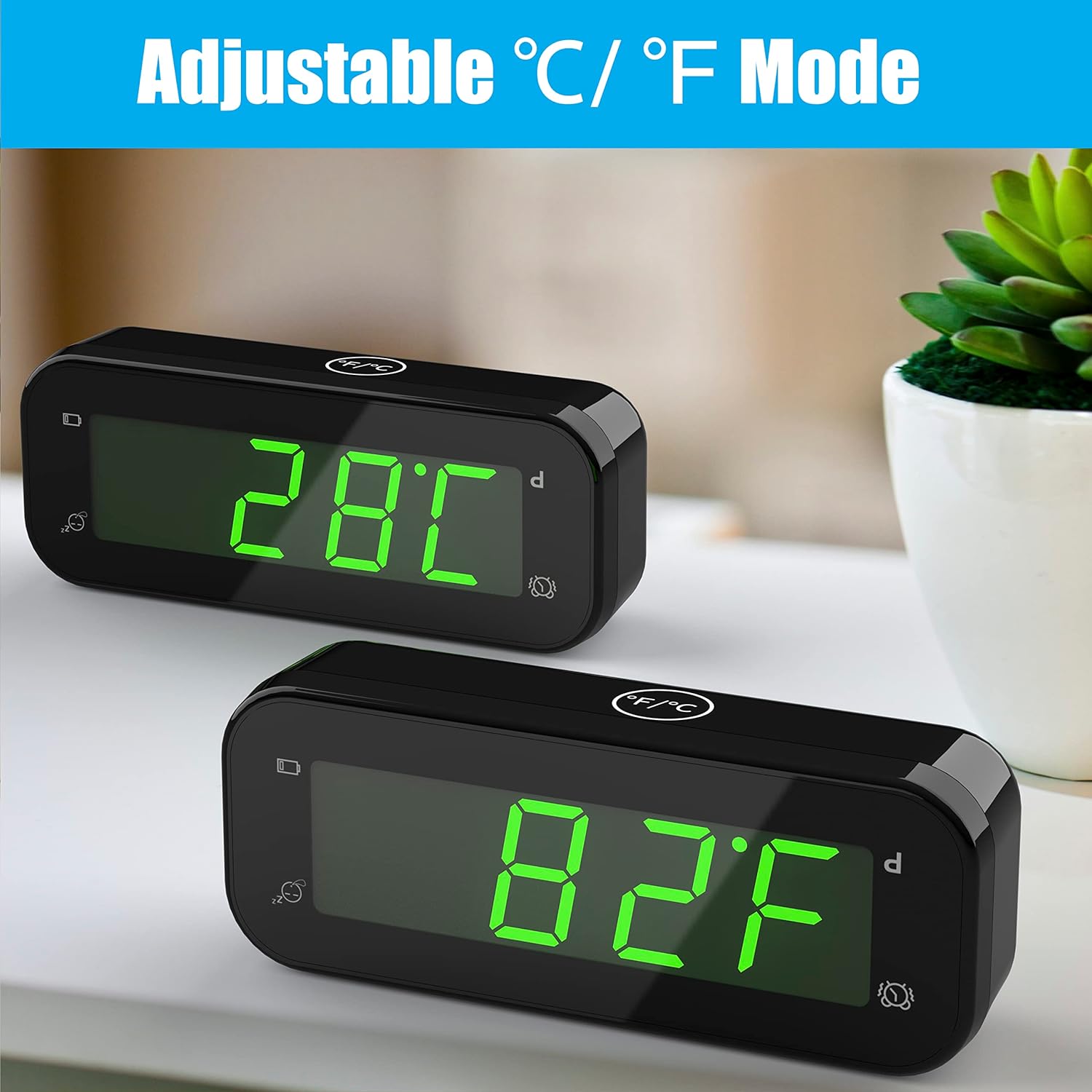
Image: The KWANWA EJ12B-G clock displaying indoor temperature in both Celsius and Fahrenheit modes.

Image: Illustration of the 2-in-1 functionality, showing the clock displaying time and then temperature when inverted.
Maintenance
- Cleaning: Wipe the clock with a soft, dry cloth. Do not use abrasive cleaners or solvents.
- Battery Replacement: When the low battery indicator appears on the display, replace both AA batteries promptly to ensure continuous operation and accurate readings.
- Storage: If storing the clock for an extended period, remove the batteries to prevent leakage.
Troubleshooting
| Problem | Solution |
|---|---|
| Display is blank or dim. | Check battery installation and replace with new AA batteries if necessary. Adjust brightness using the TIME SET button. |
| Alarm does not sound. | Ensure the alarm is set and activated (alarm icon visible). Check battery level. |
| Incorrect time or temperature. | Reset the time according to the instructions. For temperature, ensure the clock has been in the environment for a few minutes for an accurate reading. |
| Buttons are unresponsive. | Remove and reinsert batteries to perform a soft reset. If the issue persists, replace batteries. |
Specifications
- Model: EJ12B-G
- Display Type: Digital LED (Green)
- Time Format: 12/24 Hour selectable
- Temperature Range: Displays indoor temperature
- Temperature Accuracy: ± 0.1°C
- Power Source: 2 x AA alkaline batteries (not included)
- Product Dimensions: 4.6" (W) x 1.8" (H) (as per product specifications)
- Weight: 3.2 ounces (0.09 kg)
- Special Features: Alarm, Snooze, Adjustable Brightness (3 levels + auto dim), Indoor Thermometer (°C/°F switchable)
Warranty and Support
KWANWA products are designed for reliability and performance. For warranty information or technical support, please refer to the contact details provided with your purchase or visit the official KWANWA website. Please retain your proof of purchase for warranty claims.


