
LEDIARY LEDIARY-unspecified
LEDIARY 20" Caged Ceiling Fan with Lights and Remote
Model: LEDIARY-unspecified
1. Introduction
Thank you for choosing the LEDIARY 20" Caged Ceiling Fan. This low-profile, flush-mount ceiling fan combines efficient air circulation with integrated lighting, designed to complement various interior styles including farmhouse, industrial, and modern aesthetics. Its quiet operation and versatile features make it ideal for bedrooms, kitchens, living rooms, and other indoor spaces. This manual provides detailed instructions for safe installation, operation, and maintenance to ensure optimal performance and longevity of your fan.
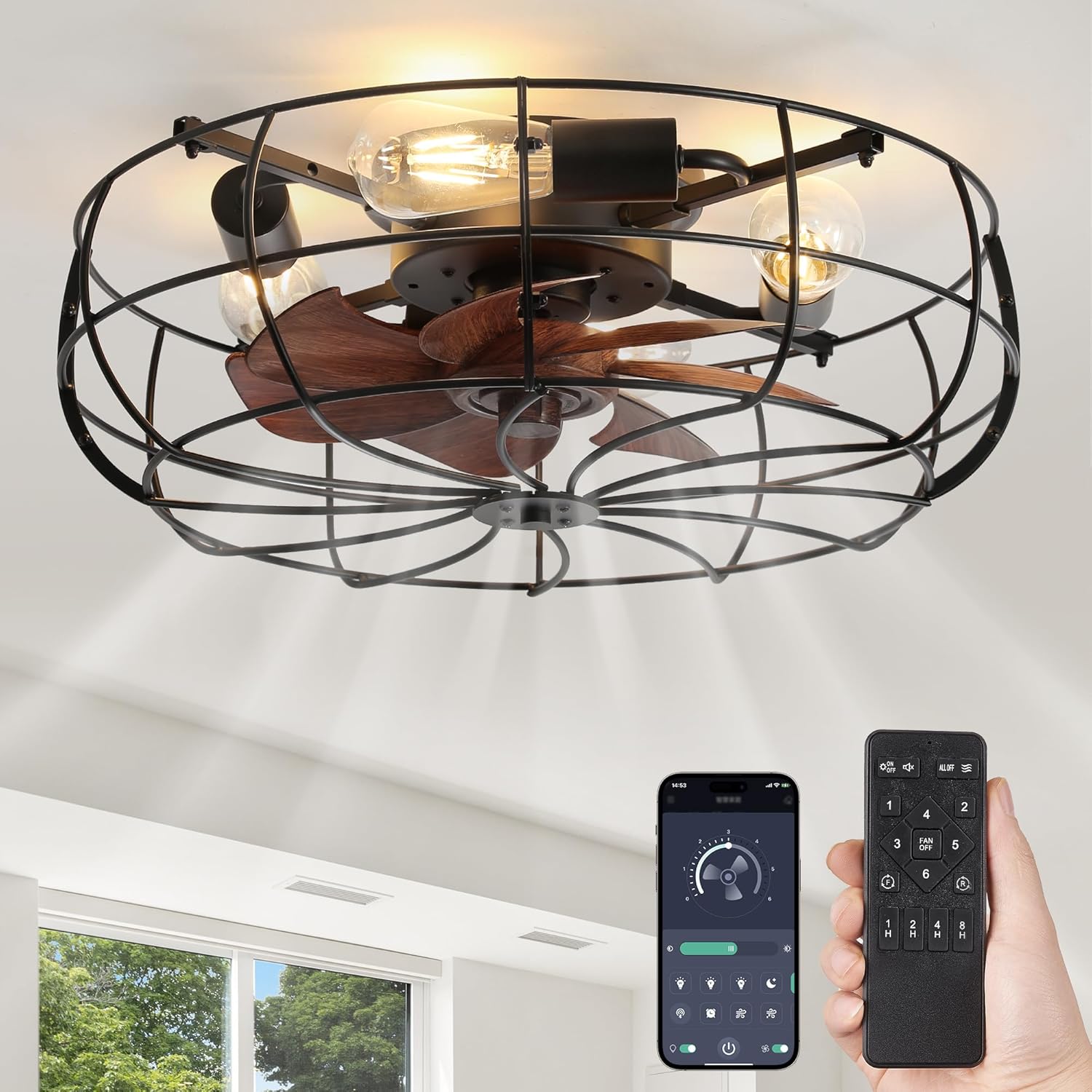
Figure 1.1: The LEDIARY 20-inch Caged Ceiling Fan, showcasing its industrial design with integrated lighting and remote control.
2. Important Safety Information
Please read all instructions carefully before beginning installation. Failure to follow these instructions could result in electric shock, fire, or personal injury.
- Always disconnect power at the circuit breaker before installation or servicing.
- All wiring must be in accordance with national and local electrical codes. If you are unfamiliar with wiring, consult a qualified electrician.
- Ensure the mounting structure can support the weight of the fan.
- Do not operate the fan with a damaged power cord or plug.
- Keep hands, hair, and clothing away from moving parts of the fan.
- This fan is designed for indoor use only.
3. Package Contents
Verify that all components are present and undamaged before installation:
- Ceiling Fan Unit
- Hardware Bags (screws, wire nuts, etc.)
- Remote Control (requires 2 AAA batteries, not included)
- Wall Cradle for Remote Control
4. Setup and Installation
The LEDIARY Caged Ceiling Fan features a flush mount design for easy installation. It is recommended to have two people for installation due to the size and weight of the unit.
4.1 Mounting the Fan
This fan is designed for flush mounting directly to your ceiling. Ensure the electrical box is securely mounted and capable of supporting the fan's weight. Follow standard electrical wiring procedures, connecting the fan's wires to your household wiring according to the provided wiring diagram in the separate installation guide (not included in this manual).

Figure 4.1: Key design elements including the flush mount, reversible motor, and rustic wood grain blades.
4.2 Bulb Installation
The fan requires 4 E26 base bulbs (not included). You can choose bulbs that suit your preference, such as ST21, A19, ST19, or T45 styles. For incandescent bulbs, the maximum wattage is 60W. For LED bulbs, the maximum wattage is 10W. Bulbs can be easily assembled without removing the cage.

Figure 4.2: Dimensions of the 20-inch fan and recommended E26 bulb types.
5. Operating Instructions
Your LEDIARY ceiling fan is controlled by a remote control, offering convenient operation from anywhere in the room. The fan also supports APP control via Bluetooth.
5.1 Remote Control Functions
The remote control allows you to manage all fan and light functions. It operates without a loud beep, ensuring quiet adjustments, especially at night.
- Light ON/OFF: Toggle the integrated light on or off.
- Fan Speed: Select from 6 wind speed settings to customize airflow.
- Timer Setting: Set the fan to turn off automatically after 1, 2, or 4 hours.
- Reversible Mode: Switch between summer (downward airflow for cooling) and winter (upward airflow for circulating warm air) modes.
- Separate Control: The fan and lighting can be turned on or off independently.

Figure 5.1: Easy-to-use remote control for your ceiling fan.

Figure 5.2: The remote control can be used handheld or mounted in its included wall cradle.
5.2 Quiet and Powerful Operation
The pure copper DC motor provides strong and steady wind power while maintaining a low noise level of 35dB, ensuring a quiet environment suitable for sleeping or working.

Figure 5.3: Enjoy a powerful yet quiet airflow for comfortable sleep.
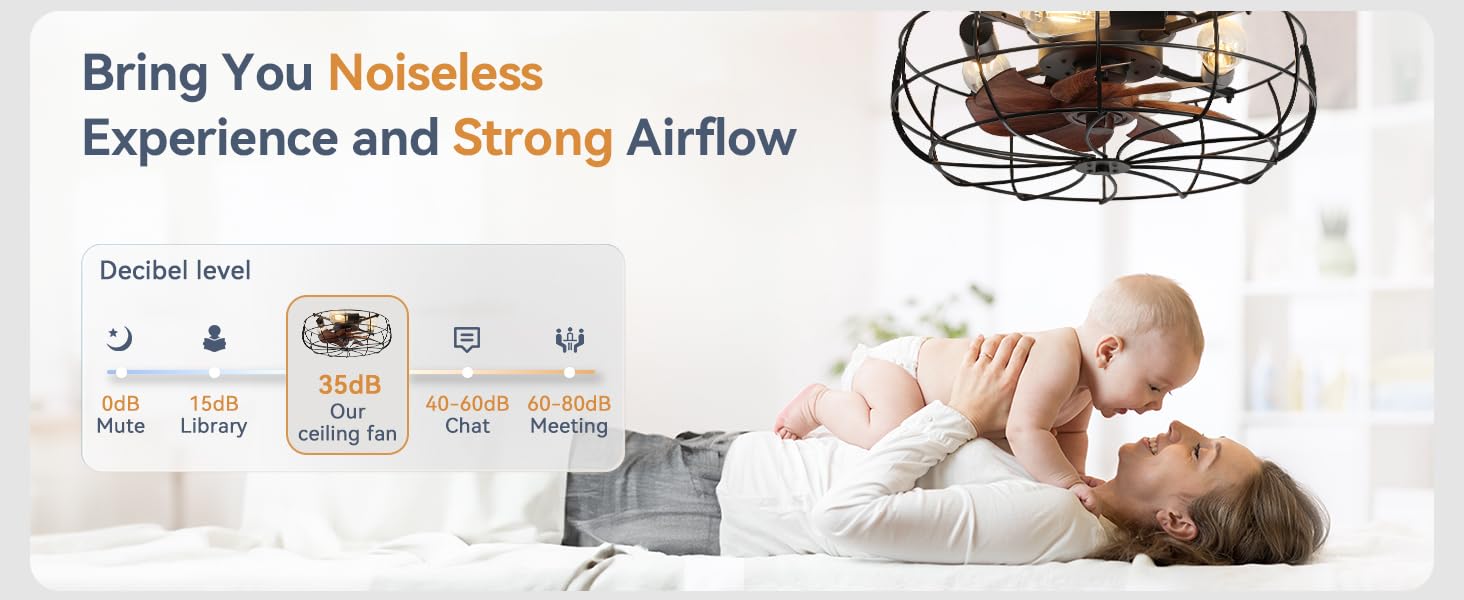
Figure 5.4: The fan operates at a low 35dB, comparable to a quiet library.
5.3 Reversible Motor for All Seasons
The reversible motor function allows you to change the direction of the fan blades, providing comfort throughout the year.
- Summer Forward Mode: Blades rotate counter-clockwise, pushing cool air downward to create a refreshing breeze.
- Winter Reverse Mode: Blades rotate clockwise, drawing air upward to circulate warm air trapped near the ceiling, helping to warm the room.
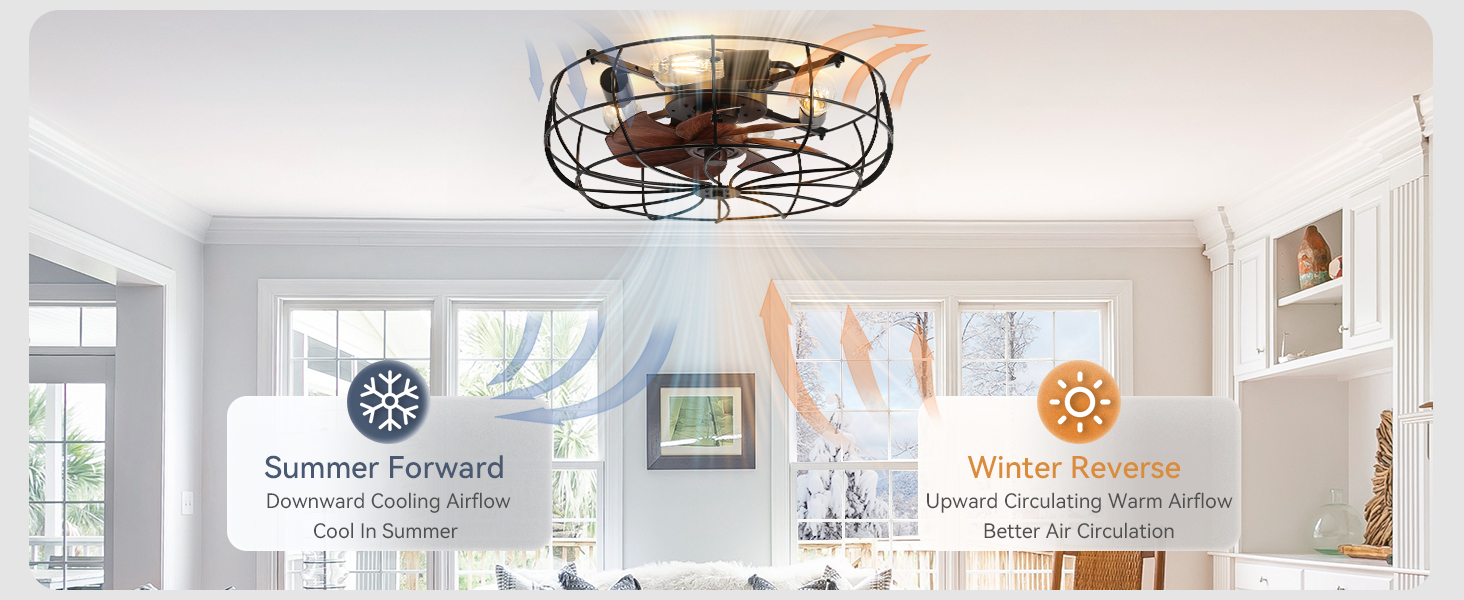
Figure 5.5: Optimize air circulation for both cooling and warming.
5.4 APP Control (Bluetooth)
For added convenience, the fan can be controlled via a dedicated mobile application connected through Bluetooth. This allows for remote control of power, speed, timing, and direction settings from your smartphone.

Figure 5.6: Control your fan conveniently via Bluetooth-connected APP.
6. Maintenance
Regular maintenance ensures the longevity and optimal performance of your ceiling fan.
6.1 Cleaning the Fan
The caged design allows for easy cleaning. You can unscrew the four screws in the frame to easily disassemble the metal frame and clean the fan blades. Use a soft, damp cloth to wipe down the fan blades and housing. Do not use abrasive cleaners or solvents.
6.2 Replacing Bulbs
Bulbs can be changed at any time without removing the cage, simplifying the replacement process.
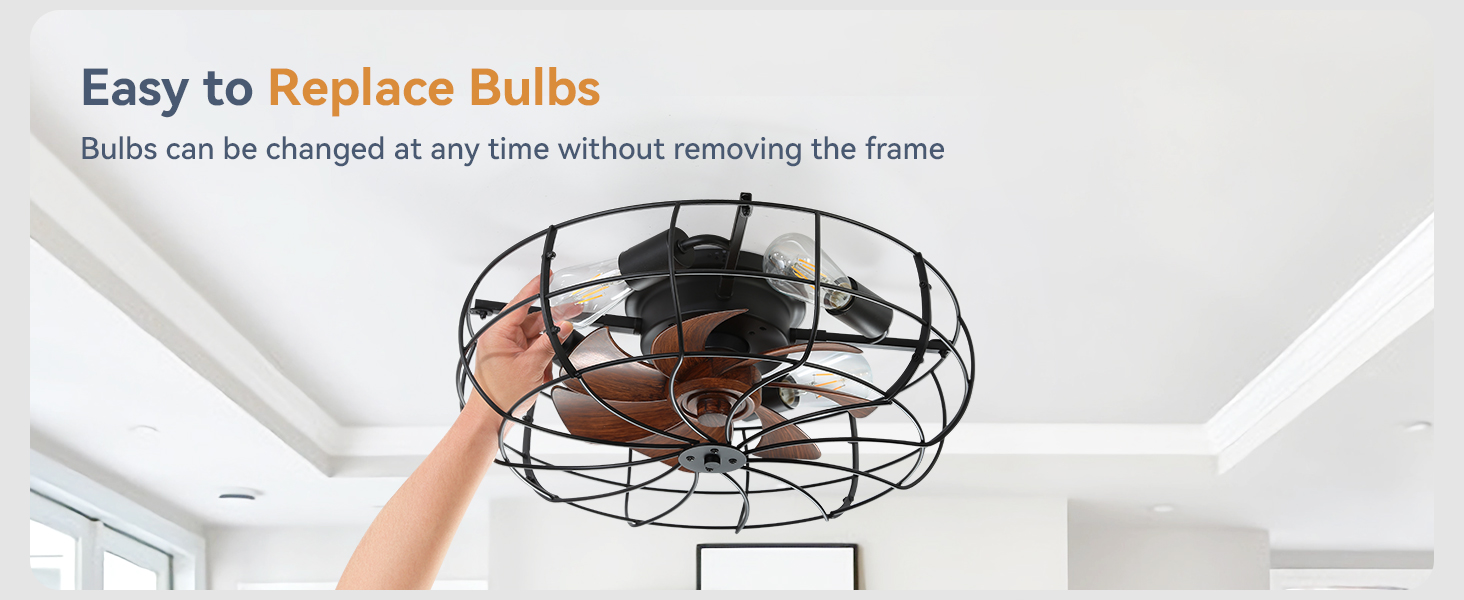
Figure 6.1: Easily replace bulbs without disassembling the fan cage.
7. Troubleshooting
If you experience issues with your fan, please refer to the following common solutions. If the problem persists, contact customer support.
| Problem | Possible Cause | Solution |
|---|---|---|
| Fan does not operate | No power to the fan; Remote control battery low/dead; Incorrect wiring. | Check circuit breaker; Replace remote control batteries; Verify wiring connections. |
| Light does not turn on | Bulbs are loose or burnt out; No power to the light; Remote control issue. | Tighten or replace bulbs; Check power supply; Ensure remote is functioning. |
| Fan makes unusual noise | Loose screws; Obstruction in fan blades. | Check and tighten all mounting screws; Ensure nothing is obstructing the fan blades. |
| Remote control not responding | Batteries low/dead; Remote not paired with fan. | Replace batteries; Refer to pairing instructions in the full installation guide. |
8. Specifications
| Feature | Detail |
|---|---|
| Brand | LEDIARY |
| Model Number | LEDIARY-unspecified |
| Size | 20 Inch (20"L x 20"W x 20"H) |
| Color | Black |
| Material | Iron |
| Style | Caged, Farmhouse, Rustic, Industrial, Modern, Enclosed, Bladeless |
| Room Type | Bedroom, Dining Room, Home Office, Kitchen |
| Indoor/Outdoor Usage | Indoor, Outdoor |
| Power Source | DC Motor |
| Installation Type | Flush Mount |
| Control Method | Remote Control |
| Light Source Type | E26 Based Bulb*4 (not included) |
| Max Bulb Wattage | Incandescent: 60W, LED: 10W |
| Voltage | 120 Volts |
| Noise Level | 35dB (low) |
| Item Weight | 7.48 pounds |
| Batteries Required | 2 AAA batteries (for remote, not included) |
9. Warranty and Support
LEDIARY provides comprehensive support for your product.
- Motor Support: 5-Year limited support on the motor.
- Other Parts Support: 2-Year limited support on other parts.
- Manufacturer Warranty: 2-year manufacturer warranty.
- Customer Service: For any questions, technical support, or warranty claims, please contact LEDIARY customer service.
Related documentsLEDIARY-unspecified

Ask a question about this manual
Ask about setup, troubleshooting, compatibility, parts, safety, or missing instructions. Manuals+ will review the question and use this page’s manual context to help answer it.