
1. Introduction
The Eventek DC Power Supply is a 2023 upgraded model featuring a programmable design with precision encoder adjustment knobs for accurate voltage and current control. It offers a high-precision 4-digit LED display, memory storage functions (M1-M3), a dedicated output on/off button, and a built-in 5V/3.6A USB fast charging port. Designed with intelligent safety systems including overcurrent protection, this bench power supply is ideal for laboratory and industrial applications requiring high safety, precision, and efficiency.
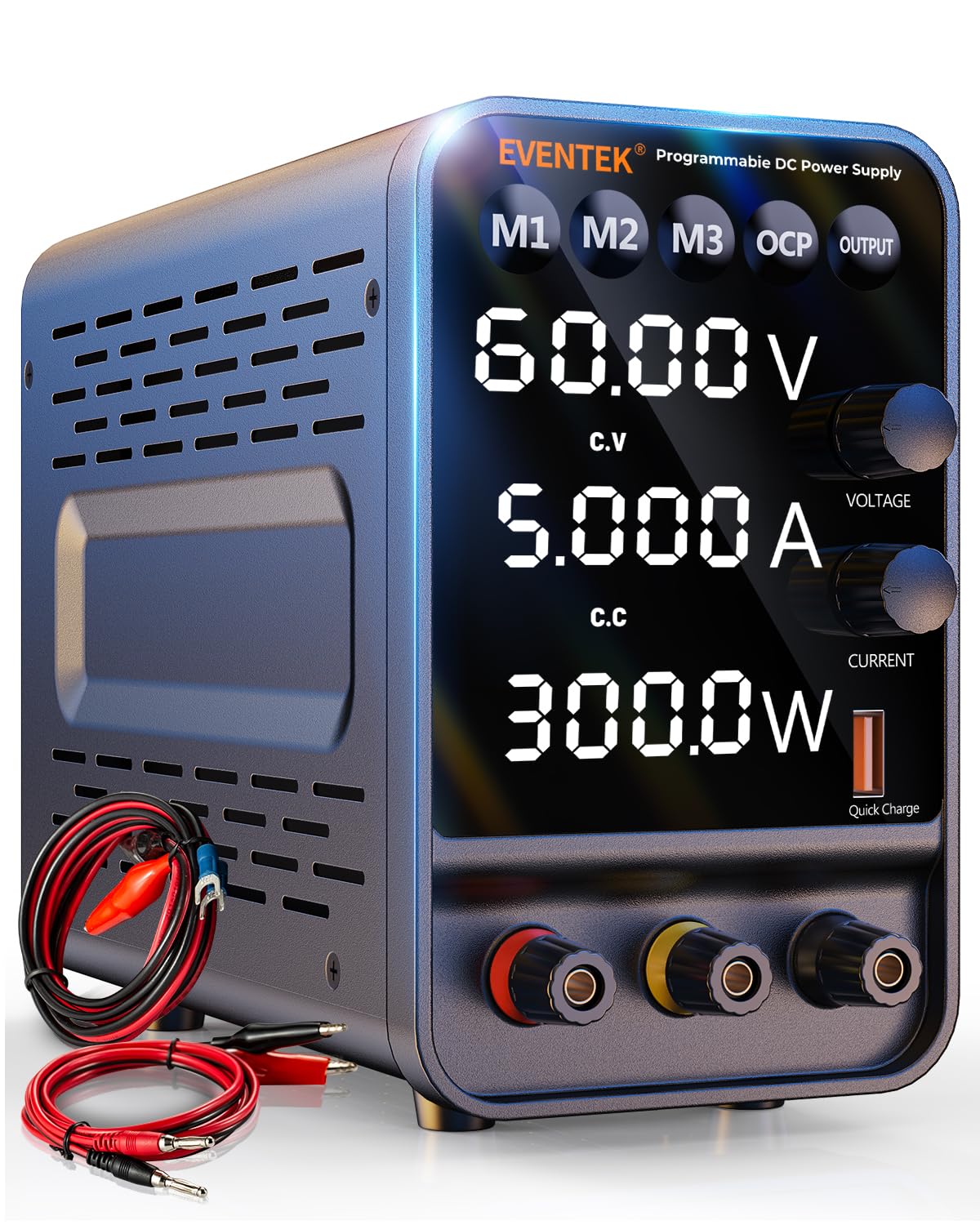
Figure 1: Eventek DC Power Supply, 60V/5A Variable.
2. What's in the Box
- Eventek DC Power Supply Unit
- Power Cable
- Banana Plug Lead
3. Setup
Follow these steps for initial setup:
- Unpack the DC power supply and all accessories from the box.
- Ensure the power supply is placed on a stable, level surface with adequate ventilation.
- Connect the provided power cable to the power supply's input port and then to a suitable AC power outlet.
- Do not connect any load to the output terminals before powering on the unit for the first time.
4. Operating Instructions
4.1. Programmable Encoder Adjustment Knobs
The Eventek DC power supply features precision encoder adjustment knobs for setting voltage and current. To adjust a specific digit, press the corresponding knob to toggle through the digits. Once the desired digit is selected, rotate the knob to set its value from 0-9. This allows for accurate and precise adjustments.

Figure 2: Using the encoder adjustment knobs for precise voltage and current settings.
Video 1: Demonstration of programmable encoder adjustment (0:09 - 0:20).
4.2. High Precision Power Display
The unit is equipped with a backlit 4-digit LED display, providing highly accurate readings of voltage (up to 0.01V) and current (up to 0.001A). The display also automatically calculates and shows the power value. This ensures clear visibility even in low-light conditions and allows for precise monitoring of output parameters.

Figure 3: High precision 4-digit LED display for accurate readings.
Video 2: Demonstration of high precision power display (0:20 - 0:32).
4.3. Memory Storage (M1-M3)
The power supply includes three memory storage buttons (M1, M2, M3) to save and recall frequently used voltage and current settings. To save a setting, adjust the voltage and current to the desired values, then long-press and hold one of the M1-M3 buttons until the setting is saved. To recall a saved setting, simply press the corresponding M1-M3 button. This feature streamlines repetitive tasks.

Figure 4: Memory storage function for quick recall of settings.
Video 3: How to use the M1-M3 data storage buttons (0:36 - 0:43).
4.4. Output Button and Short Circuit Protection (OCP)
The dedicated Output On/Off button allows you to set voltage and current parameters without immediately applying power to the load, preventing accidental damage. The unit also features Overcurrent Protection (OCP). When OCP is enabled and a short circuit occurs, a buzzer alarm will sound, and the output will automatically stop, protecting both the power supply and the connected device.
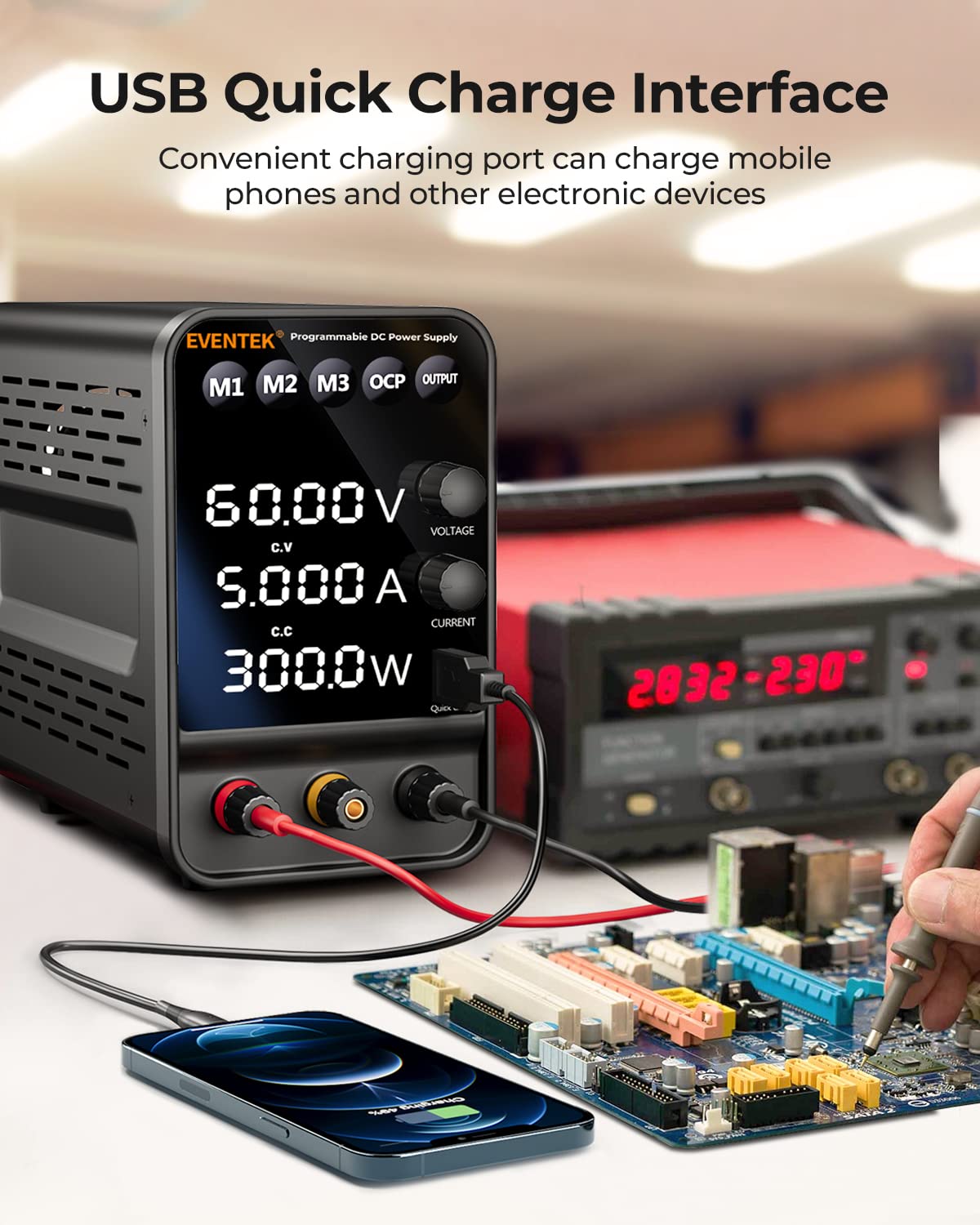
Figure 5: Output control and safety features.
Video 4: Demonstration of OCP and Output button functionality (0:43 - 0:52).
4.5. USB Quick Charge Interface
A built-in 5V/3.6A USB port is available for convenient quick charging of mobile phones or other compatible electronic devices. This feature adds versatility to the power supply, allowing it to serve as a charging station for various gadgets.

Figure 6: USB quick charge port for external devices.
Video 5: Using the 5V/3.6A USB fast charging ports (0:52 - 0:56).
5. Specifications
| Feature | Value |
|---|---|
| Package Dimensions | 10.67 x 8.35 x 4.72 inches; 3.77 Pounds |
| Item model number | DPS-605 |
| Date First Available | September 15, 2022 |
| Manufacturer | Eventek |
| ASIN | B0BFCX2RHF |
| Best Sellers Rank | See Top 100 in Industrial & Scientific |
| Model Name | 2023 Upgrade Model |
| Brand | Eventek |
| Compatible Devices | Cell Phone, Electronic Devices |
| Connector Type | Barrel Connector |
| Form Factor | Standalone |
| Wattage | 300 watts |
| Cooling Method | Air |
| Current Rating | 5 Amps |
| Minimum Input Voltage | 100 Volts (AC) |
6. Maintenance
To ensure the longevity and optimal performance of your Eventek DC Power Supply, follow these maintenance guidelines:
- Cleaning: Regularly wipe the exterior of the unit with a soft, dry cloth. Avoid using abrasive cleaners or solvents. Ensure ventilation openings are free from dust and debris.
- Storage: Store the power supply in a cool, dry environment away from direct sunlight, excessive heat, and humidity.
- Ventilation: Always ensure proper airflow around the unit during operation. Do not block the ventilation fan or vents.
- Cable Inspection: Periodically inspect all cables and connectors for any signs of wear, damage, or loose connections. Replace damaged cables immediately.
7. Troubleshooting
This section addresses common issues you might encounter with your Eventek DC Power Supply. If the problem persists, please contact customer support.
| Problem | Possible Cause | Solution |
|---|---|---|
| No Power/Display Off | Power cable disconnected; Power switch off; Blown fuse. | Check power cable connection; Ensure power switch on the rear is ON; Inspect and replace fuse if necessary (refer to specifications for fuse type). |
| No Output Voltage/Current | Output button OFF; Overcurrent Protection (OCP) triggered; Incorrect settings. | Press the "Output" button to enable output; Check for short circuits in the load and reset OCP; Verify voltage and current settings are above zero. |
| Buzzer Alarm Sounds | Overcurrent Protection (OCP) triggered due to short circuit or excessive load. | Immediately disconnect the load. Identify and resolve the short circuit or reduce the load. The unit will automatically stop output to protect itself. |
| Inaccurate Readings | Loose connections; External interference; Unit calibration needed. | Ensure all connections are secure. Avoid placing the unit near strong electromagnetic fields. If persistent, contact customer support for calibration assistance. |
8. Warranty and Support
Eventek is committed to providing powerful and high-quality products. From research and development to production, our products undergo rigorous testing and checks to ensure quality. We offer professional customer support to assist you with any issues or questions regarding your product.
If you encounter problems with the use of the product, please do not hesitate to contact us. Our 24-hour customer support team is ready to help.
For further details and the official user manual, please refer to the PDF document available here.
