
1. Introduction
Thank you for choosing the breo Facial mini Portable Fascia Release Massager. This device is designed to provide targeted muscle relief and relaxation. Please read this manual thoroughly before use to ensure safe and effective operation. Keep this manual for future reference.
2. Safety Warnings
Important Safety Information:
- Avoid using the device on areas with recent surgery, skin damage, redness, inflammation, or bruising.
- Do not immerse the device in water. This product is not waterproof.
- Keep out of reach of children.
- Consult a physician before use if you have any medical conditions, are pregnant, or have a pacemaker.
- Do not disassemble or modify the device.
- Use only the provided charging cable.
3. Package Contents
Verify that all items are present in the package:
- breo Facial mini Main Unit
- USB Type-C Charging Cable
- Attachment 1: Ball Head
- Attachment 2: U-shaped Head
- Attachment 3: Conical Head
- User Manual (with Warranty Card)

Figure 1: Main unit and included attachments.
4. Product Features
- Powerful Vibration: Up to 3,000 cycles per minute for effective muscle relief.
- Multiple Modes: 4 adjustable vibration modes to suit various needs.
- Interchangeable Attachments: Includes three specialized attachments (Ball, U-shaped, Conical) for different body parts. The flat head is available when no attachment is used.
- Ultra-Lightweight & Compact: Weighs only 195g with dimensions of 7.9 x 3.3 x 11.7 cm, making it easy for one-handed use and portability.
- Full Body Application: Suitable for use on various muscle groups across the body.
- Automatic Shut-off: Device automatically powers off after approximately 10 minutes of continuous use to prevent overuse.
- Pressure Protection: Motor automatically stops if excessive pressure is applied, preventing injury and device damage.
- Rechargeable Battery: Built-in 1100mAh battery, rechargeable via Type-C (DC5.0V/2.0A).
- Quiet Operation: Equipped with noise-canceling technology, operating at less than 50dB, allowing for discreet use anytime, anywhere.
5. Setup
5.1 Charging the Device
- Before first use, fully charge the device.
- Connect the provided USB Type-C cable to the charging port on the device.
- Connect the other end of the USB cable to a compatible USB power adapter (DC5.0V/2.0A, not included).
- The indicator lights will show charging status. A full charge typically takes 2 hours.
- Once fully charged, disconnect the charging cable.
5.2 Attaching/Detaching Massage Heads
- Ensure the device is powered off before changing attachments.
- To attach a head, align the base of the desired attachment with the massage port and push firmly until it clicks into place.
- To detach a head, gently pull it off the massage port.

Figure 2: Attaching a massage head.
6. Operating Instructions
6.1 Power On/Off
- To power on, press and hold the power button for 2 seconds. The indicator lights will illuminate.
- To power off, press and hold the power button for 2 seconds. The indicator lights will turn off.
6.2 Selecting a Mode
- After powering on, short press the power button to cycle through the 4 available vibration modes.
- Each press will switch to the next mode, indicated by the changing pattern of the indicator lights.
6.3 Using the Massager
- Select the appropriate attachment for the desired body part.
- Turn on the device and select your preferred vibration mode.
- Gently apply the massage head to the target area. Move the device slowly and steadily.
- Do not apply excessive pressure. The device has an automatic stop function if too much pressure is detected.
- The device will automatically shut off after approximately 10 minutes of use.

Figure 3: Using the massager on the neck.

Figure 4: Using the massager on the shoulder.
7. Maintenance
7.1 Cleaning
- Ensure the device is powered off and disconnected from the charger before cleaning.
- Wipe the main unit with a soft, damp cloth. Do not use abrasive cleaners or immerse in water.
- The massage attachments can be cleaned with a mild soap solution and then rinsed and air-dried.
7.2 Storage
- Store the device and its attachments in a cool, dry place, away from direct sunlight and extreme temperatures.
- Keep the device away from sharp objects to prevent damage.
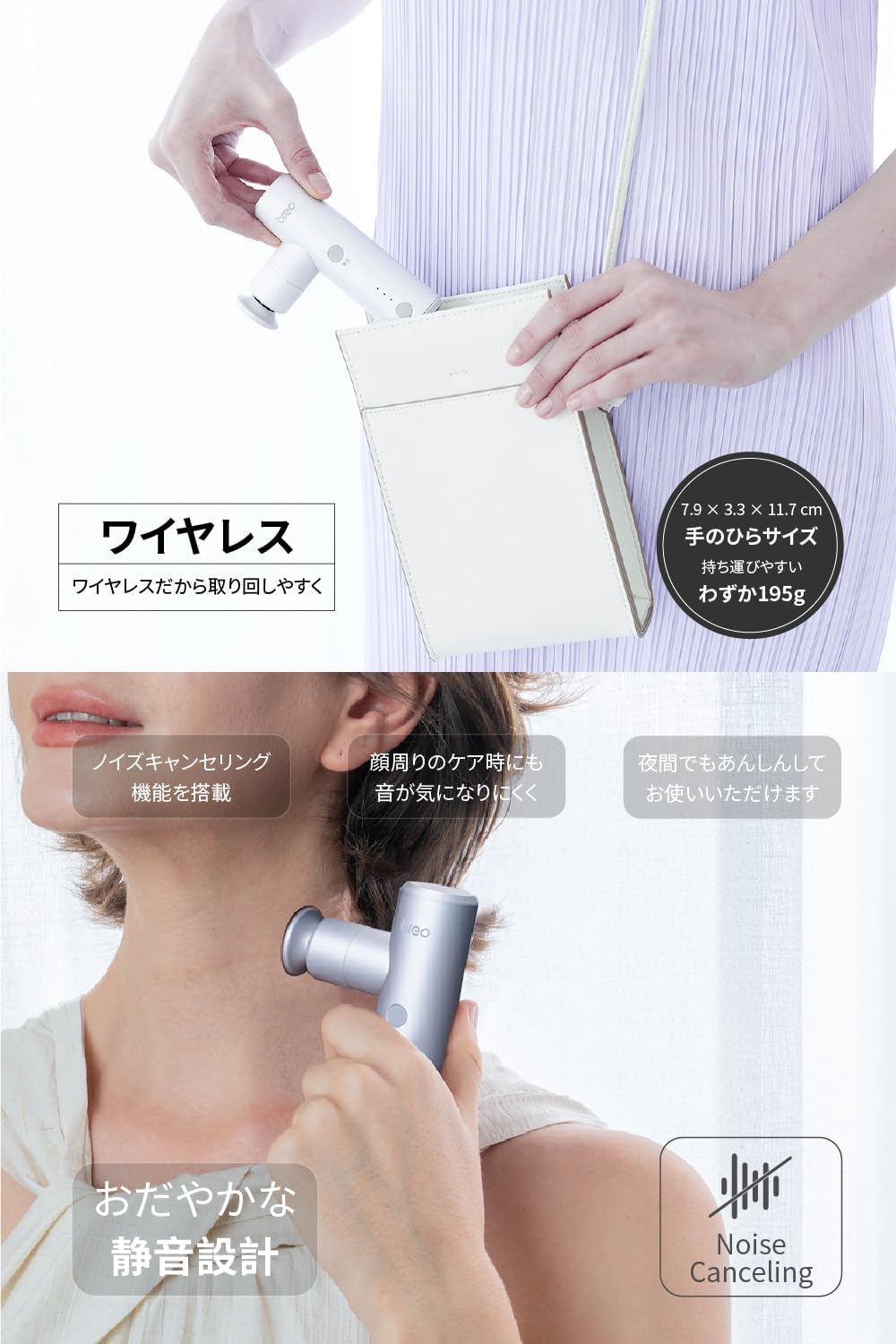
Figure 5: Storing the portable massager.
8. Troubleshooting
| Problem | Possible Cause | Solution |
|---|---|---|
| Device does not turn on. | Low battery. | Charge the device fully. |
| Device stops during use. | Automatic shut-off activated (10 minutes). Excessive pressure applied. | Restart the device if desired. Reduce pressure on the massage area. |
| Vibration is weak. | Low battery. Incorrect mode selected. | Charge the device. Cycle through modes to select a stronger setting. |
| Attachments are difficult to change. | Not properly aligned or device is on. | Ensure device is off. Align attachment carefully and push/pull firmly. |
If the problem persists after trying these solutions, please contact customer support.
9. Specifications
- Model: Sport-M310
- Dimensions: 7.9 cm (L) x 3.3 cm (W) x 11.7 cm (H)
- Weight: 195 g
- Battery: 1100mAh Lithium Polymer (included)
- Charging Port: Type-C
- Charging Input: DC5.0V/2.0A
- Charging Time: Approximately 2 hours
- Operating Noise Level: < 50 dB
- Vibration Modes: 4 levels
- Max Vibration Frequency: 3000 cycles/minute
- Automatic Timer: 10 minutes
- Material: (Not specified in data, assuming standard massager materials)
- Origin: China
10. Warranty and Support
This breo Facial mini massager comes with a 1-year manufacturer's warranty from the date of purchase. The warranty covers defects in materials and workmanship under normal use.
The warranty does not cover:
- Damage caused by improper use, accident, abuse, or neglect.
- Damage from unauthorized repairs or modifications.
- Normal wear and tear.
For warranty claims or technical support, please contact breo customer service. Please have your proof of purchase and model number (Sport-M310) ready when contacting support.
