
Quip 920-00176
Quip Sonic Toothbrush Instruction Manual
Brand: Quip | Model: 920-00176
Introduction
The Quip Sonic Toothbrush is designed to simplify your oral care routine with timed sonic vibrations and a sleek, travel-ready design. It encourages good brushing habits with its built-in timer and replaceable components, ensuring a clean and healthy smile.

Image: The Quip Sonic Toothbrush in Indigo color, alongside its minimalist packaging and travel cover.
Setup
- Install AAA Battery: Twist the bottom of the toothbrush handle counter-clockwise to open the battery compartment. Insert one AAA battery, ensuring the positive (+) end faces upwards as indicated inside the compartment. Twist the handle back on clockwise to secure.
- Attach Brush Head: Align the brush head with the top of the toothbrush handle and push it firmly into place until it clicks.

Image: Illustration highlighting the replaceable AAA battery and the 3-month battery life of the Quip toothbrush, emphasizing its wire-free design.
Operating Instructions
- Wet Brush Head and Apply Toothpaste: Dampen the bristles of the brush head with water and apply a pea-sized amount of your preferred toothpaste.
- Power On and Brush: Press the power button located on the handle to activate the sonic vibrations. The toothbrush features a 2-minute timer with 30-second pulses. These pulses gently alert you to switch to a new quadrant of your mouth (upper right, upper left, lower right, lower left), ensuring an even and thorough clean. Continue brushing until the toothbrush automatically turns off after 2 minutes.

Image: Close-up of the Quip toothbrush head with graphic overlays indicating its 2-minute timer and 30-second pulse features for guided brushing.
Maintenance
- Rinse Brush Head: After each use, thoroughly rinse the brush head under running water to remove any toothpaste residue and debris. Allow it to air dry.
- Replace Brush Head: Dentists recommend replacing your brush head every 3 months to maintain optimal cleaning performance and hygiene. To replace, firmly pull the old brush head off the handle and push a new one into place.
- Battery Replacement: The AAA battery typically lasts up to 3 months with regular use (2 minutes, twice daily). Replace the battery when the vibrations weaken or stop.
- Tongue Scraper: The back of the brush head features a textured surface designed for tongue cleaning. Gently scrape your tongue from back to front to remove bacteria and freshen breath.

Image: Detailed view of the Quip toothbrush head, highlighting its soft bristles and integrated tongue scraper, along with the American Dental Association (ADA) Accepted seal.
Travel Feature
The Quip toothbrush comes with a multi-use cover that serves several purposes. It protects the bristles when traveling, and it can also mount to smooth surfaces like mirrors, glass, or tile, or act as a stand on your countertop, keeping your brush hygienic and accessible.
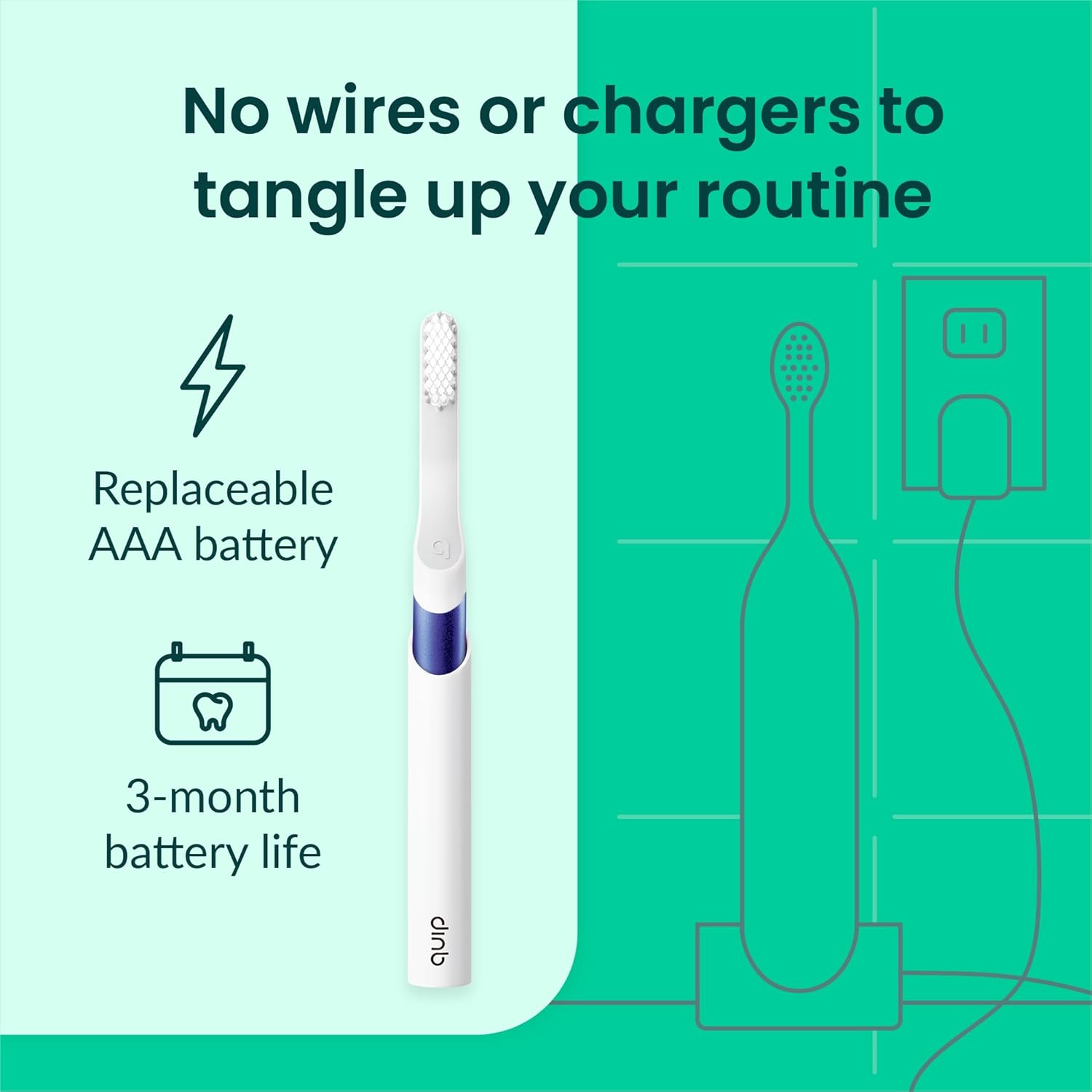
Image: A hand demonstrating how the Quip toothbrush fits into its travel cover, which also functions as a mount or stand.

Image: The Quip toothbrush securely mounted to a bathroom mirror, showcasing the adhesive backing of its multi-use cover.
Troubleshooting
If you encounter any issues with your Quip Sonic Toothbrush, please refer to the official Troubleshooting Guide (PDF) for detailed solutions and common problems.
Specifications
| Feature | Detail |
|---|---|
| Model Number | 920-00176 |
| Power Source | 1 AAA battery (included) |
| Battery Life | Up to 3 months (with 2min, 2x daily use) |
| Bristle Firmness | Soft |
| Special Features | Brushing Timer, Lightweight, 30-second pulses, Tongue Scraper, Travel Cover/Mount |
| Dimensions | 9.06 x 3.7 x 1.61 inches |
| Weight | 5.93 ounces |
| Manufacturer | Quip |
Warranty and Support
The Quip Sonic Toothbrush comes with a standard return policy allowing for refunds or replacements within 30 days of purchase. For specific warranty details, product support, or to purchase replacement parts, please visit the official Quip website or contact their customer service directly. You can also find additional information and FAQs on the Quip Store on Amazon.
Related documents920-00176


Ask a question about this manual
Ask about setup, troubleshooting, compatibility, parts, safety, or missing instructions. Manuals+ will review the question and use this page’s manual context to help answer it.