
Introduction
Thank you for choosing the Camry EB4030H Electronic Personal Body Composition Scale. This manual provides essential information for the safe and effective use of your new scale. Please read these instructions thoroughly before use and retain them for future reference.
Important Safety Information
- Always place the scale on a hard, flat surface. Using it on soft surfaces like carpet may affect accuracy.
- Do not use the scale on wet or slippery floors to prevent accidents.
- Do not jump on the scale. Step on and off gently.
- Keep the scale away from water and extreme temperatures.
- This scale is for household use only and not intended for medical diagnosis or treatment.
- If the scale malfunctions, do not attempt to repair it yourself. Contact customer support.
- Keep batteries out of reach of children.
Package Contents
Please check the package for the following items:
- Camry EB4030H Electronic Personal Body Composition Scale
- User Manual
Product Overview
The Camry EB4030H scale features a clear digital display and intuitive controls for both weight and body composition analysis. The display area indicates various body composition categories such as 'FAT', 'NORMAL', 'LEAN', and 'TOO FAT', along with 'SET' and 'GUEST' functions for user management.
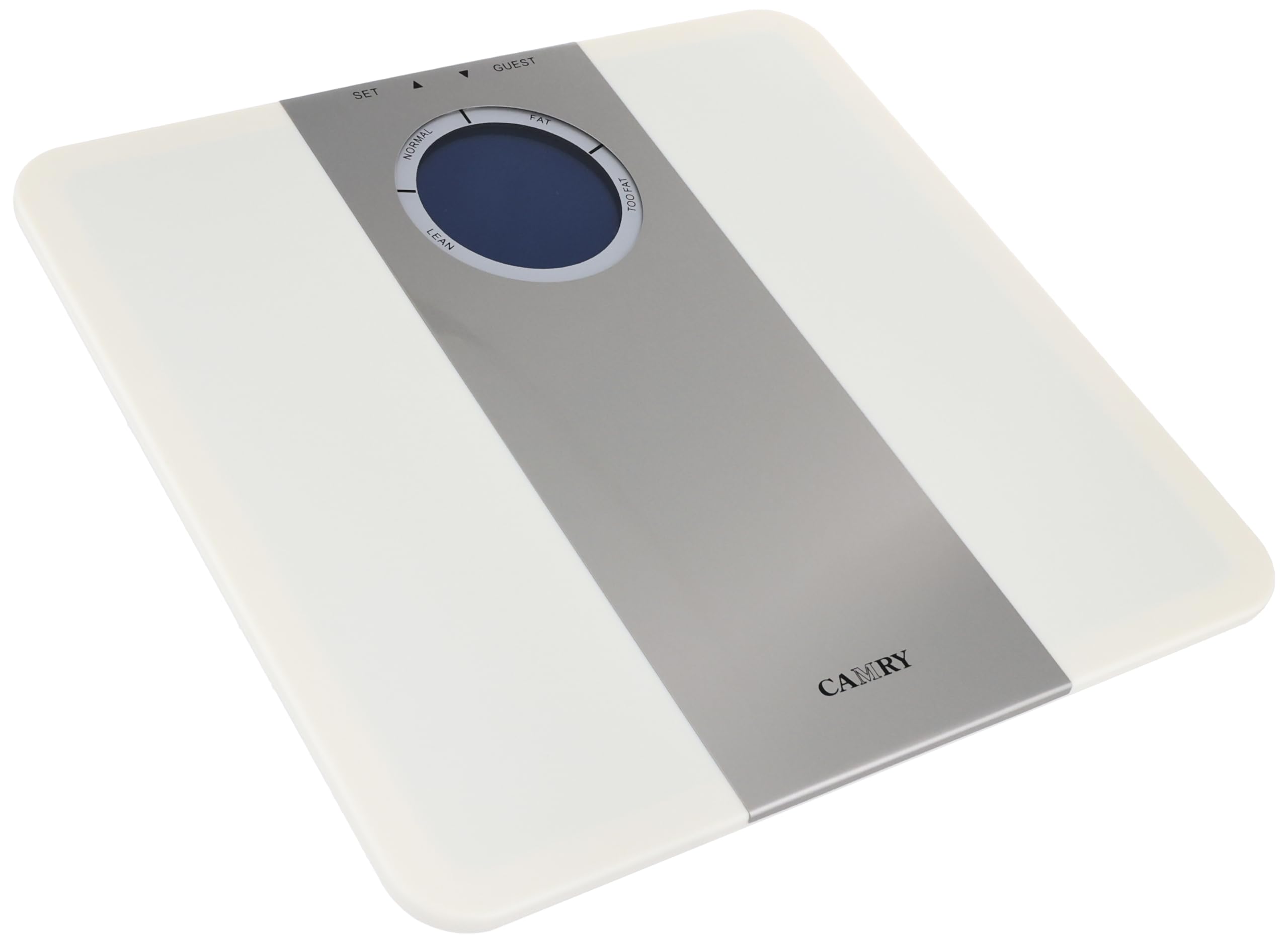
Setup
1. Battery Installation
- Locate the battery compartment on the underside of the scale.
- Open the battery compartment cover.
- Insert the required batteries (typically AAA, not included) ensuring correct polarity (+/-).
- Close the battery compartment cover securely.
2. Initial Placement
Place the scale on a hard, flat, and stable surface. Avoid carpets, rugs, or uneven flooring, as these can lead to inaccurate readings.
Operating Instructions
1. Powering On/Off
The scale typically powers on automatically when you step on it. It will power off automatically after a few seconds of inactivity.
2. Unit Selection
If your scale supports multiple units (e.g., kg, lb), there is usually a button on the underside or near the battery compartment to switch between them. Press this button to select your preferred unit before weighing.
3. Setting User Profiles (for Body Composition Analysis)
To utilize the body composition features, you may need to set up a user profile. Look for a 'SET' button or similar control. Follow the on-screen prompts to enter personal data such as age, height, and gender. The 'GUEST' function allows for a single measurement without saving data.
4. Taking a Weight Measurement
- Ensure the scale is on a flat, hard surface.
- Gently step onto the scale with bare feet, standing still and centered.
- Your weight will be displayed on the screen. Wait for the reading to stabilize.
- Step off the scale. The reading will hold for a few seconds before the scale powers off.
5. Body Composition Measurement
After setting up your user profile and selecting it (or using 'GUEST' mode), step onto the scale with bare feet. The scale will measure your weight and then proceed to analyze body composition. The display will indicate categories such as 'FAT', 'NORMAL', 'LEAN', or 'TOO FAT' based on its internal algorithms. Refer to the scale's display for specific indicators.
Maintenance and Care
- Cleaning: Wipe the scale surface with a soft, damp cloth. Do not use abrasive cleaners or immerse the scale in water.
- Storage: Store the scale in a cool, dry place. Avoid placing heavy objects on it when not in use.
- Battery Replacement: When the display shows a 'Lo' or low battery indicator, replace all batteries with new ones of the same type.
Troubleshooting
| Problem | Possible Cause | Solution |
|---|---|---|
| No display / Scale won't turn on | Dead batteries; Incorrect battery installation | Replace batteries; Check battery polarity |
| Inaccurate readings | Scale on uneven surface; Scale moved recently; Overload | Place on hard, flat surface; Recalibrate by stepping on/off; Do not exceed max capacity |
| 'Lo' or 'Err' on display | Low battery; Measurement error; Overload | Replace batteries; Step off and re-measure; Do not exceed max capacity |
| Body composition not measured | Not using bare feet; User profile not set up; Electrodes not clean | Ensure bare feet contact electrodes; Set up user profile; Clean electrodes with a damp cloth |
Specifications
| Feature | Detail |
|---|---|
| Brand | Camry |
| Model | EB4030H |
| Maximum Weight Capacity | 150 kg |
| Item Weight | 200 grams |
| Form Factor | Mini |
| Material | Multi-material construction |
| Color | Multi-color |
Warranty and Support
This product is manufactured by Camry. For warranty information or technical support, please refer to the warranty card included with your purchase or contact the retailer where the product was acquired. Keep your purchase receipt as proof of purchase for any warranty claims.


