
Introduction
Thank you for choosing the Mellerware Comfy! 1200W Electric Radiator. This manual provides essential information for the safe and efficient operation of your new appliance. Please read these instructions thoroughly before use and retain them for future reference.
Important Safety Instructions
Always follow basic safety precautions when using electrical appliances to reduce the risk of fire, electric shock, and injury.
- Read all instructions before using this heater.
- Do not use this heater outdoors.
- This heater is hot when in use. To avoid burns, do not let bare skin touch hot surfaces.
- Extreme caution is necessary when any heater is used by or near children or individuals with reduced physical, sensory, or mental capabilities, or whenever the heater is left operating and unattended.
- Do not operate any heater with a damaged cord or plug or after the heater malfunctions, has been dropped, or damaged in any manner.
- Do not run cord under carpeting. Do not cover cord with throw rugs, runners, or similar coverings. Arrange cord away from traffic areas and where it will not be tripped over.
- To disconnect the heater, turn controls to the OFF position, then remove the plug from the outlet.
- Do not insert or allow foreign objects to enter any ventilation or exhaust opening as this may cause an electric shock or fire, or damage the heater.
- To prevent a possible fire, do not block air intakes or exhaust in any manner. Do not use on soft surfaces, like a bed, where openings may become blocked.
- A heater has hot and arcing or sparking parts inside. Do not use it in areas where gasoline, paint, or flammable liquids are used or stored.
- Use this heater only as described in this manual. Any other use not recommended by the manufacturer may cause fire, electric shock, or injury to persons.
- This heater includes an anti-tip safety switch that automatically turns off the unit if it is accidentally tipped over.
- The heater is equipped with an overheat protection system that will shut off the unit in case of abnormally high temperatures.
Package Contents
- Mellerware Comfy! 1200W Electric Radiator
- Wall Mount Kit
- Feet for Floor Standing
- User Manual
Product Overview
The Mellerware Comfy! 1200W Electric Radiator is designed for efficient heating of spaces up to 20m². It features Wi-Fi connectivity for smart control and multiple operating modes.

Image: Front view of the Mellerware Comfy! 1200W Electric Radiator, showing the main body, control panel on the right, and detachable feet for floor standing.
Control Panel
The control panel is located on the side of the radiator and includes a digital display and buttons for setting temperature, modes, and timer functions.

Image: The Mellerware Comfy! Radiator with icons indicating Wi-Fi connectivity, coverage up to 20 square meters, 3 preset modes, and compatibility with Google Home and Amazon Alexa.
Setup
Placement
The radiator can be used as a freestanding unit or wall-mounted.

Image: The Mellerware Comfy! Radiator showing its approximate dimensions (59 cm width, 63 cm height) and weight (5.9 kg). Text indicates that wall support is included for installation.
Freestanding Installation
- Attach the provided feet to the base of the radiator using the screws.
- Ensure the radiator is placed on a stable, level surface.
- Maintain a safe distance from walls, furniture, and flammable materials.
Wall Mounting Installation
- Refer to the wall mount kit instructions for detailed steps.
- Ensure the wall can support the weight of the radiator (approximately 7.02 kg).
- Mount the radiator securely, maintaining adequate clearance around the unit for proper ventilation.
Initial Power-On
- Plug the radiator into a suitable 230V electrical outlet.
- Press the power button on the control panel to turn on the unit.
Operating Instructions
Manual Control
Use the control panel buttons to adjust settings directly on the unit.
- Temperature Adjustment: Set the desired temperature between 5°C and 35°C.
- Mode Selection: Choose from three operating modes:
- Comfort Mode: Allows temperature setting between 5°C and 35°C for continuous heating.
- ECO Mode: Energy-saving mode, temperature range 1°C to 31°C.
- Anti-freeze Mode: Maintains a default temperature of 7°C to prevent freezing.
- Timer Function: Program the radiator to operate for up to 24 hours.

Image: The Mellerware Comfy! Radiator illustrating its three modes: Comfort (5-35°C), ECO (1-31°C), and Anti-freeze (default 7°C). A smartphone screen shows the mobile application interface for control.
Wi-Fi and App Control
The Mellerware Comfy! radiator can be controlled remotely via the Mellerware application, compatible with Alexa and Google Home.
- Download the App: Search for "Mellerware" in your smartphone's app store and download the official application.
- Pairing: Follow the in-app instructions to connect your radiator to your home Wi-Fi network (supports 2.4GHz Wi-Fi).
- Remote Control: Once paired, you can:
- Adjust temperature and modes from anywhere.
- Set 24-hour, 7-day programmable schedules with 3 preset programs.
- Integrate with Google Home or Amazon Alexa for voice control.

Image: A collage of smartphone screens demonstrating the "Easy App Set Up" for the Mellerware Comfy! Radiator, showing interfaces for temperature adjustment and weekly scheduling.
Special Features
- Open Window Function: The radiator automatically detects a sudden drop in temperature (2°C in 2 minutes) and temporarily disconnects to save energy. It resumes operation when the temperature stabilizes.
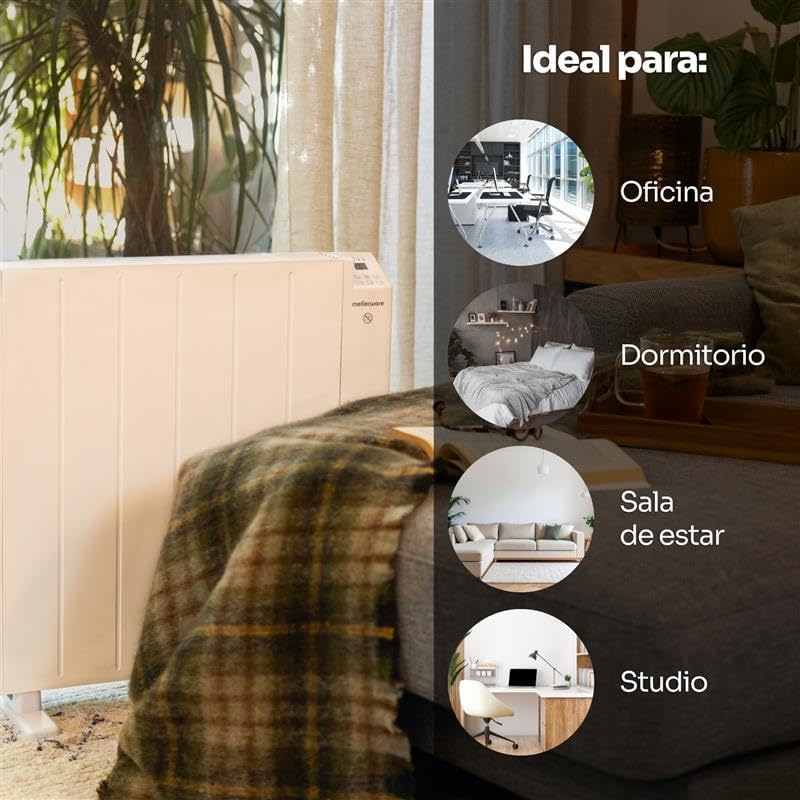
Image: The Mellerware Comfy! Radiator positioned in a living room, accompanied by graphics suggesting its suitability for various indoor spaces such as offices, bedrooms, living rooms, and studios.
Maintenance
Regular maintenance ensures optimal performance and longevity of your radiator.
- Cleaning: Ensure the radiator is unplugged and completely cool before cleaning. Wipe the exterior with a soft, damp cloth. Do not use abrasive cleaners or solvents.
- Storage: If storing the radiator for an extended period, ensure it is clean and dry. Store it in a cool, dry place, preferably in its original packaging.
- No User-Serviceable Parts: Do not attempt to open or repair the radiator yourself. Refer all servicing to qualified service personnel.
Troubleshooting
If you encounter issues with your Mellerware Comfy! radiator, refer to the following common problems and solutions:
| Problem | Possible Cause | Solution |
|---|---|---|
| Radiator does not turn on. | No power supply; Power button not pressed; Anti-tip switch activated. | Check if the plug is securely in the outlet. Ensure the power button is pressed. If tipped, place upright on a flat surface. |
| Radiator stops heating unexpectedly. | Overheat protection activated; Open window function activated. | Unplug the unit, allow it to cool down, then plug it back in. Close any open windows or doors to prevent cold drafts. |
| Wi-Fi connection issues. | Incorrect Wi-Fi password; Router too far; Only 5GHz Wi-Fi available. | Ensure correct password. Move radiator closer to router. Confirm your Wi-Fi network is 2.4GHz. Restart router and radiator. |
| Temperature not reaching desired level. | Room size exceeds capacity; ECO mode selected; Open window function active. | Ensure the room size is within 20m². Switch to Comfort mode for higher heating. Check for drafts. |
Specifications
| Feature | Detail |
|---|---|
| Brand | Mellerware |
| Model Number | Comfy Wifi Medium |
| Power | 1200 W |
| Voltage | 230 Volts |
| Heating Method | Convection |
| Recommended Room Size | Up to 20 m² |
| Operating Modes | 3 (Comfort, ECO, Anti-freeze) |
| Temperature Range | 1°C - 35°C (mode dependent) |
| Timer | Up to 24 hours, 7-day programmable |
| Connectivity | Wi-Fi (2.4GHz), Compatible with Alexa & Google Home |
| Safety Features | Anti-tip device, Overheat protection, Open Window function |
| Dimensions (Product) | Approx. 69 cm (Depth) x 14 cm (Width) x 64.5 cm (Height) |
| Weight (Item) | 7.02 kg |
| Mounting Options | Floor standing, Wall mountable |
Warranty and Support
For warranty information and customer support, please refer to the documentation included with your purchase or visit the official Mellerware website. Keep your proof of purchase for any warranty claims.
Mellerware Official Website: www.mellerware.com
