
1. Introduction
Thank you for choosing the iBELL HU450RB Ultrasonic Humidifier. This device is designed to improve air quality and comfort in your room by adding moisture to the air. It features a 4.5L capacity, digital display, remote control, adjustable mist output, and can also function as an essential oil diffuser. Please read this manual thoroughly before use to ensure proper operation and maintenance.
2. Safety Instructions
- Always place the humidifier on a firm, flat, waterproof surface away from direct sunlight and heat sources.
- Do not place the humidifier near electronic devices or furniture that may be damaged by moisture.
- Ensure the power cord is not damaged and is plugged into a suitable electrical outlet (240 Volts).
- Do not immerse the base unit in water or other liquids.
- Unplug the humidifier before filling, cleaning, or moving it.
- Keep out of reach of children and pets.
- Use only clean, cool tap water. Distilled or demineralized water is recommended to prevent mineral buildup.
- Do not add essential oils directly into the water tank. Use the designated essential oil compartment if available.
- Do not block the air inlet or mist outlet.
3. Product Overview
Familiarize yourself with the components of your iBELL HU450RB Humidifier:

Figure 3.1: Main Components of the Humidifier
- Injector: Where mist is released.
- Water Tank Bracket: Supports the water tank.
- Water Tank: Holds up to 4.5 liters of water.
- Display: Shows current humidity and settings.
- Instruction Smart Panel: Touch controls for operation.

Figure 3.2: Smart Control Panel
- ON/OFF: Power button.
- Timer: Set operating duration.
- Humidity: Adjust desired humidity level.
- Mist: Control mist output intensity.
- Sleep: Activates sleep mode for quiet operation.
4. Setup
- Unpack: Carefully remove all packaging materials and ensure all components are present.
- Placement: Place the humidifier on a flat, stable surface at least 15 cm (6 inches) away from walls and furniture. Ensure the mist outlet is not directed towards any objects.
- Fill Water Tank:
- Remove the water tank from the base.
- Unscrew the water tank cap and fill the tank with clean, cool water. Do not exceed the maximum fill line.
- Securely replace the water tank cap.
- Place the filled water tank back onto the base unit, ensuring it is seated correctly.
- Connect Power: Plug the power cord into a standard electrical outlet. The unit will enter standby mode.
5. Operation
The humidifier can be operated using the touch control panel on the unit or the included remote control.
5.1 Basic Operation
- Power On/Off: Press the ON/OFF button on the control panel or remote to turn the humidifier on or off. The digital display will illuminate.
- Adjust Mist Output: Press the Mist button repeatedly to cycle through different mist intensity levels (e.g., Low, Medium, High). The current mist level will be indicated on the display. The 360° nozzle allows you to direct the mist as needed.
- Set Humidity Level: Press the Humidity button to set your desired humidity level. The humidifier will automatically maintain this level, turning on and off as required.
- Timer Function: Press the Timer button to set an operating duration (e.g., 1 hour, 2 hours, up to 12 hours). The humidifier will automatically shut off once the set time expires.
- Sleep Mode: Press the Sleep button to activate sleep mode. The display lights will dim, and the humidifier will operate at a low, quiet setting.
5.2 Using Essential Oils
The iBELL HU450RB can be used as an essential oil diffuser. Follow these steps:
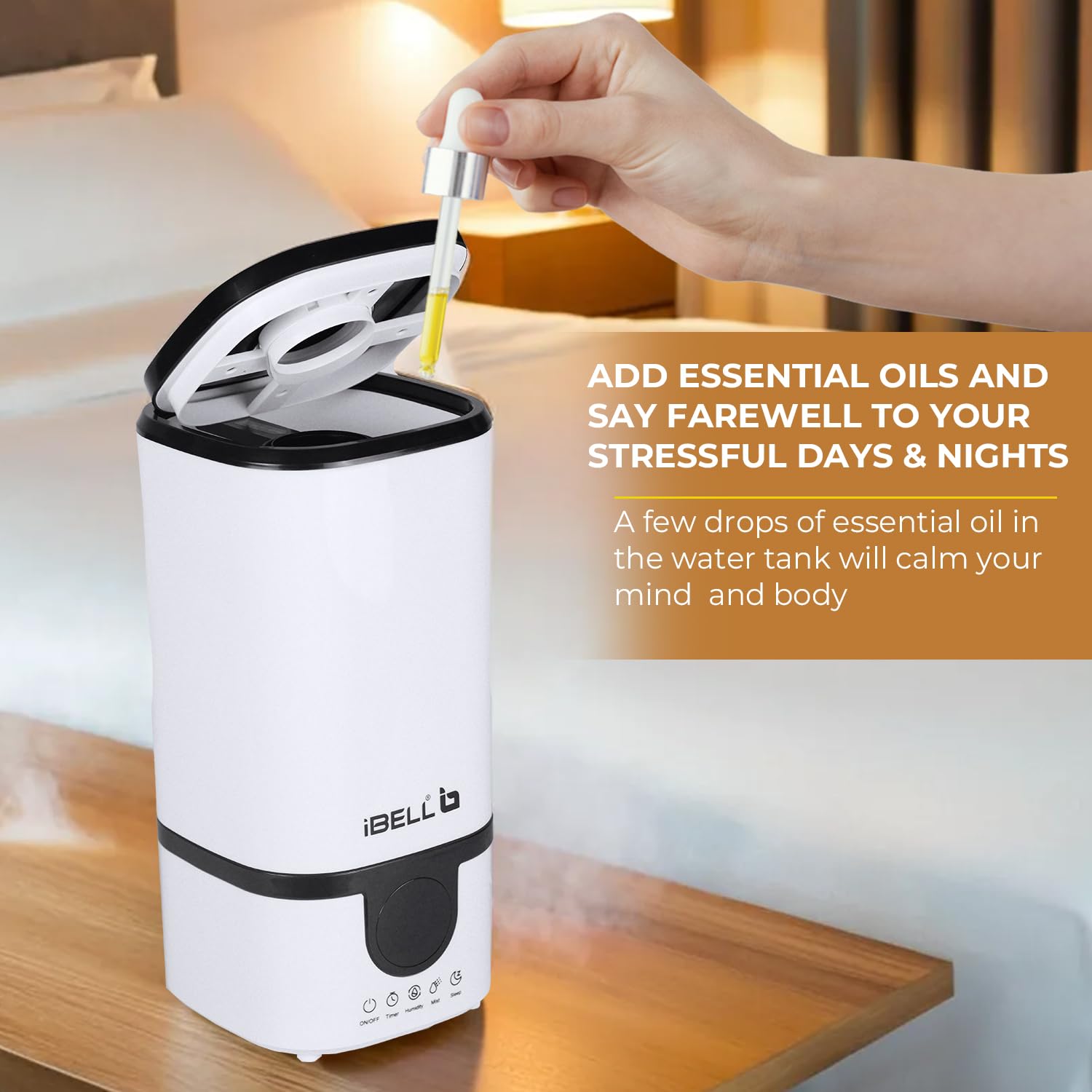
Figure 5.1: Adding Essential Oils
- Locate the essential oil compartment, usually a small tray or sponge located near the mist outlet or at the base.
- Add a few drops of your preferred essential oil onto the pad or into the tray.
- Do not add essential oils directly into the water tank, as this can damage the unit.
- The aroma will diffuse with the mist.
5.3 Remote Control
The remote control allows convenient operation from a distance. Its buttons correspond to the functions on the smart control panel (ON/OFF, Timer, Humidity, Mist, Sleep).
6. Maintenance
Regular cleaning is essential for optimal performance and hygiene.
- Daily Maintenance:
- Unplug the humidifier.
- Empty any remaining water from the tank and base.
- Rinse the water tank and fill with fresh water for the next use.
- Weekly Cleaning:
- Unplug the humidifier.
- Remove the water tank.
- Pour 2-3 cups of undiluted white vinegar into the water tank and base. Let it soak for 20-30 minutes to loosen mineral buildup.
- Use a soft brush or cloth to clean the inside of the tank and the nebulizer (mist-producing component).
- Rinse all components thoroughly with clean water until the vinegar smell is gone.
- Wipe the exterior of the unit with a soft, damp cloth.
- Storage: When not in use for an extended period, clean the humidifier thoroughly, ensure all parts are dry, and store it in a cool, dry place.
7. Troubleshooting
| Problem | Possible Cause | Solution |
|---|---|---|
| No mist or low mist output | Lack of water; mineral buildup on nebulizer; mist outlet blocked. | Refill water tank; clean the nebulizer with vinegar solution; ensure mist outlet is clear. |
| Unusual odor | Stagnant water; dirty water tank. | Empty and clean the water tank thoroughly. Use fresh water. |
| Water leakage | Water tank cap not secured; water tank not seated properly; cracks in tank. | Ensure cap is tight; reposition tank; check for damage. |
| Humidifier turns off unexpectedly | Water tank empty; timer set; desired humidity reached. | Refill tank; check timer settings; adjust desired humidity. |
8. Specifications

Figure 8.1: Humidifier Dimensions
- Brand: IBELL
- Model: HU450RB
- Capacity: 4.5 Liters
- Power: 25 Watts
- Voltage: 240 Volts
- Runtime: Up to 24 hours
- Floor Area Coverage: 250 Square Feet
- Control Method: Remote, Touch Panel
- Operation Mode: Ultrasonic
- Dimensions (D x W x H): 16.5 x 16.5 x 37.5 Centimeters
- Item Weight: 1.25 Kilograms
- Included Components: Remote Control
9. Product Video Overview
Watch this video for a visual guide on the iBELL HU450RB Humidifier's features and operation.
Video 9.1: iBELL HU450RB Humidifier Features Overview
10. Warranty and Support
Your iBELL HU450RB Humidifier comes with a 6 Months Standard Warranty. An additional 6 Months Warranty can be obtained upon product registration within 30 days from the date of purchase.

Figure 10.1: Warranty Information
For warranty claims, technical support, or any inquiries, please contact iBELL customer service:
- Customer Service Number: 1800-2020-260
- Email: connect@ibellstore.com
- Manufacturer: Innovative Technologies, IBELL Fida's Building, Thottumugham P.O, Aluva, Kerala

