
1. Introduction
This instruction manual provides detailed guidance for the assembly, safe operation, and proper maintenance of your new VERMESS SCCBDSG 55-inch TV Stand. Please read this manual thoroughly before beginning assembly or use to ensure correct installation and to maximize the lifespan of your product. Keep this manual for future reference.

Image 1.1: The VERMESS SCCBDSG TV Stand, showcasing its design and capacity to hold a television and various media accessories.
2. Safety Information
Adherence to the following safety guidelines is crucial for preventing injury and damage to the product.
- Assembly: Assemble the unit on a soft, clean surface to prevent scratches. Ensure all hardware is securely tightened before use. Do not overtighten screws.
- Weight Capacity: Do not exceed the maximum weight capacity of 150 lbs (68 kg) for the top surface. Distribute weight evenly across shelves.
- Stability: Place the TV stand on a level surface. If the stand wobbles, recheck assembly and ensure all feet are adjusted correctly.
- Children: Keep small parts and packaging materials away from children during assembly. Do not allow children to climb on or play with the TV stand.
- Placement: Position the TV stand away from direct sunlight, heat sources, and excessive moisture.
3. Package Contents
Before assembly, verify that all components listed below are present and undamaged. If any parts are missing or damaged, contact customer support immediately.
- Top Panel
- Bottom Shelf
- Side Frames (Metal)
- Drawer Components (Front, Back, Sides, Bottom)
- Drawer Handle
- Hardware Pack (Screws, dowels, cam locks, etc.)
- Assembly Tools (Hex key, if included)
4. Setup and Assembly
Follow these general steps for assembling your VERMESS TV stand. Refer to the specific assembly diagram included in your product packaging for detailed, step-by-step instructions.
- Unpack and Identify: Carefully unpack all components and lay them out on a clean, soft surface. Identify each part using the provided parts list.
- Assemble Drawer: Begin by assembling the drawer components according to the diagram. Attach the drawer handle.
- Attach Side Frames: Secure the metal side frames to the bottom shelf using the specified hardware.
- Install Drawer into Frame: Slide the assembled drawer into its designated position on the bottom shelf.
- Attach Top Panel: Carefully align and attach the top panel to the side frames, ensuring all connections are secure.
- Final Tightening: Once all parts are in place, gently tighten all screws and fasteners. Do not overtighten.
- Positioning: Move the assembled TV stand to its desired location. Ensure it is stable and level.
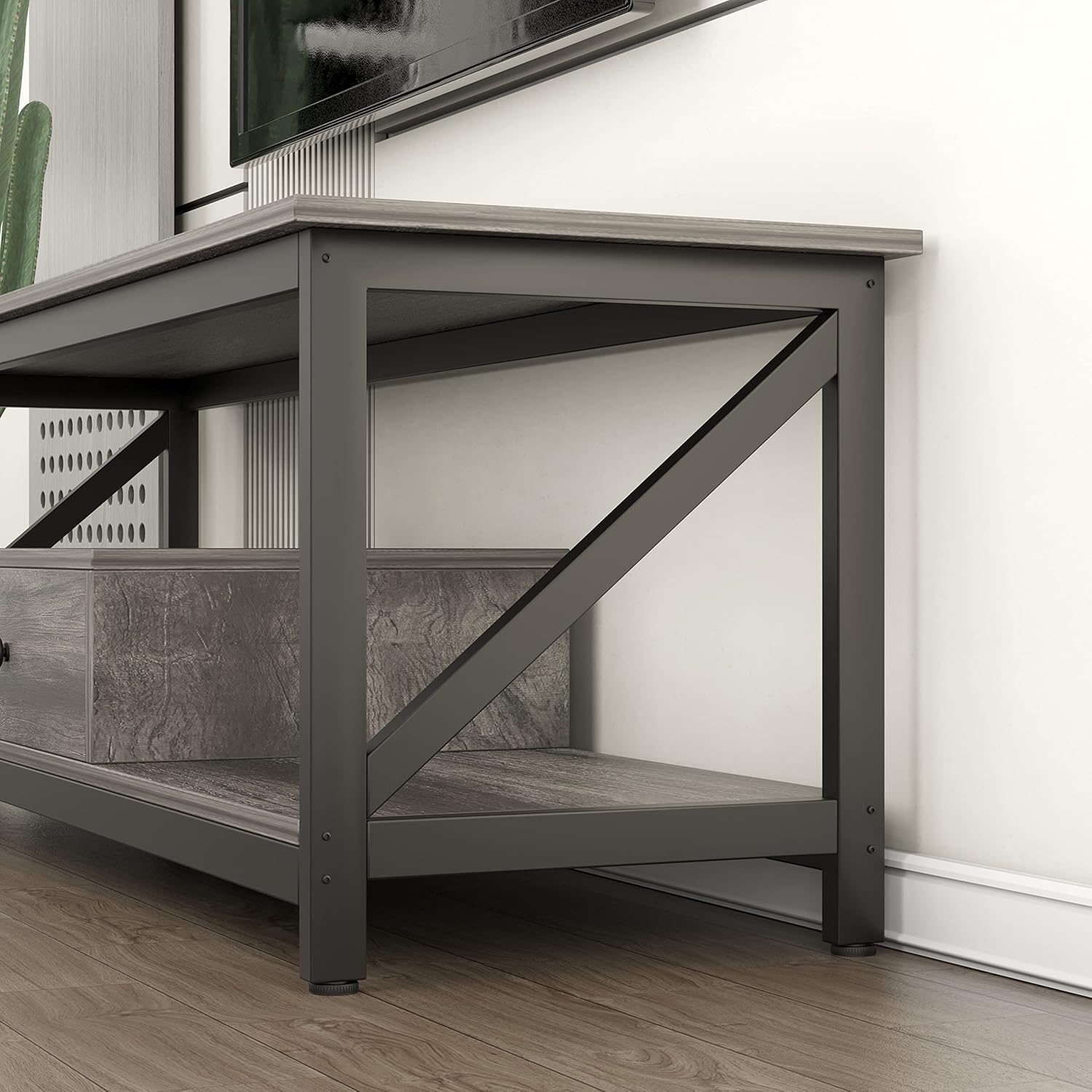
Image 4.1: Detail of the sturdy metal frame and wooden leg construction, highlighting the cross-brace design for stability.
5. Operating and Usage Guidelines
The VERMESS SCCBDSG TV stand is designed to accommodate televisions up to 55 inches and provide organized storage for your media devices and accessories.
- Television Placement: Place your television centrally on the top surface. Ensure the TV base fits within the stand's dimensions.
- Storage: Utilize the open shelves for media players, gaming consoles, soundbars, or decorative items. The integrated drawer offers concealed storage for remotes, cables, or other small items.
- Cable Management: While not explicitly designed with cable cutouts, cables can be routed discreetly behind the stand.

Image 5.1: The TV stand's drawer open, illustrating its storage capacity for various items, alongside open shelves for display.

Image 5.2: The TV stand integrated into a living room, demonstrating its functionality with a television and accompanying audio equipment.
6. Maintenance
Proper care will help maintain the appearance and longevity of your TV stand.
- Cleaning: Wipe surfaces with a soft, damp cloth. Avoid harsh chemicals or abrasive cleaners, as these can damage the finish.
- Spills: Immediately wipe up any spills to prevent water damage or staining. The surface is designed to be waterproof and resistant to slight scratches.
- Hardware: Periodically check all screws and fasteners to ensure they remain tight. Retighten if necessary.
- Avoid Scratches: Use coasters or protective pads under items placed on the top surface to prevent scratches.

Image 6.1: Demonstrations of the TV stand's waterproof and scratch-resistant properties, showing ease of cleaning and durability.
7. Troubleshooting
If you encounter any issues with your TV stand, refer to the following common solutions.
- Wobbling: Ensure the TV stand is on a flat, level surface. Check all assembly hardware and tighten any loose screws.
- Drawer Not Sliding Smoothly: Verify that the drawer slides are correctly installed and free of obstructions. Ensure the drawer is not overloaded.
- Missing Parts: If any parts were missing upon delivery, do not proceed with assembly. Contact VERMESS customer support for assistance.
- Surface Damage: For minor scratches, touch-up pens or furniture markers matching the finish may be used. For significant damage, contact customer support.
8. Specifications
| Feature | Detail |
|---|---|
| Brand | VERMESS |
| Model Number | SCCBDSG |
| Product Dimensions (LxWxH) | 139.7 x 39.9 x 42.9 cm (55.1 x 15.7 x 16.9 inches) |
| Maximum TV Size | 55 inches |
| Material | Wood (engineered wood) with Metal Frame |
| Color | Grey Oak |
| Item Weight | 21.8 kg (48 lbs) |
| Maximum Weight Capacity | 150 lbs (68 kg) |
| Assembly Required | Yes |

Image 8.1: Detailed dimensions of the TV stand and its stated maximum weight capacity.

Image 8.2: Visual guide for television size compatibility, showing the stand can accommodate TVs up to 55 inches.
9. Warranty and Support
For warranty information, product support, or to report missing/damaged parts, please contact VERMESS customer service through the retailer where the product was purchased or visit the official VERMESS website. Please have your model number (SCCBDSG) and purchase date available when contacting support.