
1. Introduction
The KAIWEETS HT106D Socket Tester is a compact and portable device designed to quickly and accurately detect common wiring faults in standard electrical sockets and RCD (Residual Current Device) protected circuits. It features an LED display for voltage measurement and clear indicators for various wiring conditions, ensuring electrical safety in residential and professional environments.
2. Safety Information
General Safety Warnings
- Always read and understand this manual before using the device.
- Do not use the tester if it appears damaged or is not functioning correctly.
- Ensure your hands are dry before handling the tester or any electrical outlets.
- This device is intended for testing standard AC outlets within its specified voltage range (48-250V).
- The RCD test function is designed to trip the RCD. Ensure that tripping the RCD will not cause any inconvenience or danger (e.g., turning off critical equipment).
- This tester is a diagnostic tool and should not replace professional electrical inspection or repair.
- Keep out of reach of children.
3. Product Features
- Comprehensive Wiring Fault Detection: Identifies 7 common wiring conditions including correct wiring, open ground, open neutral, open live, live/ground reverse, live/neutral reverse, and live/ground reverse with missing ground.
- RCD Test Function: Verifies the functionality of Residual Current Devices by simulating a ground fault.
- LED Voltage Display: Clearly shows the measured voltage of the socket.
- Instant Connection Recognition: Red LED indicators provide immediate visual feedback on wiring status.
- Durable and Portable Design: Compact, lightweight, and features a shock-resistant ABS shell for enhanced durability.

Image 1: KAIWEETS HT106D Socket Tester displaying various circuit conditions and their corresponding LED indicators.
4. Setup
The KAIWEETS HT106D Socket Tester requires no complex setup. It is battery-powered and ready for immediate use. Simply insert the tester into the socket you wish to test.
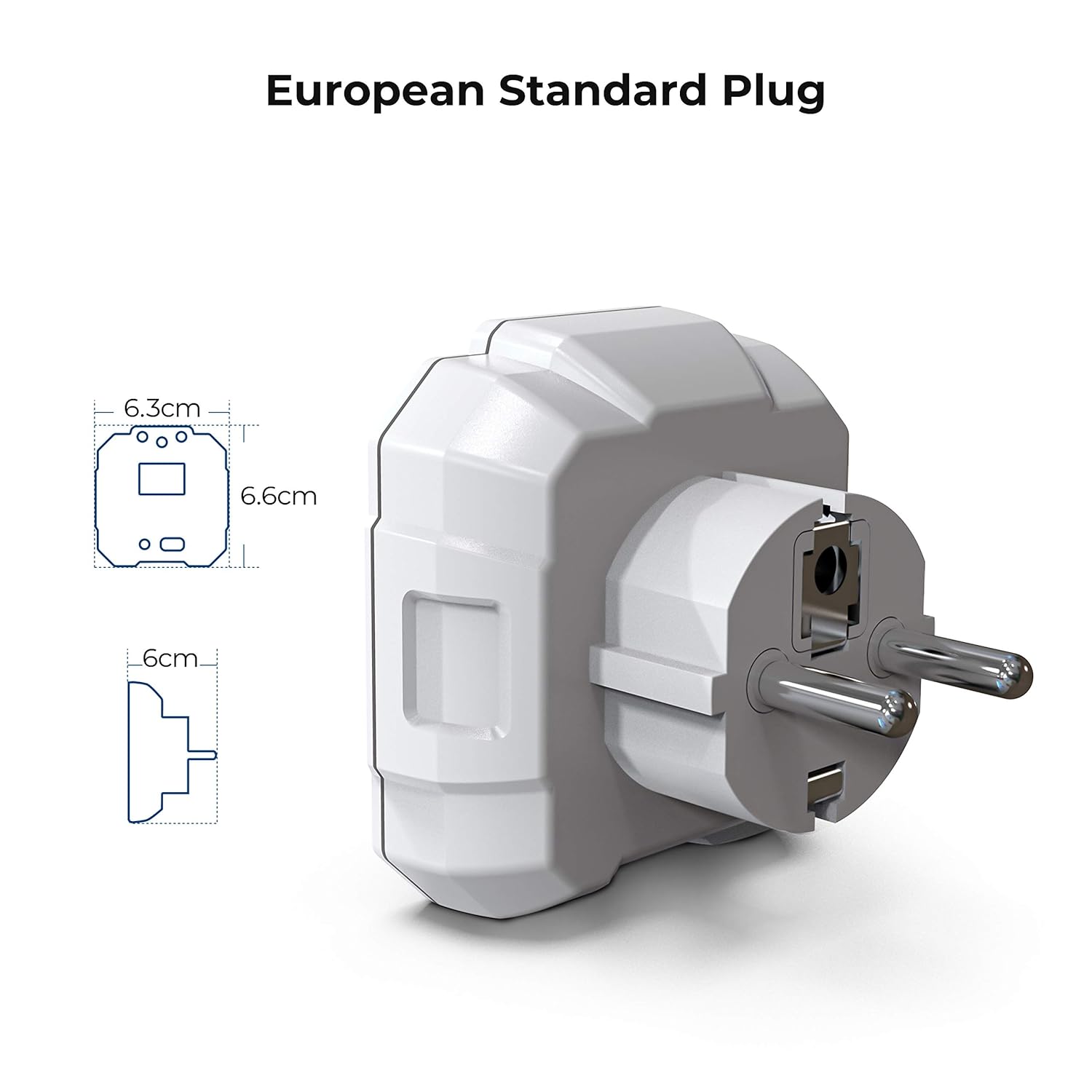
Image 2: Dimensions of the KAIWEETS HT106D Socket Tester with a European standard plug.
5. Operating Instructions
5.1. Wiring Condition Detection
To test the wiring condition of a socket:
- Plug the KAIWEETS HT106D Socket Tester directly into the electrical outlet.
- Observe the LED indicators on the front panel of the tester.
- Refer to the legend printed on the tester or the table below to interpret the wiring status based on the illuminated LEDs.
| LED Indicators (Left to Right) | Wiring Condition |
|---|---|
| ● ● ● (All three ON) | Correct Wiring |
| ● ● ○ (Left two ON, Right OFF) | Open Ground |
| ● ○ ● (Left ON, Middle OFF, Right ON) | Open Neutral |
| ○ ● ● (Left OFF, Right two ON) | Open Live |
| ○ ● ○ (Middle ON, Others OFF) | Live / Ground Reverse |
| ● ○ ○ (Left ON, Others OFF) | Live / Neutral Reverse |
| ○ ○ ● (Right ON, Others OFF) | Live / Ground Reverse, Missing Ground |
5.2. RCD Test Function
The RCD test function checks if the Residual Current Device (RCD) in the circuit is working correctly. This test simulates a ground fault to trip the RCD.
- Plug the tester into an RCD-protected socket.
- Press the RCD test button on the tester.
- A functional RCD should trip, cutting off power to the circuit. If the RCD does not trip, it indicates a potential fault with the RCD and should be inspected by a qualified electrician.
- To restore power, reset the RCD at your electrical panel.

Image 3: KAIWEETS HT106D Socket Tester with the RCD test button highlighted.
5.3. Voltage Display
The integrated LED display on the KAIWEETS HT106D shows the real-time voltage of the socket. This feature allows for quick verification of voltage levels, acting as a basic voltmeter.

Image 4: The KAIWEETS HT106D functions as both a circuit tester and a basic voltmeter.
6. Troubleshooting
Common Issues and Solutions
| Problem | Possible Cause | Solution |
|---|---|---|
| No LEDs light up / No voltage display | No power in the socket or device malfunction. | Test another known working socket. If still no response, the device may be faulty. |
| RCD test button does not trip RCD | Faulty RCD or incorrect wiring. | Ensure the socket is RCD protected. If it is, consult a qualified electrician to inspect the RCD and wiring. |
| Inconsistent wiring readings | Loose connection or intermittent fault. | Ensure the tester is fully inserted. Try wiggling the tester gently. If issues persist, consult an electrician. |
7. Specifications
| Feature | Detail |
|---|---|
| Brand | KAIWEETS |
| Model | HT106D |
| Power Source | Battery powered |
| Style | Portable |
| Color | White |
| Operating Voltage Range | 48-250 V |
| Minimum Operating Voltage | 300 Volt (CAT II) |
| Measurement Type | Voltmeter |
| Compatible Devices | All devices with RCD output |
| Achieved Specifications | CAT III 300 V, CE |
| Manufacturer | KAIWEETS |
8. Maintenance
- Clean the device with a soft, dry cloth. Do not use abrasive cleaners or solvents.
- Store the tester in a cool, dry place away from direct sunlight and extreme temperatures.
- Regularly inspect the tester for any signs of damage, such as cracks in the casing or bent pins. Do not use if damaged.
9. Warranty and Support
KAIWEETS provides a commitment to quality for its products. Spare parts availability in the EU is guaranteed for 3 years. For further support or warranty claims, please refer to the contact information provided with your purchase or visit the official KAIWEETS website.
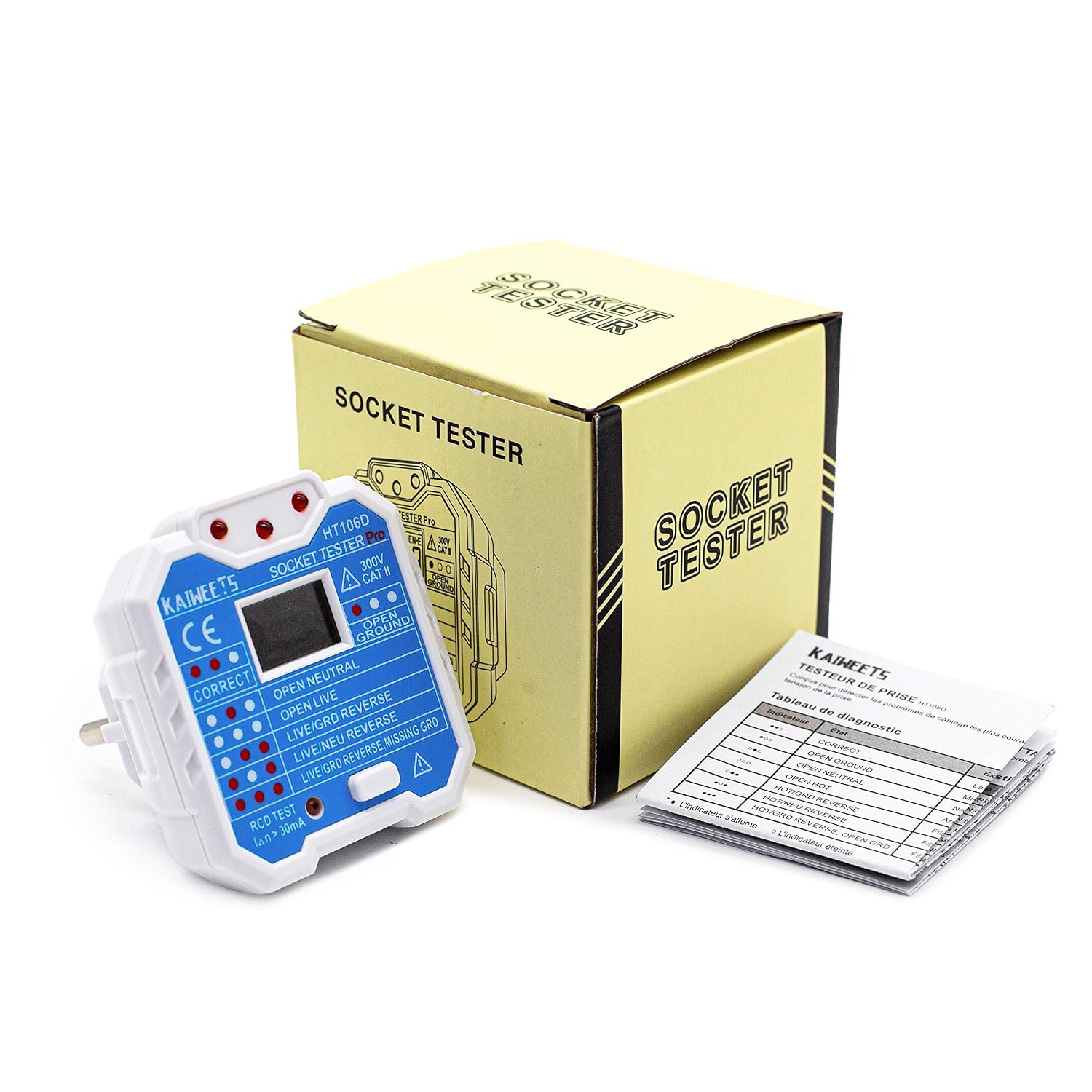
Image 5: KAIWEETS HT106D Socket Tester shown with its retail packaging and included manual.
