Introduction
Welcome to the Fire-Boltt Ninja Call Pro Plus Smart Watch user manual. This guide provides essential information to help you set up, operate, and maintain your new smartwatch. The Fire-Boltt Ninja Call Pro Plus features a 1.83-inch HD display, Bluetooth calling, AI voice assistance, and extensive health and fitness tracking capabilities.
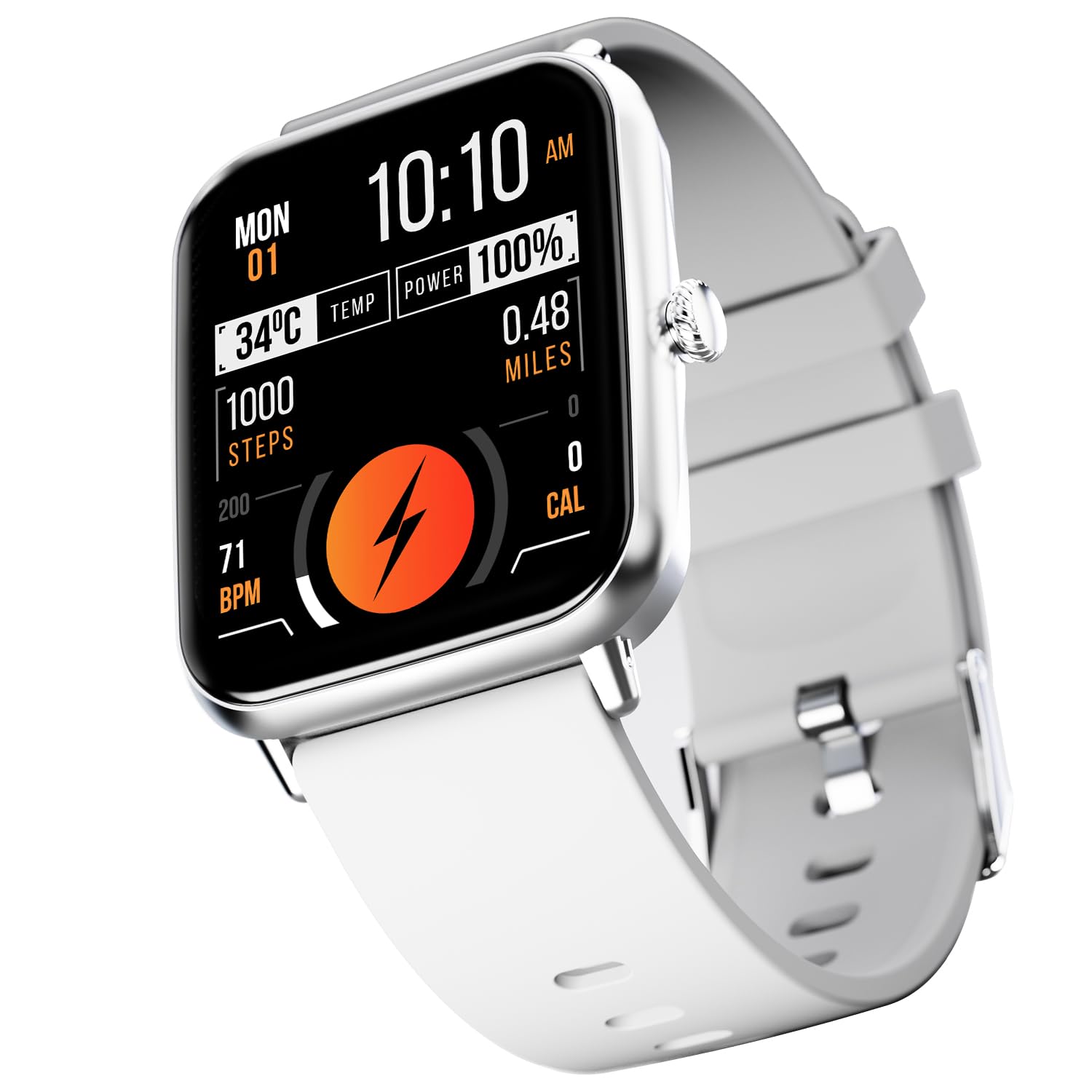
Figure 1: Fire-Boltt Ninja Call Pro Plus Smart Watch
What's in the Box
Upon unboxing your Fire-Boltt Ninja Call Pro Plus Smart Watch, please ensure all the following items are present:
- Fire-Boltt Ninja Call Pro Plus Smart Watch
- Charging cable
- User Manual (this document)
Setup Guide
1. Charging the Smart Watch
Before initial use, fully charge your smartwatch. Connect the provided charging cable to the watch's charging port and a 3.7V to 5V adapter or a laptop USB port. A full charge typically takes approximately 2 hours. For a minimum 20% charge, allow 30-40 minutes.
2. Powering On/Off
- To Power On: Press and hold the side button until the Fire-Boltt logo appears.
- To Power Off: Press and hold the side button, then select the 'Power Off' option on the screen.
3. App Installation and Pairing
To unlock all features, download the companion application on your smartphone. Search for the official Fire-Boltt app in your device's app store (Google Play Store for Android, Apple App Store for iOS). Once installed:
- Open the app and create an account or log in.
- Ensure Bluetooth is enabled on your smartphone.
- Follow the in-app instructions to search for and pair your Fire-Boltt Ninja Call Pro Plus Smart Watch.
- Confirm the pairing request on both your phone and the watch.
Operating Instructions
Display and Navigation
The smartwatch features a 46.48mm (1.83-inch) HD display with 280 NITS peak brightness for clear visibility. Navigate the watch by swiping across the touchscreen and using the physical crown button for selection or returning to the home screen.

Figure 2: High-Resolution Display
Bluetooth Calling
The Fire-Boltt Ninja Call Pro Plus allows you to make and receive calls directly from your wrist. Ensure your watch is connected to your smartphone via Bluetooth.
- Making Calls: Access the dial pad or contact list on your watch to initiate a call.
- Receiving Calls: Answer or reject incoming calls directly from the watch screen.
- Volume Control: While connected to Bluetooth calling, you can control the call volume through your watch.

Figure 3: Bluetooth Calling Feature
AI Voice Assistant
Utilize the built-in AI Voice Assistant for hands-free control. Simply speak your commands to the smartwatch to perform various tasks, such as checking the weather or setting reminders.

Figure 4: AI Voice Assistant Interface
Sports Modes
The watch supports over 120 sports modes to track various physical activities. Select your desired sport from the watch menu to monitor metrics such as steps, distance, and calories burned.

Figure 5: Sports Mode Tracking
Health Tracking
Monitor your health with the integrated sensors:
- Heart Rate Tracking: Provides 24/7 dynamic heart rate monitoring.
- SpO2 Monitoring: Measures blood oxygen saturation levels.
- Sleep Monitoring: Tracks your sleep patterns, including light and deep sleep.
- Track Your Cycle: Offers menstrual cycle tracking for women.

Figure 6: Advanced Health Suite Overview
Smart Notifications
Receive notifications for calls, messages, and social media apps directly on your watch. Ensure the companion app is running in the background on your phone and notification permissions are granted.

Figure 7: Smart Notifications Display
Other Features
- Weather Updates: Get real-time weather information.
- Camera Control: Remotely control your phone's camera.
- Music Control: Manage music playback on your smartphone (cannot store music on the watch).
- Alarms, Stopwatch, Timer: Essential time management tools.
- Drink Water Reminder: Prompts you to stay hydrated.
- Sedentary Reminder: Alerts you to move after periods of inactivity.
- Inbuilt Games: Enjoy simple games directly on your watch.
- Multiple Watch Faces: Customize your watch face from a selection of options.

Figure 8: Weather, Camera, and Music Control
Maintenance
Water and Dust Resistance
The Fire-Boltt Ninja Call Pro Plus has an IP67 rating, meaning it is resistant to dust, sweat, and splashes. It is not recommended for swimming or prolonged submersion in water.

Figure 9: IP67 Rating Indication
Cleaning
Wipe the watch and strap regularly with a soft, dry cloth. If necessary, use a slightly damp cloth and then dry thoroughly. Avoid using harsh chemicals or abrasive materials.
Battery Life
The watch's battery provides approximately 8 days of use without Bluetooth calling and about 5 days with Bluetooth calling enabled. Standby time is up to 15 days. Actual battery life may vary based on usage.
Troubleshooting
If you encounter issues with your smartwatch, refer to the following common solutions:
- Watch not turning on: Ensure the watch is fully charged. Connect it to the charging cable for at least 30-40 minutes.
- Cannot pair with phone: Make sure Bluetooth is enabled on your phone and the watch. Restart both devices and try pairing again through the companion app.
- Notifications not appearing: Check notification permissions in your phone's settings for the companion app. Ensure the app is running in the background.
- Inaccurate health data: Ensure the watch is worn snugly on your wrist, not too tight or too loose. Clean the sensors on the back of the watch.
- Bluetooth calling audio issues: If audio does not switch cleanly between phone and watch, try disconnecting and reconnecting Bluetooth, or restart both devices.
- Screen unresponsive or freezing: Perform a soft reset by pressing and holding the side button until the watch restarts.
Specifications
| Feature | Specification |
|---|---|
| Model Number | BSW053 |
| Display Size | 1.83 Inches (46.48mm) |
| Resolution | 240 x 280 Pixel |
| Peak Brightness | 280 NITS |
| Connectivity | Bluetooth |
| Battery Capacity | 230 Milliamp Hours |
| Charging Time | Approx. 2 hours |
| Battery Life (Normal Use) | 5-8 days |
| Standby Time | Up to 15 days |
| Water Resistance | IP67 Rating (Dust, Sweat & Splash Resistant) |
| Item Weight | 46 Grams (1.62 ounces) |
| Product Dimensions | 1.69 x 1.96 x 1.3 inches |
| Operating System | Android Wear 1.4 (compatible with Android/iOS) |
| Memory Storage Capacity | 128 MB |
Warranty and Support
For warranty information and customer support, please refer to the documentation included with your purchase or visit the official Fire-Boltt website. Keep your proof of purchase for warranty claims.


