1. Introduction
Thank you for choosing the COZYLIFE Smart Electric Lighter. This device offers a modern, flameless ignition solution with features such as USB rechargeability, windproof and waterproof capabilities, and double-sided ignition. Please read this manual carefully to ensure safe and optimal use of your new electric lighter.

Figure 1: COZYLIFE Smart Electric Lighter (Black)
2. Safety Information
- Keep out of reach of children. This product is not a toy.
- Do not touch the electric arc. It can cause burns.
- Do not expose to temperatures above 50°C (122°F).
- Do not puncture or incinerate the lighter.
- Use only the provided USB cable or a certified equivalent for charging.
- Avoid prolonged exposure to direct sunlight.
- While the lighter is waterproof, avoid submerging it for extended periods or operating it underwater. Ensure the charging port is dry before charging.
3. Package Contents
- 1 x COZYLIFE Smart Electric Lighter
- 1 x USB Charging Cable

Figure 2: Included USB Charging Cable
4. Setup
4.1 Initial Charging
- Locate the micro-USB charging port on the side or bottom of the lighter.
- Connect the smaller end of the provided USB cable to the lighter's charging port.
- Connect the larger end of the USB cable to a USB power source (e.g., computer, wall adapter, power bank, car charger).
- The battery indicator lights on the lighter will illuminate to show charging status. A full charge is indicated when all lights are solid.
- Charging typically takes 1-2 hours. Disconnect the lighter once fully charged.
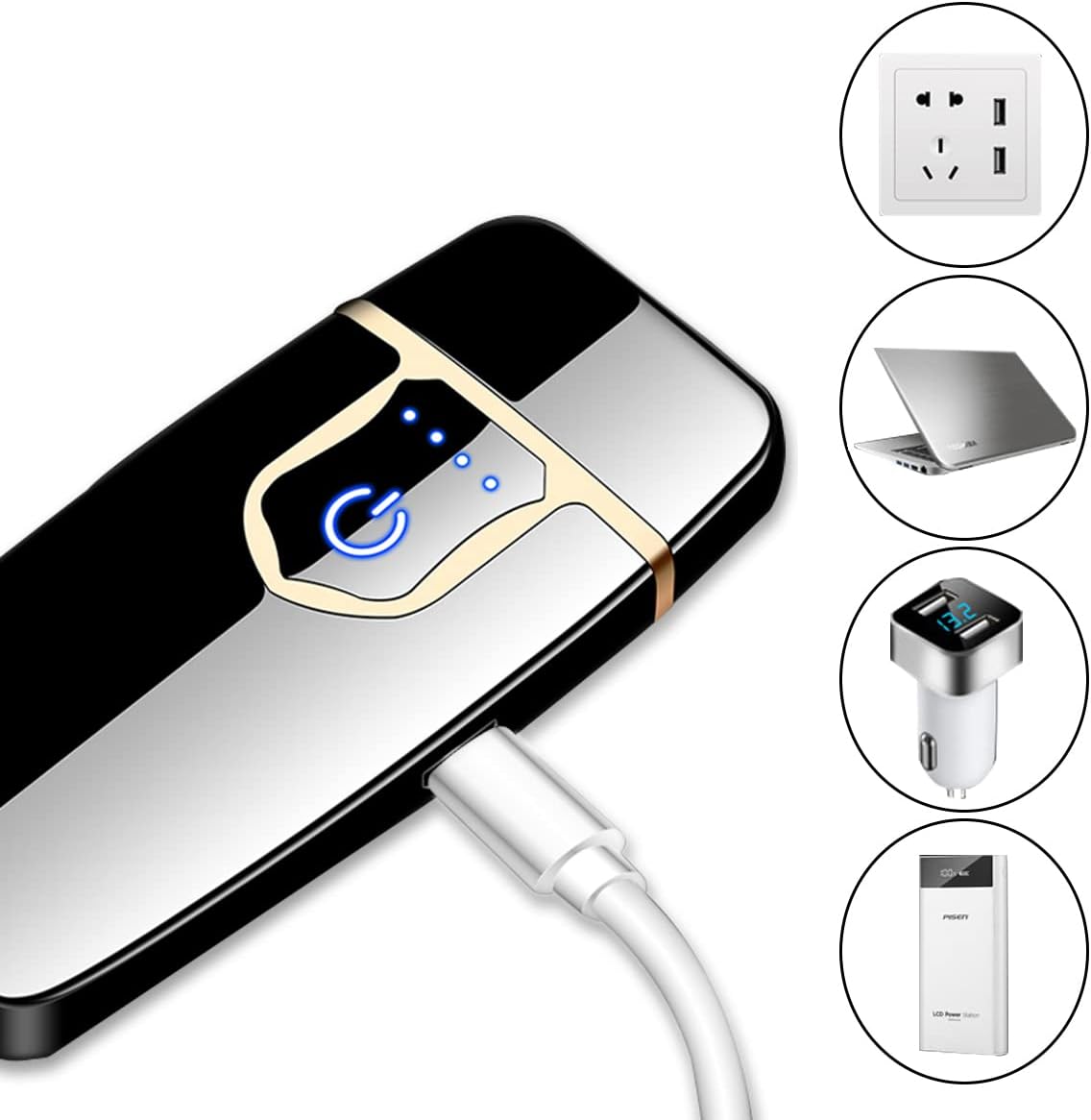
Figure 3: Charging the Electric Lighter
5. Operating Instructions
5.1 Power On/Off
The lighter does not have a separate power on/off switch. It activates when the lid is opened and the ignition button is pressed.
5.2 Ignition
- Open the lighter's lid. This will typically activate the touch sensor.
- Gently touch the designated ignition area (usually indicated by a power icon or sensor pad) to activate the electric arc.
- The lighter features double-sided ignition, allowing you to light items from either side of the arc.
- Release your touch to deactivate the arc. Close the lid to prevent accidental activation.

Figure 4: Double-Sided Touch Ignition
5.3 Battery Indicator
The lighter is equipped with indicator lights (typically 3-4 small LEDs) that show the remaining battery charge. These lights will illuminate when the lid is opened or during charging.
6. Maintenance
6.1 Cleaning the Ignition Coils
Over time, residue may accumulate on the ignition coils. To maintain optimal performance:
- Ensure the lighter is off and cool.
- Gently wipe the ignition coils with a dry, soft cloth or a small brush. Do not use water or cleaning solutions.
- Avoid applying excessive force to the coils.
6.2 Charging Practices
- Charge the lighter regularly to maintain battery health.
- Avoid overcharging by disconnecting once fully charged.
- If storing for an extended period, charge the lighter to about 50% and recharge every few months.
6.3 Storage
Store the lighter in a cool, dry place, away from direct sunlight and extreme temperatures.
7. Troubleshooting
- Lighter not igniting: Ensure the lid is fully open and the battery is charged. Clean the ignition coils if there is visible residue.
- Battery not charging: Check the USB cable and power source. Ensure the charging port is clean and free of debris. Try a different USB cable or power adapter.
- Weak or inconsistent arc: This usually indicates a low battery. Recharge the lighter fully. If the issue persists after charging, clean the ignition coils.
8. Specifications
| Feature | Specification |
|---|---|
| Brand | COZYLIFE |
| Model | B0BDVR163V |
| Material | Aluminum, Metal |
| Ignition Type | Electric Arc (Double-Sided) |
| Power Source | Rechargeable Lithium Polymer Battery |
| Charging Port | Micro-USB |
| Dimensions (L x W x Th) | 2.87" x 1.26" x 0.27" (7.29 cm x 3.20 cm x 0.69 cm) |
| Weight | Approximately 2.39 ounces (67.7 grams) |

Figure 5: Product Dimensions

Figure 6: Waterproof Feature
9. Warranty and Support
COZYLIFE products are manufactured to high-quality standards. For information regarding warranty coverage, please refer to the warranty card included with your purchase or visit the official COZYLIFE website. If you encounter any issues or require technical assistance, please contact COZYLIFE customer support through the retailer where the product was purchased or via the contact information provided on the official COZYLIFE website.


