
BAOFENG Baofeng UV-82
Contents
Baofeng UV-82 Ham Radio Instruction Manual
Model: Baofeng UV-82
Brand: BAOFENG
1. Introduction
This manual provides detailed instructions for the operation and maintenance of your Baofeng UV-82 high power ham radio. The UV-82 is a versatile dual-band FM transceiver designed for reliable communication. It features 128 channel memory, power save mode, VOX, scan, alarm, and dual watch functions. This full kit includes a wireless programmer, an extra 2800mAh battery, and a handheld speaker mic, enhancing its utility and ease of use.
2. What's in the Box
Verify that all components are present in your package:
- 1 x Baofeng UV-82 Ham Radio
- 1 x Wireless Programmer
- 2 x 2800mAh Battery
- 1 x Hand Speaker Mic
- 1 x UV-82 Charger
- 1 x Walkie Talkie Earpiece

Image: Contents of the Baofeng UV-82 full kit, including the radio, wireless programmer, two batteries, handheld speaker mic, charger, and earpiece.
3. Setup Guide
3.1. Battery Installation
Align the battery with the back of the radio and slide it upwards until it clicks securely into place. Ensure the battery is fully seated to establish proper electrical contact.

Image: Rear view of the Baofeng UV-82 radio, showing the battery attachment area and FCC ID label.
3.2. Antenna Attachment
Screw the antenna clockwise onto the connector at the top of the radio until it is finger-tight. Do not overtighten.
3.3. Charging the Battery
Place the radio with the installed battery into the charging cradle. Connect the AC adapter to the charging cradle and plug it into a power outlet. The indicator light on the charger will show the charging status (typically red for charging, green for fully charged).
3.4. Attaching Accessories
The handheld speaker mic and earpiece connect to the dual audio jacks on the side of the radio. The belt clip can be attached to the back of the radio for convenient carrying.
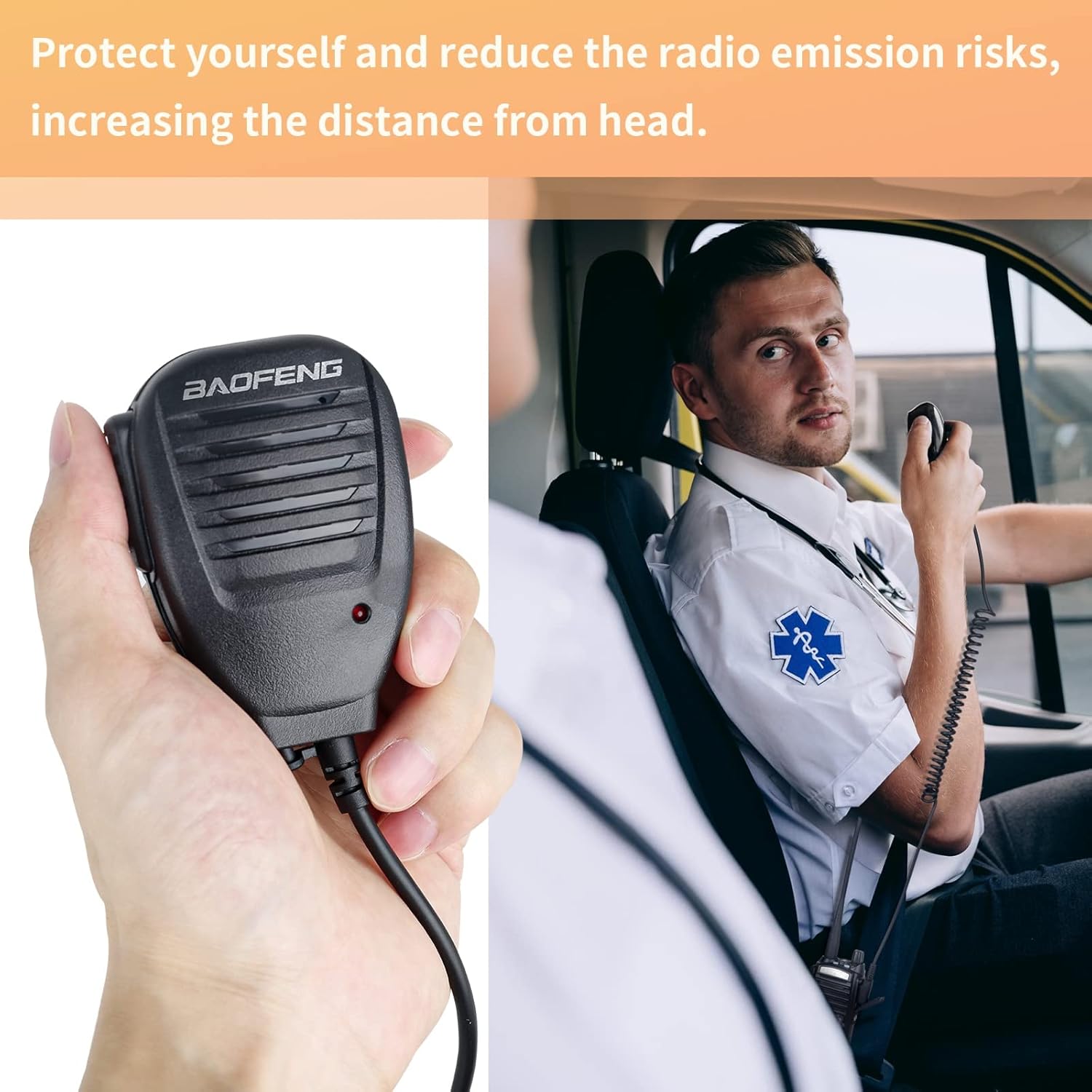
Image: Baofeng UV-82 radio shown with the handheld speaker mic attached, demonstrating its use for hands-free communication.

Image: Close-up of the handheld speaker mic, highlighting its 360-degree rotatable clip and durable elastic cable for clear audio.

Image: The included earpiece with a dual Push-to-Talk (PTT) button, designed for comfortable wear and clear sound in loud environments.
3.5. Wireless Programming
The Baofeng UV-82 supports wireless programming via your phone, eliminating the need for traditional programming cables and drivers. This allows for convenient programming outdoors or on the go. The wireless programmer connects to the radio's accessory port.

Image: The Baofeng UV-82 radio connected to a wireless programmer, with a smartphone displaying the programming application interface.

Image: A visual comparison showing the traditional PC-only programming method versus the more flexible PC and mobile phone programming supported by the wireless programmer.

Image: Illustration of both PC and phone-based programming options for the Baofeng UV-82, showing the radio connected to a computer and a smartphone.
4. Operating Instructions
4.1. Power On/Off and Volume Control
Rotate the knob on the top of the radio clockwise to power on and increase volume. Rotate counter-clockwise to decrease volume and power off.
4.2. Channel Selection and Frequency Input
Use the numerical keypad to directly input frequencies or select channels. The UV-82 allows for direct frequency input without needing to connect to a computer for every change.
4.3. Push-to-Talk (PTT) Function
The UV-82 features a dual PTT button, allowing selection between two frequencies (A/B Key) for transmission. Press the PTT button on the side of the radio or on the attached speaker mic to transmit.

Image: A comparison highlighting the Baofeng UV-82's A/B Key for dual or single Push-to-Talk (PTT) selection, contrasting it with other radios that typically feature only a single PTT key.
4.4. VOX Function
The Voice Operated Exchange (VOX) function allows for hands-free transmission. When VOX is enabled, the radio will automatically transmit when it detects your voice, eliminating the need to press the PTT button.

Image: Illustration of the VOX function, showing a person speaking into the radio without pressing the PTT button, enabling hands-free communication.
4.5. Scan and Dual Watch Functions
The scan function allows the radio to automatically search for active frequencies. The dual watch function enables the radio to monitor two different frequencies simultaneously, ensuring you don't miss important transmissions.

Image: The radio scanning for busy channels and frequencies, depicted with a radar-like graphic over a city skyline.

Image: Visual representation of the dual watch function, showing the radio receiving messages from two different sources simultaneously in an outdoor setting.
4.6. FM Radio and Flashlight
The UV-82 includes an FM radio for entertainment and a built-in flashlight for utility in low-light conditions. The flashlight can be set to constant illumination or strobe mode.

Image: A person using the radio's flashlight function in a dark outdoor environment, demonstrating both constant and flashing (strobe) light modes.
4.7. Alarm Function
In emergency situations, the radio can activate an alarm sound to alert others to your location or distress.

Image: A firefighter pointing towards a radio emitting an SOS alarm sound amidst rubble, illustrating the emergency alarm feature.
4.8. Official Product Video
Video: An official product video showcasing the Baofeng UV-82 Ham Radio, highlighting its high power capabilities and various features. (Duration: 0:22)
5. Maintenance
5.1. Battery Care
The Baofeng UV-82 comes with two 2800mAh Lithium Polymer batteries, providing extended operating time. To maximize battery life, fully charge the battery before first use. Avoid overcharging or completely draining the battery. Store batteries in a cool, dry place when not in use.
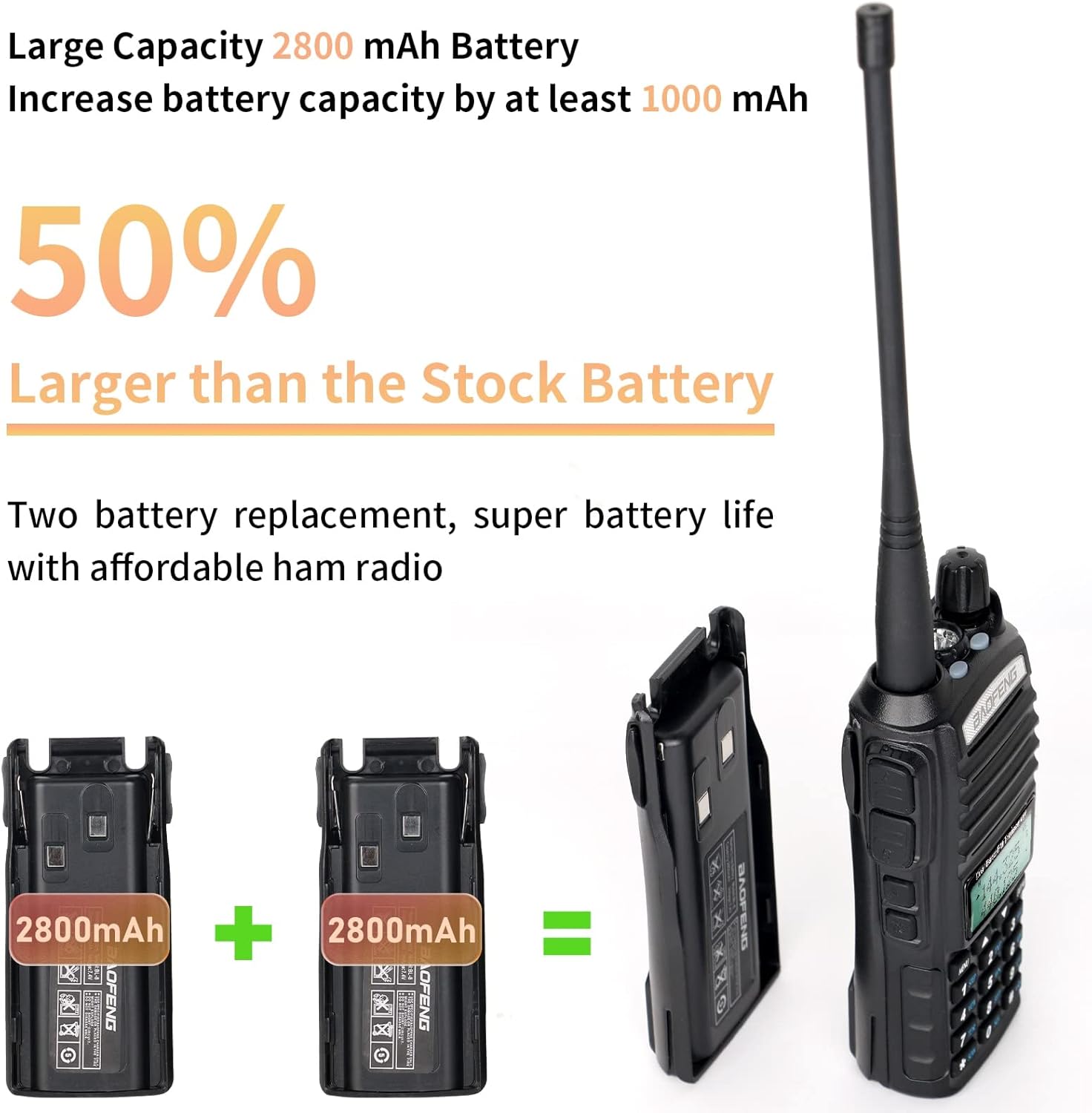
Image: Two 2800mAh batteries shown alongside the Baofeng UV-82 radio, illustrating the increased battery capacity compared to standard stock batteries.
5.2. Cleaning
Clean the radio's exterior with a soft, damp cloth. Do not use harsh chemicals or abrasive cleaners. Ensure the accessory port cover is securely closed to prevent dust and moisture ingress.
5.3. Storage
When storing the radio for extended periods, remove the battery. Store the radio and accessories in a dry, temperature-controlled environment.
6. Troubleshooting
6.1. No Power
- Ensure the battery is fully charged and properly installed.
- Check the power/volume knob to ensure it is turned on.
6.2. Cannot Transmit or Receive
- Verify the antenna is securely attached.
- Check that you are on the correct frequency or channel.
- Ensure the battery has sufficient charge.
- Confirm that Busy Channel Lock-out (BCLO) is not preventing transmission on a busy frequency.
6.3. Poor Audio Quality
- Adjust the volume level.
- Check the connection of the speaker mic or earpiece.
- Ensure the radio is within range of the transmitting station.
6.4. Programming Issues
- For wireless programming, ensure the wireless programmer is correctly connected and the mobile application is functioning properly.
- Refer to the programming software's instructions for detailed guidance.
7. Specifications
| Feature | Detail |
|---|---|
| Brand | BAOFENG |
| Model Number | Baofeng UV-82 |
| Product Dimensions | 10 x 8 x 2 inches (2"D x 8"W x 10"H) |
| Item Weight | 1.72 pounds |
| Batteries | 2 Lithium Polymer batteries (included) |
| Number of Channels | 128 |
| Frequency Range | UHF & VHF |
| Talking Range Maximum | 10 Kilometer |
| Voltage | 7.4 Volts |
| Water Resistance Level | Water Resistant |
| FCC ID | 2AJGM-UV82 |
Documents and downloads
Ask a question about this manual
Ask about setup, troubleshooting, compatibility, parts, safety, or missing instructions. Manuals+ will review the question and use this page’s manual context to help answer it.