
ASHATA ASHATAk9pgweo0qv34805
ASHATA Microphone System User Manual
Model: ASHATAk9pgweo0qv34805
Introduction
Thank you for purchasing the ASHATA Microphone System. This dual cordless mic set is designed to provide a versatile and enjoyable home KTV stereo Bluetooth karaoke experience. Featuring an innovative owl design, it supports various audio inputs and offers portability for both indoor and outdoor use. Please read this manual carefully to ensure proper operation and maintenance of your device.
Product Overview
The ASHATA Microphone System includes a main speaker unit and two wireless microphones. Key features include:
- Home KTV Speaker: Integrated speaker with two cordless microphones for karaoke.
- Bluetooth Connectivity: Seamless wireless connection up to 10m (32.8ft) for audio streaming.
- Multiple Audio Inputs: Supports AUX input for external devices, Memory Card, and U Disk for playing your favorite music.
- High Capacity Battery: Built-in battery provides 2-3 hours of continuous standby time.
- Versatile Use: Suitable for various indoor and outdoor home or commercial applications.
- Integrated Device Holder: Special design on top to securely hold your phone or tablet.
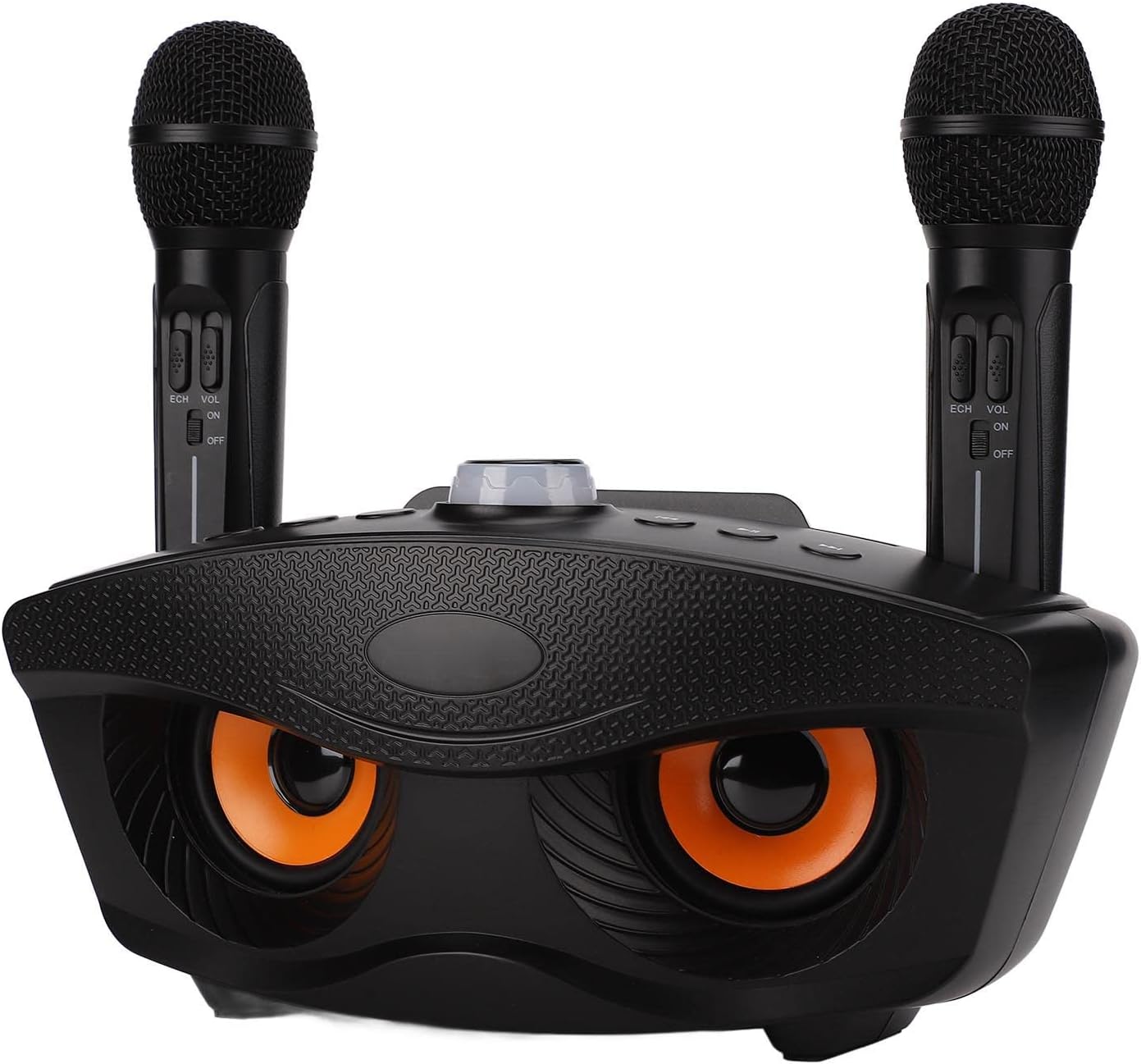
Figure 1: Front view of the ASHATA Microphone System with two microphones.

Figure 2: Top view of the system, highlighting the integrated holder for mobile devices.
Setup
- Unpacking: Carefully remove all components from the packaging. Ensure you have the main speaker unit, two wireless microphones, and any included cables (e.g., USB charging cable, AUX cable).
- Charging: Before first use, fully charge the main speaker unit and the microphones. Connect the USB charging cable to the charging port on the unit and a compatible USB power adapter (not included). The charging indicator will show the charging status.
- Microphone Battery Installation (if applicable): If microphones use replaceable batteries, insert them according to the polarity markings.
- Power On: Turn on the main speaker unit by pressing and holding the power button. Turn on each microphone using its respective power switch.
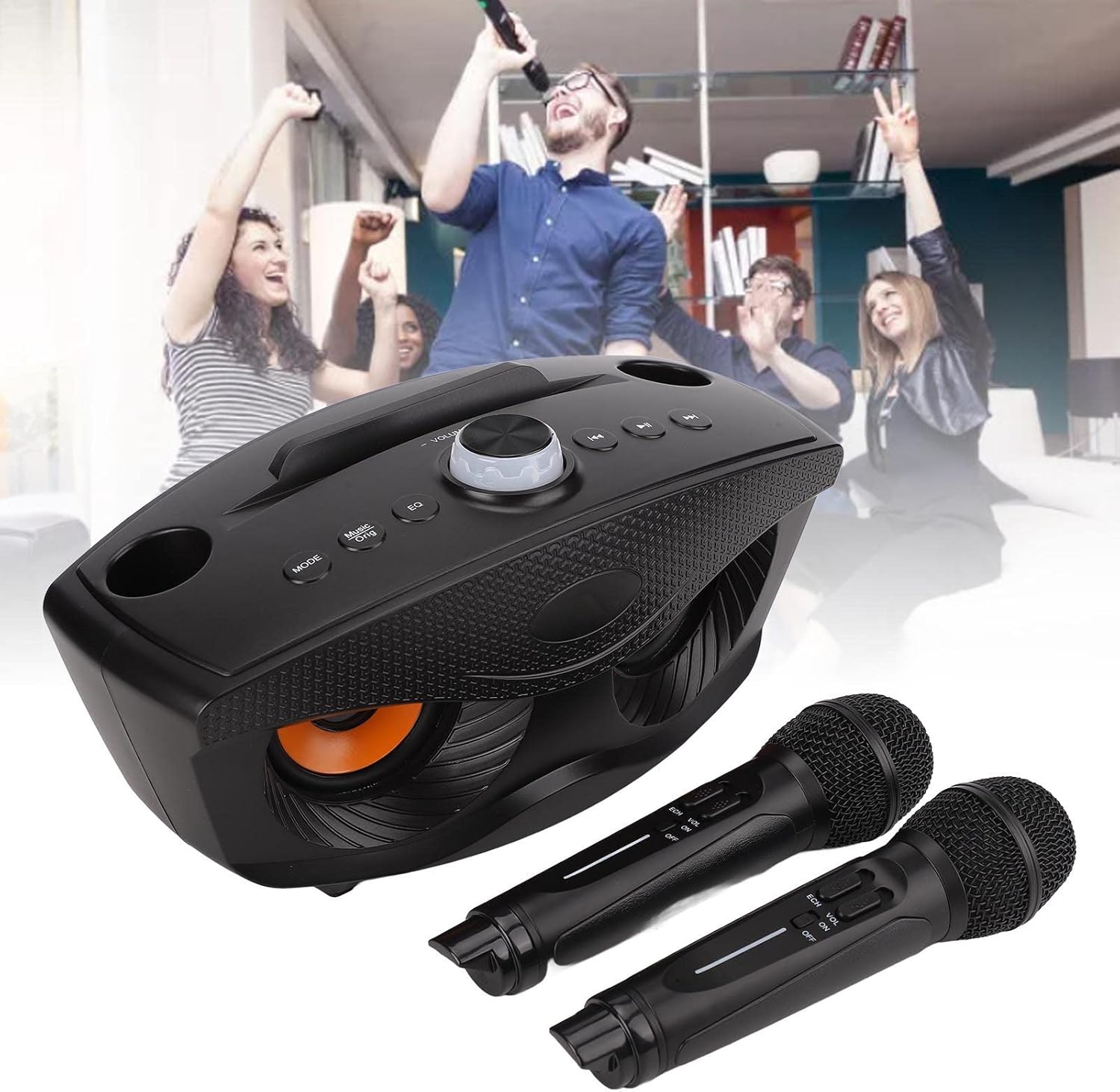
Figure 3: The ASHATA Microphone System showing included charging and AUX cables.
Operating Instructions
Bluetooth Connection
- Ensure the ASHATA Microphone System is powered on and in Bluetooth pairing mode (usually indicated by a flashing LED).
- On your smartphone, tablet, or other Bluetooth-enabled device, go to the Bluetooth settings.
- Search for available devices and select "ASHATA Karaoke" or a similar name.
- Once connected, the LED indicator on the speaker unit will become solid, and you can play audio from your device through the speaker.

Figure 4: The system can connect wirelessly to various devices for audio playback.
Using AUX Input
- Connect one end of a 3.5mm AUX cable (if included) to the AUX input port on the ASHATA Microphone System.
- Connect the other end of the AUX cable to the audio output (headphone jack) of your external device (e.g., MP3 player, computer, TV).
- The system should automatically switch to AUX mode, or you may need to press the "MODE" button to select AUX.
Playing from Memory Card or U Disk
- Insert a compatible memory card (e.g., microSD with adapter) into the designated slot or a U Disk (USB flash drive) into the USB port.
- The system will automatically detect the storage device and begin playing supported audio files.
- Use the control buttons on the speaker unit (e.g., Play/Pause, Next/Previous) to manage playback.

Figure 5: The system supports AUX input, Memory Card, and U Disk for versatile music playback.
Microphone Usage
- Ensure microphones are powered on. They should automatically connect to the main speaker unit.
- Adjust microphone volume and echo effects using the controls on each microphone or the main unit.
- For optimal sound, hold the microphone approximately 2-5 inches from your mouth.

Figure 6: Detail of the main unit's control panel, including volume and mode buttons.
Maintenance
- Cleaning: Wipe the unit and microphones with a soft, dry cloth. Do not use abrasive cleaners or solvents.
- Storage: Store the system in a cool, dry place away from direct sunlight and extreme temperatures when not in use.
- Battery Care: To prolong battery life, avoid fully discharging the battery frequently. Charge the unit regularly, even if not in use for extended periods.
- Avoid Water: Keep the device away from water and high humidity to prevent damage.
Troubleshooting
| Problem | Possible Cause | Solution |
|---|---|---|
| No power | Battery is low or dead. | Charge the main unit and microphones fully. |
| No sound from speaker | Volume is too low; incorrect input mode; device not connected. | Increase volume; press MODE button to select correct input (Bluetooth, AUX, etc.); ensure device is properly paired/connected. |
| Microphones not working | Microphones are off; low battery; out of range. | Turn on microphones; charge microphones; ensure microphones are within operating range of the speaker unit. |
| Bluetooth connection unstable | Too far from speaker; interference. | Move closer to the speaker unit (within 10m/32.8ft); remove obstacles between devices. |
Specifications
- Model Number: ASHATAk9pgweo0qv34805
- Item Weight: 3.58 pounds
- Package Dimensions: 12.2 x 7.87 x 6.3 inches
- Country of Origin: China
- Connectivity: Bluetooth, AUX (3.5mm Jack), USB, Memory Card
- Power Source: Battery Powered
- Speaker Count: 1 (integrated)
- Included Components: Main Speaker Unit, 2 Microphones
- Battery Life (Standby): 2-3 hours continuous
- Bluetooth Range: 10m / 32.8ft
Warranty and Support
For warranty information and technical support, please refer to the product packaging or contact ASHATA customer service directly. Keep your purchase receipt as proof of purchase for any warranty claims.
You can visit the ASHATA store for more information: ASHATA Official Store
Ask a question about this manual
Ask about setup, troubleshooting, compatibility, parts, safety, or missing instructions. Manuals+ will review the question and use this page’s manual context to help answer it.