
1. Introduction
Thank you for choosing the Oraimo 30000mAh Li-Polymer Power Bank, Model OPB-P300Q. This device is designed to provide reliable and fast charging for your electronic devices on the go. Please read this manual carefully to ensure proper use and maintenance of your power bank.
Package Contents:
- 1x Oraimo 30000mAh 15W Fast Charging Power Bank
- 1x Type-C Cable
- 1x User Manual
2. Product Overview
The Oraimo OPB-P300Q Power Bank features a high-capacity battery, multiple charging ports, and an integrated LED torch for convenience. Its robust design ensures multi-layer protection for safe operation.

Figure 2.1: Front view of the Oraimo 30000mAh Power Bank, showcasing the LED digital display and textured surface.
Key Features:
- 30000mAh High Capacity: Provides extended power for multiple device charges.
- 15W Two-Way Fast Charging: Supports fast charging for both input and output via Type-C.
- 5 Output Ports: Includes 1 Type-C port and 4 USB-A ports for simultaneous charging of up to five devices.
- LED Digital Display: Shows the remaining battery percentage.
- Integrated LED Torch & SOS Alarm: Provides illumination and an emergency signal function.
- AniFast™ Technology: Intelligently identifies fast-charging protocols for optimal charging speed.
- Low-Current Device Protection: Automatically adjusts charging for small devices like earphones and smartwatches.

Figure 2.2: Top view of the power bank showing all input/output ports and the LED torch. AniFast Technology ensures smart and powerful charging.
3. Setup
Initial Charging:
- Upon first use, it is recommended to fully charge your Oraimo power bank.
- Connect the provided Type-C cable to the Type-C input port (IN2/OUT5) on the power bank.
- Connect the other end of the cable to a compatible 15W (or higher) USB wall adapter (not included).
- The LED digital display will show the charging progress. The power bank is fully charged when the display shows "100".
You can also use the Micro-USB input port (IN1) for recharging, but the Type-C port supports faster input.
4. Operating Instructions
Charging Your Devices:
- Connect your device's charging cable to one of the power bank's output ports (OUT1, OUT2, OUT3, OUT4, or Type-C OUT5).
- Connect the other end of the cable to your device.
- The power bank will automatically begin charging your device. The LED display will show the remaining battery percentage.
- To charge low-current devices (e.g., wireless earphones, smartwatches), the power bank will automatically switch to a low-current charging mode to prevent damage.
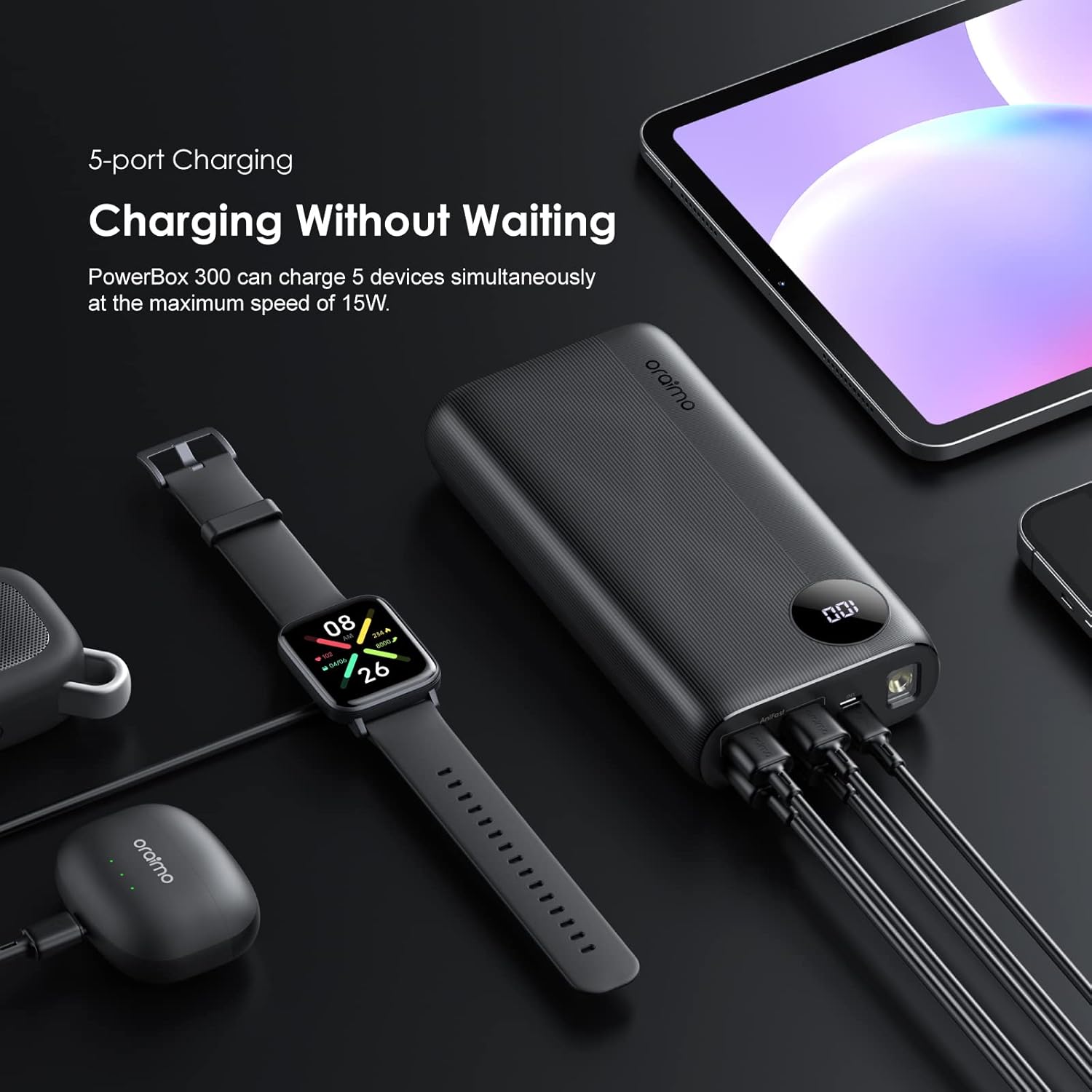
Figure 4.1: The power bank simultaneously charging a smartwatch, earbuds, and a tablet, demonstrating its multi-device charging capability.

Figure 4.2: Illustration of the power bank's two-way fast charging feature, capable of both charging devices and being recharged at 15W.
Using the LED Torch and SOS Alarm:
The power bank is equipped with an LED torch and an SOS lighting alarm for emergencies.
- To turn on/off the torch: Double-press the power button.
- To activate SOS lighting: While the torch is on, double-press the power button again. The light will flash in an SOS pattern.
- To turn off SOS lighting: Double-press the power button.

Figure 4.3: The power bank's LED torch in operation, with visual instructions for switching it on/off and activating the SOS alarm.
5. Maintenance
- Keep the power bank away from water, moisture, and extreme temperatures.
- Avoid dropping or subjecting the power bank to strong impacts.
- Clean the surface with a soft, dry cloth. Do not use harsh chemicals or abrasive materials.
- Store the power bank in a cool, dry place when not in use. For long-term storage, ensure it is charged to approximately 50-75% capacity.
- Do not attempt to disassemble, repair, or modify the power bank yourself. This will void the warranty and may cause safety hazards.
6. Troubleshooting
| Problem | Possible Cause | Solution |
|---|---|---|
| Power bank not charging devices. |
|
|
| Power bank not recharging. |
|
|
| Slow charging speed. |
|
|
| LED torch not working. |
|
|
7. Specifications
| Feature | Detail |
|---|---|
| Model Number | OPB-P300Q |
| Battery Type | Li-Polymer |
| Battery Capacity | 30000mAh |
| Micro-USB Input (IN1) | 5V/2A |
| Type-C Input/Output (IN2/OUT5) | 5V/3A (Max 15W) |
| USB-A Outputs (OUT1, OUT2, OUT3, OUT4) | 5V/3A (Max 15W per port, Total Max 15W) |
| Total Output | 5V/3A (Max 15W) |
| Special Features | 15W Two-way Fast-charging, LED Digital Display, SOS Lighting Alarm, Low-current Device Protection |
| Dimensions | 20 x 12 x 4 cm |
| Weight | 200 g |
| Color | Black |
8. Safety Information
- Do not expose the power bank to fire or extreme heat.
- Do not use the power bank in environments with high humidity or near water.
- Keep out of reach of children.
- Do not short-circuit the power bank.
- If the power bank swells, leaks, or emits an unusual odor, discontinue use immediately and contact customer support.
- Dispose of the power bank according to local regulations for electronic waste.
9. Warranty and Support
Your Oraimo 30000mAh Li-Polymer Power Bank is covered by a 1-Year Warranty from the date of purchase. This warranty covers manufacturing defects and workmanship under normal use.
The warranty does not cover damage caused by misuse, accidents, unauthorized modifications, or natural disasters.
For warranty claims, technical support, or any inquiries, please contact Oraimo customer service through their official channels or visit the Oraimo Store on Amazon.
