
1. Introduction
The CEYOMUR 4K 30fps Solar Trail Camera (Model CY95) is designed for capturing high-quality photos and videos of wildlife and for general outdoor monitoring. Featuring a built-in solar panel and dual power sources, it offers extended operation in various environments. This manual provides detailed instructions for setting up, operating, and maintaining your trail camera to ensure optimal performance.
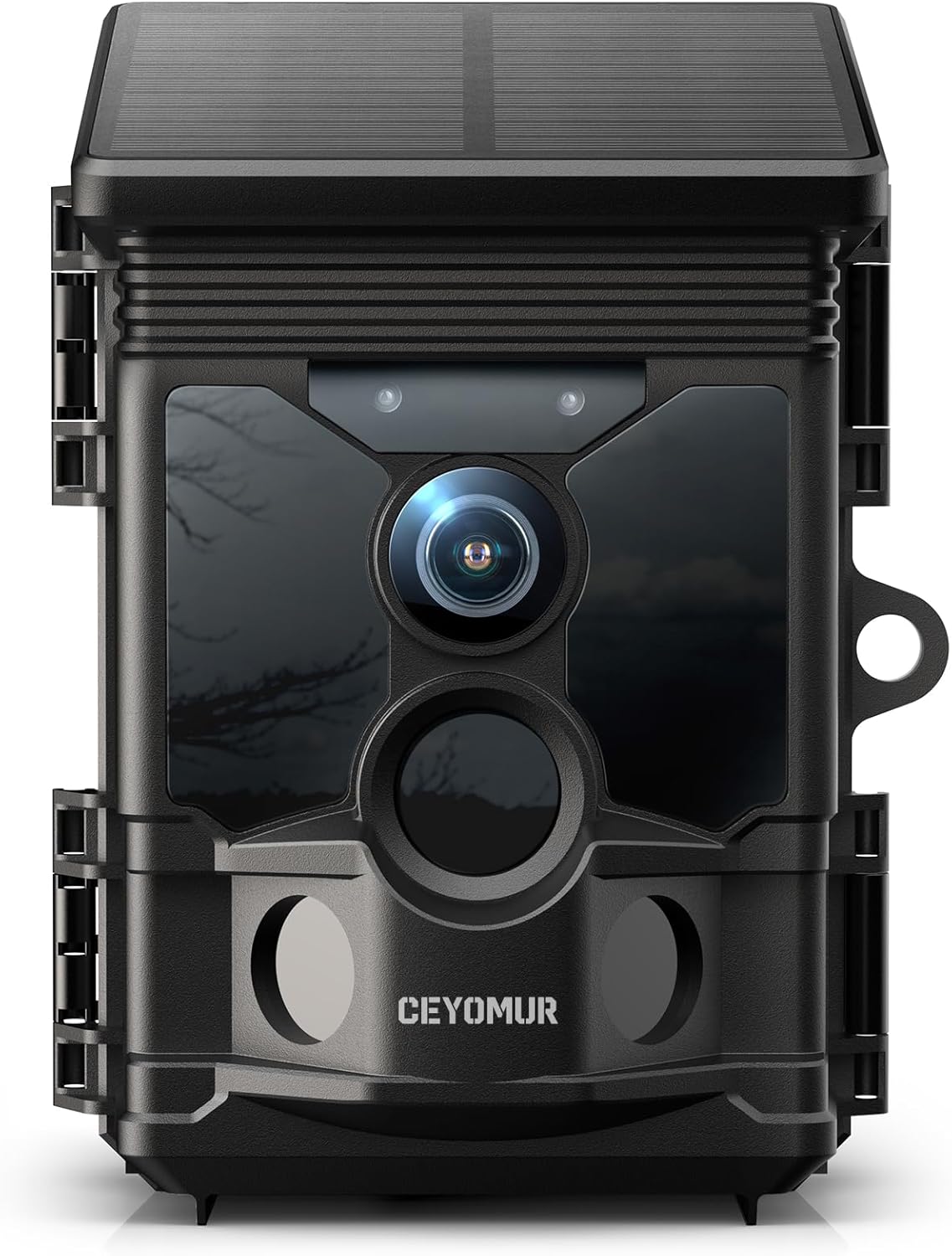
Figure 1: Front view of the CEYOMUR CY95 Solar Trail Camera, showcasing its compact design and integrated solar panel.
2. Key Features
- Efficient Solar Powered & Dual Power Sources: Equipped with a built-in 4400mAh rechargeable battery and a top-mounted solar panel for extended usage. Supports 4 AA batteries as a backup power source.
- Crisp 4K/30FPS Ultra HD Videos: Captures 46MP high-resolution photos and 4K ultra HD videos with audio at 30fps. Features a premium optical lens and advanced image sensor.
- Superb Night Vision: Utilizes 2 high-powered 850nm low-glow LEDs for uniform illumination and reduced noise, providing sharp, clear night vision images.
- Fast Trigger Speed & Broader Detection Range: Ultra-fast 0.1s trigger speed and a wide 120-degree detection range with three sensitive PIR sensors for comprehensive coverage.
- Smart WiFi & Bluetooth Connectivity: Built-in low-power WiFi and Bluetooth compatible with the 'WILDLIFE CAM' app. Allows previewing footage, downloading to phone, and adjusting settings within 33ft Wi-Fi range.
- Easy to Use & Feature-Rich: Supports micro memory cards up to 256GB (32GB card pre-installed). Integrated 2.0-inch LCD color screen for direct footage preview. Includes time stamping, monitor period, password protection, and a lockhole.
3. Setup Guide
3.1 Unboxing and Components
Before setup, ensure all components are present:
- CEYOMUR CY95 Trail Camera
- 32GB Micro SD Card (pre-installed)
- Mounting Strap
- Adjustable Mounting Bracket
- USB Cable
- Screws and Wall Plugs

Figure 2: All components included with the CEYOMUR CY95 Trail Camera.
3.2 Powering the Camera
The camera features a built-in rechargeable lithium battery and a solar panel. For backup, you can install 4 AA batteries (not included) in the battery compartment. Ensure the built-in battery is fully charged before first use, especially in low light conditions or low temperatures.

Figure 3: The camera is primarily solar-powered with a built-in rechargeable battery, and supports 4xAA batteries for backup.
3.3 SD Card Installation
A 32GB micro SD card is pre-installed in the card slot. The camera supports micro memory cards up to 256GB. Ensure the memory card is formatted via the camera's MENU settings before use for optimal performance.
3.4 Mounting the Camera
The camera can be mounted using the included strap or the adjustable bracket. Choose a location that provides clear line of sight for detection and sufficient sunlight for the solar panel. Ensure the camera is securely fastened to prevent movement.

Figure 4: The camera features a 120-degree detection angle and can be mounted to trees or walls for optimal coverage.
4. Operating Instructions
4.1 Initial Power On and Settings
Slide the power switch to 'SETUP' to access the camera's menu. Use the navigation buttons to adjust settings such as photo/video resolution (46MP photos, 4K/30fps videos), trigger interval, and monitor period. Once settings are configured, slide the switch to 'ON' to begin recording.
4.2 Capturing Photos and Videos
The camera features an ultra-fast 0.1s trigger speed, ensuring quick capture of any detected movement. It records 4K Ultra HD videos with audio and 46MP high-resolution photos. The video format is MP4, compatible with multiple devices.
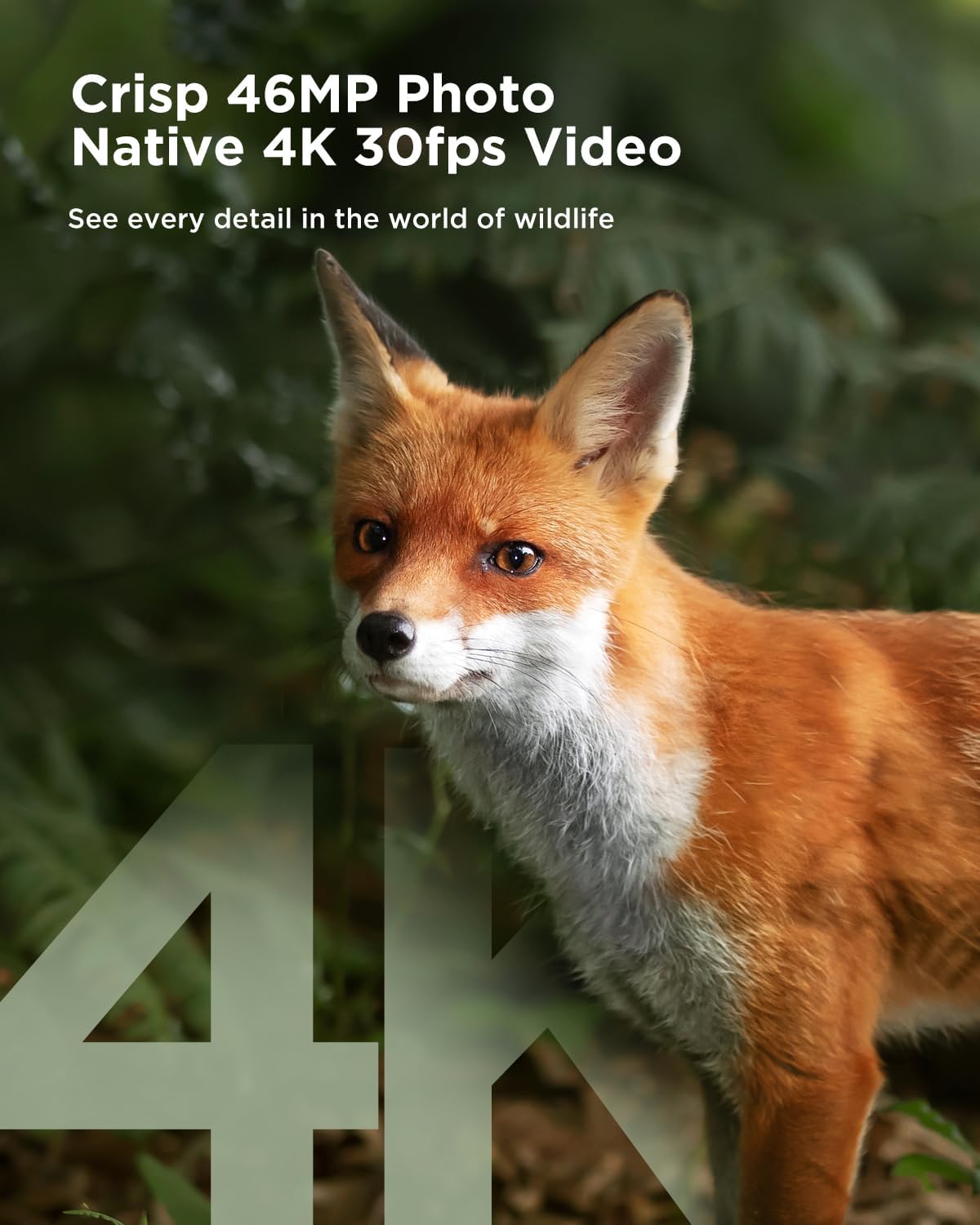
Figure 5: The camera captures high-quality images and videos, allowing for detailed observation of wildlife.

Figure 6: The rapid 0.1-second trigger speed ensures that fast-moving subjects are captured effectively.
4.3 Night Vision Operation
The camera automatically switches to night vision mode in low light conditions. The 850nm low-glow LEDs provide clear black and white images and videos without disturbing wildlife.

Figure 7: Comparison illustrating the superior clarity and reduced noise of the camera's night vision capabilities.
4.4 WiFi and Bluetooth Connectivity (WILDLIFE CAM App)
The camera features built-in low-power WiFi and Bluetooth for convenient remote access via the 'WILDLIFE CAM' app. This allows you to:
- Preview footage and download it to your phone without removing the camera.
- Adjust camera settings remotely.
- Check the lens angle for optimal placement.
Note: The Wi-Fi connection is limited to a range of approximately 33 feet (10 meters). Ensure you are within this range for successful app connection.

Figure 8: Control your camera and access media wirelessly using the dedicated mobile application.
5. Maintenance
5.1 Cleaning
Regularly clean the camera's lens, PIR sensors, and solar panel with a soft, dry cloth to ensure clear images and efficient charging. Avoid using abrasive cleaners or solvents.
5.2 Battery Care
While the solar panel minimizes battery consumption, periodically check the power level via the LCD screen or app. If using AA backup batteries, replace them when the power is below 30%.
5.3 SD Card Management
Format the memory card periodically through the camera's MENU settings to prevent data corruption and ensure smooth recording. Back up important footage before formatting.
5.4 Waterproofing
The camera has an IP66 waterproof rating, designed to withstand various weather conditions. Ensure all latches are securely closed to maintain its waterproof integrity.

Figure 9: The camera's robust IP66-rated outer shell and inclined solar panel design ensure excellent waterproofness.
6. Troubleshooting
- Camera Not Powering On: Ensure the built-in battery is charged or that fresh AA batteries are installed. Check the power switch position.
- Poor Image/Video Quality: Clean the lens and IR LEDs. Ensure the camera is securely mounted and not subject to excessive vibration. Check settings for resolution.
- Motion Detection Issues: Ensure PIR sensors are clear of obstructions. Adjust detection sensitivity in settings.
- App Connectivity Problems: Ensure your mobile device is within 33ft (10m) of the camera. Restart the app and camera. Check your phone's Bluetooth and Wi-Fi settings.
- Slow Data Transfer via App: Wireless transfer speeds can vary based on environmental factors and device performance. Consider retrieving the SD card for faster data transfer if needed.
- Password Protection: If you forget your password, refer to the user manual or contact customer support for assistance.
7. Specifications
| Feature | Specification |
|---|---|
| Model Name | CY95 |
| Effective Still Resolution | 48 MP |
| Video Capture Resolution | 4K (30fps) |
| Power Source | Solar Powered, Battery Powered (Built-in 4400mAh, supports 4 AA backup) |
| Connectivity Technology | Wireless (Bluetooth, Built-in WiFi) |
| Wi-Fi Range | Up to 33 feet (10 meters) |
| Trigger Speed | 0.1s |
| Field Of View | 120 Degrees |
| Night Vision Range | 20 Meters |
| Water Resistance Level | IP66 Waterproof |
| Flash Memory Installed Size | 32 GB (pre-installed), supports up to 256GB |
| Display | 2.0-inch LCD Color Screen |
| Item Dimensions L x W x H | 5.63 x 4.21 x 3.74 inches |
| Item Weight | 1.61 pounds |
8. Warranty and Support
CEYOMUR is committed to providing excellent customer support. If you encounter any difficulties or have questions during use, please contact us at any time. We will wholeheartedly provide you with timely and effective help to ensure a positive user experience.
For further assistance, please refer to the contact information provided with your product packaging or visit the official CEYOMUR website.


