Product Overview
The Spider Farmer G4500 LED Grow Light is a cost-effective, high-efficiency lighting solution designed for indoor plant cultivation. It features a unique elongated bar-style design for uniform canopy coverage, full spectrum lighting, and advanced app remote control capabilities for precise environmental management.

Key Features
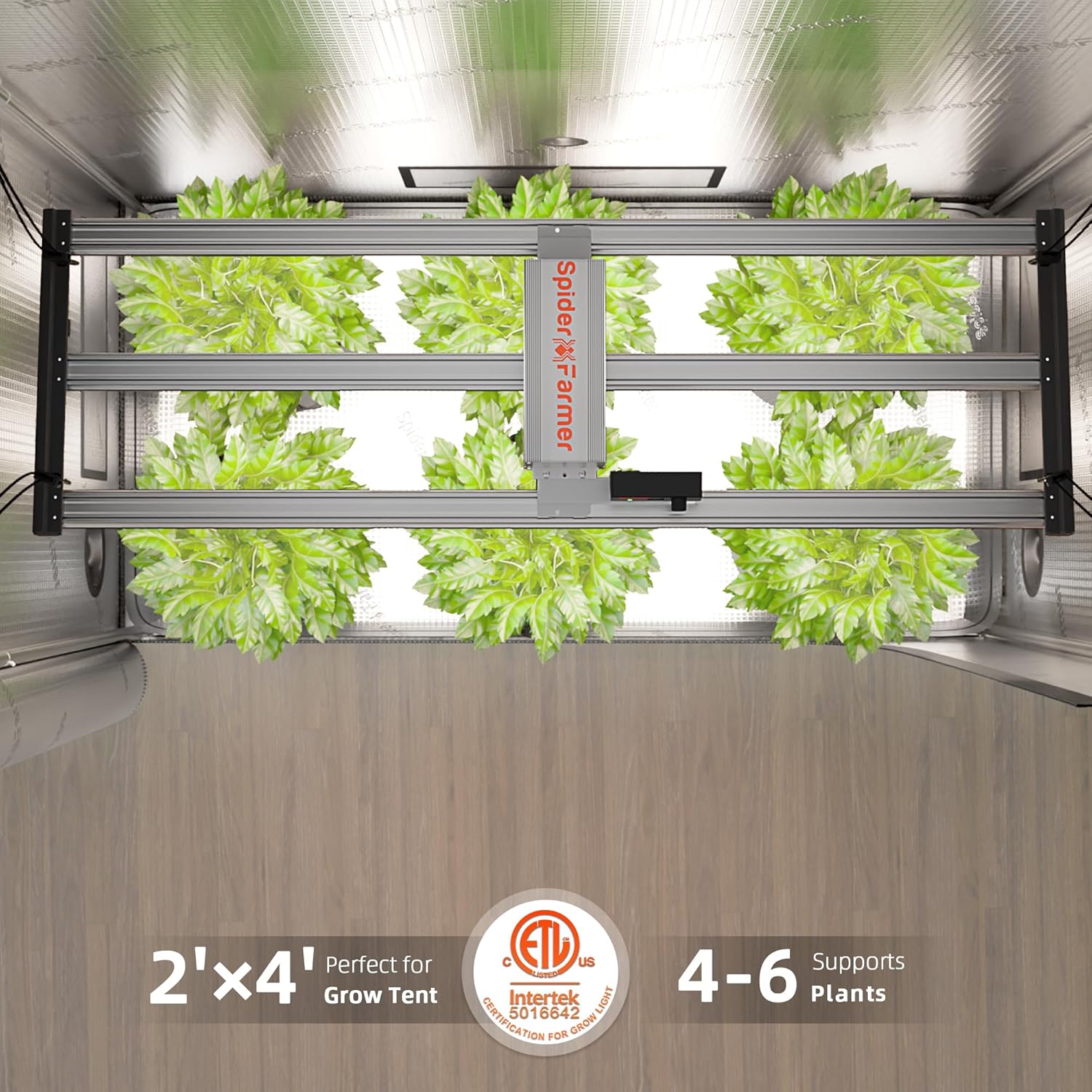
- Maximum Efficiency and Uniform Light: The G4500 features a unique elongated light bar design for comprehensive canopy coverage, especially at the edges. With high-efficiency Bridgelux diodes, it achieves 320 watts of power with an impressive PPE of 2.85 umol/J, covering 3x5 feet or 2x4 feet for full-cycle growth.

Illustration of the ultra-dense Bridgelux diodes contributing to the light's supreme cost-effectiveness and high PPE/PPF. - Advanced Full Spectrum: The Spider Farmer G4500 light provides a full spectrum (3200-4200K, 4800-5000K, 650-665nm) with different wavelengths, ideal for every stage of plant growth, from seed to harvest.

A spectral graph illustrating the full spectrum output of the G4500, balanced for all plant growth stages. - Dimming Daisy-Chain: A dimming knob allows brightness adjustment from 10-100%. The daisy-chain function supports connecting up to 50 G4500 lights for simultaneous dimming, recommended for grow rooms, 2x4 grow tents, closets, DWC, and hydroponics.

Multiple Spider Farmer grow lights connected via daisy chain for synchronized dimming, ideal for larger grow operations. - Grow Smart with the Spider Farmer App: Take full control of your grow lights anytime, anywhere with the Spider Farmer App (available on Apple Store & Google Play). Unlock features like custom light schedules, sunrise and sunset simulation, and remote brightness adjustments. Manage your G4500 even while away.

A smartphone screen displaying the Spider Farmer app interface for remote control of the grow light. This video demonstrates how to use the Spider Farmer app to control G and SE series grow lights, including manual brightness adjustment, time slot scheduling, and PPFD mode.
Setup Instructions
Unpacking
Carefully remove all components from the packaging. Inspect for any damage during transit. Keep all packaging materials until you have confirmed the light is fully functional.


Mounting the Light
The G4500 LED Grow Light is designed for easy installation in grow tents, particularly 2x4 ft setups. Use the provided hanging kits to suspend the light securely from the tent frame or ceiling. Ensure the light is level and at the appropriate height above your plants for optimal light distribution.

Connecting the Controller
Connect the power cord to the light's integrated controller, then plug it into a suitable power outlet. The digital controller allows for precise dimming and can be connected to other compatible Spider Farmer lights for daisy-chain functionality.

Operating Instructions
Manual Brightness Adjustment
Use the dimming knob on the controller to manually adjust the light intensity from 10% to 100%. This allows for fine-tuning the light output to suit the specific needs of your plants at different growth stages.
App Remote Control
Download the Spider Farmer App from the Apple App Store or Google Play. Follow the in-app instructions to pair your G4500 light. The app provides advanced control options including:
- Custom light schedules (Time Slot Mode)
- Sunrise and sunset simulation for natural light patterns
- Remote brightness adjustments
- High Temperature Protection feature to automatically dim or turn off the light if temperatures exceed set limits.
Daisy-Chain Functionality
For larger grow operations, connect multiple G4500 lights using the daisy-chain feature. This allows a single controller to manage the dimming of up to 50 lights simultaneously, simplifying control and ensuring consistent lighting across your entire grow area.
Recommended Growing Tips
The following table provides general guidelines for light intensity and distance during different plant growth stages. Adjustments may be necessary based on specific plant types and environmental conditions.
| Stage | Time (ON) | Distance | Dimming |
|---|---|---|---|
| Seedling | 18H | 12" (30cm) | 20% - 25% |
| Vegetative | 18H | 12" (30cm) | 45% - 50% |
| Flowering | 12H | 12" (30cm) | 85% - 100% |
Maintenance
Regular maintenance ensures the longevity and optimal performance of your Spider Farmer G4500 LED Grow Light. Keep the light bars and heatsinks clean from dust and debris to maintain efficient heat dissipation.
Heat Dissipation
The G4500 is equipped with heavy aluminum heatsinks and a bar-style design that enhances heat dissipation and improves airflow. This design helps keep the light running cooler, contributing to its long lifespan and stable performance. Avoid obstructing the heatsinks to ensure proper ventilation.
Troubleshooting
- Light Not Turning On:
- Check if the power cord is securely plugged into both the light and the power outlet.
- Ensure the power outlet is functional.
- Verify the dimming knob is not set to 0% or 'Off' in manual mode.
- App Connectivity Issues:
- Ensure your smartphone's Bluetooth is enabled and the light is within range.
- Restart the Spider Farmer App.
- Unplug and replug the light to reset its connection.
- Overheating/Automatic Dimming:
- Check the ambient temperature of your grow space.
- Ensure proper ventilation around the light and within the grow tent.
- Verify the High Temperature Protection setting in the app is not set too low.
Specifications
| Attribute | Detail |
|---|---|
| Brand | Spider Farmer |
| Model Number | Spider Farmer G4500 |
| Power Source | Corded Electric |
| Voltage | 120 Volts (AC) |
| Light Source Type | LED |
| Light Source Wattage | 320 Watts (Actual Draw) |
| Product Dimensions | 45.38"L x 14.51"W x 3.03"H |
| Item Weight | 12.62 pounds |
| Material | Aluminum |
| Finish Type | Aluminum |
| Color | Silver |
| Mounting Type | Ceiling Mount |
| Coverage Area | 2x4 ft or 3x5 ft |
Warranty and Support
The Spider Farmer G series LED grow light comes with an impressive 5-year coverage, ensuring long-lasting performance and reliability. For any inquiries or support needs, you can count on quick and efficient assistance from our U.S.-based service center.
For more information and to explore other Spider Farmer products, please visit the Official Spider Farmer Store.