
1. Introduction
Thank you for choosing the Kolrry X6 Ear Wax Removal Tool Camera. This device is designed to provide a clear, magnified view of the ear canal and other body parts, assisting in safe inspection and ear wax removal for adults. It features a high-definition camera, LED illumination, and connects wirelessly to your smartphone or tablet for real-time viewing.
2. Safety Information
- Adult Use Only for Ear Wax Removal: This device is intended for ear wax removal in adults. It is not recommended for ear wax removal in children or pets.
- General Inspection: The camera can be used for general inspection of other body parts such as teeth, nasal cavities, throat, and scalp roots for adults, children, and pets.
- Consult a Professional: If you experience ear pain, discomfort, or suspect an ear infection, consult a medical professional before using this device.
- Proper Ear Scoop Attachment: Always ensure the silicone ear scoop cover is tightly fitted onto the ear scoop before insertion to prevent scratching the ear canal.
- Temperature: The camera's temperature is designed to be close to human body temperature during use. However, the device may warm up after prolonged use (e.g., 10+ minutes). If it feels uncomfortably warm, discontinue use and allow it to cool.
- Gentle Use: Always insert the device gently and avoid pushing it too deep into the ear canal to prevent injury.
- Cleanliness: Clean the ear scoops thoroughly before and after each use.
3. Package Contents
Verify that all items are present in your package:
- Kolrry X6 Ear Wax Removal Tool Camera
- Assorted Silicone Ear Scoops (various curvatures)
- Ear Scoop Storage Box
- Type-C Charging Cable
- Cleaning Brush
- User Manual

This image displays the Kolrry X6 ear wax removal tool, including the main camera device, a set of various ear spoons, and a smartphone screen showing the live view from the ear camera.

This image displays the full contents of the Kolrry X6 kit, including the main device, various ear spoons, a charging cable, a cleaning brush, and the user manual.
4. Product Features
- 1080P HD Camera: Equipped with a high-definition camera for clear, detailed visuals of the ear canal.
- 6 LED Lights: Integrated LED illumination ensures a bright and clear view in dark environments.
- Radian Silicone Ear Scoops: Comes with multiple silicone ear scoop covers of varying curvatures to suit different ear canal shapes and wax types. These are designed for secure attachment to prevent detachment during use.
- Wide Compatibility: Supports both iOS and Android devices for seamless integration with your smartphone or tablet.
- Type-C Fast Charging: Features a modern Type-C port for efficient and quick charging.
- Integrated Design: The ear tip and body are designed as an integrated unit to enhance safety and prevent accidental detachment.
- Multi-purpose Use: Suitable for inspecting ears, teeth, nasal cavities, throat, and scalp roots.
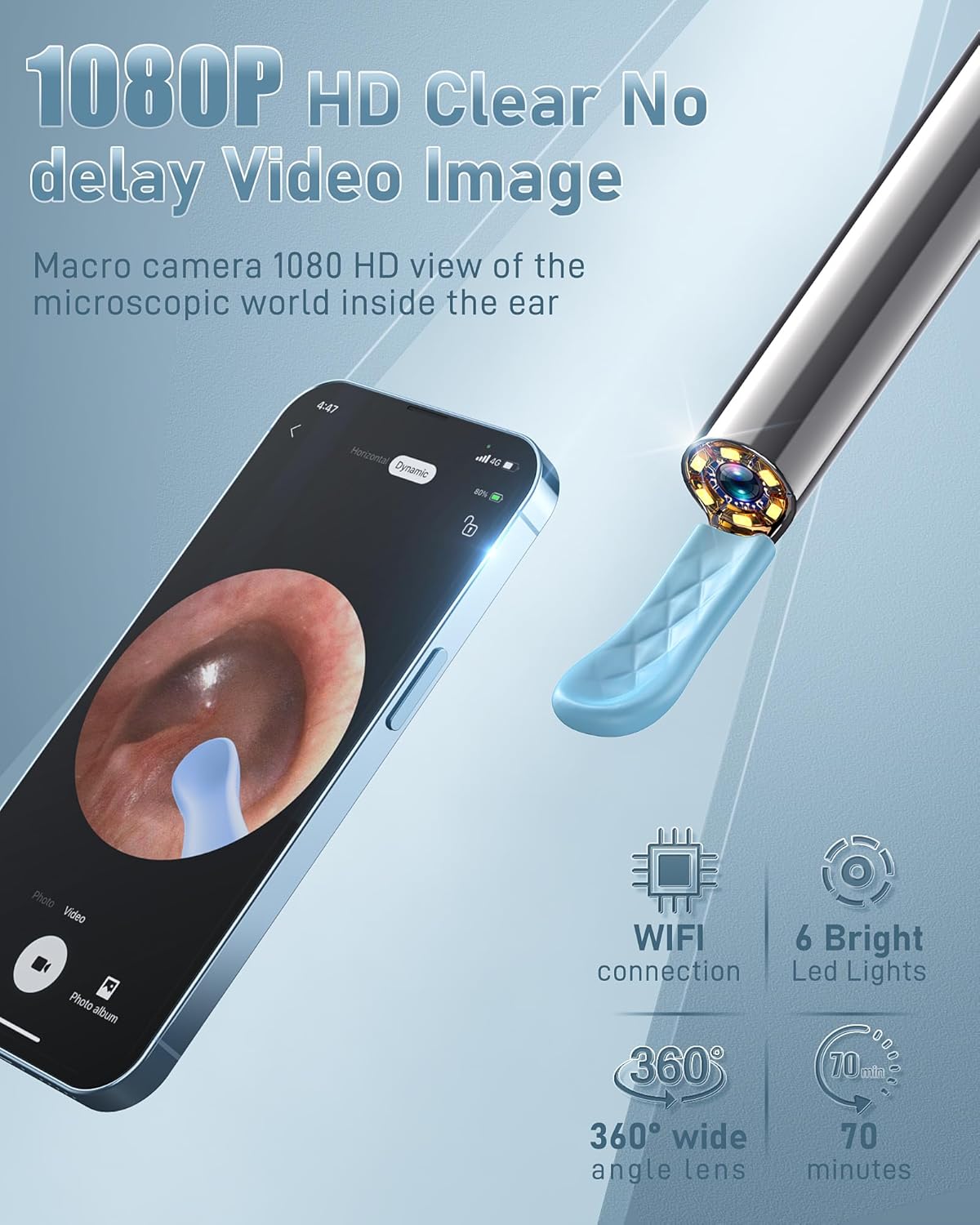
A close-up of the Kolrry X6 camera tip, highlighting its 1080P HD resolution, six bright LED lights, 360-degree wide-angle lens, Wi-Fi connectivity, and approximately 70 minutes of battery life.

This image illustrates the secure, one-piece molding of the Kolrry X6 ear scoop, contrasting it with older designs that are prone to falling off or having serrated edges that could scratch the ear.
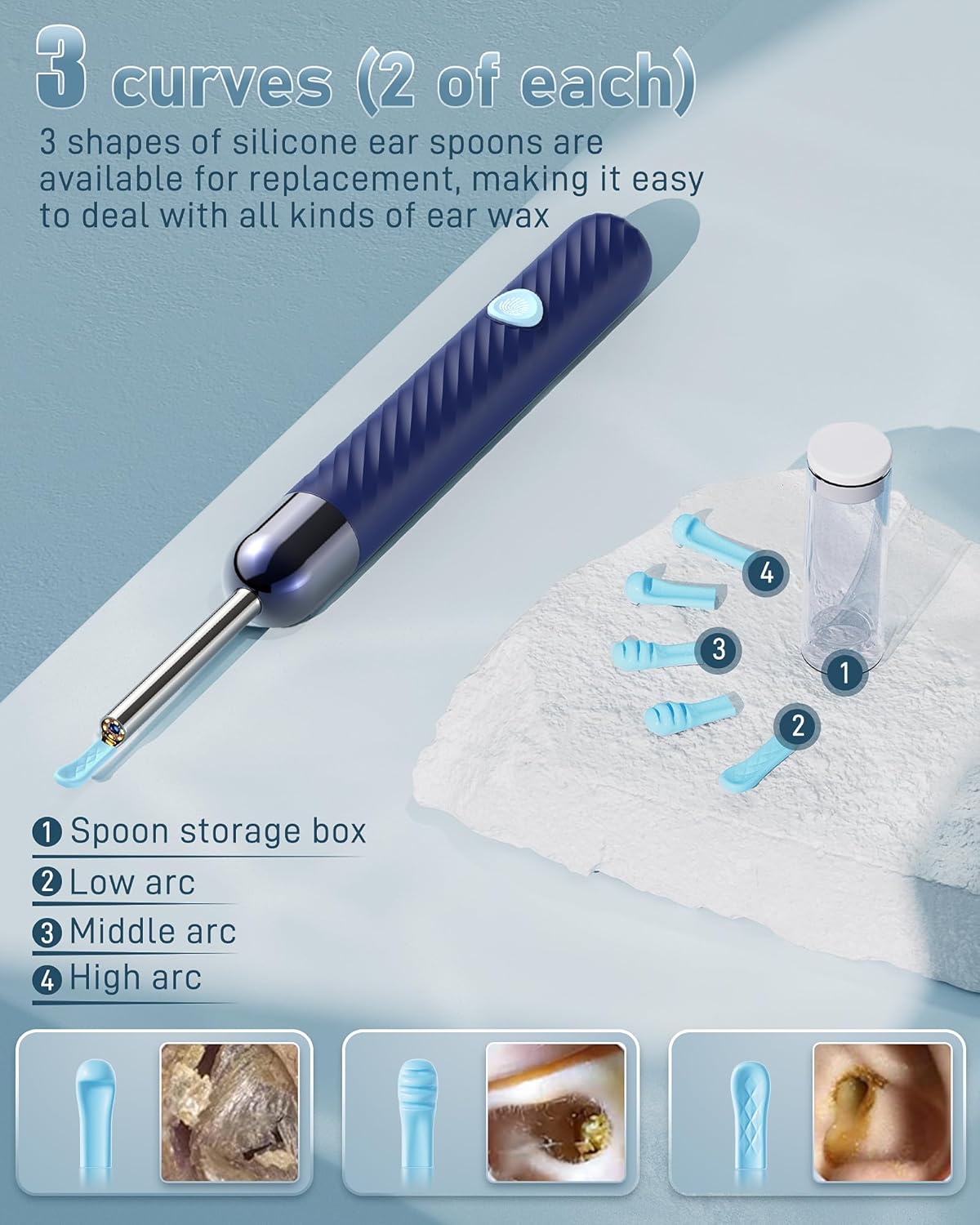
Displays the three distinct shapes of silicone ear spoons (low arc, middle arc, high arc) provided with the Kolrry X6, along with their transparent storage box. Each shape is designed for different ear wax types.

A comparison highlighting the safety of the Kolrry X6's integrated ear tip design, which prevents the tip from detaching during use, unlike older designs where tips could separate.

A visual summary of the Kolrry X6's main features, including its 1080P camera, robust construction, compatibility with iOS and Android devices, 360-degree viewing capability, Type-C fast charging, and waterproof rating.
5. Setup Guide
Follow these steps to set up your Kolrry X6 Ear Wax Removal Tool Camera:
- Charge the Device: Before first use, fully charge the device using the provided Type-C charging cable. The LED indicator will show charging status.
- Download the App: Scan the QR code provided in the package or search for the official Kolrry app in your device's app store (e.g., Apple App Store for iOS, Google Play Store for Android). Install the application.
- Power On: Press and hold the power button on the device to turn it on. The LED indicator will light up.
- Connect via Wi-Fi: On your smartphone or tablet, go to your Wi-Fi settings. Locate and connect to the Wi-Fi network broadcast by the Kolrry X6 device (usually named something like "Kolrry-XXXX"). No password is typically required.
- Open the App: Once connected to the device's Wi-Fi, open the Kolrry app. The live camera feed should now be visible.
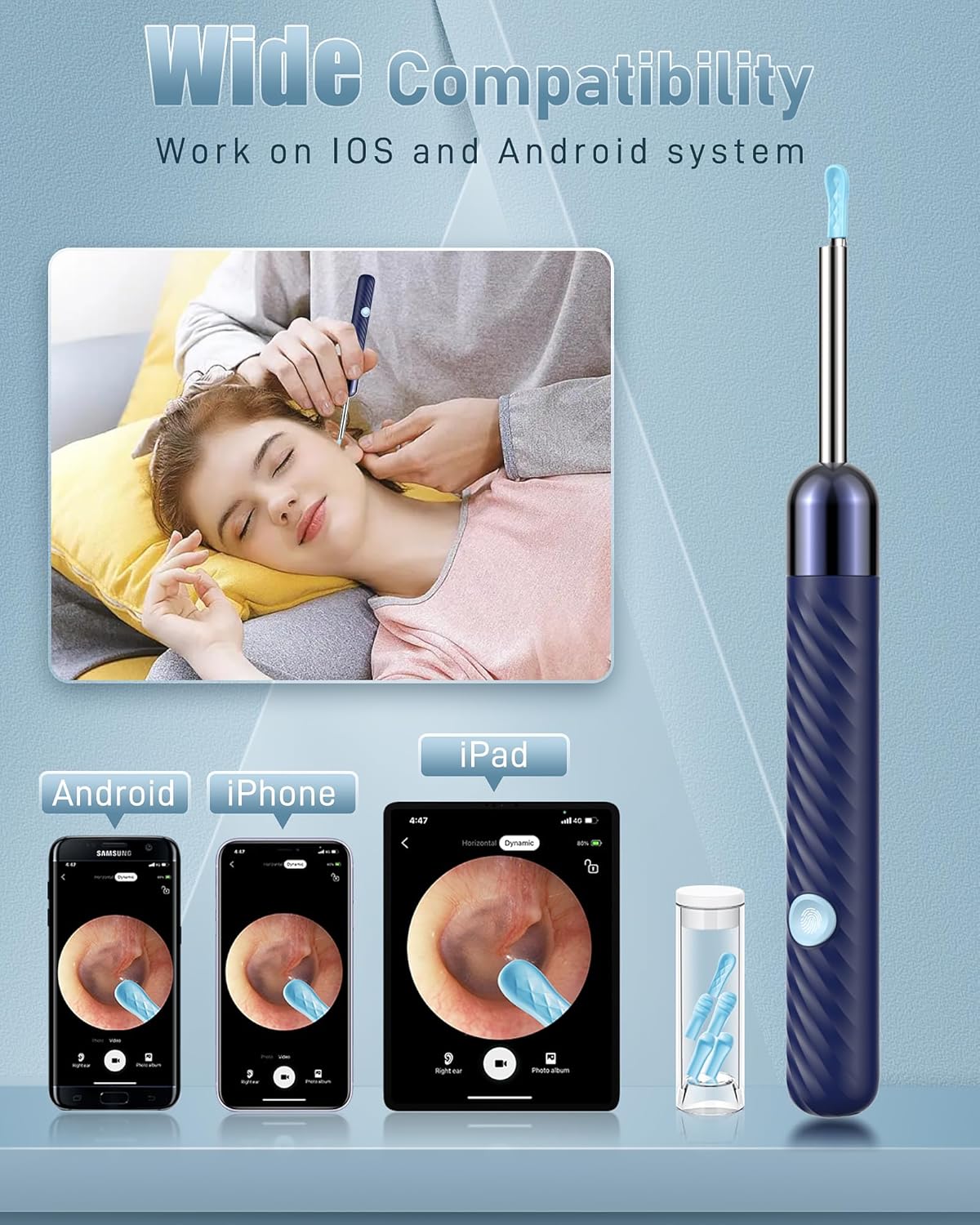
This image demonstrates the Kolrry X6's compatibility across various mobile devices, including Android phones, iPhones, and iPads, showing a user operating the device while viewing the ear canal on a smartphone.
6. Operating Instructions
Once the device is set up and connected to the app:
- Attach Ear Scoop: Select a suitable silicone ear scoop and securely attach it to the camera tip. Ensure it is firmly in place.
- Position the Camera: Gently insert the camera tip into the area you wish to inspect or clean. Use the live feed on your device's screen to guide your movements.
- Adjust View: The app may offer options to rotate the image or adjust brightness.
- Capture Photos/Videos: Use the app's interface to take photos or record videos of the live feed. These will be stored within the app's album.
- Save to Phone Album: If you wish to save photos or videos directly to your phone's gallery, ensure you grant the Kolrry app permission to access your device's photo album.
- Power Off: After use, press and hold the power button to turn off the device.
7. Maintenance and Care
- Cleaning Ear Scoops: Remove the silicone ear scoop after each use. Wash it with mild soap and water, then rinse thoroughly and allow it to air dry completely before storing.
- Cleaning Camera Lens: Use the provided cleaning brush or a soft, dry cloth to gently wipe the camera lens. Avoid using abrasive materials or harsh chemicals.
- Storage: Store the device and its accessories in a clean, dry place, away from direct sunlight and extreme temperatures.
- Battery Care: To prolong battery life, avoid fully discharging the device frequently. Charge it regularly, even if not in use for extended periods.
8. Troubleshooting
| Problem | Possible Cause | Solution |
|---|---|---|
| No image on app / Cannot connect to device Wi-Fi | Device is off; Wi-Fi not enabled; Incorrect Wi-Fi selected; App permissions. | Ensure device is powered on. Check your phone's Wi-Fi settings to confirm connection to the device's Wi-Fi network. Restart the device and the app. Ensure the app has necessary permissions. Note: Some older Android phones may experience compatibility issues. |
| Image is blurry or dark | Camera lens is dirty; Insufficient lighting. | Clean the camera lens with the provided brush or a soft cloth. Ensure the device's LED lights are on and functioning. |
| Device gets warm during use | Normal operation for prolonged use. | This is normal for extended operation (e.g., over 10 minutes). If it becomes uncomfortably hot, discontinue use and allow it to cool down before resuming. |
| Ear scoop falls off | Scoop not securely attached. | Ensure the silicone ear scoop is tightly fitted onto the camera tip before use. |
9. Specifications
- Model Number: X6
- Camera Resolution: 1080P HD
- Lighting: 6 LED Lights
- Connectivity: Wi-Fi (for app connection)
- Charging Port: Type-C
- Battery: 1 Lithium Polymer battery (included)
- Product Dimensions: 0.7 x 6.69 x 2.55 inches
- Weight: 2.08 ounces
- Manufacturer: Kolrry

A detailed view of the Kolrry X6 device, labeling key components such as the Micro B charging port, power button, silicone ear spoons, 1080P camera, LED indicator, and highlighting its constant temperature feature.
10. Warranty and Support
For warranty information or technical support, please refer to the contact details provided on the product packaging or visit the official Kolrry website. Keep your purchase receipt for warranty claims.