
1. Introduction
The Proster Professional Hiking Compass (Model PSTPST216) is a robust and versatile navigation instrument designed for outdoor enthusiasts and professionals. Constructed from durable aluminum alloy and featuring an IP54 waterproof rating, it is suitable for various activities including hiking, camping, hunting, and geological surveys. This compass integrates a clinometer for measuring slopes and a fluorescent scale for night navigation, ensuring reliable performance in diverse conditions.

Image: The Proster Hiking Compass is suitable for mountaineering, general outdoor activities, exploration, and camping.
2. Product Components
Familiarize yourself with the key components of your Proster Hiking Compass for effective use.

Image: Labeled diagram of the compass components, including the spider line, fixed thread, glass, fluorescent directional arrow, fluorescent scale, level indicator, plotting scale, and the clinometer for measuring slopes (range 0-90°).
- Spider Line: Used as a reference for measuring.
- Fixed Thread: Provides a stable reference point.
- Glass: Protective cover for the compass dial.
- Fluorescent Directional Arrow: Indicates direction and glows in the dark after light exposure.
- Fluorescent Scale: Clear and easy-to-read scale that glows for night navigation.
- Level Indicator: Ensures the compass is held horizontally for accurate readings.
- Plotting Scale: Used for measuring distances on maps.
- Clinometer: Integrated instrument for measuring vertical angles or slopes, with a range of 0-90 degrees.
3. Setup and Initial Use
Upon receiving your Proster Hiking Compass, ensure all components are present and familiarize yourself with its basic functions.
3.1 Unboxing and Contents
Your package should contain the following items:
- Proster Lensatic Compass
- Carrying Pouch
- Lanyard
- Multilingual User Manual (this document)

Image: The Proster Outdoor Compass package includes the compass, a lanyard, and a carrying pouch.
3.2 Preparing for Use
- Attach Lanyard: Secure the included lanyard to the compass for easy carrying and to prevent loss.
- Open Cover: Open the metal cover of the compass fully to expose the dial and sighting mechanism.
- Level the Compass: Use the built-in level indicator to ensure the compass is held perfectly horizontal for accurate readings. The bubble should be centered.
4. Operation
4.1 Basic Navigation
To determine your bearing or direction:
- Hold the compass level and steady.
- Allow the magnetic needle to settle. The red end of the needle typically points North.
- Rotate the compass housing until the North mark on the dial aligns with the red end of the magnetic needle.
- Read your desired bearing from the directional arrow or the scale.
4.2 Using the Clinometer (Slope Measurement)
The integrated clinometer allows you to measure the angle of a slope or elevation.

Image: Instructions for using the built-in inclinometer. First, place the compass on the slope. Second, press the lock button to free the pointer. Third, release the lock button after the pointer stabilizes to read the gradient value.
- Position the Compass: Place the compass directly on the surface of the slope you wish to measure. Ensure it is stable.
- Release Pointer: Locate the lock button for the clinometer pointer. Press and hold this button to release the pointer, allowing it to swing freely.
- Read Measurement: Once the pointer has stabilized, release the lock button. Read the gradient value indicated by the pointer on the clinometer scale. The scale typically measures in degrees (0-90°).
4.3 Night Navigation
The fluorescent directional arrow and scale enable navigation in low-light conditions.

Image: The Proster Hiking Compass features a fluorescent scale that glows in the dark, facilitating night navigation.
- Charge Fluorescence: Expose the compass to sufficient sunlight or artificial light before entering dark environments. The longer the exposure, the longer the luminous indication will last.
- Read in Dark: In darkness, the fluorescent markings on the directional arrow and scale will glow, allowing you to read bearings and directions.
5. Maintenance
Proper care will ensure the longevity and accuracy of your Proster Hiking Compass.
- Cleaning: Wipe the compass with a soft, dry cloth. For stubborn dirt, use a slightly damp cloth and dry thoroughly. Avoid abrasive cleaners or solvents.
- Storage: Store the compass in its protective carrying pouch when not in use to prevent scratches and damage. Keep it away from strong magnetic fields, which can demagnetize the needle over time.
- Water Resistance: The compass is IP54 waterproof, meaning it is protected from dust and splashing water from any direction. It can be used in rain but should not be submerged in water.
- Fluorescence: To maintain the luminous properties, periodically expose the compass to light.

Image: The included black carrying pouch helps protect the compass during storage and transport.
6. Troubleshooting
If you encounter issues with your compass, consider the following common solutions:
- Inaccurate Readings:
- Ensure the compass is held perfectly level using the level indicator.
- Move away from any metallic objects, electronic devices, or strong magnetic fields (e.g., power lines, car engines) that can interfere with the magnetic needle.
- Check if the needle is stuck. Gently tap the compass to free it.
- Clinometer Pointer Not Moving Freely:
- Ensure the lock button is fully pressed to release the pointer.
- Check for any debris obstructing the pointer's movement.
- Fluorescent Markings Not Glowing:
- The compass needs to be exposed to light to "charge" the fluorescent material. Expose it to bright light for several minutes.
- The glow will fade over time; re-exposure to light is necessary.
7. Specifications
| Feature | Detail |
|---|---|
| Model Number | PSTPST216 |
| Material | Aluminum Alloy (Metal) |
| Color | Black |
| Product Dimensions | 11 x 8 x 0.1 cm (4.33 x 3.15 x 0.04 inches) |
| Item Weight | 142 g (0.31 lbs) |
| Waterproof Rating | IP54 (Dust protected, splash proof) |
| Special Features | Hand-operated, Adjustable, Waterproof, Built-in Clinometer, Fluorescent Scale |
| Included Components | Compass, Carrying Pouch, Lanyard, Manual |
| Clinometer Range | 0-90 degrees |
| Map Scale | 1:50.000 |
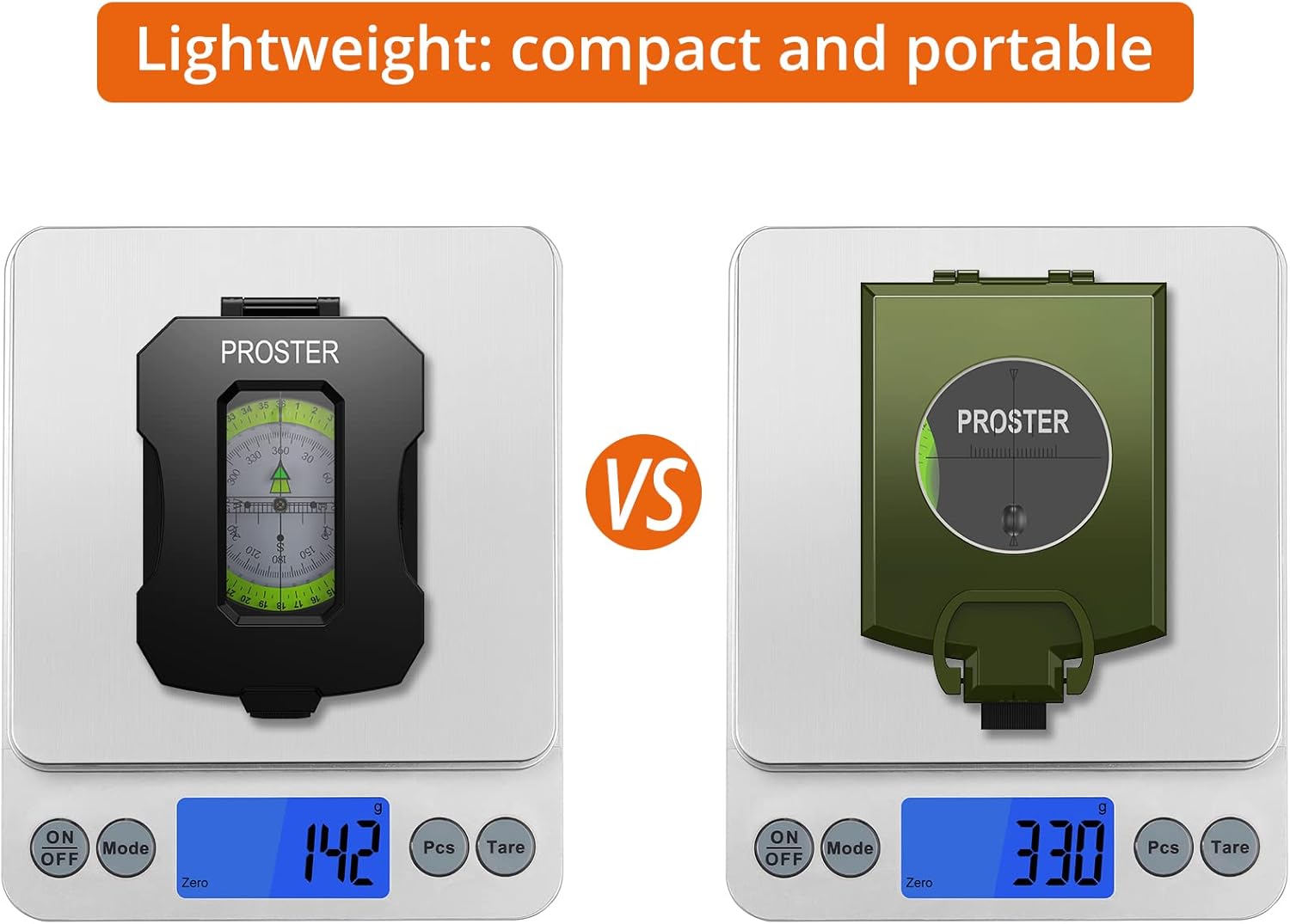
Image: The Proster Hiking Compass weighs 142g, emphasizing its lightweight and portable design.
8. Warranty and Support
Proster products are manufactured to high-quality standards. For specific warranty information, please refer to the documentation provided at the time of purchase or contact Proster customer support.
If you experience any issues or have questions regarding your Proster Hiking Compass, please contact our customer support team through the retailer where the product was purchased or visit the official Proster website for assistance.