
One Fire WH-E14
User Manual
Galaxy Projector with White Noise & Bluetooth Speaker
Brand: One Fire | Model: WH-E14
1. Introduction
Thank you for choosing the One Fire Galaxy Projector. This device combines a galaxy light projector, a white noise machine, and a HiFi Bluetooth speaker to create a relaxing and immersive environment. It features multiple lighting modes, adjustable projection angles, and convenient control options, making it suitable for various settings and users.
2. Safety Information
- Keep the device away from water and moisture.
- Do not disassemble or attempt to repair the device yourself. Refer to qualified service personnel.
- Use only the provided power adapter and USB cable.
- Avoid direct eye exposure to the projected light.
- Ensure proper ventilation around the device during operation.
- Keep out of reach of small children to prevent accidental ingestion of small parts.
3. Package Contents
Please check the package for the following items:
- Projector light x 1
- Remote control x 1
- USB cord x 1
- User guide x 1
- Exquisite packaging x 1 (packaging material)
4. Product Overview
The One Fire Galaxy Projector features a compact, sphericity design with intuitive controls. The main unit houses the projection lens, control buttons, and speaker.

Figure 4.1: Main unit of the Galaxy Projector, showing its spherical shape, control buttons, and accompanying remote control and smartphone interface.
5. Setup
- Power Connection: Connect the provided USB cord to the projector and a compatible USB power adapter (not included) or a USB port.
- Placement: Place the projector on a stable, flat surface. For optimal projection, position it in the center of the room or desired projection area.
- Adjusting Projection Angle: The projector allows for two different projection angles to fill your room effectively. You can adjust the angle to project either 90° upwards or tilt it 45° for broader coverage.

Figure 5.1: Illustration of the adjustable projection angles (90° up and 45° tilt up) for comprehensive room coverage.
6. Operating Instructions
The projector can be operated using its built-in buttons or the included remote control.
6.1 Power On/Off
- Press the power button on the device or remote control to turn the projector on or off.
6.2 Light Modes and Brightness
The projector offers 20 lighting modes and 4 brightness levels to customize your experience.
- Use the light mode buttons on the remote or device to cycle through the 20 available lighting effects.
- Adjust the brightness using the dedicated brightness buttons on the remote control.
- Control the light rotation speed with the speed adjustment buttons.

Figure 6.1: Visual representation of the diverse light color and effect options available.
6.3 Remote Control Operation
The remote control provides convenient access to all functions.
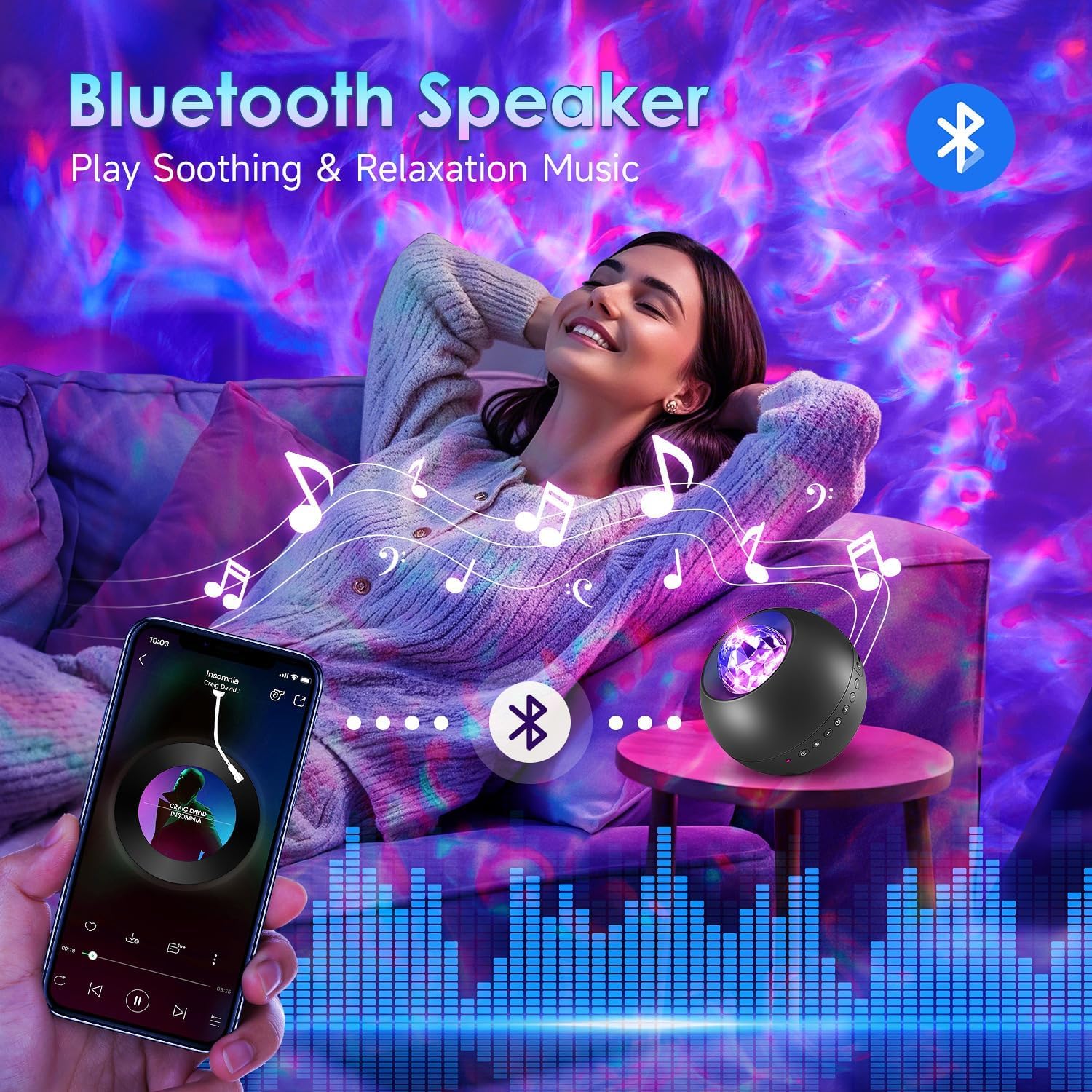
Figure 6.2: The remote control allows easy adjustment of brightness, timing, and rotation speed.
7. Bluetooth Speaker Function
The projector features a HiFi Bluetooth 5.0 speaker for playing your favorite audio.
- Pairing: Turn on the projector. Activate Bluetooth on your smartphone or other device and search for "WH-E14" (or similar device name). Select it to pair.
- Playing Music: Once paired, you can play music from your device through the projector's speaker.
- Music Rhythm Sync: The nebula light can flash rhythmically with the beat of the music, enhancing the atmosphere.

Figure 7.1: The projector's Bluetooth speaker allows for seamless music playback and light synchronization.
8. White Noise Function
The projector includes 15 popular white noise sounds to aid relaxation and sleep.
- Use the dedicated white noise buttons on the remote control to select from sounds like mountain springs, birdsong, fireplace, ocean waves, piano music, and more.
- Adjust the volume of the white noise through the remote or connected Bluetooth device.
Figure 8.1: The projector offers 15 soothing white noise options for enhanced relaxation and sleep.
9. Timer Function
Set an automatic shut-off timer to conserve energy or for convenience during sleep.
- The projector has a default auto-off timer of 8 hours.
- You can set specific timers for 0.5 hours, 1 hour, or 1.5 hours using the remote control.
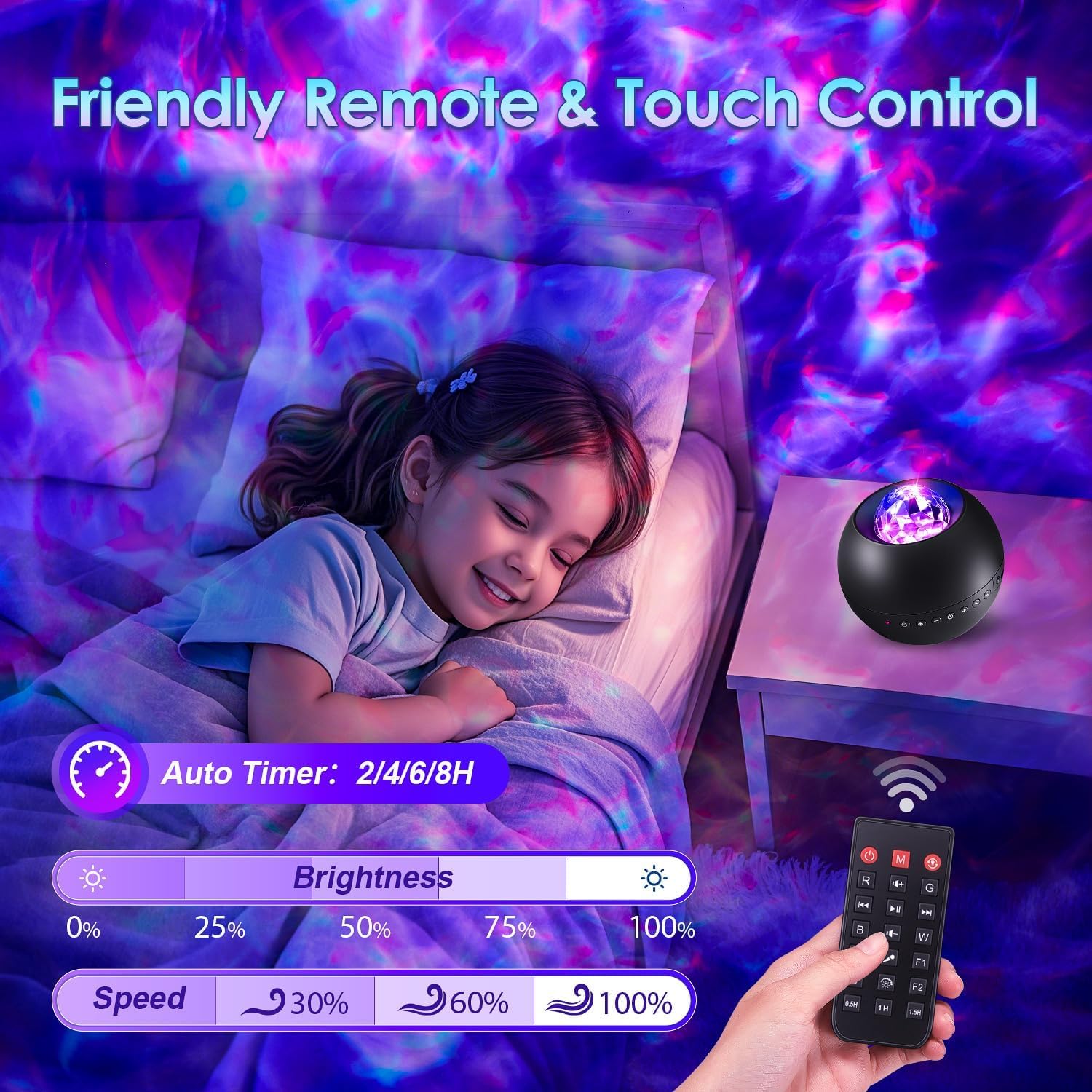
Figure 9.1: Timer settings on the remote control for automatic shut-off.
10. Maintenance
- Cleaning: Use a soft, dry cloth to clean the surface of the projector. Do not use abrasive cleaners or solvents.
- Storage: When not in use for extended periods, store the projector in a cool, dry place, away from direct sunlight and extreme temperatures.
11. Troubleshooting
| Problem | Possible Cause | Solution |
|---|---|---|
| Projector does not turn on. | No power connection or faulty cable. | Ensure the USB cable is securely connected and the power source is active. Try a different USB port or adapter. |
| No light projection. | Light mode is off or brightness is too low. | Press the light mode button or increase brightness using the remote. |
| Bluetooth not connecting. | Device not in pairing mode or already connected to another device. | Ensure the projector's Bluetooth is active. Disconnect from other devices. Restart both the projector and your Bluetooth device. |
| Remote control not working. | Battery low or line of sight blocked. | Replace the remote control battery. Ensure there are no obstructions between the remote and the projector. |
12. Specifications
| Feature | Detail |
|---|---|
| Model Number | WH-E14 |
| Color | Black |
| Shape | Sphericity |
| Material | Plastic, Acrylonitrile Butadiene Styrene |
| Light Source Type | LED |
| Power Source | Corded Electric |
| Voltage | 5 Volts (DC) |
| Wattage | 5 Watts |
| Item Weight | 5.6 ounces |
| Product Dimensions | 4.1"L x 4.1"W x 3.9"H |
| Projection Modes | 20 Lighting Modes, Adjustable Angle (90° Up, 45° Tilt) |
| Brightness Levels | 4 |
| Rotation Speeds | 4 |
| White Noise Sounds | 15 |
| Bluetooth Version | 5.0 |
| Timer Options | 0.5h, 1h, 1.5h, 8h (default) |
13. Official Product Video
Watch this official video from the seller to see the One Fire Galaxy Projector in action, demonstrating its various light effects and features.
Video 13.1: A demonstration of the One Fire Galaxy Projector's light effects and features.
14. Warranty and Support
One Fire is committed to providing quality products and customer satisfaction. For any quality problems or support inquiries, please contact our customer service. We are dedicated to resolving any issues you may encounter with your product.
For further assistance, please visit the One Fire Store on Amazon.
Related documentsWH-E14

Ask a question about this manual
Ask about setup, troubleshooting, compatibility, parts, safety, or missing instructions. Manuals+ will review the question and use this page’s manual context to help answer it.