
1. Introduction
This manual provides essential instructions for the proper setup, operation, and maintenance of your Greenvelly 2.5 Cubic Foot Depository Safe. Please read this manual thoroughly before using the safe to ensure correct usage and to maximize the security features of your product. Keep this manual for future reference.
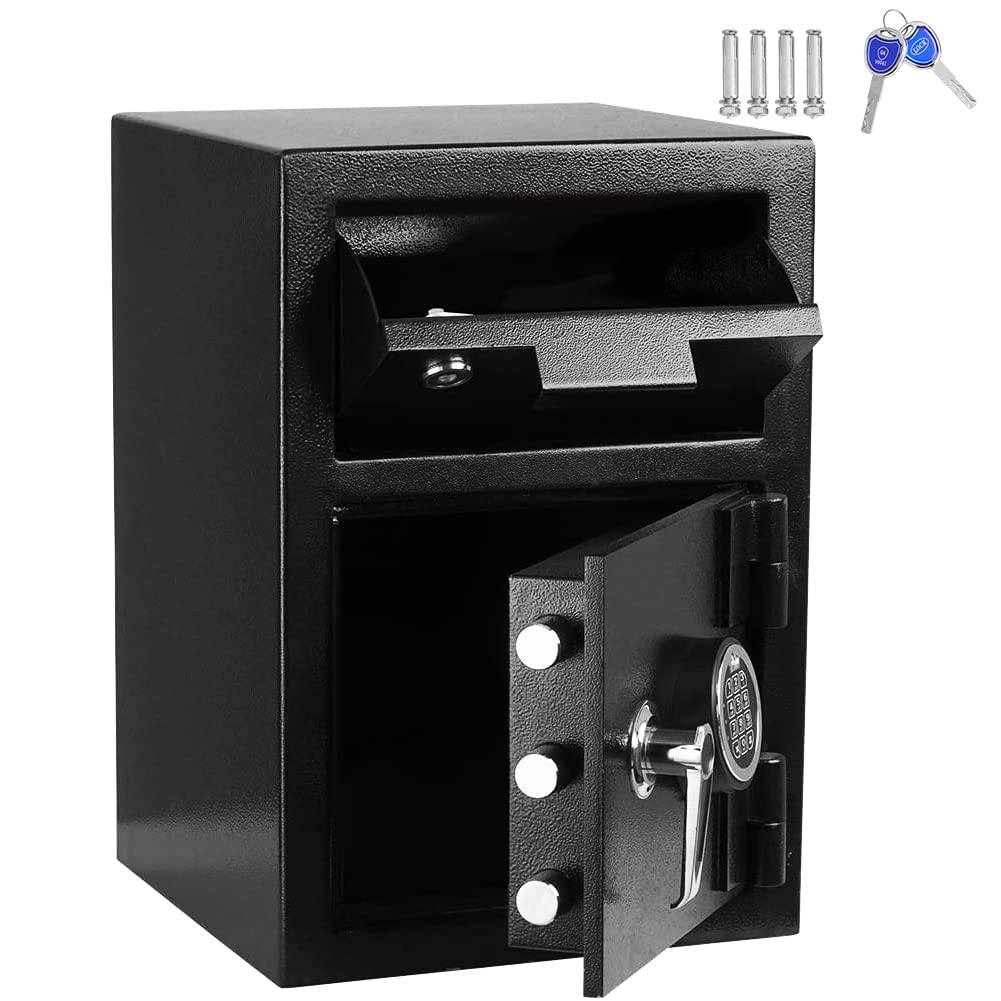
Image 1.1: Front view of the Greenvelly 2.5 Cubic Foot Depository Safe, showing the drop slot and the main door open, revealing the interior.
2. Safety Information
- Always store emergency keys in a secure location away from the safe. Never store them inside the safe.
- Do not store the user manual or any record of your electronic code inside the safe.
- Ensure the safe is securely mounted to a wall or floor to prevent unauthorized removal.
- Keep children and unauthorized individuals away from the safe and its access codes.
- Replace batteries promptly when the low battery indicator appears to avoid being locked out.
3. Package Contents
Verify that all components are present before installation and use:
- Greenvelly 2.5 Cubic Foot Depository Safe
- Emergency Keys (2)
- Mounting Hardware (bolts, washers)
- User Manual (this document)
- AA Batteries (4, typically included)
4. Product Features
The Greenvelly Depository Safe is designed for secure storage with multiple access options and robust construction.
- Dual Locking Mechanism: Features both an electronic keypad lock and a dual key lock for versatile access and backup security.
- Depository Slot: A convenient top drop slot allows for secure deposits without opening the main door.
- Robust Construction: Made from solid cold-rolled alloy steel with multiple protective layers including frosted environmental protection spray, zinc alloy die casting, internal primer, anti-rust galvanized, encrypted steel plate, external primer, and high gloss spray.
- Enhanced Security: Equipped with 1-inch solid steel locking bolts and pry-resistant concealed hinges.
- Dual Warning System: An alarm system activates upon violent vibration or three consecutive incorrect code entries.

Image 4.1: Diagram illustrating the multi-layered construction of the safe, highlighting materials like cold-rolled steel, anti-rust galvanization, and protective coatings.

Image 4.2: Visual representation of the safe's dual warning system, showing an alarm light activated on top of the safe.
5. Setup and Installation
5.1 Initial Opening
Upon receiving your safe, it will be locked. Use one of the emergency keys to open it for the first time.
- Locate the emergency keyhole, typically concealed behind the keypad or a small cover.
- Insert the emergency key and turn it clockwise while simultaneously turning the handle to open the door.

Image 5.1: Close-up view of the keyhole, indicating where to insert the emergency key.
5.2 Battery Installation
The electronic lock requires four AA batteries (not included, or included depending on package). Install them inside the safe door.
- Open the safe door using the emergency key.
- Locate the battery compartment on the inside of the door.
- Insert four AA batteries, ensuring correct polarity (+/-).
- Close the battery compartment cover.
5.3 Setting the Electronic Code
After installing batteries, you can set your personal electronic code.
- With the safe door open, press the red reset button located on the inside of the door, near the hinge. A beep will sound, and the indicator light on the keypad will flash.
- On the keypad, enter a new 3-8 digit code.
- Press the '#' button to confirm. The safe will beep twice, indicating the code has been successfully set.
- Test the new code with the door open before closing it.
5.4 Mounting the Safe
For optimal security, it is recommended to mount the safe to a wall or floor.
- Choose a suitable location, ensuring there are no electrical wires or pipes behind the drilling area.
- Mark the desired drilling points through the pre-drilled holes inside the safe.
- Drill pilot holes into the wall or floor using an appropriate drill bit.
- Align the safe with the drilled holes and secure it using the provided mounting bolts and washers. Tighten firmly.
6. Operating Instructions
6.1 Opening with Electronic Code
- Enter your 3-8 digit personal code on the keypad.
- Press the '#' button. The indicator light will turn green, and you will hear a beep.
- Within 5 seconds, turn the handle clockwise to open the safe door.

Image 6.1: Close-up view of the electronic keypad for code entry.
6.2 Opening with Emergency Key
Use the emergency key if you forget your code, the batteries are dead, or the electronic system malfunctions.
- Locate the emergency keyhole.
- Insert the emergency key and turn it clockwise.
- Simultaneously turn the handle to open the safe door.
6.3 Using the Depository Slot
The drop slot allows for secure deposits without needing to open the main safe door.
- Lift the cover of the depository slot located on the top front of the safe.
- Place items such as cash, envelopes, or small documents into the slot.
- Close the cover. The items will drop into the main compartment of the safe.

Image 6.2: Close-up view of the depository drop slot, showing the mechanism for depositing items.
7. Maintenance
- Cleaning: Wipe the safe exterior with a soft, damp cloth. Avoid abrasive cleaners or solvents.
- Battery Replacement: When the low battery indicator lights up (usually a red light or specific keypad sequence), replace all four AA batteries promptly. Use only new, high-quality alkaline batteries.
- Key Care: Keep emergency keys clean and dry. Do not force keys into the lock.
8. Troubleshooting
| Problem | Possible Cause | Solution |
|---|---|---|
| Safe does not open with electronic code. | Incorrect code entered. Dead batteries. Electronic malfunction. | Re-enter code carefully. Replace batteries. Use emergency key. |
| Keypad does not respond. | Dead or improperly installed batteries. | Check battery polarity. Replace batteries. |
| Emergency key does not work. | Key is bent or damaged. Lock mechanism jammed. | Ensure key is straight. Do not force. Contact customer support if issue persists. |
| Alarm sounds unexpectedly. | Violent vibration detected. Three incorrect code entries. | Ensure safe is stable. Enter correct code to disarm. |
9. Specifications

Image 9.1: Detailed diagram illustrating the external dimensions of the safe.
| Feature | Detail |
|---|---|
| Brand | Greenvelly |
| Model | 2.5 Cubic Foot Depository Safe |
| Product Dimensions (D x W x H) | 9.84"D x 11"W x 20.2"H |
| Lock Type | Electronic, Key |
| Color | Black |
| Capacity (Weight) | 80 Pounds |
| Material | Alloy Steel |
| Special Feature | Fireproof |
| Mounting Type | Wall Mount |
| Item Weight | 79.2 Pounds |
| Water Resistance Level | Not Water Resistant |
| UPC | 749782404575 |
| ASIN | B0BD7KD229 |
10. Warranty and Support
For warranty information or technical assistance, please refer to the contact details provided at the point of purchase or visit the official Greenvelly website. Keep your purchase receipt as proof of purchase.