
Tomzon TD28DE
Tomzon D28 Drone User Manual
Model: TD28DE
Introduction
This manual provides essential information for the safe operation, setup, and maintenance of your Tomzon D28 Drone. Please read this manual thoroughly before operating the drone to ensure proper function and to prevent damage or injury.

The Tomzon D28 Drone, shown with its remote control and two rechargeable batteries. This image provides an overview of the main components included with the product.
Package Contents
Before proceeding, verify that all items are present in the package:
- Tomzon D28 Drone
- Remote Control
- Rechargeable Batteries (2x 1000mAh Lithium-Polymer)
- USB Charging Cable
- Camera
- Propeller Guards
- Spare Propellers
- Screwdriver
- User Manual (this document)

An overhead view displaying the complete contents of the Tomzon D28 Drone package, including the drone, remote, batteries, and accessories.
Setup Guide
1. Battery Installation and Charging
- Insert the fully charged 1000mAh Lithium-Polymer battery into the drone's battery compartment. Ensure it clicks into place securely.
- For the remote control, insert 3x AAA batteries (not included) into the battery compartment, observing polarity.
- To charge the drone battery, connect the USB charging cable to the battery and a suitable USB power source (e.g., computer USB port, USB wall adapter). The charging indicator will show the charging status.
Note: A full charge provides approximately 12 minutes of flight time per battery. Two batteries are included for a total of up to 24 minutes of flight.
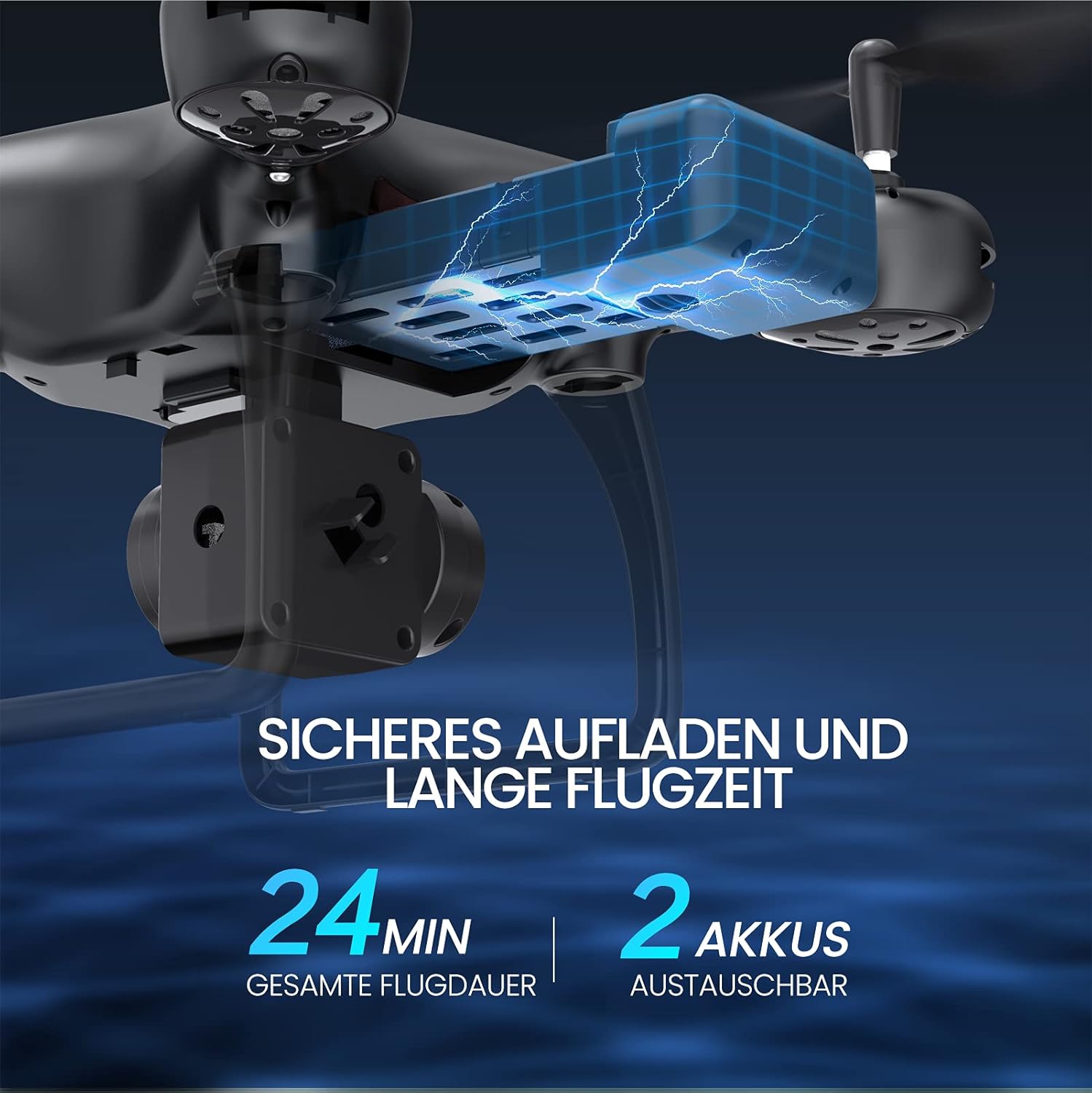
This image illustrates the drone's battery compartment and highlights the 24-minute total flight duration provided by the two included batteries.
2. Propeller Installation and Protection
Attach the propeller guards to the drone's arms for added protection during flight, especially for beginners or indoor use. Ensure propellers are correctly installed according to their markings (A/B) on the corresponding motor shafts.
3. App Connection (FPV & Smart Control)
- Download the official Tomzon drone app from your smartphone's app store (compatible with Android 5.0+ and iOS 9.0+).
- Power on the drone.
- On your smartphone, connect to the drone's Wi-Fi network (usually named "Tomzon-D28-XXXX").
- Open the app to establish a connection and view the FPV (First-Person View) feed.

A close-up view of the drone's 1080P FPV camera, highlighting its adjustable angle for optimal video and photo capture.
Operating Instructions
1. Basic Flight Controls
- One-Key Take-off/Landing: Press the dedicated button on the remote control or in the app to automatically take off or land the drone.
- Altitude Hold: The drone will automatically maintain its altitude, making it easier to control.
- Speed Adjustment: Cycle through three speed modes (low, medium, high) using the speed button on the remote to suit your flying skill level and environment.

This image demonstrates a user controlling the drone with the remote, emphasizing the ease of use with features like one-key take-off/landing and speed adjustments.
2. Advanced Flight Modes
- 3D Flip: Press the 3D flip button and move the right joystick in any direction to perform an exciting 360-degree flip.
- Headless Mode: Activate Headless Mode to eliminate the need to identify the drone's front direction. The drone will move relative to the pilot's orientation.
- Gravity Control: Using the app, enable Gravity Control to steer the drone by tilting your smartphone. This mode is particularly engaging for racing or interactive games.
- Custom Flight Path: Draw a desired flight path on your smartphone screen within the app, and the drone will automatically follow the designated route.

The drone is depicted performing a dynamic 3D flip, showcasing one of its advanced flight capabilities.

A user is shown controlling the drone by tilting their smartphone, demonstrating the gravity control feature for intuitive flight.

This image illustrates the custom flight path feature, where the drone automatically follows a route drawn by the user on a map interface.
3. Camera Operation and FPV
The D28 drone is equipped with a camera capable of recording 720P videos and capturing 1080P photos. The FPV (First-Person View) real-time transmission provides clear, smooth video feedback up to 50 meters. The remote control range extends up to 100 meters in unobstructed conditions.
Use the dedicated buttons on the remote or the app interface to start/stop video recording and take photos.
Maintenance
1. Battery Care
- Always use the provided charging cable.
- Do not overcharge or over-discharge the batteries.
- Store batteries in a cool, dry place away from direct sunlight and extreme temperatures.
- If the drone indicates low battery, land it immediately to prevent loss or damage.
2. Propeller and Motor Care
- Regularly inspect propellers for damage (cracks, bends). Replace damaged propellers with spare ones.
- Keep motors free from dust, dirt, and debris.
- Ensure propeller guards are securely attached before each flight.
3. Cleaning
Wipe the drone and remote control with a soft, dry cloth. Do not use harsh chemicals or immerse components in water.
Troubleshooting
| Problem | Possible Cause | Solution |
|---|---|---|
| Drone does not respond to remote. | Not paired; low battery in remote or drone. | Ensure drone and remote are powered on and paired. Charge/replace batteries. |
| Drone drifts during flight. | Not calibrated; uneven propeller wear. | Perform gyroscope calibration. Check and replace worn propellers. Use trim buttons for minor adjustments. |
| FPV feed is choppy or lost. | Weak Wi-Fi signal; too far from drone. | Ensure strong Wi-Fi connection. Fly within the 50m FPV range. Reduce interference. |
| Short flight time. | Battery not fully charged; old battery. | Ensure batteries are fully charged before flight. Consider replacing old batteries. |
| Drone crashes on landing. | Low battery; improper landing technique. | Land immediately when low battery alarm sounds. Practice one-key landing. |
Specifications
| Feature | Detail |
|---|---|
| Model Number | TD28DE |
| Brand | Tomzon |
| Dimensions | 27 x 27 x 11 cm |
| Weight | 660 g |
| Battery Type | Lithium-Polymer |
| Battery Capacity | 1000 mAh (per battery) |
| Max Flight Time | 24 minutes (with 2 batteries) |
| Video Resolution | 720P |
| Photo Resolution | 1080P |
| FPV Range | Up to 50m |
| Remote Control Range | Up to 100m |
| Control Frequency | 2.4 GHz |
| Special Features | 360-degree flip, Speed adjustment, Rechargeable, Headless Mode, Gravity Control, Custom Flight Path |
| Recommended Age | Youth; Adults |
Warranty and Support
Specific warranty details for the Tomzon D28 Drone are not provided within this manual. Please refer to the product packaging or the official Tomzon website for warranty information and customer support contacts.
For technical assistance or inquiries, please visit the official Tomzon store or contact their customer service through the details provided on their website.
You can visit the Tomzon store at: Tomzon Official Store
Important Safety Information
- Always operate the drone in open, clear areas, away from people, animals, and obstacles.
- Do not fly near airports, power lines, or restricted airspace.
- Supervise children during drone operation.
- Do not fly in strong winds or adverse weather conditions.
- Ensure all propellers are securely attached before flight.
- Do not touch rotating propellers.
- Follow all local regulations and laws regarding drone operation.
Official Product Videos
No official product videos from the seller are available for embedding in this manual based on the provided data.
Related documentsTD28DE

Ask a question about this manual
Ask about setup, troubleshooting, compatibility, parts, safety, or missing instructions. Manuals+ will review the question and use this page’s manual context to help answer it.