
1. Introduction
This manual provides detailed instructions for the installation and operation of your Start-X Remote Starter Kit for Toyota RAV4 Hybrid vehicles (model years 2016, 2017, 2018). This kit allows you to remotely start your vehicle using your existing factory key fob, enhancing comfort by pre-conditioning your vehicle's interior before entry.

Image: Vehicle equipped with remote start to provide a comfortable driving experience in all seasons.
2. Vehicle Compatibility and Requirements
This Start-X Remote Starter Kit is specifically designed for:
- Toyota RAV4 Hybrid models from 2016, 2017, and 2018.
- Vehicles equipped with a push-to-start ignition system only.
- Hybrid vehicles.
- Vehicles with automatic transmission.
- Requires the use of your existing factory remote (OEM key fob). No additional remote is included.
Important Note: This kit is not compatible with vehicles that use a traditional key blade ignition. As a safety measure, the vehicle will shut down when any door is opened after remote starting. The vehicle must be restarted manually before driving.

Image: Visual representation of vehicle requirements including automatic transmission, push-to-start ignition, and gas-only fuel type.
3. What's in the Box
Your Start-X Remote Starter Kit includes the following components:
- Complete Remote Start Module
- Vehicle-specific T-Harness for plug-and-play connection
- Pry Tool
- Zip Ties
- Installation Guide
- Welcome Card
- Warning Sticker

Image: A visual display of all items included in the Start-X Remote Starter Kit packaging.
4. Setup and Installation
The Start-X Remote Starter Kit features a plug-and-play design with a vehicle-specific T-harness, eliminating the need for wire cutting or splicing. The module comes pre-flashed with your vehicle's firmware for seamless integration.
Installation Steps:
- Connect the T-Harness: Locate the necessary connection points in your vehicle (refer to the detailed installation guide for specific locations). Connect the plug-and-play T-harness to the vehicle's wiring.
- Program the Module: Follow the programming instructions provided in the installation guide. This typically involves a sequence of pressing the vehicle's start button and observing LED indicators on the module. A common step involves pressing the start button twice, waiting approximately 30 seconds, and then pressing it a third time to turn off the car to complete programming.
- Confirm Connection: Plug in any remaining connectors and ensure all connections are secure. Test the remote start functionality as described in the operating instructions.

Image: Close-up of hands connecting the Start-X module during installation.
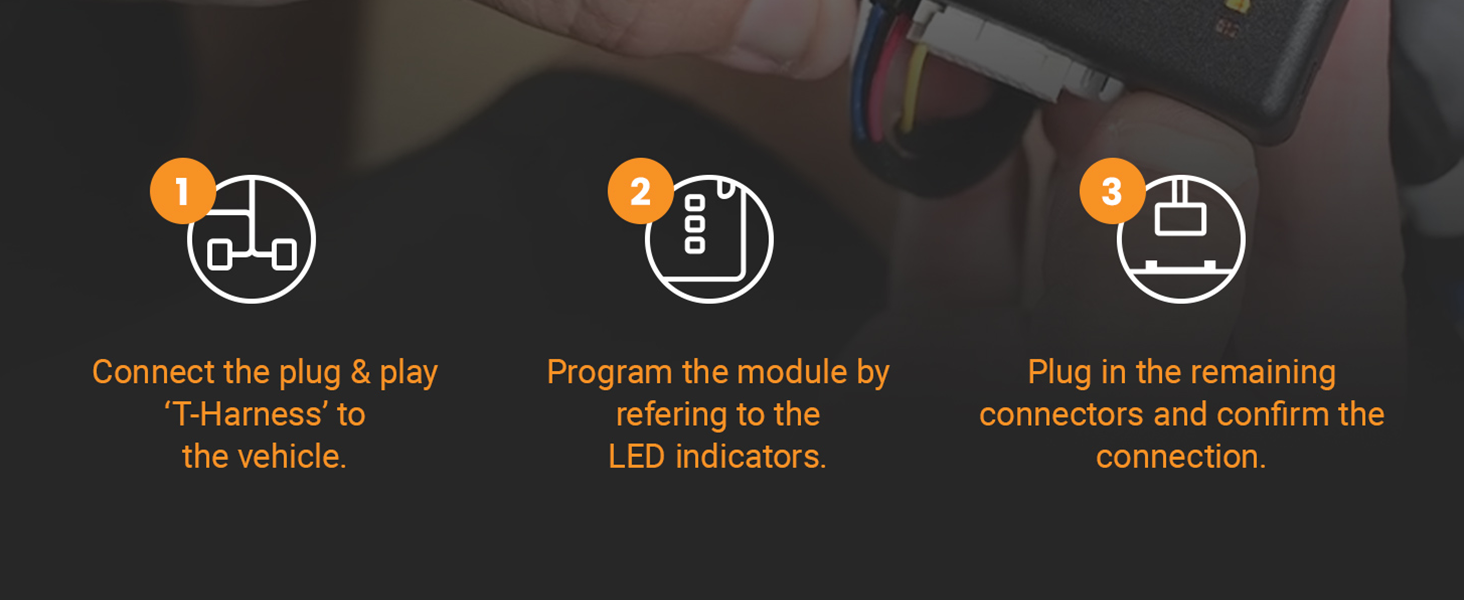
Image: A three-step visual guide demonstrating the installation process: connecting the T-harness, programming the module, and confirming connections.
5. Operating Instructions
To operate your Start-X Remote Starter Kit, use your vehicle's original factory key fob:
- To Remote Start: Press the 'Lock' button on your OEM key fob three (3) times consecutively. The vehicle's lights will flash, and the engine will start.
- To Turn Off Remote Start: Press the 'Lock' button on your OEM key fob three (3) times consecutively again while the vehicle is running in remote start mode. The engine will shut down.
The effective range for remote starting is the same as the distance at which your factory key fob can lock and unlock your vehicle. For extended range, optional Start-X range extender kits are available separately.
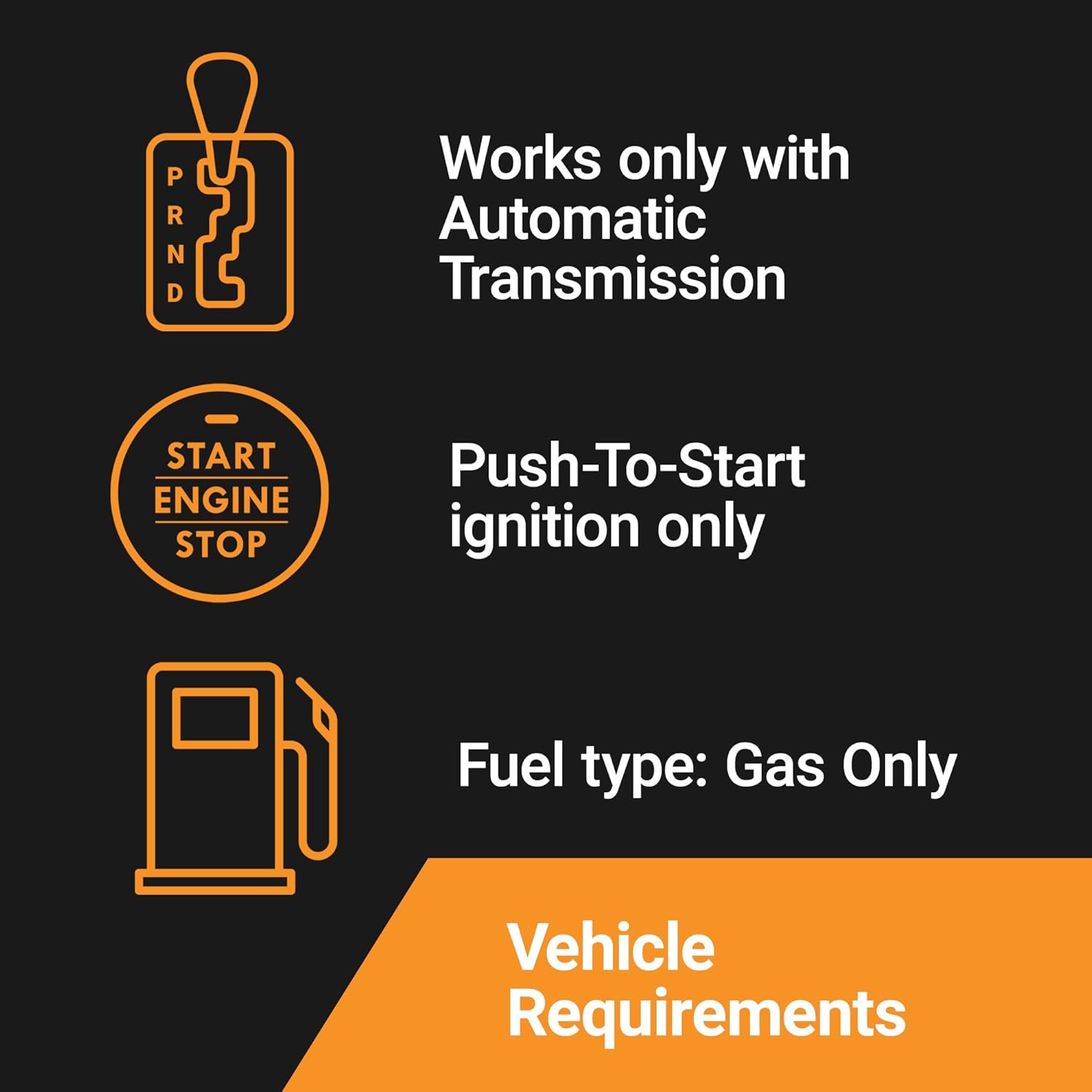
Image: Various factory key fobs, indicating compatibility with the existing vehicle remote.
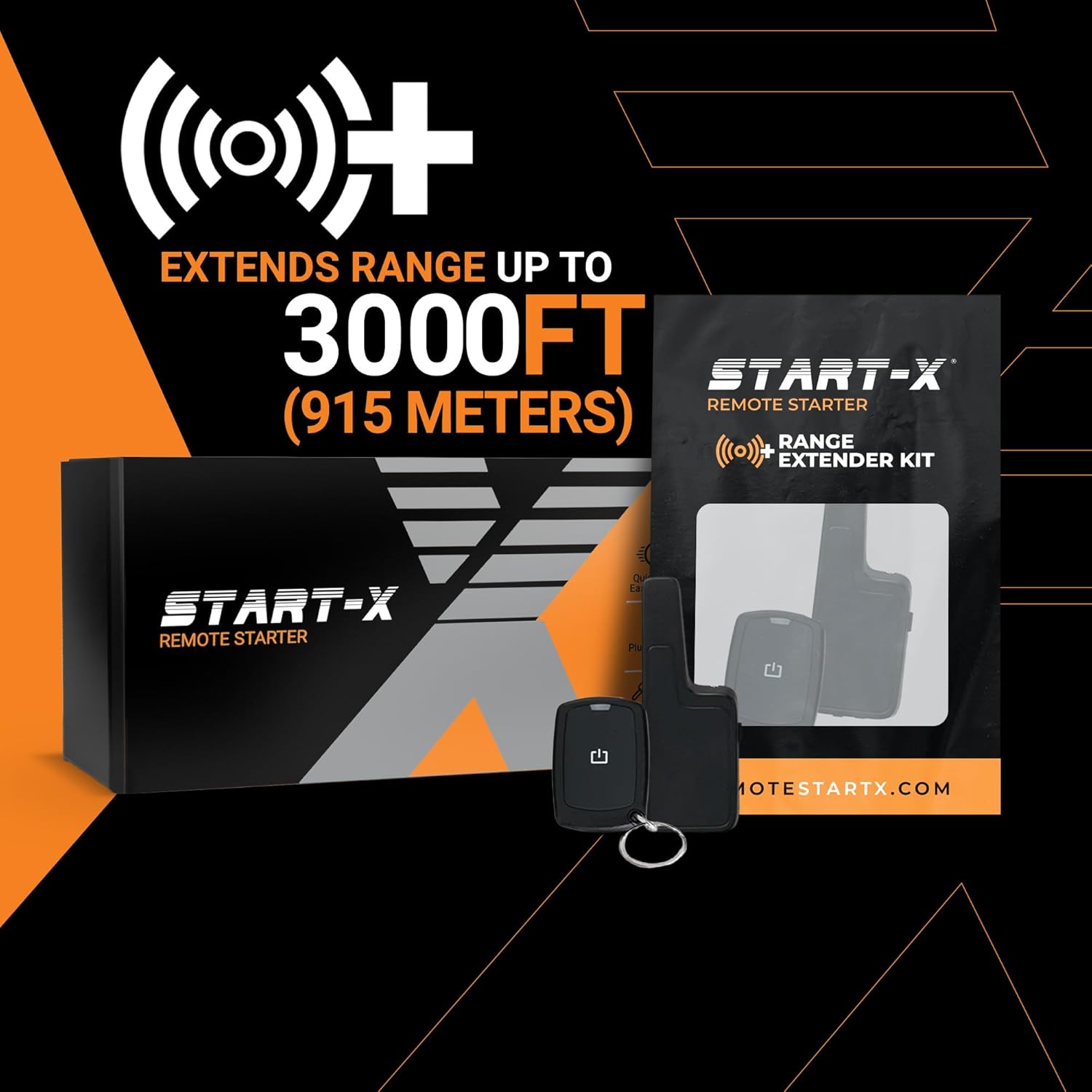
Image: An optional range extender kit, capable of extending the remote start distance up to 3000 feet (915 meters).
6. Maintenance
The Start-X Remote Starter Kit is designed to be maintenance-free. No regular servicing or adjustments are required for the remote start module itself. Ensure all connections remain secure and free from moisture or damage.
7. Troubleshooting
- Vehicle Shuts Down After Remote Start: This is a built-in safety feature. If any door is opened after the vehicle has been remote started, the engine will shut off. This prevents unauthorized driving. The vehicle must be restarted manually using the push-to-start button.
- Remote Start Not Activating:
- Ensure you are pressing the 'Lock' button exactly three times consecutively on your factory key fob.
- Verify that your vehicle is within the operational range of your factory key fob.
- Check all connections made during installation to ensure they are secure.
- Re-verify the programming sequence, paying close attention to timing, especially the 30-second pause during the initial programming steps.
- Module Not Responding: If the module does not seem to be powered or responding, recheck all power connections and ensure the vehicle's battery is adequately charged.
If you encounter persistent issues, please refer to the detailed troubleshooting section in your included installation guide or contact Start-X customer support.
8. Specifications
| Brand | Start-X |
| Manufacturer | Start-X |
| Item Model Number | RAV4-Hybrid-16_18 |
| Item Weight | 12 ounces |
| Product Dimensions | 8 x 4 x 2 inches |
9. Warranty and Support
Start-X provides a dedicated technical and customer support team to assist with any questions or issues you may encounter during installation or operation. For specific warranty information, please refer to the documentation included with your product or contact Start-X directly through their official support channels.
For assistance, please visit the Start-X website or use the contact information provided in your product packaging.


