
BRIO 36003
BRIO World 36003 Turbo Train Instruction Manual
Model: 36003 | Brand: BRIO
1. Introduction
This manual provides essential information for the safe and proper operation of your BRIO World 36003 Turbo Train. Designed for children aged 3 and up, this battery-operated toy train offers a dynamic play experience with its speed boost function and interactive light indicators. It is crafted from durable plastics to meet BRIO's high standards, ensuring long-lasting play and seamless integration with any existing BRIO World train set.
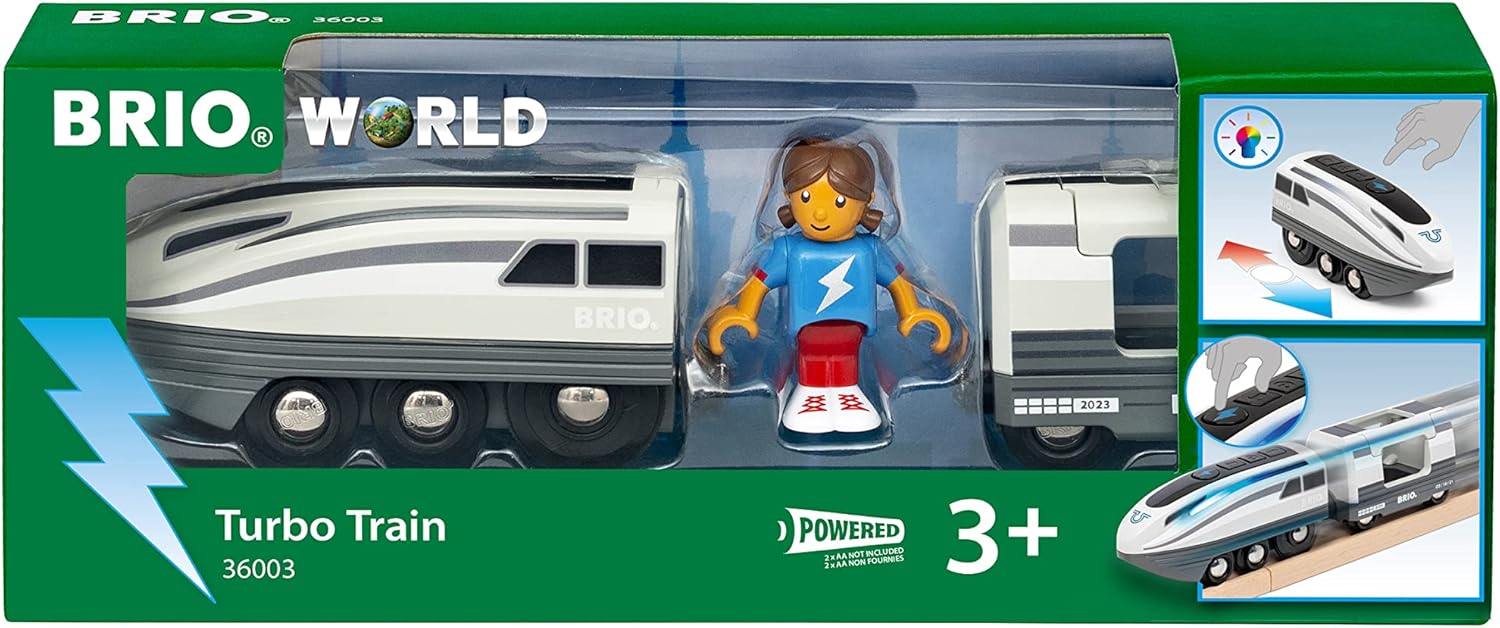
Figure 1: BRIO World 36003 Turbo Train in its packaging.
2. Package Contents
The BRIO World 36003 Turbo Train package includes the following items:
- 1x Turbo Train Engine
- 1x Passenger Carriage
- 1x Train Figure

Figure 2: The three main components of the Turbo Train set: engine, carriage, and figure.
3. Setup
3.1 Battery Installation
The Turbo Train requires 2 AA batteries (not included). Follow these steps to install the batteries:
- Locate the battery compartment on the underside of the train engine.
- Using a small Phillips head screwdriver, unscrew the battery compartment cover.
- Insert 2 AA batteries, ensuring correct polarity (+/-).
- Replace the battery compartment cover and secure it with the screw.
3.2 Connecting the Train Cars
The Turbo Train engine and passenger carriage connect using magnetic couplers. Simply bring the magnetic ends of the train cars together to form a connection.

Figure 3: The Turbo Train engine and passenger carriage connected, with the figure placed inside.
4. Operating Instructions
4.1 Basic Movement
The Turbo Train features a control button on its top surface for basic movement:
- Forward: Press the forward button once to start the train moving forward at a standard speed.
- Stop: Press the stop button (usually the middle button) once to halt the train.
- Reverse: Press the reverse button once to make the train move backward.

Figure 4: Pressing the forward button to initiate movement. The white lights indicate standard operation.
4.2 Dynamic Speed Boost
Activate the dynamic speed boost for an exhilarating burst of speed:
- Turbo Button: Press the large turbo button (often marked with a lightning bolt or similar symbol) on the top of the train.
- Speed Increase: The train's speed will double for approximately 5 seconds.
- Light Indicators: During the turbo boost, the train's white side lights will change to an engaging blue, providing visual feedback of the activated boost.

Figure 5: Activating the turbo boost, indicated by the blue side lights.
5. Maintenance
- Cleaning: Wipe the train and accessories with a damp cloth. Do not immerse in water.
- Battery Care: Remove batteries if the toy will not be used for an extended period to prevent leakage. Replace all batteries at the same time.
- Storage: Store the train and accessories in a dry place away from direct sunlight.
6. Troubleshooting
| Problem | Possible Cause | Solution |
|---|---|---|
| Train does not move or lights do not illuminate. | Batteries are low, incorrectly installed, or not present. | Check battery installation and replace with fresh AA batteries if necessary. Ensure correct polarity. |
| Train moves slowly or inconsistently. | Low battery power. Obstruction on tracks or wheels. | Replace batteries. Clear any debris from tracks or train wheels. |
| Turbo boost does not activate or lights do not change color. | Low battery power. Button not pressed correctly. | Replace batteries. Ensure the turbo button is pressed firmly. |
7. Specifications
- Model Number: 36003 (Internal: 63600300)
- Brand: BRIO
- Product Dimensions: 7.83 x 3.58 x 2.01 inches
- Item Weight: 6.1 ounces
- Batteries: 2 AA batteries required (not included)
- Recommended Age: 3 years and up
- Release Date: March 1, 2023
8. Safety Information
WARNING: Not suitable for children under 3 years due to small parts which may present a choking hazard.
- Always supervise children during play.
- Do not mix old and new batteries.
- Do not mix alkaline, standard (carbon-zinc), or rechargeable (nickel-cadmium) batteries.
- Dispose of batteries responsibly.
9. Warranty and Support
Specific warranty details and direct customer support contact information are not provided in the product data. For inquiries regarding warranty or support, please refer to the official BRIO website or contact your retailer.
10. Product Overview Video
Video 1: An official product overview demonstrating the BRIO World 36003 Turbo Train's features and functionality.
Related documents36003


Ask a question about this manual
Ask about setup, troubleshooting, compatibility, parts, safety, or missing instructions. Manuals+ will review the question and use this page’s manual context to help answer it.