Thank you for choosing the Hisense H20MOWP1 Microwave Oven. This manual provides important information regarding the installation, operation, maintenance, and troubleshooting of your new appliance. Please read this manual thoroughly before using the microwave oven and keep it for future reference.
The Hisense H20MOWP1 is a compact and efficient 700W microwave oven with a 20-liter capacity, designed for convenient and precise cooking. It features multi-stage cooking, 5 power levels, and a dedicated defrost function, all housed in an attractive, easy-to-clean design.
Important Safety Information
Always follow basic safety precautions when using electrical appliances to reduce the risk of fire, electric shock, injury to persons, or exposure to excessive microwave energy.
Read all instructions before using the appliance.
Do not attempt to operate this oven with the door open since this can result in harmful exposure to microwave energy.
Do not place any object between the oven front face and the door or allow soil or cleaner residue to accumulate on sealing surfaces.
Do not operate the oven if it is damaged. It is particularly important that the oven door closes properly and that there is no damage to the: (1) door (bent), (2) hinges and latches (broken or loosened), (3) door seals and sealing surfaces.
The oven should not be adjusted or repaired by anyone except properly qualified service personnel.
Ensure the appliance is properly grounded.
Do not use corrosive chemicals or vapors in this appliance.
Setup and Installation
The Hisense H20MOWP1 is a freestanding microwave oven. Follow these steps for proper setup:
Unpacking: Carefully remove the microwave oven from its packaging. Retain all packaging materials for future transport or storage.
Placement: Place the microwave on a flat, stable surface that can support its weight. Ensure there is adequate ventilation space around the unit (at least 10 cm at the back and sides, and 20 cm above). Do not block air vents.
Power Connection: Plug the microwave into a grounded electrical outlet. Ensure the voltage and frequency match the specifications on the appliance rating label.
Initial Cleaning: Before first use, wipe the interior and exterior of the microwave with a soft, damp cloth.
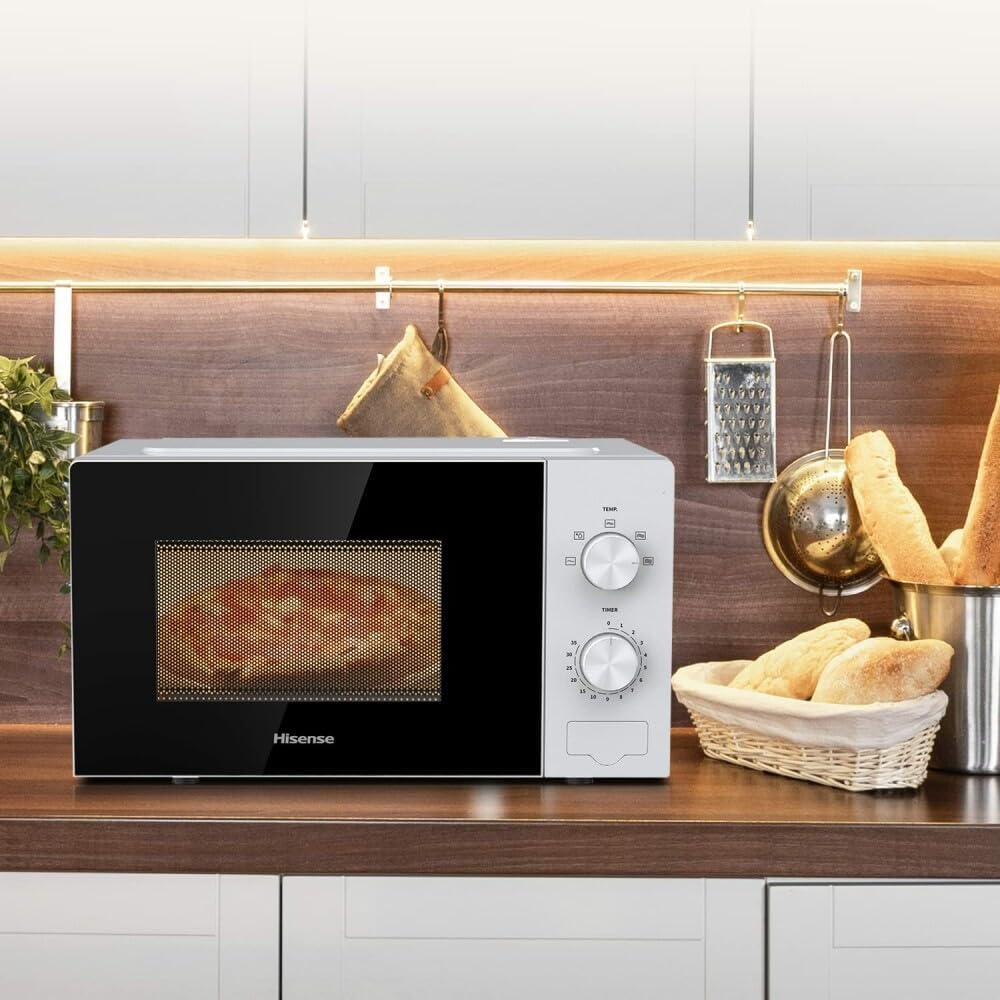
Figure 1: Hisense H20MOWP1 Microwave Oven, showcasing its compact design and control panel.
Operating Instructions
The Hisense H20MOWP1 features intuitive dial controls for power level and timer settings.
Power Levels (5 Settings)
The microwave offers 5 distinct power levels for versatile cooking. Use the upper dial (TEMP) to select the desired power level:
High: For fast cooking and reheating.
Medium-High: For general cooking.
Medium: For slower cooking of dense foods.
Medium-Low: For simmering or delicate foods.
Low: For keeping food warm or softening.
Timer (Up to 35 Minutes)
Use the lower dial (TIMER) to set the cooking time. The timer can be set for up to 35 minutes. Turn the dial clockwise to increase the time. The microwave will start once the timer is set and the door is closed.
Figure 2: Adjusting the timer dial for precise cooking control.
Multi-Stage Cooking
This feature allows you to program different power levels and cooking times in sequence for optimal results. For example, you can set the microwave to cook at 80% power for 5 minutes, followed by 60% power for another 10 minutes. To use multi-stage cooking, you would typically set the first stage's power and time, then the second stage's power and time. Consult the specific instructions on the control panel or a more detailed guide for exact programming steps, as this model uses mechanical dials.
Note: For models with mechanical dials, multi-stage cooking usually involves manually adjusting the power level and timer after the first stage completes, or by using pre-set programs if available. The description implies a more advanced digital programming, but given the image of the dials, it might refer to a simplified manual multi-stage process.
Defrost Function
The defrost function allows for quick and even thawing of frozen foods without manual settings. To use, place the frozen food in the microwave, select the defrost setting on the power dial (often marked with a snowflake or defrost symbol), and set the appropriate time based on the food's weight and type. The microwave will automatically adjust power for optimal defrosting.
Figure 3: The Hisense H20MOWP1 in use, demonstrating its compact fit on a kitchen counter.
Maintenance and Cleaning
Regular cleaning of your Hisense H20MOWP1 microwave oven will ensure its longevity and hygienic operation. The inner coating is designed for easy cleaning and reduces rust formation.
Interior Cleaning: After each use, wipe the interior with a damp cloth and mild detergent. For stubborn stains, place a bowl of water with lemon slices inside and microwave for 2-3 minutes to loosen residue, then wipe clean.
Exterior Cleaning: Clean the exterior surfaces with a soft, damp cloth. Avoid abrasive cleaners or scouring pads.
Turntable: The glass turntable can be removed and washed with warm soapy water or in a dishwasher. Ensure it is completely dry before placing it back in the oven.
Door Seals: Regularly clean the door seals and adjacent parts with a damp cloth to remove any spills or food debris.
Odor Removal: To remove odors, combine a cup of water with a few tablespoons of lemon juice or vinegar in a microwave-safe bowl. Microwave on high for 5 minutes, then let it sit for 10 minutes before wiping clean.
Caution: Always unplug the microwave oven before cleaning.
Troubleshooting
If you encounter issues with your Hisense H20MOWP1 microwave, refer to the table below for common problems and solutions.
Problem
Possible Cause
Solution
Microwave does not start.
Power cord not plugged in; Door not closed properly; Fuse blown or circuit breaker tripped.
Ensure plug is securely in outlet; Close door firmly; Check household fuse/circuit breaker.
Food not heating.
Incorrect power level or cooking time set; Door not closed properly.
Adjust power level and time; Ensure door is fully latched.
Light not working.
Bulb is loose or burned out.
Contact qualified service personnel for bulb replacement.
Turntable not rotating.
Turntable not properly placed; Debris under turntable.
Ensure turntable is correctly seated on its support; Clean under the turntable.
Hisense products are manufactured to the highest quality standards. This product comes with a standard manufacturer's warranty. Please refer to the warranty card included with your purchase for specific terms and conditions, including the warranty period and coverage details.
For technical support, service, or warranty claims, please contact Hisense customer service. You can typically find contact information on the Hisense official website or on your product's packaging.
Online Resources: For additional information, FAQs, and product registration, visit the official Hisense website: www.hisense.com
Ask a question about this manual
Ask about setup, troubleshooting, compatibility, parts, safety, or missing instructions. Manuals+ will review the question and use this page’s manual context to help answer it.