
Introduction
This manual provides detailed instructions for the installation, operation, and maintenance of your FOTILE JQG9006 36" Under-Cabinet or Wall-Mount Range Hood. Please read this manual thoroughly before installation and use to ensure proper function and safety.

Figure 1: FOTILE JQG9006 Range Hood Overview
Safety Information
Important Safety Instructions:
- Read all instructions before using this appliance.
- Always follow local codes and ordinances for installation.
- Ensure proper grounding to reduce the risk of electric shock.
- Do not operate any fan with a damaged cord or plug.
- Clean grease filters frequently. Grease accumulated on filters can ignite.
- Never leave surface units unattended at high settings. Boil-overs cause smoking and greasy spill-overs that may ignite.
- Use appropriate size cookware. Always use cookware appropriate for the size of the surface element.
Package Contents
Verify that all components are present in the package:
- JQG9006 Range Hood Unit
- User Manual
- Warranty Card
- Duct Kit
- Filter (2 units)
- Oil Tray (2 units)
- Unit Bracket
Setup and Installation
The FOTILE JQG9006 range hood can be installed as either an under-cabinet or wall-mount unit. Professional installation is recommended. Refer to the detailed installation guide provided in the Duct Kit for specific steps.
Installation Type:
- Under-Cabinet Mount: For installation beneath existing kitchen cabinetry.
- Wall-Mount: For installation directly onto a wall, often with exposed ductwork or a decorative chimney cover.
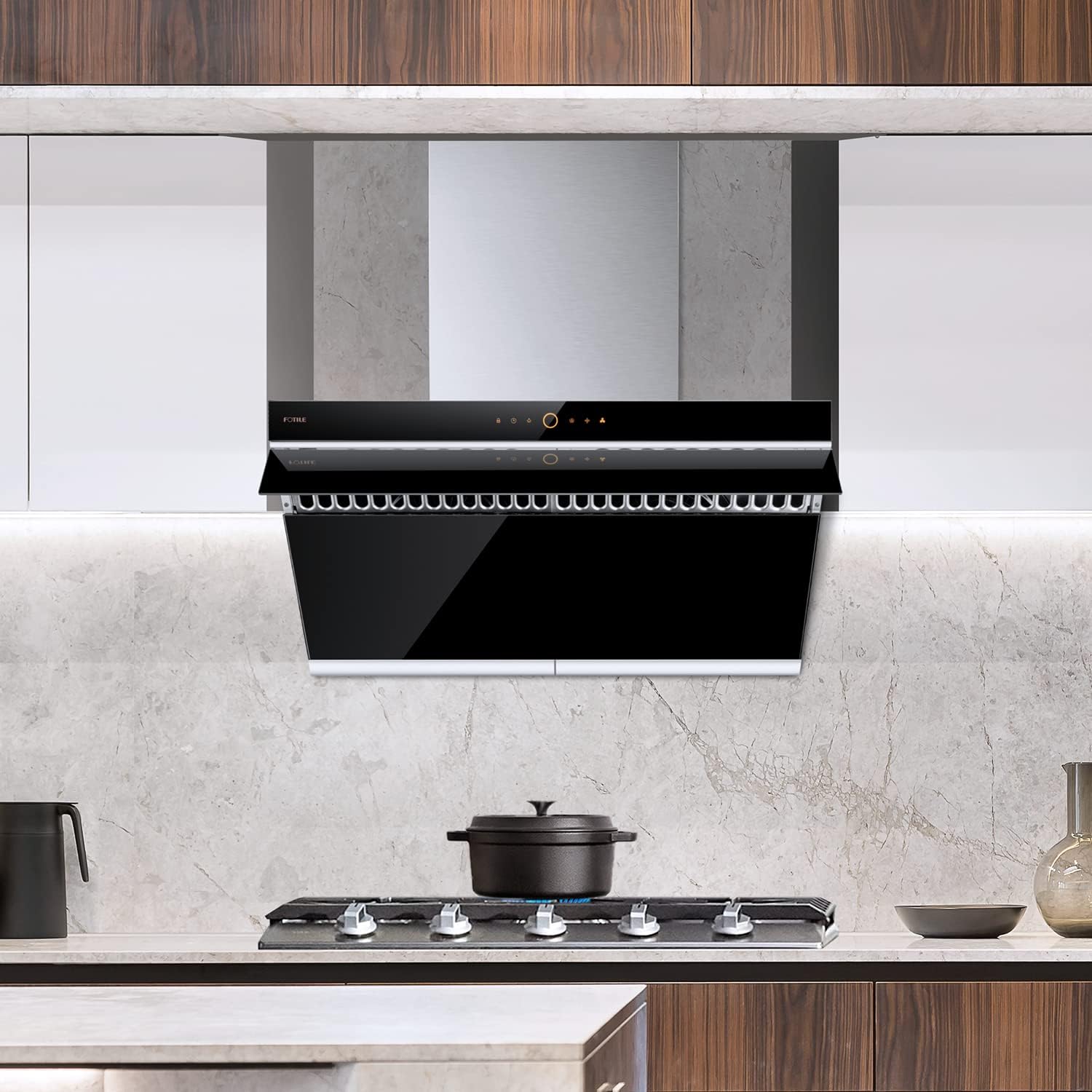
Figure 2: Example of an installed FOTILE JQG9006 Range Hood
Dimensions:
Ensure adequate space for installation. The product dimensions are 18.25"D x 35.88"W x 17.44"H.

Figure 3: FOTILE JQG9006 Range Hood Dimensions
Operating Instructions
The JQG9006 features a touchscreen control panel and motion activation for ease of use.
Control Panel:
The range hood is operated via a high-sensitivity touch screen control panel located on the front of the unit.

Figure 4: Touchscreen Control Panel
Motion Activation:
Utilize the infrared motion activation technology to turn the unit on or off with a simple wave of your hand, preventing smudges on the control panel.

Figure 5: Motion Control Feature
Speed Settings:
The range hood offers 4 adjustable airflow speeds to suit various cooking needs.
- Standard Speeds: Select from multiple levels for general cooking.
- Quick Stir-Fry Mode: Activate by holding the corresponding button for 2 seconds. This mode provides maximum extraction for high-intensity cooking like stir-frying, pan-searing, or grilling.

Figure 6: Quick Stir-Fry Mode in operation
Delay Shutoff:
The delay shutoff function allows the range hood to continue operating for a set period after cooking, ensuring lingering odors are fully removed from the kitchen.
LED Lighting:
The unit is equipped with innovative and easy-to-replace LED lights, providing bright illumination (500 LUX) for your cooking area, which helps food appear in its natural color.

Figure 7: LED Lighting
Maintenance
Regular cleaning and maintenance ensure optimal performance and longevity of your range hood.
Cleaning the Filters and Oil Tray:
The dual centrifugal motor and impeller system effectively separate grease and fumes. The grease tray and filters should be cleaned regularly to maintain extraction efficiency.
- Filter Type: Baffle filters.
- Removal: Filters and oil trays are easily detachable for cleaning.
- Cleaning: The filters are foldable and dishwasher safe for convenient cleaning.

Figure 8: Detachable and Dishwasher-Safe Filters and Oil Tray
Surface Cleaning:
The tempered glass surface is designed for easy cleaning. Use a soft cloth and mild detergent. Avoid abrasive cleaners.
Troubleshooting
This section provides solutions to common issues. For problems not listed here, contact customer support.
| Problem | Possible Cause | Solution |
|---|---|---|
| Range hood does not turn on. | No power supply; circuit breaker tripped; loose wiring. | Check power connection; reset circuit breaker; consult a qualified electrician. |
| Low suction power. | Clogged grease filters; obstructed ductwork; incorrect fan speed. | Clean or replace filters; check ductwork for obstructions; select a higher fan speed. |
| Excessive noise during operation. | Loose components; motor imbalance; ductwork issues. | Ensure all components are securely fastened; inspect ductwork for proper installation; contact service if motor noise persists. |
| Lights not working. | Burnt-out LED bulb; loose connection. | Replace LED bulb (refer to maintenance section); check connections. |
Specifications
| Feature | Detail |
|---|---|
| Model Number | JQG9006 |
| Brand | FOTILE |
| Dimensions (D x W x H) | 18.25" x 35.88" x 17.44" |
| Mounting Type | Under-Cabinet or Wall-Mount |
| Material | Stainless Steel, Schott Glass |
| Air Flow Capacity | 580 CFM (Equivalent 1000 CFM) |
| Noise Level | As low as 39 Decibels |
| Number of Speeds | 4 |
| Controls Type | Touch, Motion Activation |
| Motor Type | Dual DC-Motor |
| Light Source Type | LED (500 LUX) |
| Voltage | 120 Volts |
| Wattage | 210 watts |
| Filter Type | Baffle |
| Item Weight | 70.1 Pounds |
| Special Features | Auto Fan Shut-Off, Grease Filter, LED Lighting, Motion Activation, Noise Reduction |
| Certifications | ETL, HVI |
Warranty and Support
FOTILE offers comprehensive warranty services and customer support.
Warranty Services:
The product comes with industry-leading warranty services, supported by a network of over 3,500 independent service providers covering 50 states. Refer to the included Warranty Card for specific terms and conditions.
Professional Installation:
Professional installation services are available in over 50 major cities, including San Francisco, Los Angeles, and New York City. Contact FOTILE customer support to inquire about service availability in your area.
Customer Support:
For further assistance, technical support, or service inquiries, please visit the official FOTILE website or refer to the contact information provided on your Warranty Card.
You can also visit the FOTILE Store on Amazon for more product information and support resources.


