
FEELWORLD KT-LUT11S-FW
Contents
FEELWORLD LUT11S 10.1 Inch Field Monitor User Manual
Model: KT-LUT11S-FW | Brand: FEELWORLD
1. Introduction
Thank you for choosing the FEELWORLD LUT11S 10.1 Inch Ultra Bright 2000nit Touch Screen DSLR Camera Field Monitor. This professional monitor is designed to enhance your filmmaking experience with its advanced features, intuitive interface, and robust connectivity options. This manual provides detailed instructions on how to set up, operate, and maintain your device to ensure optimal performance.

Image 1.1: Front view of the FEELWORLD LUT11S Field Monitor, showcasing its vibrant display and compact design.
2. Key Features
The FEELWORLD LUT11S is equipped with a range of powerful features designed for professional video production:
- Ultra-Bright 2000nit Display: Ensures clear visibility even in bright outdoor conditions.
- Custom 3D LUTs: Supports 3D LUT Log to Rec.709 conversion and user 3D LUT upload (up to 50), with SDI support for LUT out.
- New UI Menu: Features an intuitive and intelligent iconized software interface for quick and convenient operation.
- SDI + Dual HDMI Connectivity: Offers versatile input/output options, including SDI for movie cameras and dual HDMI (up to 4K@60Hz) for DSLR cameras. Includes a 3.5mm headphone jack for audio monitoring.
- DC Power Supply with Auxiliary Output: Equipped with DC IN 12V and an auxiliary DC OUT 8V to power cameras, extending run-time with an optional battery adapter cable.
- Smarter Monitoring Tools: Comprehensive suite of scopes including waveform, RGB parade, vectorscope, RGB histogram, histogram, embedded audio, focus peaking, zoom, zebra, false color, and safe frames.
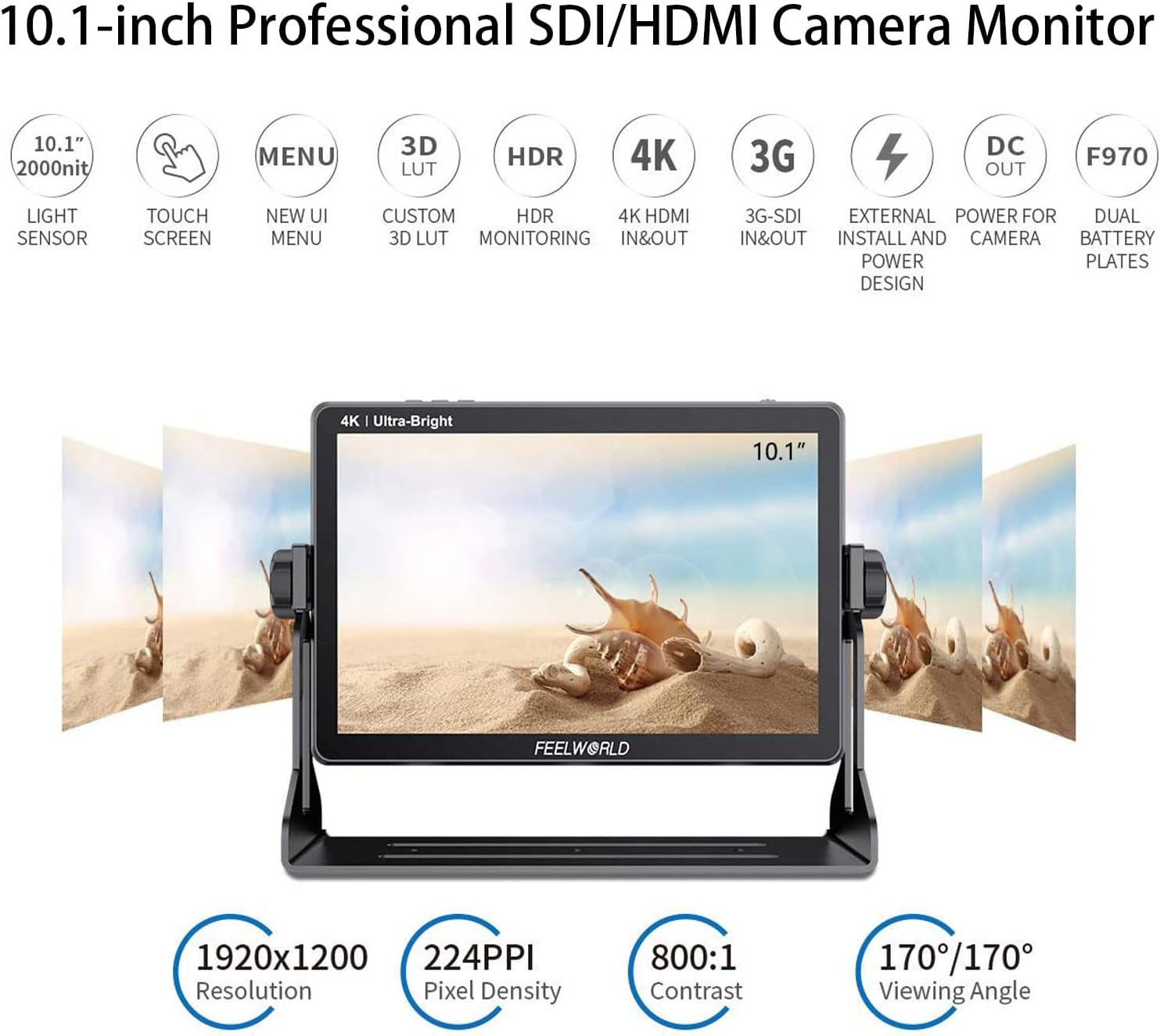
Image 2.1: Visual representation of the monitor's key features, including 2000nit brightness, touch screen, new UI, 3D LUT, HDR, 4K HDMI, 3G-SDI, DC out, and F970 battery plates.
3. Setup
3.1 Powering the Monitor
The LUT11S can be powered via the included DC 12V power adapter or compatible F970 series batteries (not included). The monitor features dual battery plates for extended operation.
- DC Power: Connect the 12V/3A power adapter to the DC IN 12V port on the monitor.
- Battery Power: Insert one or two F970 series batteries into the battery plates on the rear of the monitor. Ensure they are securely latched.

Image 3.1: Rear view of the monitor showing the SDI, HDMI, and DC ports, along with the dual F970 battery plates for power.
3.2 Connecting Video Sources
Connect your camera or video source to the monitor using the appropriate cables:
- HDMI Input: Use an HDMI cable to connect your camera's HDMI output to either HDMI 1 INPUT or HDMI 2 INPUT on the monitor.
- SDI Input: Use an SDI cable to connect your camera's SDI output to the SDI INPUT on the monitor.
The monitor also features HDMI 1 OUTPUT and SDI OUTPUT for loop-through functionality. Note that HDMI 1 input defaults to loop-out from HDMI 1 output, while HDMI 2 cannot loop-out.
4. Operating Instructions
4.1 Touch Screen Operation
The LUT11S features a full touch screen for easy and sensitive operation:
- Main Menu: Double-click anywhere on the screen to open the main menu.
- Shortcut Menu: Swipe up from the bottom of the screen to access the shortcut menu.
- Adjust Backlight/Volume: Swipe left or right on the screen to increase/decrease backlight or volume.

Image 4.1: Diagrams illustrating touch screen gestures for accessing the main menu, shortcut menu, and adjusting backlight/volume.
4.2 Navigating the New UI
The new UI menu features iconized functions for quicker access:
- Tap on icons to select functions or settings.
- Use the F1, F2, F3 function buttons on the top of the monitor for quick access to user-defined functions. These can be mapped in the settings.

Image 4.2: The monitor's full touch screen in action, demonstrating easy and sensitive operation for efficient filming.
4.3 Using Monitoring Tools
The LUT11S offers a comprehensive suite of monitoring tools:
- Waveform, RGB Parade, Vectorscope, Histogram: Access these scopes from the main menu or assign them to function buttons for real-time video signal analysis.
- Focus Peaking, Zebra, False Color: Utilize these tools to assist with accurate focus, exposure, and color evaluation.
- 3D LUT Implementation: Load custom .cube files or use built-in LOG to Rec.709 video for precise color grading and monitoring. SDI output also supports LUT.

Image 4.3: Demonstration of the 3G-SDI output supporting 3D-LUT loopout, allowing for consistent color monitoring across devices.
5. Maintenance
Proper maintenance ensures the longevity and optimal performance of your FEELWORLD LUT11S monitor:
- Cleaning the Screen: Use a soft, lint-free cloth specifically designed for electronics screens. Do not use harsh chemicals or abrasive materials. For stubborn smudges, lightly dampen the cloth with distilled water or a screen cleaning solution.
- General Cleaning: Wipe the body of the monitor with a dry, soft cloth. Avoid getting liquids into the ports or ventilation openings.
- Storage: When not in use, store the monitor in a cool, dry place away from direct sunlight and extreme temperatures. Use the original packaging or a protective case to prevent dust and physical damage.
- Battery Care: If using batteries, remove them if the monitor will not be used for an extended period. Store batteries in a cool, dry place and recharge them periodically to maintain their health.
6. Troubleshooting
If you encounter issues with your LUT11S monitor, refer to the following common problems and solutions:
| Problem | Possible Cause | Solution |
|---|---|---|
| Monitor does not power on. | No power, low battery, faulty power adapter. | Check power cable connection. Ensure batteries are charged and correctly inserted. Try a different power source or adapter if available. |
| No video signal. | Incorrect input selected, loose cable, incompatible signal, camera output issue. | Verify the correct input source is selected on the monitor. Check HDMI/SDI cable connections. Ensure camera video output settings match monitor's supported resolutions/frame rates. |
| Screen is too dark/bright. | Backlight setting. | Adjust backlight using the touch screen swipe gesture or through the main menu settings. |
| Touch screen unresponsive. | Temporary software glitch, screen protector interference. | Restart the monitor. Ensure the screen is clean and free of debris. If a screen protector is installed, ensure it is properly applied and not causing issues. |
| Audio issues (no sound from headphone jack). | Volume too low, audio format not supported, headphone issue. | Increase volume. Check if the input signal contains embedded audio. Test with different headphones. |
If the problem persists after trying these solutions, please contact FEELWORLD customer support for further assistance.
7. Specifications
Detailed technical specifications for the FEELWORLD LUT11S monitor:
| Specification | Value |
|---|---|
| Model Number | KT-LUT11S-FW |
| Display Size | 10.1 inches |
| Resolution | 1920x1200 |
| Brightness | 2000nit |
| Contrast Ratio | 800:1 |
| Viewing Angle | 170°/170° (H/V) |
| Input Ports | 3G-SDI, HDMI (x2) |
| Output Ports | 3G-SDI, HDMI (x1), DC OUT 8V |
| Audio Output | 3.5mm Headphone Jack |
| Power Input | DC 12V |
| Battery Plate | Dual F970 |
| Item Weight | 1.79 pounds |
| Package Dimensions | 10.43 x 8.35 x 4.33 inches |
| Manufacturer | FEELWORLD |
8. Package Contents
The following items are typically included in the FEELWORLD LUT11S package:
- FEELWORLD LUT11S Monitor
- Mini HDMI Cable
- Power Adapter
- U-shape Bracket
- User Manual
Image 8.1: Visual representation of the items included in the product packaging.
9. Warranty and Support
FEELWORLD products are designed and manufactured to the highest quality standards. For information regarding warranty coverage, returns, or technical support, please refer to the warranty card included with your product or visit the official FEELWORLD website or their store on Amazon.
For direct support and to explore other FEELWORLD products, you can visit the official FEELWORLD store on Amazon: FEELWORLD Amazon Store
Ask a question about this manual
Ask about setup, troubleshooting, compatibility, parts, safety, or missing instructions. Manuals+ will review the question and use this page’s manual context to help answer it.